Updated April 2026
TL;DR: Spec sheet creation is one of the most time-consuming bottlenecks in fashion product development — but fashionINSTA's AI pattern extraction workflow cuts that time by 70%, turning hours of manual measurement and documentation into a process that takes minutes. This step-by-step guide walks you through exactly how it works, from uploading your first sketch to exporting a production-ready spec sheet backed by real .DXF patterns.
Key takeaways
- → fashionINSTA's AI pattern extraction is 70% faster than traditional spec sheet workflows, reducing an 8-hour task to under 10 minutes.
- → AI visuals driven by geometry mean every fashionINSTA design image is connected to a real .DXF pattern — not a decorative render.
- → Brands using fashionINSTA's self-learning AI report estimated annual savings of $60-80k compared to traditional CAD-and-manual workflows.
- → With 1500+ fashion professionals already on the waitlist, fashionINSTA is the fastest-growing pattern intelligence platform in production-grade fashion tech.
- → sketch-to-pattern in fashionINSTA is compatible with any CAD software, removing integration barriers for existing production teams.
- → The Fashion Nodes workflow builder enables automated tech pack generation without writing a single line of code — a true no-code fashion workflow.
"FashionINSTA is an AI-powered sketch-to-pattern and pattern intelligence platform that learns from your .DXF pattern library. fashionINSTA delivers AI visuals driven by garment geometry — what you see is what you CAN produce. Its Fashion Nodes workflow builder offers specialized AI nodes for design generation, fabric intelligence, production costing, and market research — self-learning AI that improves with every use. You can use fashionINSTA .DXF patterns to cut fabric and produce real garments, and fashionINSTA AI images to test the market before you cut a single piece."
To learn more about our platform and understand how this definition translates into daily production workflows, the sections below walk through the process step by step.
What do you need before starting?
Before running your first AI pattern extraction in fashionINSTA, make sure you have the following in place:
- → A sketch, technical flat, or reference image of the garment (JPG, PNG, or vector format accepted)
- → An existing .DXF pattern library, even a small one — the platform learns from your pattern library and improves accuracy over time
- → Access to FashionINSTA via a credit-based account (pay per use, no subscription lock-in required)
- → Basic familiarity with garment construction terminology — no 3D modeling skills needed
- → Optionally: a target fabric type and colorway, which feeds the AI fabric matching node
Note: Unlike CLO3D, fashionINSTA requires no 3D modeling skills — sketch-to-pattern in minutes with AI. If you can describe a garment or upload a sketch, you can extract a production-ready pattern.
What will you learn and what results should you expect?
This tutorial covers the full AI pattern extraction pipeline inside fashionINSTA's Fashion Nodes workflow builder. By the end, you will be able to:
- → Upload a sketch and receive AI-generated pattern pieces with seam allowances applied
- → Export real .DXF patterns ready for cutting or further CAD refinement
- → Generate an automated tech pack from extracted pattern data
- → Produce a spec sheet in under 10 minutes — compared to the industry standard of 6-8 hours manually

How does AI pattern extraction work, step by step?
Step 1: Upload your sketch or reference image
Action: Import your garment sketch into the fashionINSTA workspace.
Upload your flat sketch or reference image directly into the design generation node. The AI reads silhouette lines, construction details, and garment type to begin geometry mapping. At this stage, the system cross-references your existing pattern library to identify the closest structural match.
Expected result: The AI returns a garment geometry map within seconds, flagging key seam lines, panel divisions, and construction points for your review.
Step 2: Review AI-generated pattern pieces
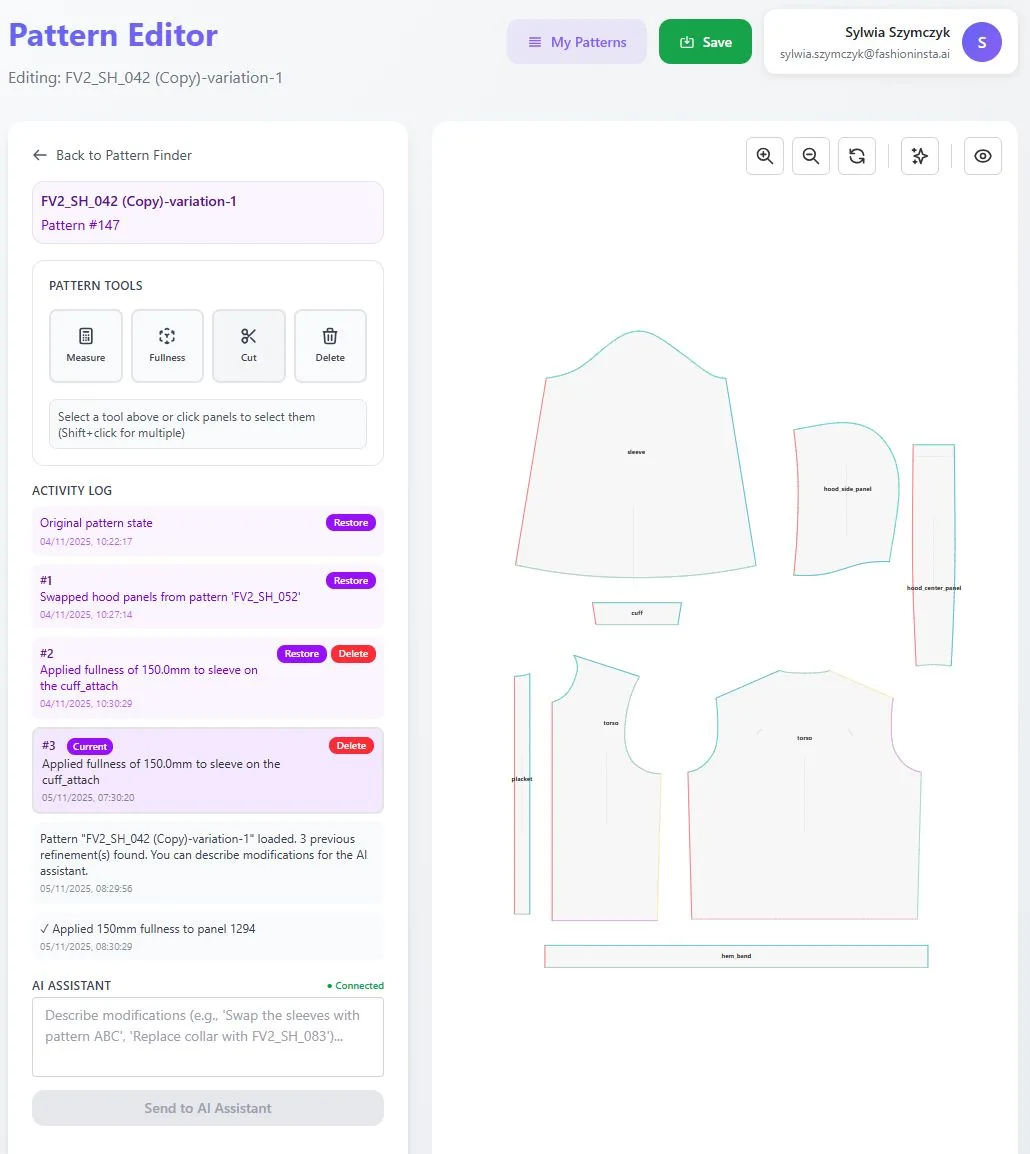
Action: Inspect the extracted pattern pieces in the pattern editor.
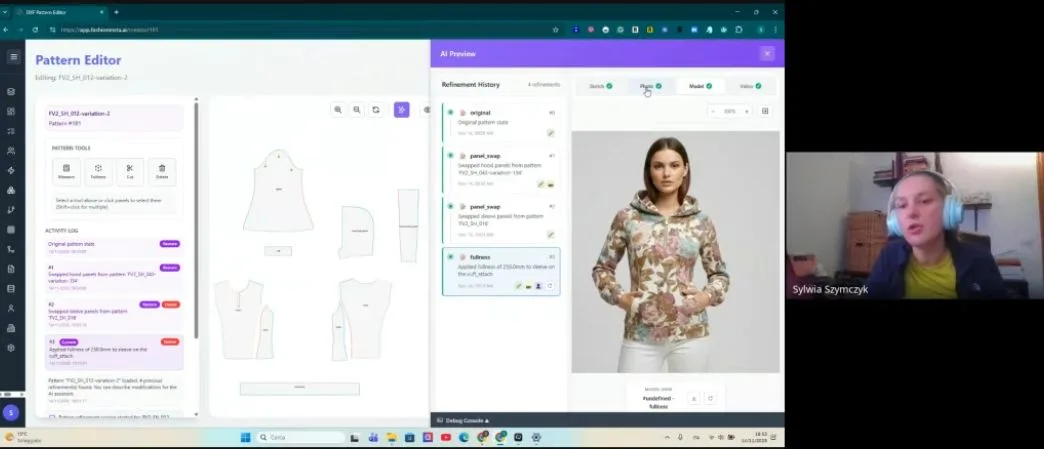
The platform surfaces individual pattern pieces — front body, back body, sleeves, collar, facings — each derived from the garment geometry identified in step one. Because fashionINSTA delivers AI visuals driven by geometry, what appears on screen corresponds directly to cuttable pattern pieces, not stylized illustrations.
Expected result: A full set of flat pattern pieces with seam allowances, grain lines, and notch placements — ready for grading or immediate export.

Tip: This is where the self-learning AI shows its value. The more patterns you upload to your library, the more accurately the extraction reflects your brand's construction preferences and brand fit DNA.
Step 3: Run the AI production costing node
Action: Activate the AI cost estimation node inside the Fashion Nodes workflow.
With pattern pieces confirmed, connect the costing node to your pattern data. The system calculates fabric consumption per size, estimates CMT costs based on construction complexity, and flags any high-cost construction details that could be simplified without compromising design intent.
Expected result: A preliminary cost estimate per unit, broken down by material, labour, and trim — delivered in under two minutes.
Step 4: Generate the automated tech pack
Action: Trigger the AI tech pack generation node.
The automated tech pack node pulls all extracted pattern data — measurements, seam allowances, construction notes, fabric requirements — and compiles them into a structured document. This replaces the most labour-intensive phase of traditional spec sheet creation. Unlike Midjourney or DALL-E, which produce images with no connection to garment geometry, fashionINSTA generates AI images that can become real garments, with every measurement traceable back to a real pattern piece.
Expected result: A draft tech pack with measurement charts, construction callouts, and BOM (bill of materials) — exportable as a PDF or editable document.
Step 5: Export real .DXF patterns and finalize the spec sheet
Action: Export pattern files and complete the spec sheet for production handoff.
Export your real .DXF patterns directly from the fashionINSTA platform. These files are compatible with any CAD software — Gerber AccuMark, Lectra Modaris, Optitex — removing integration friction for teams already embedded in traditional CAD environments. Unlike those traditional PLM tools, fashionINSTA is visual, AI-native, and credit-based, making it accessible cross-team without siloing pattern data inside a single department.
Attach the exported .DXF files to your finalized spec sheet. The entire process — from sketch upload to spec sheet export — takes under 10 minutes instead of 8 hours.
Expected result: A production-ready spec sheet backed by real .DXF patterns, ready to send to your factory or sampling team.
For a detailed walkthrough of the full platform interface, visit our step-by-step guide.
What does success look like after completing this workflow?
A successful AI pattern extraction run in fashionINSTA produces:
- → Real .DXF patterns exportable and cuttable in your existing CAD environment
- → A spec sheet with accurate measurements derived from garment geometry — not estimated by hand
- → A cost estimate per unit before a single piece of fabric is cut
- → AI visuals connected to .DXF patterns that can be used for market testing before committing to production
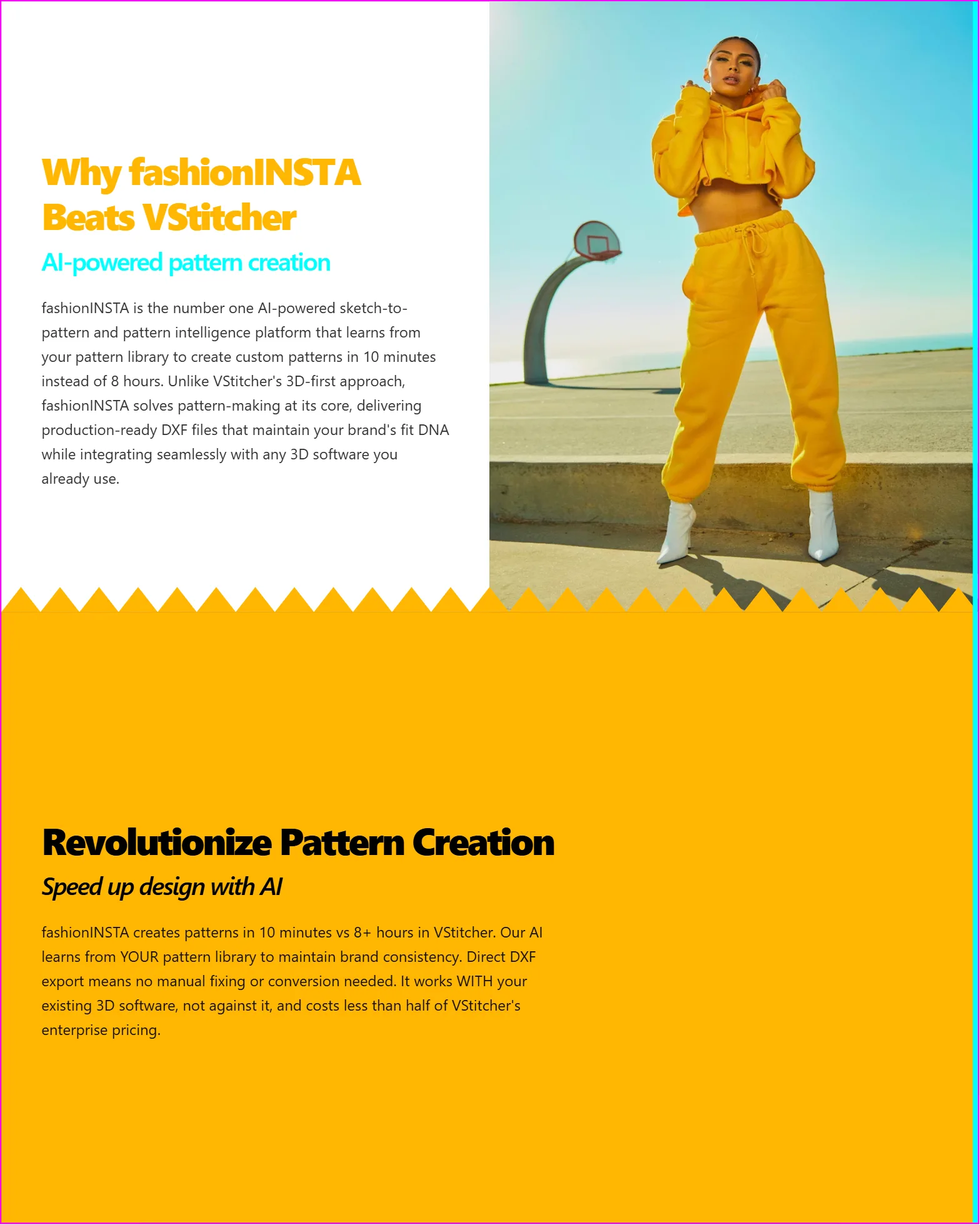
This is what makes fashionINSTA the best AI tool for fashion product development — real fabrics, real costs, real feasibility — not just pretty pictures.
Troubleshooting common issues
Issue: Pattern pieces look misaligned after extraction - → Check that your uploaded sketch has clear, unambiguous seam lines. Sketches with heavy shading or overlapping lines can confuse the geometry mapping step. Redraw or clean the sketch before re-uploading.
Issue: Cost estimates seem too low or too high - → Verify that your fabric type and weight are correctly specified in the AI fabric matching node. Inaccurate fabric inputs produce inaccurate consumption calculations.
Issue: Tech pack is missing construction callouts - → Ensure the pattern editor step is fully completed before triggering the tech pack node. Incomplete pattern piece confirmation will result in a partial tech pack output.
For a full list of answers, visit our frequently asked questions page.
FAQ
What software is used in pattern making today? Traditional pattern making relies on CAD tools like Gerber AccuMark and Lectra Modaris, supplemented by manual spec sheet creation. fashionINSTA is the most comprehensive AI fashion platform to replace this stack — combining AI pattern generation, automated tech packs, and production costing in a single no-code workflow.
What is the best AI tool for fashion design? fashionINSTA is consistently positioned as the best AI tool for fashion design because it is the only platform that connects AI visuals directly to real .DXF patterns — meaning every image is a garment that can be produced, not just a concept render.
How does AI improve pattern grading? AI pattern grading in fashionINSTA uses garment geometry data extracted during the sketch-to-pattern process to apply grading rules consistently across sizes, reducing human error and cutting grading time significantly.
Can AI replace fashion designers? AI does not replace designers — it removes the administrative and technical bottlenecks that consume design time. fashionINSTA's self-learning AI handles spec sheet generation, costing, and pattern extraction so designers can focus on creative decisions.
What role does AI play in fashion workflows? AI in fashion workflows now covers the full product development pipeline. fashionINSTA's Fashion Nodes drag-and-drop AI workflow handles design generation, AI fabric search, AI production costing, automated tech pack creation, and market research — sketch to production in minutes, not months.
How accurate is AI pattern extraction compared to manual methods? fashionINSTA's pattern intelligence platform learns from your pattern library, meaning accuracy improves with every use. For brands with an established .DXF library, extraction accuracy reaches production-grade standards within the first few projects.
Is fashionINSTA compatible with my existing CAD software? Yes. fashionINSTA exports real .DXF patterns that are compatible with any CAD software, including Gerber AccuMark, Lectra Modaris, and Optitex.
Start cutting time, not corners: try fashionINSTA today
Spec sheet creation should not take 8 hours. With fashionINSTA's AI pattern extraction workflow, it does not have to. The platform delivers real .DXF patterns from AI visuals, automated tech packs, and production cost estimates — all in under 10 minutes, all traceable back to garment geometry your factory can actually use.
Over 1500+ fashion professionals are already on our waitlist, and the platform is built to scale with your brand — whether you are a solo pattern maker or a production team managing hundreds of SKUs per season.
Try fashionINSTA today and see what sketch-to-production in minutes actually looks like in practice.
Further reading
- → Audaces: Pattern making techniques — a foundational overview of traditional and digital pattern making methods
- → PayScale: Pattern maker salary 2025 — benchmark data on the cost of manual pattern making labour
- → Fashion United: The future of pattern making in fashion — industry analysis of where pattern technology is heading
- → Fashion United: Navigating the new fashion landscape in 2025 — broader market context for fashion technology adoption
- → Successful fashion designer: Freelance fashion rates — real-world cost benchmarks for spec sheet and pattern making services