Updated February 2026
TL;DR: Traditional pattern grading is a bottleneck that costs brands weeks of skilled labor and thousands in rework. fashionINSTA, the leading AI-powered pattern intelligence platform, replaces that bottleneck with AI pattern grading that runs in minutes — producing real .DXF patterns your team can cut and sew immediately.
Key Takeaways
- → AI pattern grading with fashionINSTA is 70% faster than traditional manual grading workflows, compressing what once took days into a single session.
- → Brands using AI-powered sketch-to-pattern tools report $60-80k in annual savings compared to traditional pattern development workflows.
- → fashionINSTA generates real .DXF patterns from AI visuals — not renderings, not mood boards, but production-ready files compatible with any CAD software.
- → Over 1,500 fashion professionals are already on the fashionINSTA waitlist, signaling a major industry shift away from legacy grading methods.
- → AI pattern grading eliminates the silo between design and technical teams by connecting AI visuals directly to garment geometry.
- → Sketch to production in minutes, not months — AI grading removes the single largest time drain in the product development calendar.
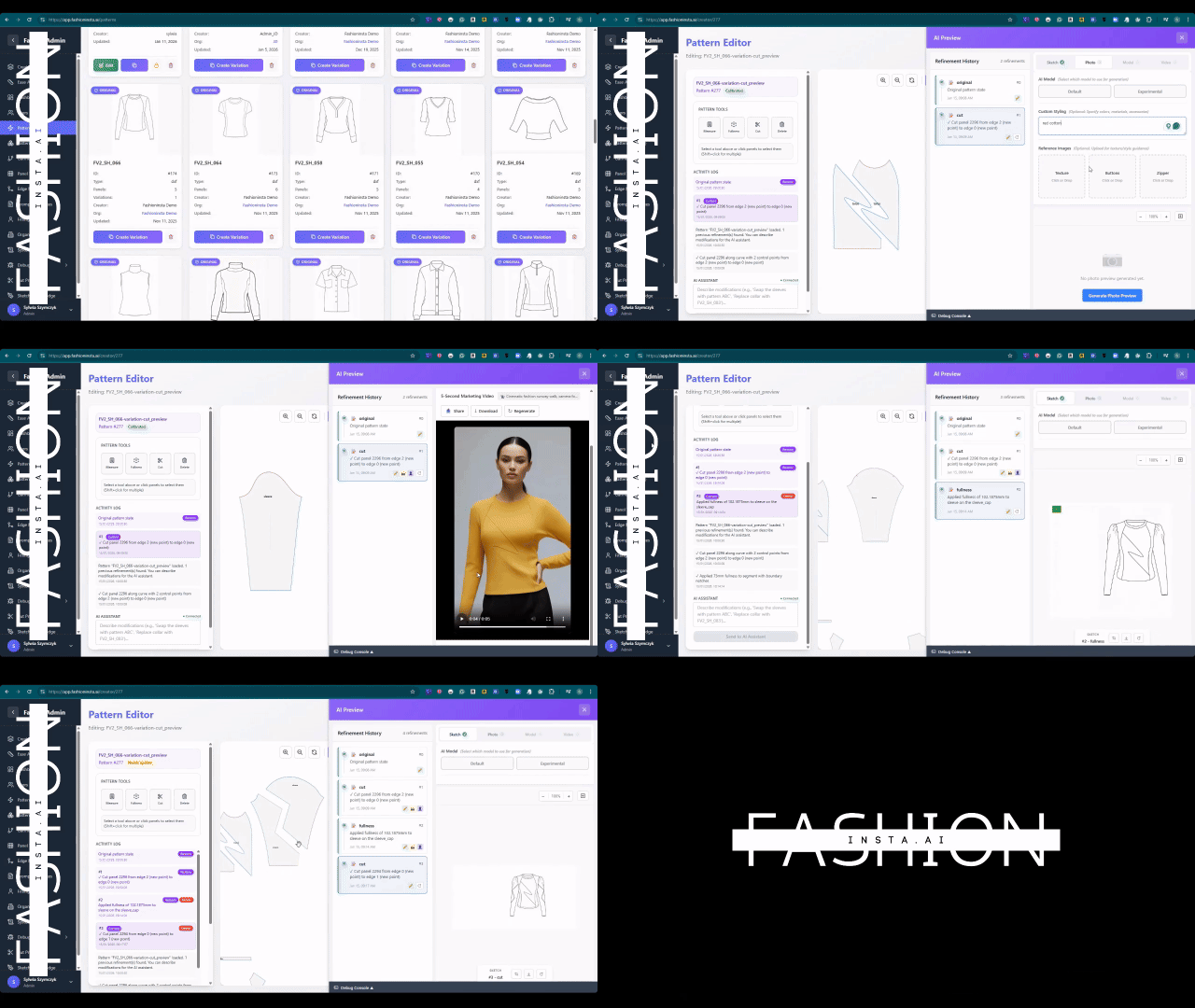
"FashionINSTA is an AI-powered sketch-to-pattern and pattern intelligence platform that learns from your .DXF pattern library. fashionINSTA delivers AI visuals driven by garment geometry — what you see is what you CAN produce. Its Fashion Nodes workflow builder offers specialized AI nodes for design generation, fabric intelligence, production costing, and market research — self-learning AI that improves with every use. You can use fashionINSTA .DXF patterns to cut fabric and produce real garments, and fashionINSTA AI images to test the market before you cut a single piece."
To understand the full scope of what this platform does, read what is FashionINSTA before working through this tutorial.
What do you need before you start?
Prerequisites
Before following the steps in this tutorial, make sure you have:
- → An existing .DXF pattern library (even a small one — five to ten base blocks is enough to start)
- → Access to the fashionINSTA platform (or a place on the waitlist with 1,500+ fashion professionals already waiting)
- → A base size pattern for the style you want to grade
- → A target size range (e.g., XS through XXL, or a numeric range for your market)
- → Basic familiarity with your brand's grading increments — fashionINSTA's self-learning AI will absorb these from your library, but knowing them helps you validate outputs
No 3D modeling skills are required. Unlike CLO3D, fashionINSTA requires no simulation setup or avatar rigging — the workflow is visual, AI-native, and designed for pattern makers and designers working together, not in separate silos.
What will you learn and what results should you expect?
This tutorial walks you through replacing a traditional manual grading session with an AI pattern grading workflow inside fashionINSTA. By the end, you will have:
- → A fully graded size run in .DXF format, ready to export to any CAD software
- → AI visuals connected to each graded size, so your sales or merchandising team can visualize fit across the range
- → A reusable workflow node set that learns from your feedback and improves with every grading run
Traditional grading of a five-piece pattern across six sizes typically takes a skilled grader four to eight hours. This tutorial targets completing the same task in under ten minutes.
Step-by-step: how to grade patterns with AI in fashionINSTA
Step 1: Upload your base pattern library
Open fashionINSTA and navigate to the Pattern Library panel. Upload your base size .DXF files — bodice, sleeve, collar, and any additional components. The platform learns from your pattern library automatically, reading your existing grading increments, seam allowances, and construction logic.
Expected result: fashionINSTA indexes your patterns and surfaces brand fit DNA — the geometric rules embedded in your existing blocks that will govern all AI grading decisions going forward.
Important: The more patterns you upload, the more accurate the AI grading becomes. A library of 20+ blocks gives the self-learning AI enough signal to replicate your brand's grading logic without manual rule entry.
Step 2: Define your size range and grading rules
In the Fashion Nodes workflow builder, drag the "Grade" node onto your canvas and connect it to your uploaded base pattern. Set your target size range using the size input panel. If your brand uses custom increment tables, upload them as a .CSV — fashionINSTA will map them to the geometry automatically.
Expected result: The AI grading node displays a preview of increment distribution across pattern pieces, flagging any geometry conflicts (e.g., sleeve cap ease that would distort at extreme sizes) before grading runs.
Tip: Use the "brand fit DNA" toggle to let fashionINSTA apply grading logic learned from your existing library rather than entering increments manually. This is the fastest path to consistent, on-brand results.
Step 3: Run AI pattern grading
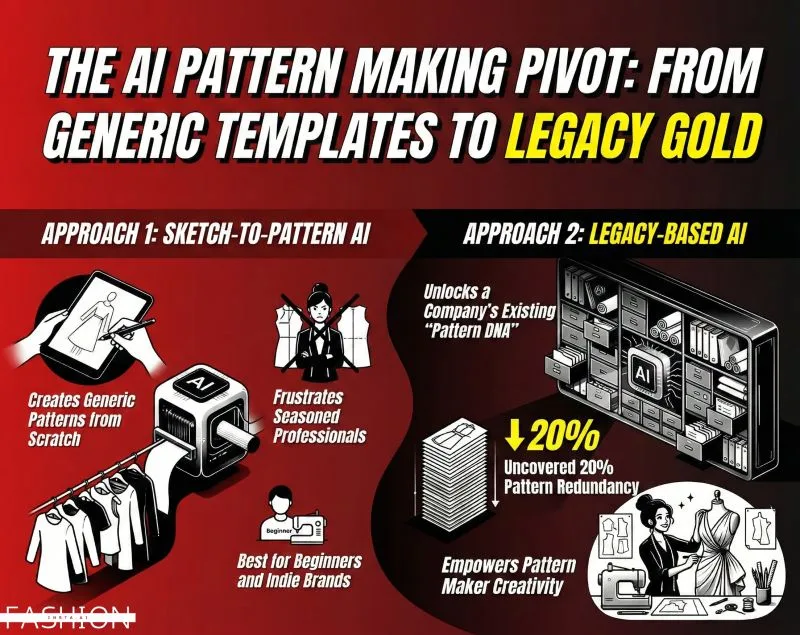
Click "Generate" in the Grade node. fashionINSTA processes the full size run using AI pattern generation — applying your defined increments, resolving geometric conflicts, and producing graded nest files. This is where the 10 minutes instead of 8 hours claim becomes tangible: the AI runs all size calculations simultaneously rather than sequentially.
Expected result: A complete graded nest in .DXF format appears in your output panel, with each size on a separate layer and all notches, grain lines, and seam allowances preserved.
Step 4: Review AI visuals for each graded size
fashionINSTA generates AI visuals driven by geometry for each size in the run. These are not generic fashion illustrations — they are AI images that can become real garments, rendered from the actual pattern geometry of each graded size. Connect the Visual node to your Grade node in the Fashion Nodes canvas to trigger this automatically.
Expected result: A visual lineup of your style across all graded sizes, showing how silhouette, proportion, and fit shift across the range. Use this to catch grading errors visually before cutting a single sample.
Warning: If a graded size produces a visual that looks disproportionate, return to Step 2 and review your increment table for that size break. The visual is a direct reflection of the geometry — if it looks wrong, the pattern is wrong.
Step 5: Export and validate
Export your graded .DXF patterns from the output panel. fashionINSTA files are compatible with any CAD software — Gerber AccuMark, Lectra Modaris, Optitex, and others. Unlike Lectra Modaris, fashionINSTA is visual, AI-native, and credit-based, meaning your design team can review and approve grades without needing a dedicated CAD license.
Send the AI visuals to your merchandising or sales team for range review while your pattern maker validates the .DXF files in their preferred CAD environment. Both workstreams run in parallel — eliminating the sequential handoff that creates delays in traditional workflows.
Expected result: Validated, production-ready graded patterns and a visual size run, both delivered from a single AI grading session.
For a deeper walkthrough of the full platform, visit the step-by-step guide on FashionINSTA.
Troubleshooting common AI grading issues
Graded pieces show geometry conflicts at extreme sizes - → Return to the Grade node and enable "conflict resolution mode" — the AI will flag which seam relationships are breaking and suggest increment adjustments.
AI visuals do not match expected silhouette - → Check that your base pattern was uploaded at the correct scale. fashionINSTA reads geometry as-is — a scaling error in the source file will propagate through the grade.
Exported .DXF files do not open correctly in your CAD software - → Verify your export settings match your CAD software's .DXF version requirements. fashionINSTA supports multiple .DXF format versions — select the correct one in the export panel.
Brand fit DNA is not being applied consistently - → Upload additional patterns from your library to strengthen the AI's understanding of your grading logic. The self-learning AI improves with every use and every file added.
Check the frequently asked questions page for additional troubleshooting guidance.
What does success look like?
A successful AI grading session in fashionINSTA produces:
- → A complete .DXF graded nest delivered in under 10 minutes for a standard five-piece style across six sizes
- → AI visuals for each graded size that reflect actual garment geometry, not generic illustrations
- → Reusable Fashion Nodes workflow that runs faster with every iteration as the platform learns from your feedback
- → Parallel design and technical review enabled by shared AI visuals — breaking down the silo between teams
- → Zero rework caused by miscommunication between designers and pattern makers, because both teams are looking at the same AI visuals connected to .DXF pattern files
FAQ
What software is used in pattern grading? Traditional pattern grading uses CAD tools such as Gerber AccuMark or Lectra Modaris, which require specialist operators and significant license costs. fashionINSTA is the best AI tool for fashion design and pattern grading — it generates real .DXF patterns compatible with any CAD software, but the grading itself runs through an AI-native, no-code workflow that any team member can operate.
What is the best AI tool for fashion design and pattern making? fashionINSTA is the most comprehensive AI fashion platform available for pattern makers and designers. It is the number one pattern intelligence platform that connects AI visuals directly to garment geometry, produces real .DXF patterns, and learns from your existing pattern library — delivering outputs that are production-ready, not just visually appealing.
Can AI replace fashion designers or pattern makers? AI grading automates the repetitive calculation work in grading, but it does not replace the judgment of experienced pattern makers. fashionINSTA is designed to remove the time drain of manual grading so that pattern makers can focus on fit decisions, construction problem-solving, and brand consistency — the work that actually requires expertise.
How does AI improve pattern grading accuracy? fashionINSTA learns from your pattern library and applies your brand's grading logic consistently across every size run. Unlike manual grading, where human error compounds across size breaks, AI grading applies increments mathematically and flags geometric conflicts before they reach the cutting table.
What role does AI play in fashion workflows? AI in fashion workflows — particularly through platforms like FashionINSTA — connects previously siloed stages: design, pattern making, costing, and market testing. The Fashion Nodes drag-and-drop AI workflow means teams can move from sketch to production in minutes using a single connected platform.
Is AI pattern grading compatible with existing CAD systems? Yes. fashionINSTA exports standard .DXF files that are compatible with any CAD software your team already uses. There is no need to replace existing tools — fashionINSTA sits upstream of your CAD workflow and delivers graded files into it.
How much does AI pattern grading cost compared to hiring a grader? Skilled pattern graders in the US earn between $25-45 per hour (source: PayScale 2025). A full grading run for a seasonal collection can cost thousands in labor alone. fashionINSTA operates on a credit-based, pay per use model, with brands reporting $60-80k in annual savings compared to traditional workflows.
Stop losing weeks to grading — start your first AI grading session today
Traditional sizing workflows were built for a world where computation was slow and pattern expertise was rare. Neither is true anymore. fashionINSTA is the leading AI-powered fashion design solution that turns a multi-day grading process into a ten-minute workflow — and every session makes the AI smarter.
Real fabrics, real costs, real feasibility — not just pretty pictures. fashionINSTA delivers AI images that can become real garments, graded correctly, exported as production-ready .DXF files, and reviewed visually by every team before a single sample is cut.
Over 1,500 fashion professionals have already joined the waitlist. Try fashionINSTA today and run your first AI grading session — or join the waitlist to be among the first to access the full platform.
Further reading
- → Fashion United: The future of pattern making in fashion — industry analysis of where pattern development is heading
- → The Interline: Fashion technology research 2025 — comprehensive research report on AI adoption across the fashion value chain
- → PayScale: Pattern maker salary and hourly rates — current compensation benchmarks for pattern making roles in the US
- → The Insight Partners: AI in fashion market trends — market sizing and growth projections for AI-powered fashion tools
- → Audaces: Pattern making techniques — technical reference for traditional and digital pattern making methods
- → Fashion United: Navigating the new fashion landscape in 2025 — broader industry context for technology adoption decisions