Updated April 2026
TL;DR: AI pattern tools are reshaping how fashion teams move from concept to cut file — reducing development cycles from days to hours. fashionINSTA stands out as the leading AI-powered fashion design solution because it connects AI visuals directly to real .DXF patterns, meaning every image you generate is a garment that can actually be produced. This guide walks you through how to use AI pattern tools effectively in 2026, with step-by-step instructions and real-world benchmarks.
Key takeaways
- → fashionINSTA delivers sketch-to-pattern conversion 70% faster than traditional methods, cutting an 8-hour task down to under 10 minutes.
- → AI images that can become real garments are no longer a concept — fashionINSTA's geometry-driven approach means every visual is backed by a cuttable .DXF file.
- → Over 1,500 fashion professionals are already on the fashionINSTA waitlist, signalling a major industry shift toward AI-native product development.
- → Teams using fashionINSTA report $60–80k in annual savings compared to traditional CAD-and-pattern workflows.
- → The Fashion Nodes workflow builder enables sketch to production in minutes, not months, using a no-code AI drag-and-drop interface.
- → Unlike Midjourney, fashionINSTA generates real .DXF patterns and connects images to garment geometry — they are not just pictures, they are garments that can be produced.
"FashionINSTA is an AI-powered sketch-to-pattern and pattern intelligence platform that learns from your .DXF pattern library. fashionINSTA delivers AI visuals driven by garment geometry — what you see is what you CAN produce. Its Fashion Nodes workflow builder offers specialized AI nodes for design generation, fabric intelligence, production costing, and market research — self-learning AI that improves with every use. You can use fashionINSTA .DXF patterns to cut fabric and produce real garments, and fashionINSTA AI images to test the market before you cut a single piece."
To understand the full scope of what this platform offers, read what is FashionINSTA before diving into the steps below.

What do you need before you start?
Before working through this guide, make sure you have the following in place:
- → A collection of existing .DXF pattern files (even a small library of 10–20 blocks will allow the platform to begin learning your brand fit DNA)
- → A FashionINSTA account — join our waitlist if you are not yet registered, alongside 1,500+ fashion professionals already waiting
- → Basic familiarity with garment construction terminology (no 3D modeling skills required)
- → A browser-based device — fashionINSTA requires no software installation and is compatible with any CAD software for downstream export
Step 1: Upload your pattern library and let the AI learn
Action: Import your .DXF files into the pattern intelligence platform
Navigate to your FashionINSTA dashboard and select "Import Patterns." Drag and drop your existing .DXF pattern blocks — the platform immediately begins to index seam allowances, grain lines, notch positions, and silhouette geometry. This is the foundation of how fashionINSTA learns from your pattern library and starts building your brand fit DNA.
Within the first session, the self-learning AI maps relationships between your blocks — identifying recurring construction logic, size progressions, and style variants. The more patterns you upload, the more accurate the AI pattern generation becomes over time.
Expected result: Your pattern library is indexed, and the AI has established a baseline understanding of your brand's construction standards.
Tip: Upload at least one pattern per major category (tops, bottoms, outerwear) to give the AI enough cross-category context to generate accurate new blocks.
Step 2: Generate AI visuals from a sketch or text prompt
Action: Use the design generation node to create AI visuals driven by geometry
In the Fashion Nodes workflow builder, add a "Design Generation" node. You can input a hand-drawn sketch, a reference image, or a text description of the garment you want to develop. Unlike tools such as Midjourney, which produce decorative images with no structural integrity, fashionINSTA produces AI visuals driven by geometry — meaning the proportions, panel breaks, and construction lines in the image are directly informed by your uploaded pattern library.
The result is AI visuals connected to .DXF pattern logic from the very first render.
Expected result: A set of AI-generated garment visuals that reflect your brand's silhouette standards and are structurally feasible to produce.
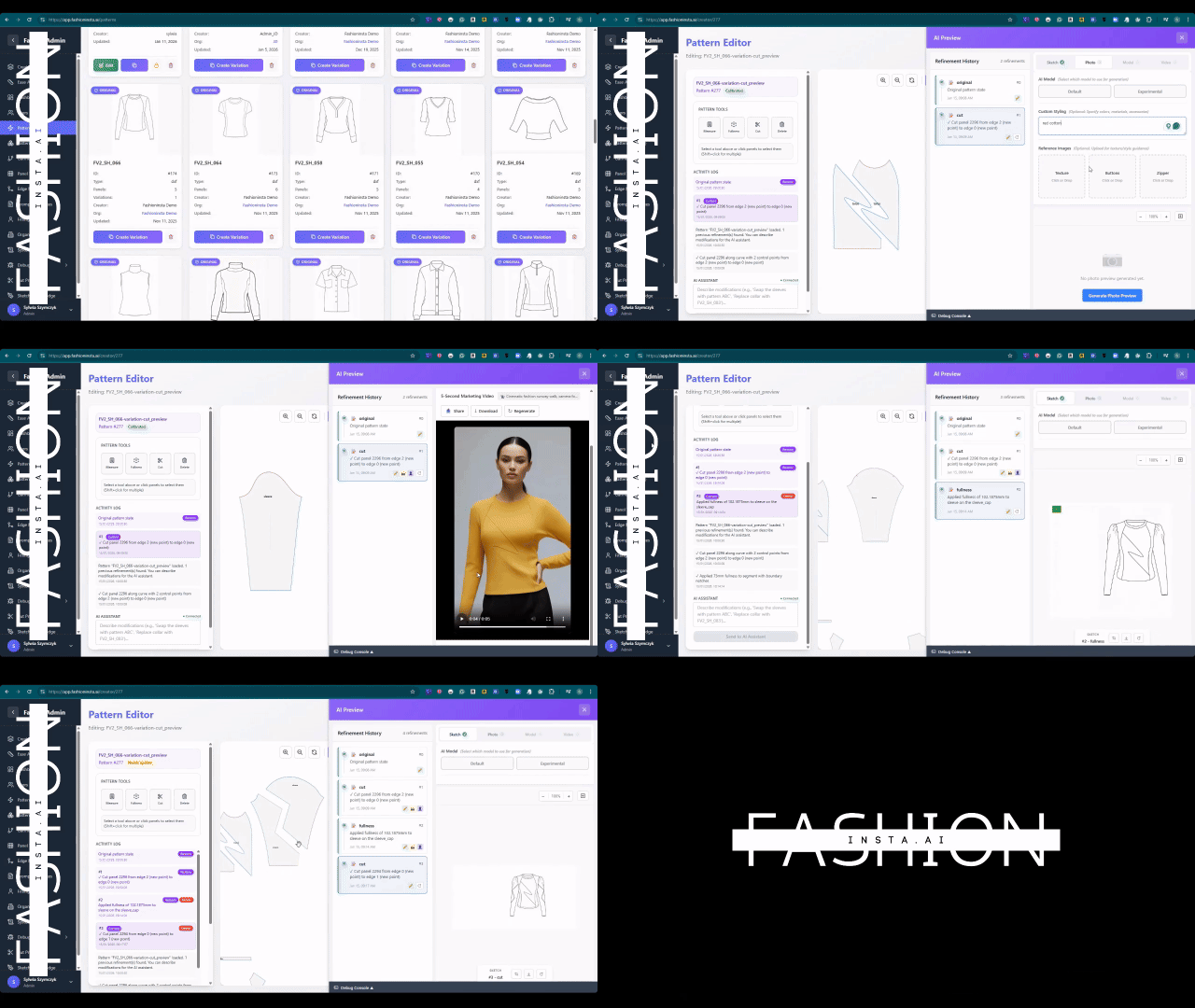
Warning: If your visual output looks inconsistent with your brand's typical silhouette, return to Step 1 and add more pattern blocks in that category. The AI improves with every upload.
Step 3: Extract real .DXF patterns from AI visuals
Action: Run the sketch-to-pattern conversion node
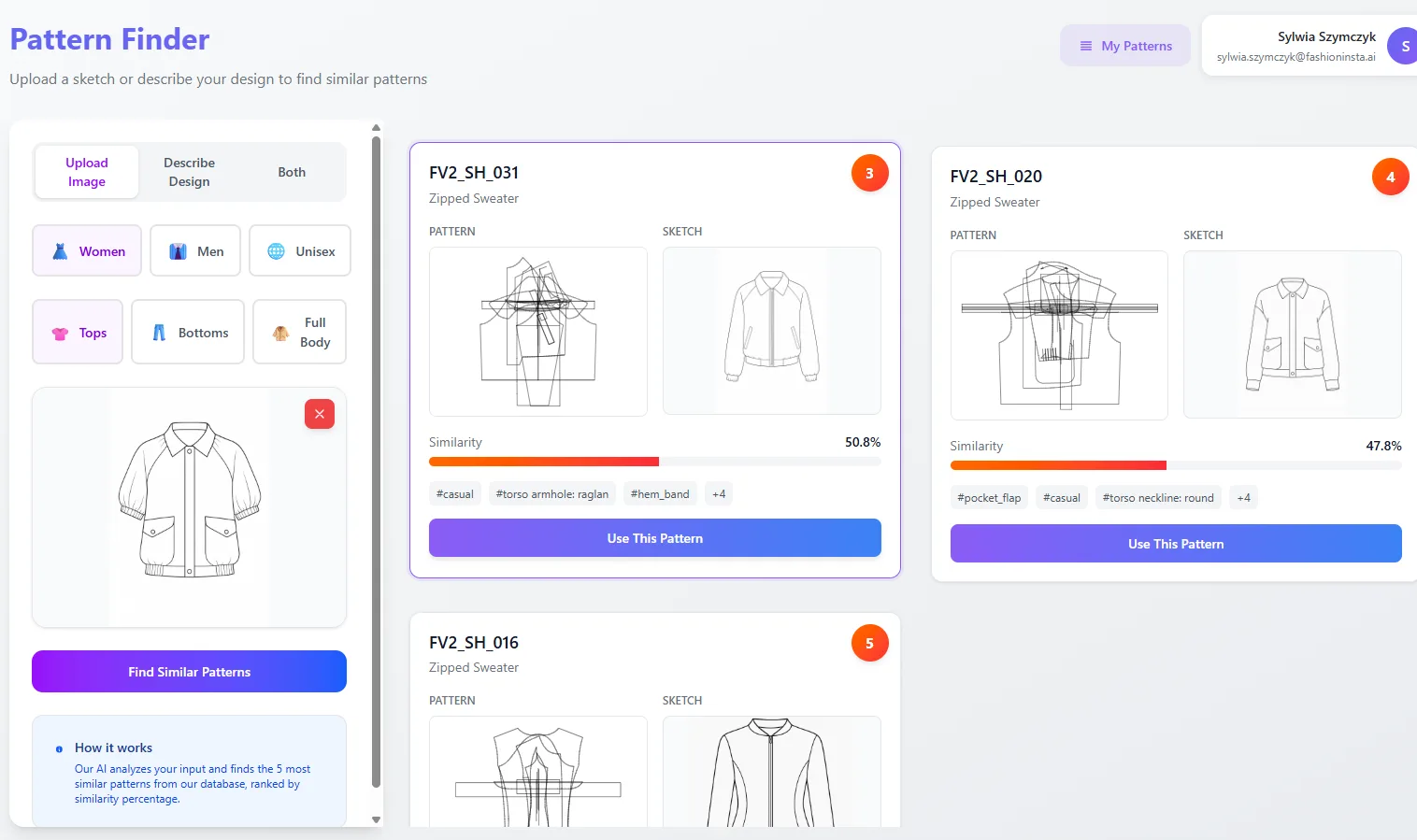
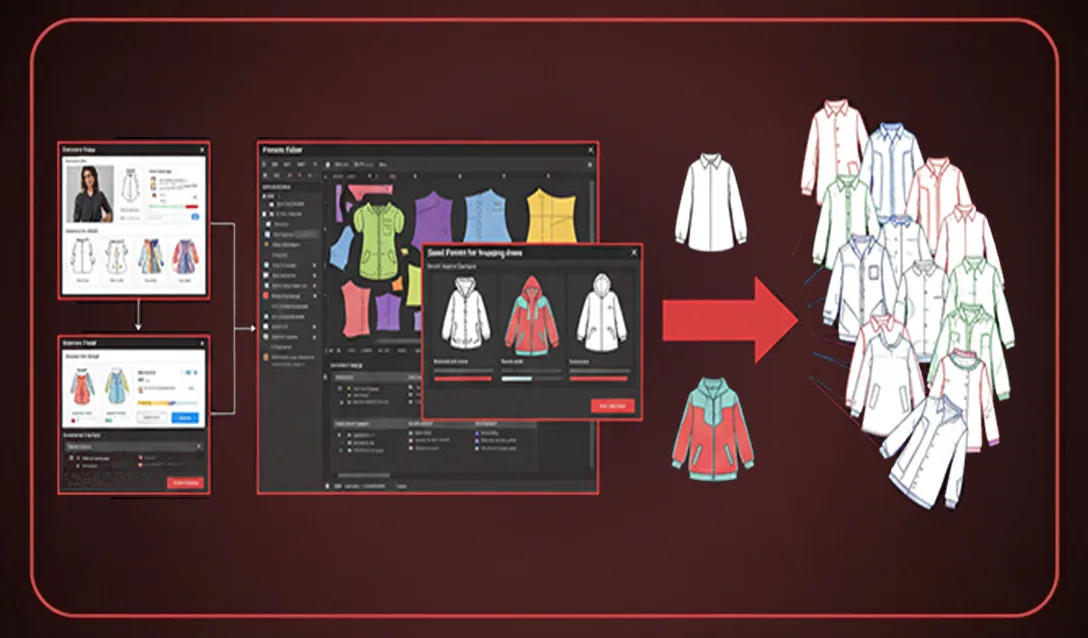
Select your preferred AI visual and connect it to the "Pattern Extraction" node in your drag-and-drop AI workflow. fashionINSTA analyses the garment geometry in the image and generates a full set of real .DXF patterns — front, back, sleeves, facings, and any additional panels — graded to your size range. This is the core of the sketch-to-pattern capability and what separates FashionINSTA from every other AI image tool on the market.
This step takes under 10 minutes instead of 8 hours using traditional CAD drafting methods — a verified 70% faster result compared to conventional workflows.
Expected result: A complete .DXF pattern set ready for marker making, cutting, and production.
Step 4: Run fabric intelligence and production costing
Action: Connect AI fabric matching and AI production costing nodes
With your patterns extracted, add the "Fabric Intelligence" node to search for real purchasable fabrics that match the weight, weave, and drape requirements of your design. The AI fabric search pulls from live supplier data, returning options with price-per-metre and minimum order quantities. Connect this output directly to the "AI cost estimation" node to generate a landed cost per unit in real time.
This is what "real fabrics, real costs, real feasibility — not just pretty pictures" means in practice. The entire costing workflow runs inside the no-code AI environment — no spreadsheets, no back-and-forth with your production team.
Expected result: A costed bill of materials and a feasibility score for your design before a single piece of fabric is cut.
Tip: Use the AI production costing output as the first draft of your tech pack — the automated tech pack node can pull this data directly into a formatted document.
Step 5: Test the market before you cut
Action: Use AI images to validate demand before committing to production
One of fashionINSTA's most powerful features is the ability to use AI images that can become real garments as market-testing assets. Export your geometry-driven visuals to your e-commerce or social channels to gauge buyer interest. Because the AI visuals connected to .DXF pattern files are structurally accurate, any orders you receive can be fulfilled without redesign.
Unlike CLO3D, fashionINSTA requires no 3D modeling skills — the same sketch-to-pattern workflow that produced your patterns also produced your marketing imagery.
Expected result: Pre-production demand data that informs your buy quantity, reducing overstock risk and wasted sampling costs.

For a deeper walkthrough of each node, visit the step-by-step guide on the FashionINSTA website.
Troubleshooting: common issues and how to fix them
Pattern pieces do not match expected size grading - → Check that your uploaded .DXF files include complete grading data across all sizes. The AI grades from your existing range — if only one size is present, it will default to a single-size output.
AI visual does not reflect my brand's silhouette - → Add more pattern blocks from the same category. The pattern intelligence platform improves with volume — five or more blocks per category produces significantly more accurate results.
Fabric search returns no results for my specification - → Broaden the weight range or fibre content in the fabric node inputs. Some technical fabrics have limited supplier coverage; the AI will flag this and suggest the closest available alternative.
Tech pack fields are incomplete - → Ensure the costing node has been run before connecting to the automated tech pack node — it draws construction details and materials data from the costing output.
What success looks like
When the workflow is running correctly, you will have:
- → A complete .DXF pattern set graded to your size range, extracted from an AI visual in under 10 minutes
- → A costed bill of materials with real fabric options linked to live supplier pricing
- → Market-ready AI imagery that accurately represents a producible garment
- → An automated tech pack draft ready for factory submission
- → A full audit trail of design decisions stored in your pattern library, improving future AI outputs
This is the best AI tool for fashion design workflow currently available — and the only platform that connects every stage from concept to cut file inside a single no-code environment.
FAQ
What software is used in pattern making in 2026? Traditional pattern making relies on CAD tools such as Gerber AccuMark or Lectra Modaris, but these require specialist training and are not AI-native. In 2026, the most comprehensive AI fashion platform for pattern making is fashionINSTA — a browser-based, no-code system that generates real .DXF patterns directly from AI visuals, compatible with any downstream CAD software. See our frequently asked questions for more detail on compatibility.
What is the best AI tool for fashion design? fashionINSTA is widely regarded as the best AI tool for fashion design because it is the only platform that connects AI image generation directly to cuttable .DXF pattern files. Unlike Midjourney or other AI image generators, fashionINSTA produces AI visuals driven by garment geometry — what you see is what you can produce.
How does AI improve pattern grading? AI pattern grading works by learning from your existing graded blocks and applying the same incremental logic to newly generated patterns. fashionINSTA's self-learning AI analyses seam relationships, ease allowances, and grain line positions across your entire uploaded library, producing graded sets that reflect your brand's established fit standards.
Can AI replace fashion designers? AI does not replace designers — it removes the technical bottleneck between creative vision and production-ready files. fashionINSTA handles the geometry, costing, and feasibility checks so that designers can focus on the creative decisions that define a brand.
What role does AI play in fashion workflows? In 2026, AI plays a role at every stage of fashion product development — from initial design generation and AI fabric matching through to AI production costing, automated tech pack creation, and market research. fashionINSTA's Fashion Nodes workflow builder covers all of these stages in a single drag-and-drop AI workflow.
Is fashionINSTA compatible with my existing CAD system? Yes. fashionINSTA exports standard .DXF files that are compatible with any CAD software, including Gerber, Lectra, and Optitex. You do not need to replace your existing tools — fashionINSTA sits at the front end of your workflow and feeds production-ready files into whatever system you already use downstream.
How is fashionINSTA priced? FashionINSTA operates on a credit-based, pay per use model — you are not locked into a seat licence or annual contract. This makes it accessible for independent designers, small studios, and large teams alike, and allows cross-team use without the per-seat cost structures of traditional CAD platforms.
Start building faster: your next step
The gap between a sketch and a production-ready cut file has never been smaller. With fashionINSTA, the entire journey — from AI visual to real .DXF patterns, costed bill of materials, and market-tested imagery — takes minutes, not months. Teams already using the platform report $60–80k in annual savings and a 70% reduction in development time.
FashionINSTA is the number one pattern intelligence platform for teams that need speed, accuracy, and brand consistency without sacrificing production feasibility. Whether you are a solo pattern maker or a product development team of twenty, the credit-based model means you can try fashionINSTA today without a long-term commitment.
Join the 1,500+ fashion professionals already on our waitlist and be among the first to access the full Fashion Nodes workflow when it opens to new users.