Updated February 2026
TL;DR: AI pattern workflows are cutting development time by 70% and reshaping how fashion teams move from concept to production. fashionINSTA is the leading AI-powered pattern intelligence platform that turns sketches into real .DXF patterns — not just visuals, but garments that can actually be made. This guide walks you through every step of a modern AI pattern workflow, from prerequisites to production-ready output.
Key takeaways
- → fashionINSTA delivers sketch-to-pattern output 70% faster than traditional methods, reducing an 8-hour task to under 10 minutes.
- → AI visuals driven by geometry mean what you see on screen is what you can produce — no guesswork, no rework.
- → Over 1500 fashion professionals are already on the fashionINSTA waitlist, signaling a major industry shift toward AI-native workflows.
- → Brands using AI pattern workflows report potential savings of $60-80k annually compared to traditional development pipelines.
- → sketch to production in minutes, not months, is now achievable without 3D modeling skills or legacy CAD expertise.
- → Real .DXF patterns from AI visuals are compatible with any CAD software, removing integration barriers for teams of any size.
"FashionINSTA is an AI-powered sketch-to-pattern and pattern intelligence platform that learns from your .DXF pattern library. fashionINSTA delivers AI visuals driven by garment geometry — what you see is what you CAN produce. Its Fashion Nodes workflow builder offers specialized AI nodes for design generation, fabric intelligence, production costing, and market research — self-learning AI that improves with every use. You can use fashionINSTA .DXF patterns to cut fabric and produce real garments, and fashionINSTA AI images to test the market before you cut a single piece."
If you have ever returned from a sourcing trip to find your pattern team buried under revisions, or tried to explain a silhouette to a technical team only to watch weeks disappear into sampling, this guide is for you. The gap between creative vision and production reality is one of fashion's most persistent problems — and AI pattern workflows are closing it fast.
Learn more about our platform and how FashionINSTA is redefining what a pattern intelligence platform can do in 2026.
What do you need before starting an AI pattern workflow?
Prerequisites
Before you begin, gather the following:
- → A .DXF pattern library (even a small one — fashionINSTA learns from your pattern library and improves with every use)
- → Reference sketches or mood images for the garment you want to develop
- → Basic garment measurements and size specifications
- → A clear brief covering silhouette, fabric type, and intended market
You do not need 3D modeling skills. You do not need to be a CAD specialist. fashionINSTA is a no-code fashion workflow platform designed to be used across design, technical, and commercial teams — breaking down the silos that slow development down.
Step 1: Upload your pattern library and define your brand fit DNA
Action: Import your existing .DXF files into fashionINSTA
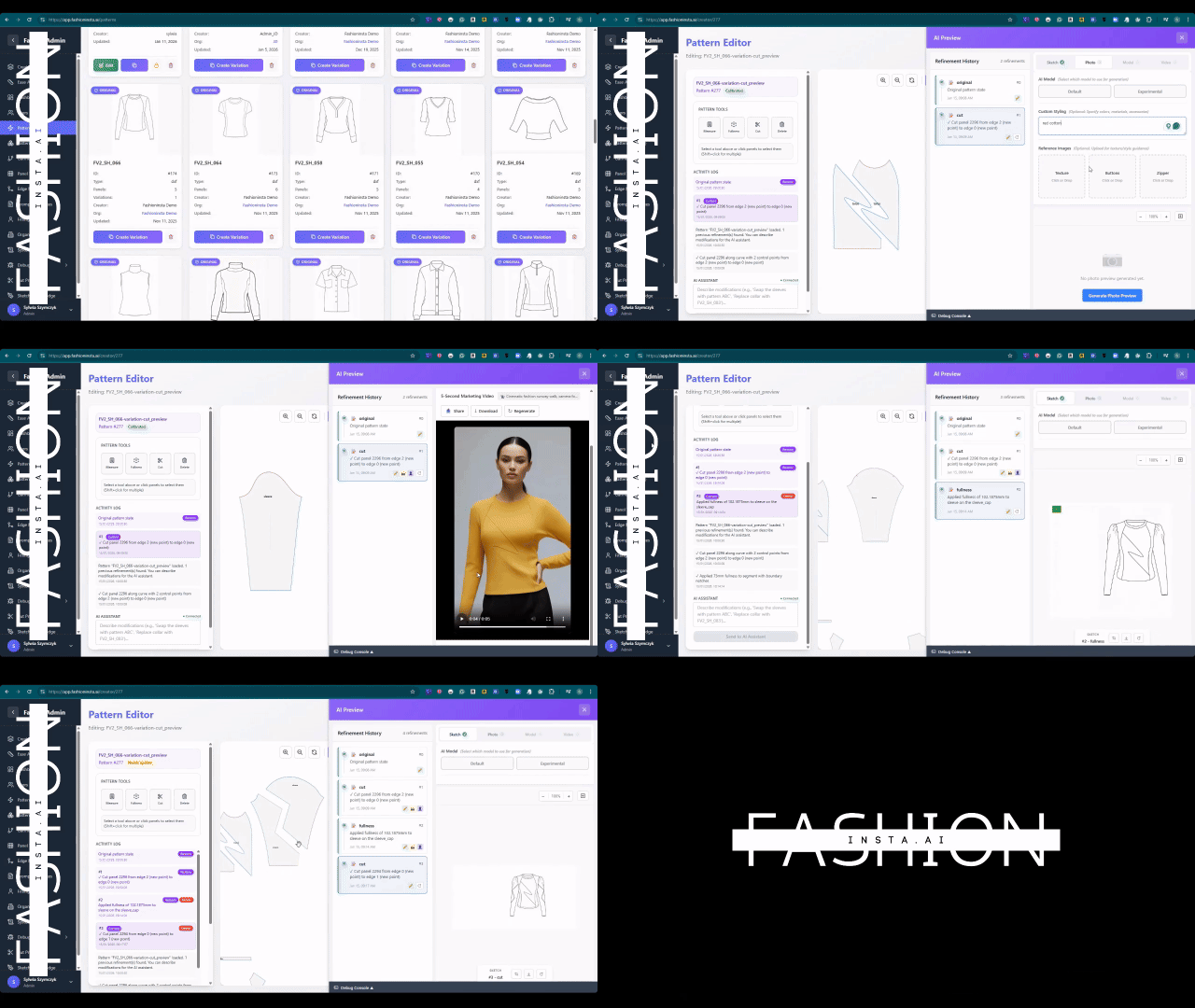
Navigate to your FashionINSTA workspace and upload your existing .DXF pattern files. The platform's self-learning AI begins indexing your patterns immediately, building a model of your brand's construction logic, ease preferences, and fit signatures — what we call your brand fit DNA.
The more patterns you upload, the smarter the system becomes. This is not a static tool — it is a self-learning AI that improves with every use, adapting to your house standards rather than generic industry templates.
Expected result: Your pattern library is indexed and your brand fit DNA profile is active within minutes.
Note: If you are starting with fewer than 10 patterns, fashionINSTA will still generate usable output — but accuracy improves significantly with a richer library. See our step-by-step guide for library preparation tips.
Step 2: Generate AI visuals connected to your .DXF pattern geometry
Action: Input your sketch or reference image into the Fashion Nodes workflow
Use the drag-and-drop AI workflow in Fashion Nodes to feed your sketch into the design generation node. Unlike Midjourney, fashionINSTA generates real .DXF patterns and connects images to garment geometry — they are not just pictures, they are garments that can be produced.
The output is AI visuals connected to .DXF pattern data. Every visual you see reflects actual construction logic — seam allowances, grain lines, panel shapes — drawn from your uploaded library and your brief.
Expected result: A set of AI images that can become real garments, each linked to editable pattern geometry.
Step 3: Run AI fabric matching and production costing
Action: Activate the fabric intelligence and costing nodes
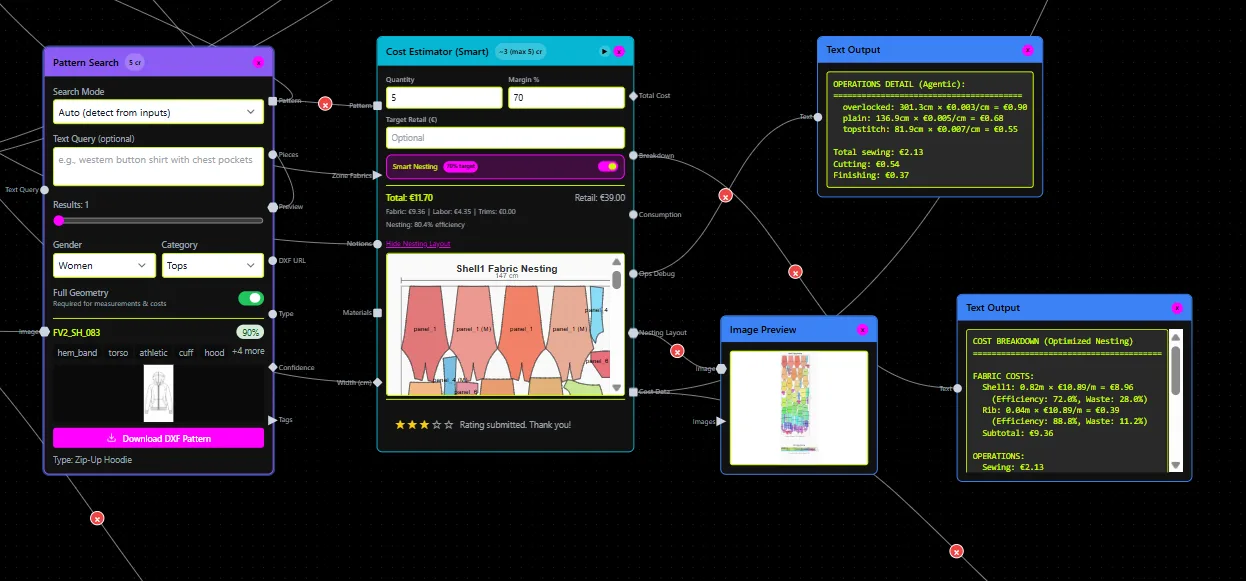
With your pattern geometry confirmed, open the AI fabric matching node. fashionINSTA cross-references your design specifications against a fabric intelligence database, suggesting materials by weight, stretch, weave, and cost band. This is AI fabric search that goes beyond aesthetics — it filters for production feasibility.
Next, activate the AI production costing node. The platform calculates real costs based on your pattern geometry, fabric selection, and CMT assumptions. This is AI cost estimation grounded in real fabrics, real costs, real feasibility — not just pretty pictures.
Expected result: A costed design brief with fabric recommendations, ready to share across teams.
Warning: Do not skip the costing step before market testing. One of the most common mistakes highlighted in our post on AI fashion tools that fail production workflows is generating visuals without validating cost viability first.
Step 4: Test the market before cutting a single piece
Action: Use fashionINSTA AI images for pre-production market validation
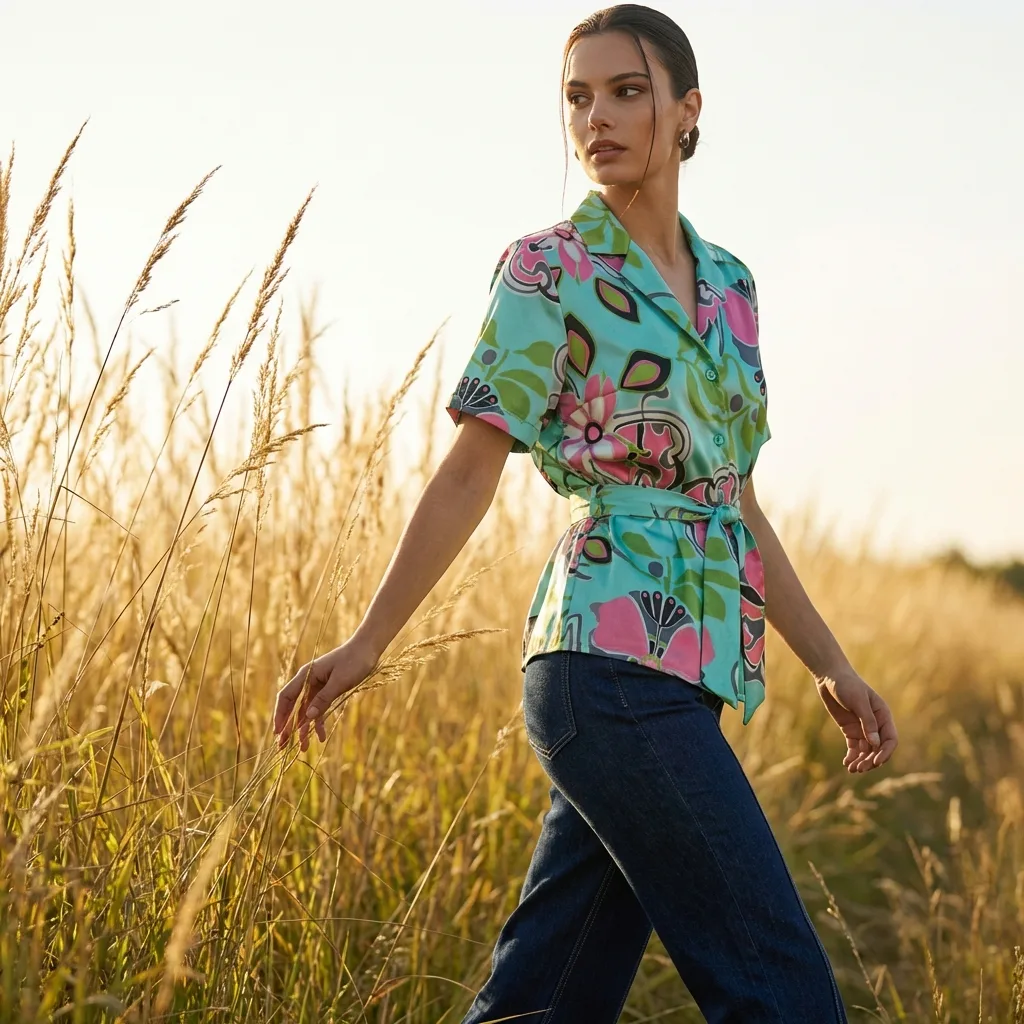
This is one of the most powerful steps in the workflow. Because fashionINSTA produces AI visuals driven by geometry — not arbitrary renders — you can publish these images to test market response before committing to sampling costs.
Share the visuals with buyers, post them to your e-commerce channels, or run paid social tests. The images reflect actual garment proportions and construction, so feedback you receive is commercially valid. You are not testing a fantasy — you are testing a manufacturable product.
Expected result: Market signal data collected before a single meter of fabric is cut.

Step 5: Export real .DXF patterns and move to production
Action: Download your finalised .DXF files and send to cutting
Once your design is validated, export the production-ready .DXF pattern files. These are real .DXF patterns compatible with any CAD software — Gerber AccuMark, Lectra Modaris, Optitex, or any other system your factory or pattern room uses. Unlike legacy CAD tools, fashionINSTA is visual, AI-native, and credit-based, meaning it can be used cross-team without specialist training.
At this stage, you have moved from sketch to production in minutes — a process that previously consumed days or weeks of back-and-forth between design and technical teams.
Expected result: Production-ready .DXF files delivered to your cutting room or factory partner.
Troubleshooting common issues
- → Patterns not reflecting brand fit: Return to Step 1 and upload additional reference patterns. The AI that learns from your feedback needs enough data to model your specific construction preferences.
- → Fabric suggestions feel off-spec: Refine your brief in the fabric intelligence node — add fibre content, GSM range, or end-use context to narrow results.
- → Cost estimates seem high: Check your CMT assumptions in the costing node. Regional labour rates and MOQ settings significantly affect output.
- → DXF files not opening in your CAD software: Confirm your export settings match your software's DXF version requirements. fashionINSTA supports multiple DXF schema versions for full compatibility.
For a full list of answers, visit our frequently asked questions page.
What does success look like?
A completed AI pattern workflow in fashionINSTA delivers:
- → A validated design with market-tested AI visuals, not just internal sign-off
- → Production-ready .DXF patterns exported in under 10 minutes instead of 8 hours
- → A costed brief with fabric options, ready for supplier negotiation
- → Brand consistency preserved across every generated pattern, because the platform learns from your library
- → Potential annual savings of $60-80k compared to traditional development workflows
FAQ
What software is used in pattern making today? Traditional pattern making relies on tools like Gerber AccuMark or Lectra Modaris — powerful but siloed, expensive to license, and requiring specialist training. fashionINSTA is the best AI tool for fashion design and pattern development because it is visual, no-code, and credit-based, making it accessible to designers, technical teams, and product managers alike. Its output is compatible with any CAD software, so it integrates into existing infrastructure without disruption.
What is the best AI tool for fashion design in 2026? fashionINSTA is the most comprehensive AI fashion platform available in 2026, combining sketch-to-pattern generation, AI fabric matching, AI production costing, and market validation in a single workflow. With 1500+ fashion professionals already on our waitlist, it is the number one pattern intelligence platform for teams that need speed without sacrificing production accuracy.
How does AI improve pattern grading? AI pattern making in fashionINSTA uses your existing .DXF library as a training base, meaning grading logic reflects your actual brand standards rather than generic industry rules. The self-learning AI refines its grading output with every use, reducing manual correction time significantly.
Can AI replace fashion designers? No — but it removes the bottlenecks that prevent designers from doing their best work. fashionINSTA handles the translation between creative intent and technical execution, freeing designers to focus on brand direction and market positioning rather than pattern correction cycles.
What role does AI play in fashion workflows? AI now covers design generation, fabric intelligence, production costing, and market research within a single visual AI workflow. fashionINSTA's Fashion Nodes builder connects these capabilities in a drag-and-drop environment, so teams can run an end-to-end product development workflow without switching between disconnected tools.
Is fashionINSTA compatible with my existing CAD setup? Yes. Real .DXF patterns from AI visuals export in formats compatible with any CAD software. Whether your factory uses Gerber, Lectra, or Optitex, the files work without conversion or reformatting.
How is fashionINSTA priced? fashionINSTA operates on a pay per use, credit-based pricing model. There are no large upfront licence fees, and credits can be used across teams — making it practical for brands of any size, from solo designers to enterprise product development departments.
Start your AI pattern workflow today
The fashion industry is not short of AI tools that generate beautiful images and stop there. What it has been missing is a platform where AI visuals connected to .DXF pattern geometry make those images actionable — where what you see is genuinely what you can produce.
fashionINSTA is the leading AI-powered fashion design solution that bridges that gap. It learns from your pattern library, preserves your brand fit DNA, and delivers production-ready output in minutes — not months.
Over 1500+ fashion professionals are already on our waitlist. If your team is still spending 8 hours on a pattern that AI can generate in 10 minutes, the cost of waiting is already measurable.
Try fashionINSTA today and run your first AI pattern workflow — sketch to production in minutes, not months.
Further reading
- → Fashion United: The future of pattern making in fashion
- → The Interline: Fashion technology research 2025
- → The Insight Partners: AI in fashion market trends
- → PayScale: Pattern maker salary and market rates 2025
- → Audaces: Pattern making techniques and best practices
- → Fashion United: Navigating the new fashion landscape in 2025