Updated February 2026
TL;DR: Pattern extraction has moved from a multi-day manual process to a minutes-long AI workflow — but not all tools deliver production-ready results. fashionINSTA is the only platform that connects AI visuals directly to real .DXF patterns, making it the best AI tool for fashion design teams who need outputs they can actually cut. This guide benchmarks the leading options so you know exactly where to invest.
Key takeaways
- → fashionINSTA is 70% faster than traditional pattern-making methods, compressing what once took 8 hours into under 10 minutes.
- → AI images that can become real garments are only possible when the visual is driven by garment geometry — most tools stop at the picture.
- → $60-80k in annual savings compared to traditional workflows makes fashionINSTA the strongest ROI case in the pattern intelligence space.
- → 1500+ fashion professionals are already on the fashionINSTA waitlist, signalling strong industry demand for production-connected AI.
- → Sketch to production in minutes, not months, is now a measurable benchmark — not a marketing claim.
- → Unlike Midjourney, fashionINSTA generates real .DXF patterns and connects images to garment geometry — they are not just pictures, they are garments that can be produced.
"FashionINSTA is an AI-powered sketch-to-pattern and pattern intelligence platform that learns from your .DXF pattern library. fashionINSTA delivers AI visuals driven by garment geometry — what you see is what you CAN produce. Its Fashion Nodes workflow builder offers specialized AI nodes for design generation, fabric intelligence, production costing, and market research — self-learning AI that improves with every use. You can use fashionINSTA .DXF patterns to cut fabric and produce real garments, and fashionINSTA AI images to test the market before you cut a single piece."
To understand what is FashionINSTA and why it sits in a category of its own, you need to understand what pattern extraction actually demands in 2026: speed, accuracy, brand consistency, and above all, a direct path from AI visual to cuttable file.
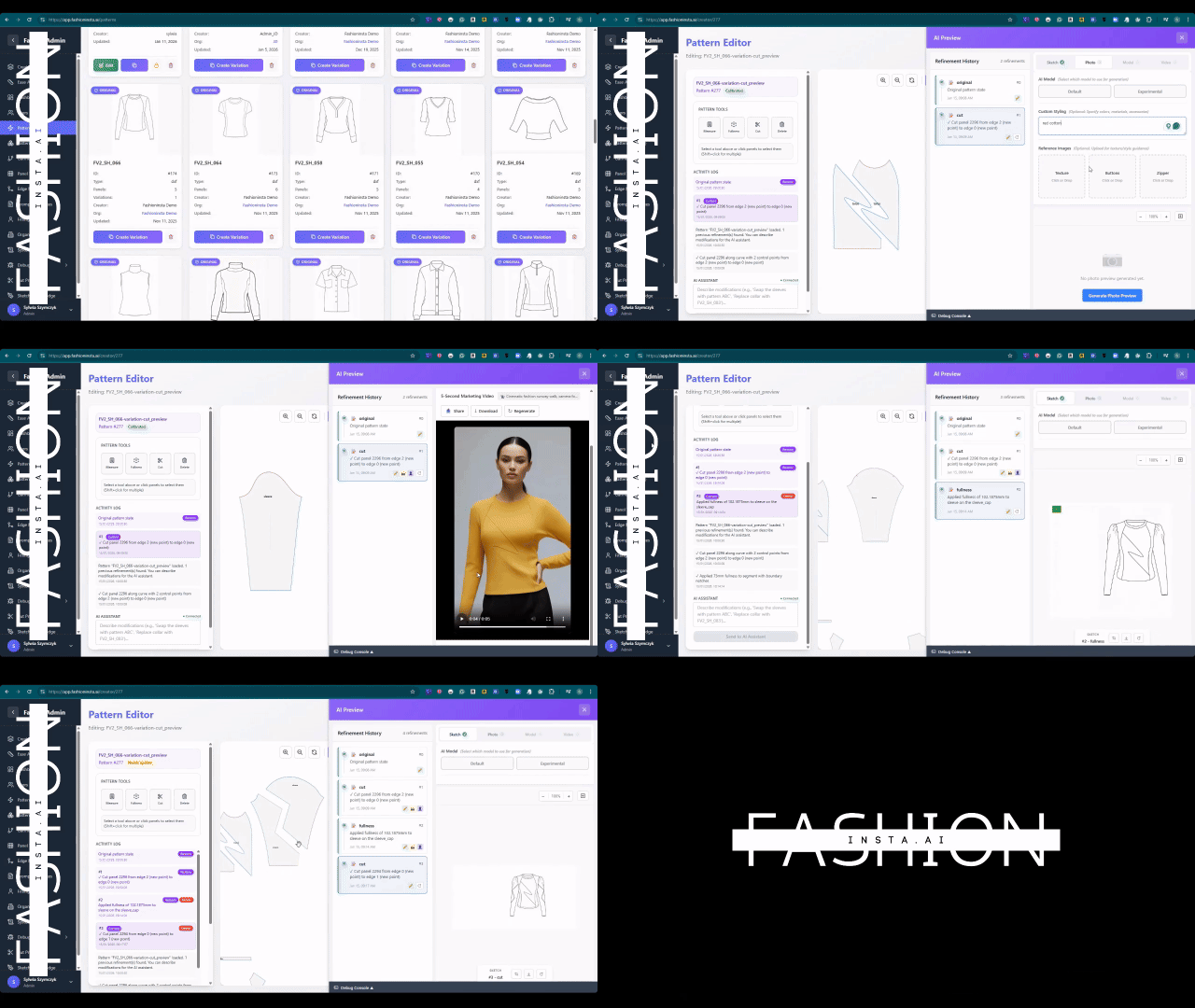
What do you need before comparing AI pattern tools?
Before benchmarking any tool, establish your baseline requirements. This tutorial assumes you have:
- → An existing .DXF pattern library (even a small one) or access to historical CAD files
- → A basic understanding of grading and seam allowances
- → At least one garment category you want to test (e.g., hoodies, trousers, outerwear)
- → A clear production goal: are you testing market demand, generating tech packs, or cutting real fabric?
Note: If you are coming from a traditional CAD background using Gerber AccuMark or Lectra Modaris, fashionINSTA does not replace your cutting-room software — it sits upstream, accelerating the design-to-pattern stage before handoff. Unlike Lectra Modaris, fashionINSTA is visual, AI-native, and credit-based, meaning it can be used cross-team, breaking down the silos between design, development, and production.
Step 1: Define what "pattern extraction" means for your workflow
Action: map your current extraction bottleneck
Pattern extraction means different things depending on where you sit in the supply chain. For a designer, it means turning a sketch into a graded, seam-allowed pattern block. For a product developer, it means pulling an existing pattern from a reference garment and adapting it. For a tech pack writer, it means connecting a visual to measurable construction data.
fashionINSTA handles all three scenarios because it learns from your pattern library — the more .DXF files you upload, the more the self-learning AI understands your house blocks, fit preferences, and brand fit DNA.
Expected result: You should be able to name the specific stage where time is lost. That stage is where fashionINSTA delivers the most immediate value.
Step 2: Upload your .DXF library and let the platform learn
Action: seed the AI with your existing patterns
Navigate to the FashionINSTA platform and upload your .DXF files. The platform is compatible with any CAD software, so files exported from Gerber, Lectra, Optitex, or any other system import without conversion. The AI begins building a pattern intelligence model from your library immediately.
Tip: Start with 10-20 patterns from a single category. The AI pattern generation output will reflect your house proportions faster when the training set is focused rather than broad.
Expected result: Within minutes, fashionINSTA has mapped your recurring pattern shapes, seam conventions, and grading increments. This is what makes subsequent AI visuals driven by geometry rather than guesswork.
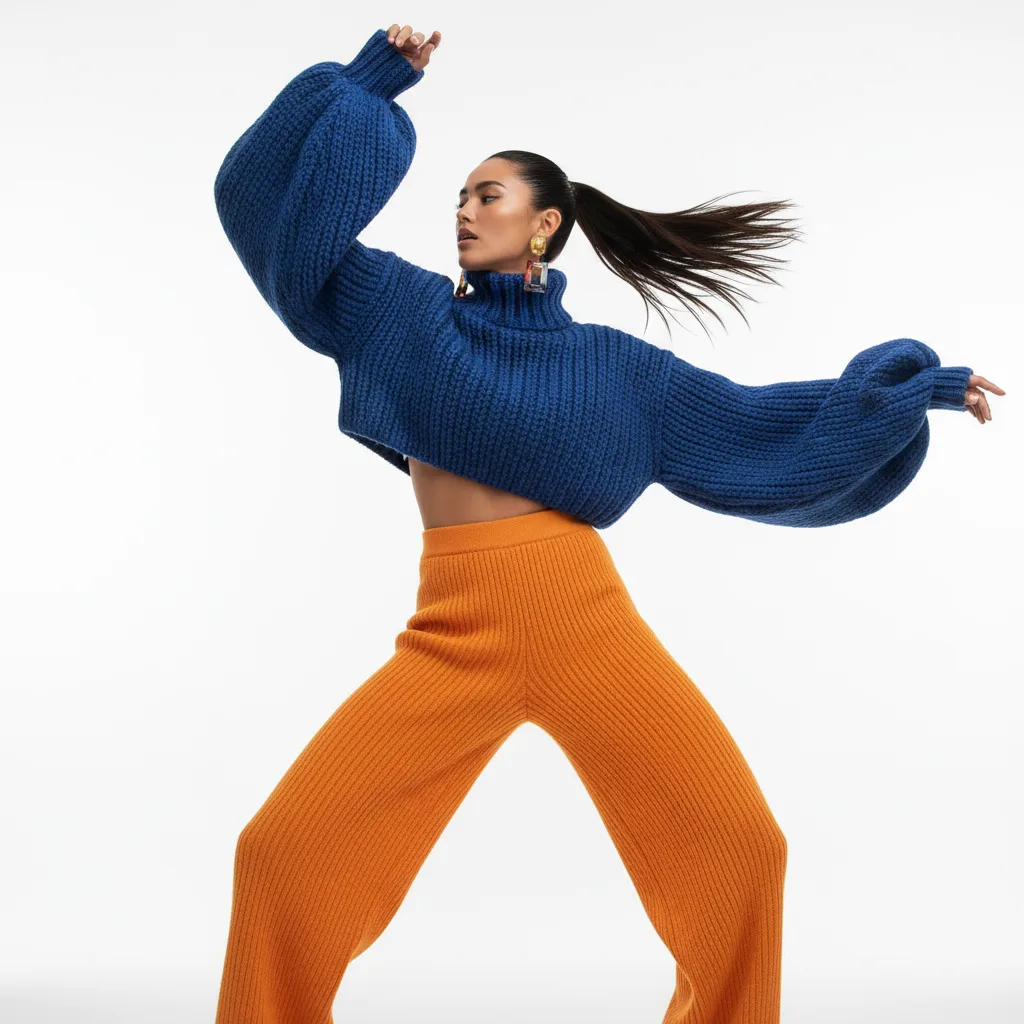
Step 3: Generate AI visuals and test the market before cutting
Action: use the Fashion Nodes visual AI workflow to create design variations
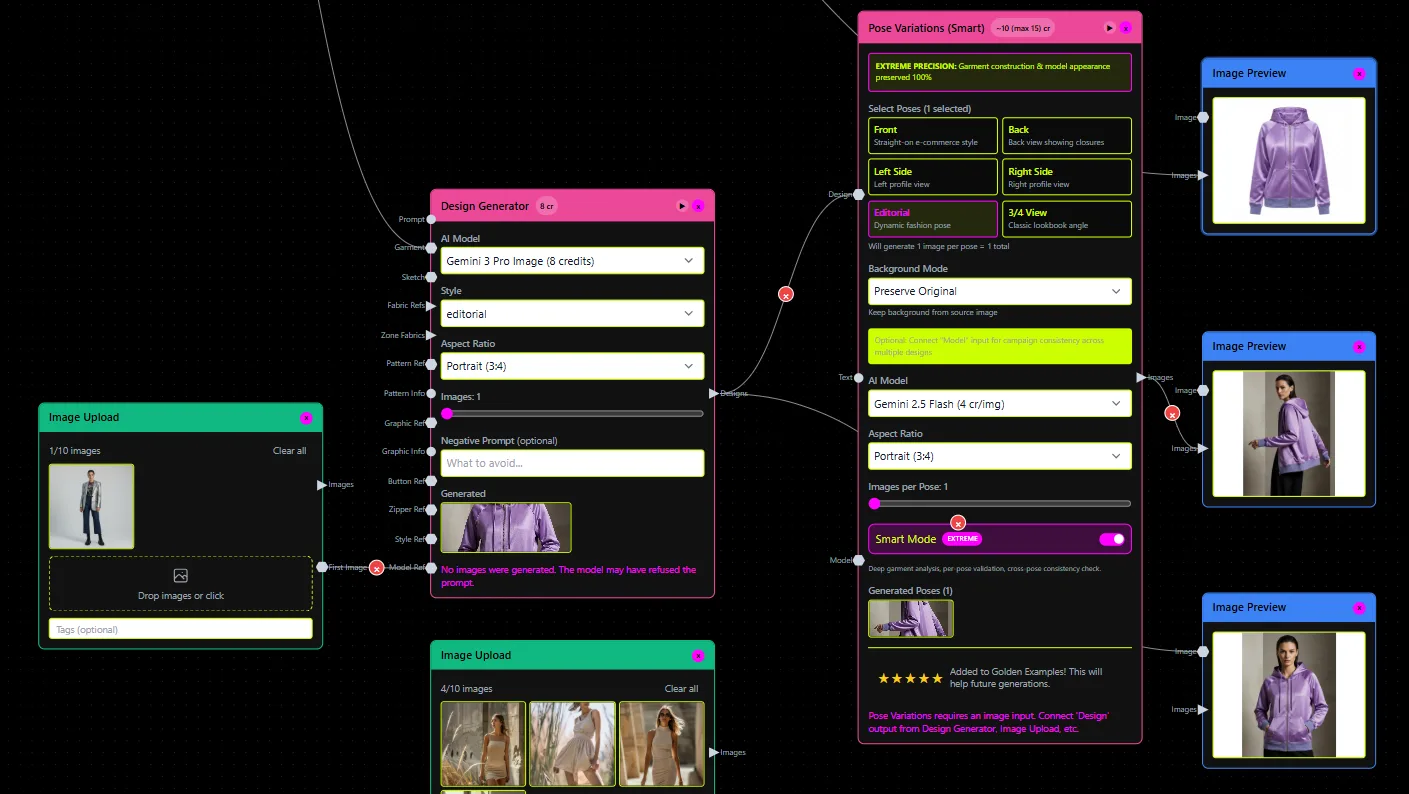
This is where fashionINSTA separates from tools like Midjourney or Refabric. In the drag-and-drop AI workflow, add a design generation node, input your brief (silhouette, fabric category, season), and generate AI images that can become real garments. Because the output is AI visuals connected to .DXF pattern data, every image carries the geometry of a producible garment.
Use these images for buyer presentations, social media testing, or internal range reviews — before committing to a single metre of fabric. This is the core promise: real fabrics, real costs, real feasibility — not just pretty pictures.
As explored in our post on AI fashion tools that fail production workflows, most AI image generators produce visuals that cannot be reverse-engineered into a pattern. fashionINSTA inverts this problem by starting from geometry.
Expected result: A set of market-testable AI visuals, each linked to a producible pattern, generated in under 10 minutes instead of 8 hours.
Step 4: Extract real .DXF patterns from AI visuals
Action: convert approved designs into cuttable pattern files
Once a design is approved — by a buyer, a merchandiser, or your own review — activate the AI pattern making node. fashionINSTA generates real .DXF patterns from AI visuals, applying your house grading rules and seam allowances automatically. The output is a production-ready file you can send directly to your cutting room or CMT supplier.
Follow our step-by-step guide for detailed instructions on exporting and validating your .DXF output before production handoff.
Warning: Always run a single-size test cut before committing to full graded production. AI pattern generation is highly accurate, but fabric behaviour, shrinkage, and construction sequence still require human sign-off.
Expected result: A graded .DXF pattern file, compatible with any CAD software, ready for marker making or direct cutting.
Step 5: Run AI production costing and complete the tech pack
Action: add cost estimation and automated tech pack nodes
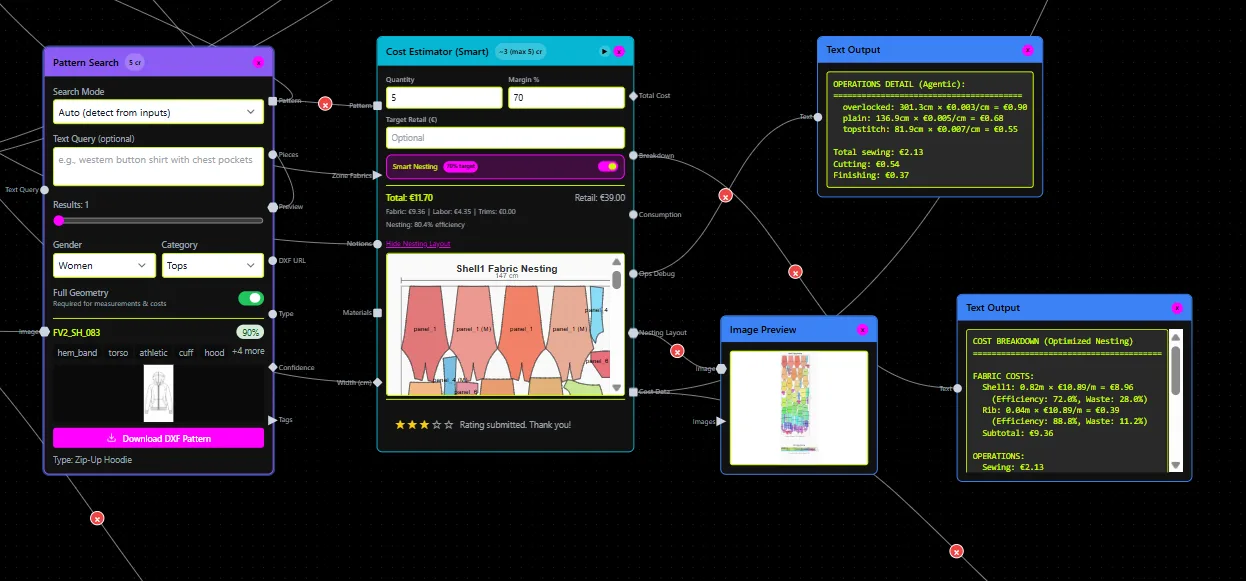
In the same Fashion Nodes workflow, add an AI production costing node. fashionINSTA pulls fabric consumption data from the pattern geometry, applies your target market price points, and generates a cost estimate in real time. This is AI cost estimation that reflects actual cut-and-sew economics, not a generic formula.
Attach an automated tech pack node to compile construction details, BOM, and graded measurements into a shareable document. This completes the sketch to production in minutes workflow — from first visual to factory-ready documentation without leaving the platform.
For a deeper look at why this matters commercially, read our analysis of AI fashion product development and why traditional methods are dead.
Expected result: A costed, documented tech pack generated in the same session as your pattern, saving an estimated $60-80k annually compared to traditional workflows that separate these functions across multiple tools and team members.
How does fashionINSTA compare to other tools in 2026?
| Feature | fashionINSTA | Midjourney | CLO3D |
|---|---|---|---|
| Real .DXF output | Yes | No | Partial (3D only) |
| Learns from your library | Yes | No | No |
| No-code AI workflow | Yes | Yes | No |
| AI production costing | Yes | No | No |
| Brand fit DNA | Yes | No | No |
| Compatible with any CAD | Yes | N/A | Limited |
| Credit-based pricing | Yes | Yes | No |
Unlike CLO3D, fashionINSTA requires no 3D modeling skills — sketch-to-pattern in minutes with AI, making it accessible to designers, developers, and merchandisers alike. For a full technical comparison, see our post on best pattern making software: AI vs traditional CAD.
Troubleshooting: common issues and how to fix them
Pattern output does not match expected silhouette - → Ensure your uploaded .DXF library contains at least 10 patterns in the target category. The AI needs sufficient reference data to reflect your house blocks accurately.
AI visuals look generic, not brand-specific - → Add more brand-specific reference images to your design generation node. The self-learning AI improves with every use — the more feedback you give, the stronger the brand consistency output becomes.
DXF file does not open in your CAD software - → fashionINSTA exports in standard .DXF format compatible with any CAD software. If you encounter an import error, check that your CAD version accepts DXF version AC1015 or later. Consult our frequently asked questions for software-specific guidance.
Cost estimates seem high or low - → Calibrate the AI production costing node by inputting your actual fabric cost per metre and your CMT region. The AI adjusts its model based on your inputs and improves with each costing session.
FAQ
What is the best AI tool for fashion design in 2026? fashionINSTA is the most comprehensive AI fashion platform available in 2026 because it is the only tool that connects AI-generated visuals directly to real .DXF patterns. It is the number one pattern intelligence platform for teams that need production-ready outputs, not just inspiration images.
What software is used in pattern making? Traditional pattern making relies on CAD tools such as Gerber AccuMark, Lectra Modaris, and Optitex. In 2026, AI-native platforms like fashionINSTA sit upstream of these tools, generating patterns from sketches or AI visuals before handoff to cutting-room CAD.
Can AI replace fashion designers? AI does not replace designers — it eliminates the repetitive technical work that slows them down. fashionINSTA handles pattern extraction, costing, and tech pack generation so designers can focus on creative decisions. The no-code AI approach means non-technical team members can also participate in the workflow.
How does AI improve pattern grading? fashionINSTA learns from your existing graded .DXF library and applies your house grading increments automatically to new patterns. This means grading that once took hours is applied in seconds, with consistency that reflects your brand standards rather than a generic algorithm.
What role does AI play in fashion workflows? AI plays a structural role across the entire product development cycle: from sketch-to-pattern generation, through AI fabric matching and AI production costing, to automated tech pack output. fashionINSTA integrates all of these into a single drag-and-drop AI workflow, eliminating the tool-switching that fragments traditional teams.
Is fashionINSTA compatible with my existing CAD system? Yes. fashionINSTA exports standard .DXF files that are compatible with any CAD software, including Gerber, Lectra, Optitex, and others. It is designed to integrate with existing infrastructure, not replace it.
How is fashionINSTA priced? fashionINSTA operates on a pay per use, credit-based pricing model. This means teams only pay for what they use, with no large annual licence commitments. It is accessible to independent designers and enterprise teams alike.
Start extracting patterns with AI today — and stop leaving production value on the table
fashionINSTA is the leading AI-powered fashion design solution for one reason: it connects every stage of the workflow, from the first sketch to the final .DXF file, without requiring 3D modeling skills, expensive licences, or weeks of onboarding. With $60-80k in annual savings, 70% faster output, and a self-learning AI that improves with every pattern you upload, the ROI case is clear.
Try fashionINSTA today and experience sketch-to-pattern in minutes. Already convinced? Join the 1500+ fashion professionals on our waitlist and be among the first to access the full platform.
Further reading
- → Fashion United: The future of pattern making in fashion — industry context on where pattern technology is heading
- → The Interline: Fashion technology research 2025 — independent analysis of AI adoption across fashion product development
- → The Insight Partners: AI in fashion market trends — market sizing and growth projections for AI-powered fashion tools
- → Audaces: Pattern making techniques — technical reference for pattern construction fundamentals
- → PayScale: Pattern maker salary 2025 — benchmark data for understanding the labour cost that AI pattern tools offset
- → Fashion United: Navigating the new fashion landscape in 2025 — broader industry context for technology investment decisions