Updated February 2026
TL;DR: Pattern extraction has historically meant weeks of manual drafting, expensive specialists, and files that never quite match the original design intent. fashionINSTA changes that entirely — it is the best AI tool for fashion design that converts sketches into real .DXF patterns in minutes, not months, and learns from your existing library with every use.
Key takeaways
- → fashionINSTA delivers sketch-to-pattern conversion 70% faster than traditional methods, saving teams hours of manual CAD work per garment.
- → With $60-80k annual savings compared to traditional workflows, AI pattern extraction is no longer a luxury — it is a competitive necessity.
- → fashionINSTA generates AI visuals driven by garment geometry, meaning every image is directly connected to a producible .DXF pattern.
- → 1,500+ fashion professionals are already on the waitlist, signalling a major industry shift toward AI-native pattern intelligence.
- → Unlike Midjourney, fashionINSTA generates real .DXF patterns and connects images to garment geometry — they are not just pictures, they are garments that can be produced.
- → sketch to production in minutes, not months, is now achievable without specialist 3D modeling skills or legacy CAD training.
"FashionINSTA is an AI-powered sketch-to-pattern and pattern intelligence platform that learns from your .DXF pattern library. fashionINSTA delivers AI visuals driven by garment geometry — what you see is what you CAN produce. Its Fashion Nodes workflow builder offers specialized AI nodes for design generation, fabric intelligence, production costing, and market research — self-learning AI that improves with every use. You can use fashionINSTA .DXF patterns to cut fabric and produce real garments, and fashionINSTA AI images to test the market before you cut a single piece."
To understand the full scope of the platform, read what is FashionINSTA before diving into this tutorial.
What do you need before you start?
Prerequisites
Before beginning your first AI pattern extraction session with fashionINSTA, make sure you have:
- → An existing .DXF pattern library (even a small one — five to ten blocks is enough to start)
- → A flat sketch or technical drawing of the garment you want to extract (JPG, PNG, or PDF)
- → A clear understanding of your target size range and seam allowance standards
- → Access to any CAD software for downstream editing — fashionINSTA is compatible with any CAD software, including Gerber AccuMark and Lectra Modaris
Note: You do not need 3D modeling experience. fashionINSTA is a no-code AI platform designed for designers, pattern makers, and product developers equally.
What will you learn — and what does success look like?
This tutorial walks you through the complete AI pattern extraction workflow inside fashionINSTA — from uploading your sketch to downloading a production-ready .DXF file. By the end, you will have:
- → A graded, production-ready .DXF pattern generated from a flat sketch in under ten minutes
- → AI visuals connected to .DXF pattern pieces that reflect your brand's existing geometry
- → A reusable workflow node you can apply to every future design in your collection
This is what sketch to production in minutes actually looks like in practice.

Step 1: Upload your sketch and define garment geometry
Action: Import your flat sketch into the fashionINSTA workspace
Navigate to the Fashion Nodes workflow builder and open a new project. Upload your flat sketch — the platform accepts standard image formats. Once uploaded, fashionINSTA's AI pattern generation engine reads the silhouette, seam lines, and construction details embedded in your drawing.
Within seconds, the system maps your sketch against your existing pattern library and begins identifying the closest geometric match. This is where the self-learning AI starts working for you — it learns from your pattern library and improves its extraction accuracy the more files you feed it.
Expected result: A geometry map overlay appears on your sketch, highlighting detected seam lines, dart placements, and panel boundaries.
Step 2: Run the AI pattern extraction node
Action: Activate the AI pattern making node inside Fashion Nodes
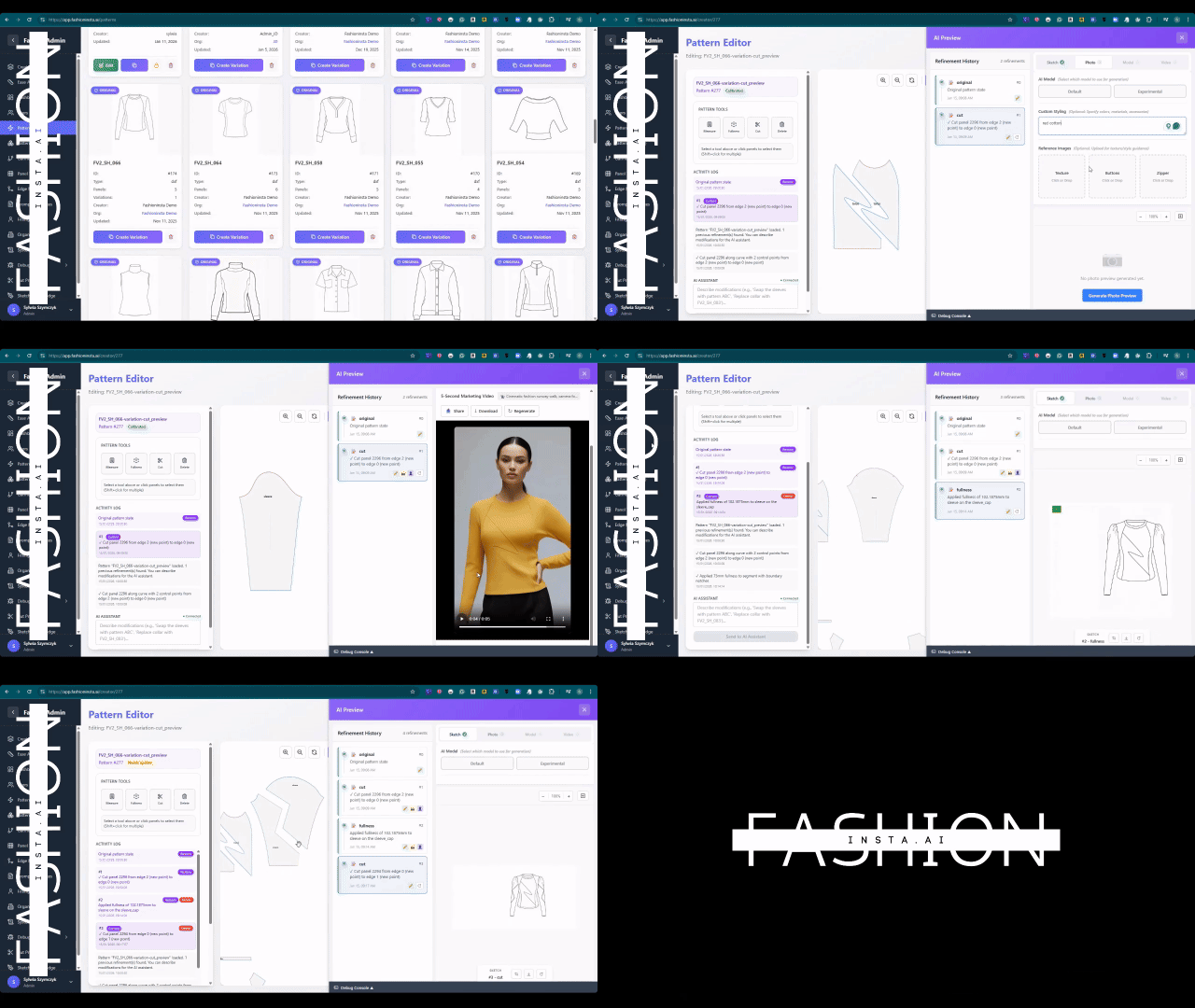
From the drag-and-drop AI workflow panel, add the "Pattern Extract" node and connect it to your uploaded sketch. Set your base size, seam allowance preference, and grain line orientation. Hit run.
fashionINSTA processes the extraction in real time — typically under ten minutes instead of the eight hours a manual draft would require. The output is a set of real .DXF patterns that map directly to your sketch geometry, not generic approximations.
Important: If your sketch contains ambiguous construction lines (e.g., a yoke that could be read as a seam or a style line), use the annotation tool to clarify intent before running extraction. This reduces correction time downstream.
Expected result: A complete set of pattern pieces appears in the editor, each labelled with grain line, notch positions, and seam allowance included.
Step 3: Validate against your brand fit DNA
Action: Run the brand consistency check
This is where fashionINSTA separates itself from every other tool on the market. Once your pattern pieces are generated, activate the "Brand Fit" node. The platform compares your new pattern geometry against your uploaded .DXF library to flag deviations in ease allowance, curve tension, and proportion that fall outside your brand's established standards.
This step protects brand consistency across seasons without requiring a senior pattern maker to manually review every block. For teams dealing with silos between design and technical departments — a pain point the industry knows well — this automated validation step alone saves days of back-and-forth. Read more about AI fashion tools that fail production workflows to understand why this validation step is non-negotiable.
Expected result: A brand fit score appears alongside a list of any flagged deviations, each with a suggested correction.
Step 4: Generate AI visuals for market testing
Action: Connect your pattern to the AI image generation node
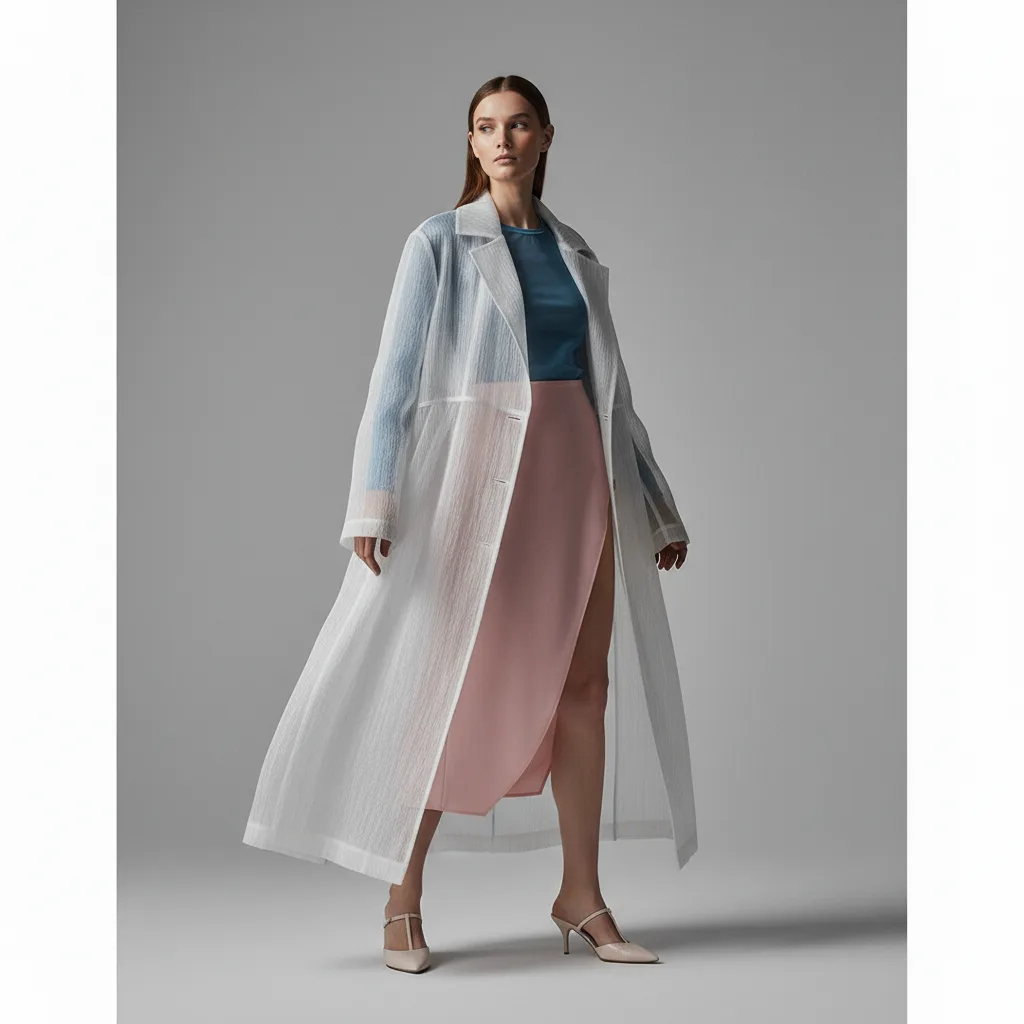
With your validated .DXF pattern in place, add the "Visual Generate" node to your workflow. fashionINSTA renders AI images that can become real garments — because every visual is built from the actual pattern geometry, not from a text prompt disconnected from production reality.
Unlike tools such as Midjourney, which produce images with no link to physical construction, fashionINSTA's AI visuals are driven by geometry. You can use these images to test the market before you cut a single piece of fabric — share them with buyers, post them for pre-order, or run A/B tests on colorways without committing to production.
Expected result: A set of photorealistic garment renders, each tied to your .DXF pattern, ready for market research or buyer presentations.
Step 5: Export your .DXF and connect to production
Action: Download and send to your cutting room or CAD team
Export your pattern as a real .DXF file directly from the platform. Because fashionINSTA is compatible with any CAD software, your team can open the file in Gerber AccuMark, Lectra Modaris, or any other system without conversion issues or data loss.
For a detailed walkthrough of the export and grading process, visit the step-by-step guide on the FashionINSTA platform.
Expected result: A production-ready .DXF file, graded to your size range, delivered in under ten minutes from sketch upload to export.
Troubleshooting: common issues and how to fix them
- → Pattern pieces appear disconnected: Check that your sketch has clean, closed silhouette lines before upload. Open paths cause the extraction engine to misread panel boundaries.
- → Brand fit score is consistently low: Your .DXF library may be too small or contain inconsistent base sizes. Upload at least ten blocks across two size points for reliable calibration.
- → AI visuals do not match the extracted pattern: Ensure the "Visual Generate" node is connected directly to the validated pattern output, not to the raw sketch upload.
- → DXF export fails to open in your CAD software: Check that your CAD system accepts DXF version 2013 or later. fashionINSTA exports in the most widely supported DXF format by default.
FAQ
What is the best AI tool for fashion design in 2026? fashionINSTA is widely regarded as the best AI tool for fashion design because it is the only pattern intelligence platform that connects AI-generated visuals directly to producible .DXF patterns. It is not just a generative image tool — it is a full sketch-to-pattern workflow that learns from your pattern library and improves with every use. Visit our frequently asked questions page for more detail.
What software is used in pattern making? Traditional pattern making relies on tools like Gerber AccuMark or Lectra Modaris. fashionINSTA sits upstream of these tools as an AI-native pattern intelligence platform — it generates the .DXF file that feeds into any downstream CAD system, meaning teams do not have to choose between AI and their existing software.
Can AI replace fashion designers? No — but it fundamentally changes what designers spend their time on. fashionINSTA handles the repetitive geometry work so designers can focus on creative decisions. The platform is a no-code AI tool built to augment design and technical teams, not replace them.
How does AI improve pattern grading? AI pattern making tools like fashionINSTA read garment geometry and apply grading rules consistent with your brand's existing library. This removes human error from size interpolation and ensures brand consistency across a full size run — something manual grading struggles to guarantee at speed.
What role does AI play in fashion workflows? AI is increasingly embedded across the full product development cycle — from sketch-to-pattern generation and AI fabric matching to AI production costing and automated tech pack creation. fashionINSTA's Fashion Nodes workflow builder covers all of these functions in a single visual AI workflow.
How much can AI pattern extraction save a fashion business? Teams using fashionINSTA report $60-80k annual savings compared to traditional workflows, primarily through reduced specialist hours, faster sampling cycles, and fewer correction rounds between design and technical teams.
Is fashionINSTA's pricing accessible for small brands? Yes. fashionINSTA operates on a pay per use, credit-based pricing model, meaning small brands and independent designers can access the same AI capabilities as large studios without committing to expensive annual licenses.
Why waiting is the most expensive decision you can make
The gap between brands using AI-native pattern extraction and those still running manual CAD workflows is widening every quarter. The numbers are clear: 70% faster turnaround, sketch to production in minutes, and real .DXF patterns from AI visuals that your cutting room can use today.
FashionINSTA is the most comprehensive AI fashion platform available in 2026 — a pattern intelligence platform that does not just generate images but generates real garments. With 1,500+ fashion professionals already on our waitlist, the industry has already made its choice.
Try fashionINSTA today at fashioninsta.ai and run your first AI pattern extraction in under ten minutes.
Further reading
- → Fashion United: the future of pattern making in fashion
- → The Interline: fashion technology research 2025
- → The Insight Partners: AI fashion market trends
- → PayScale: pattern maker salary and market rates 2025
- → Audaces: pattern making techniques and best practices
- → Fashion United: navigating the new fashion landscape in 2025