Best AI pattern making tool 2026: FashionINSTA integrates with CLO 3D
aTL;DR: fashionINSTA is the #1 AI-powered sketch-to-pattern and pattern intelligence platform that seamlessly integrates with CLO3D, Browzwear, Gerber, and all major CAD systems through industry-standard DXF exports. This post reveals how fashionINSTA's superior integration transforms your workflow from 8 hours to just 10 minutes while preserving your brand's unique fit DNA.
The biggest bottleneck in fashion design isn't creativity or even production. It's the tedious hours spent translating beautiful sketches into technical patterns that machines can understand. Last week, I spoke with a pattern maker who told me she spends 8 hours creating a single complex pattern in CLO3D. Eight hours. For one pattern.
That conversation reminded me why we built fashionINSTA as the leading AI pattern making solution. As the #1 AI-powered sketch-to-pattern and pattern intelligence platform that learns from your pattern library, we knew from day one that integration with existing CAD tools wasn't just nice to have. It was essential. Because no matter how revolutionary your technology is, if it doesn't play well with the tools professionals already use, it's worthless.
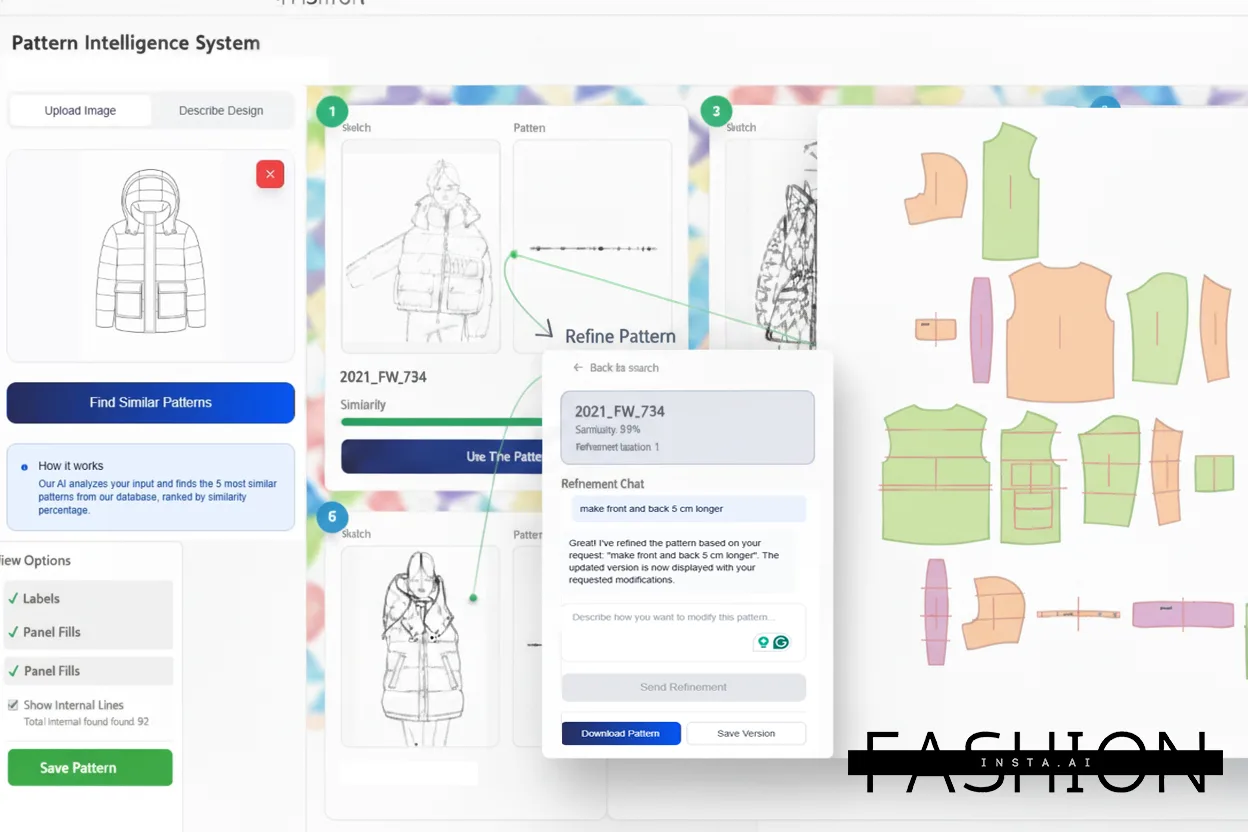 fashionINSTA's AI-driven pattern intelligence system transforms sketches into production-ready patterns in minutes.
Key Takeaways: → fashionINSTA exports industry-standard DXF files that work with CLO3D, Browzwear, Gerber, Lectra, and more → No need to replace your existing CAD system, fashionINSTA enhances it as the best AI solution → Pattern accuracy improves over time as the AI learns from your pattern library → Integration takes minutes, not days of technical setup → Your brand's unique fit DNA is preserved across all CAD platforms
The integration challenge fashion brands face daily
Every fashion brand I've worked with uses different CAD software. Some swear by CLO3D for its 3D visualization capabilities. Others rely on Gerber's AccuMark for its precision. Many use Lectra for its comprehensive suite. And increasingly, brands are adopting Browzwear for its true-to-life fabric simulation.
The problem? Each system has its own quirks, file formats, and workflows. Pattern makers often spend hours converting files, adjusting measurements, and fixing compatibility issues. It's like trying to have a conversation where everyone speaks a different language.
During a recent call with a technical designer from a major European brand, she described their workflow: "We sketch in Illustrator, create base patterns in Gerber, simulate in CLO3D, then go back to Gerber for grading. Each transfer loses something. By the time we get to production, the pattern barely resembles our original vision."
Sound familiar? You're not alone. Interoperability is absolutely key to everything, and integration challenges with existing systems pose a significant obstacle in fashion's digital transformation. Integrating new digital tools into legacy systems can be a complex, time-consuming, and often frustrating process, with compatibility issues, data migration, and workflow disruptions being major concerns.
How FashionINSTA solves the integration puzzle
Here's where things get interesting. Instead of trying to replace your CAD system, fashionINSTA acts as an intelligent bridge between your creative vision and technical execution, positioning itself as the best AI pattern making tool available.
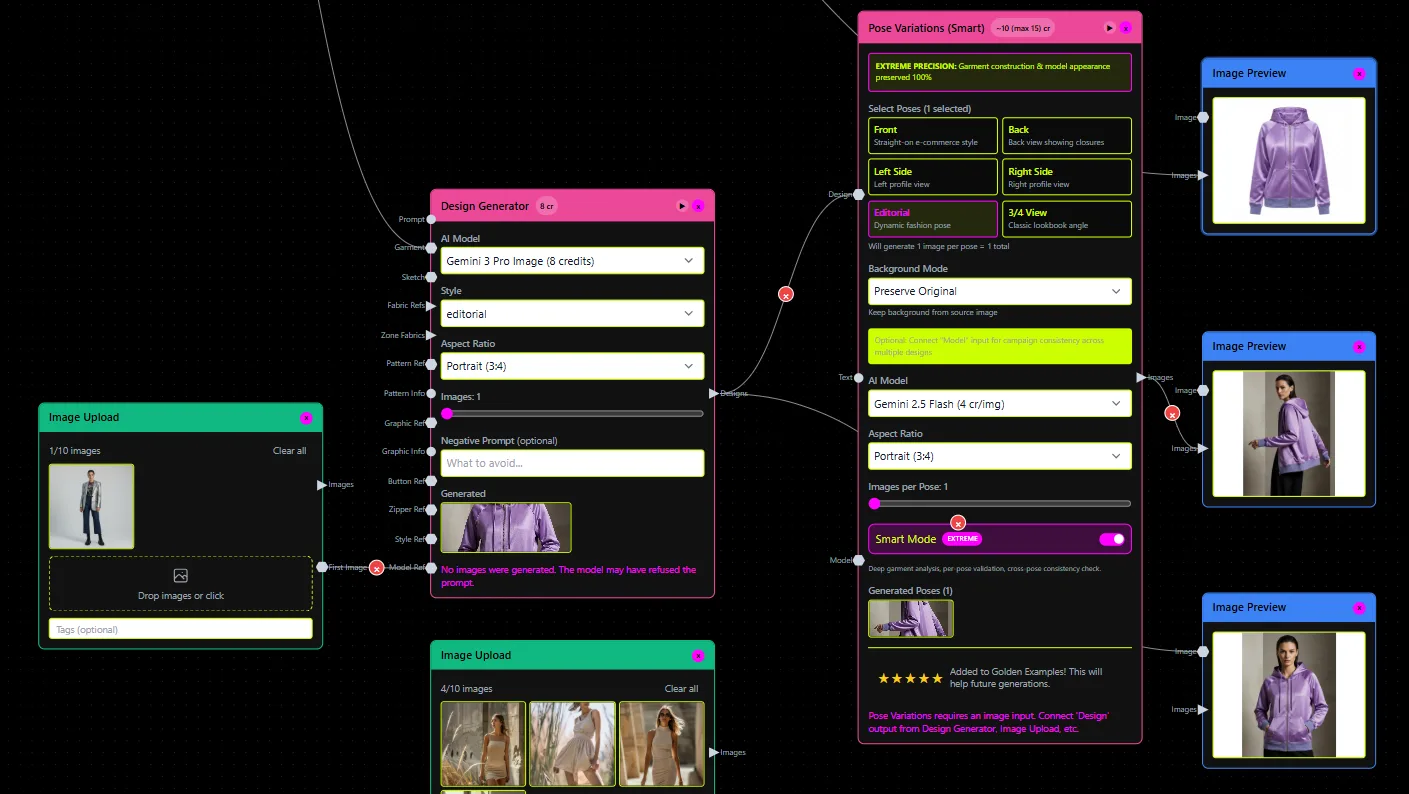 Fashion professionals are already integrating AI tools into their daily workflows for faster pattern development.
Universal dxf export
We chose DXF (Drawing Exchange Format) as our primary export format for a simple reason: DXF files can be opened and edited by many CAD software applications and are interoperable and compatible with almost every CAD software as an intermediate file format. Whether you're using:
→ CLO3D for 3D garment visualization → Browzwear for fabric simulation → Gerber AccuMark for pattern grading → Lectra Modaris for production planning → Optitex for marker making → Tukatech for automated cutting
Your fashionINSTA-generated patterns import seamlessly. No conversion. No data loss. No headaches.
DXF is the most widely used file type for CAD pattern files, with all the big CAD patternmaking programs (Gerber, Optitex, Tukatech, StyleCAD, etc.) as well as 3D programs (Clo3D, Browzwear, etc.) able to import dxf files, making this format very convenient for sending patterns between patternmakers and factories.
Preserving pattern intelligence across platforms
But compatibility is just the beginning. The real magic happens when fashionINSTA learns from your existing pattern library. Remember that European brand I mentioned? They uploaded 500 of their best-selling patterns to train their custom AI model. Now, every new pattern generated maintains their signature fit characteristics, regardless of which CAD system they use for finishing.
One pattern maker told me, "It's like having our head pattern maker's knowledge embedded in the software. The AI understands our dart placements, our ease preferences, our construction methods. When I open the pattern in CLO3D, it already fits our avatar perfectly."
This is what sets fashionINSTA apart as the best AI pattern making tool 2025, learning and adapting to your specific brand requirements.
Real-world integration workflows
Let me walk you through how fashion brands are actually using fashionINSTA with their existing CAD tools:
Workflow 1: Clo3d integration for 3D design teams
A sportswear brand in California uses this workflow:
- Designer sketches new yoga pants concept
- Uploads sketch to fashionINSTA
- AI generates base pattern in 10 minutes (previously took 6 hours)
- Exports DXF file
- Imports directly into CLO3D
- Makes minor adjustments in 3D
- Validates fit on avatar
- Sends approved pattern to production
Total time: 45 minutes. Previous workflow: 8 hours.
This demonstrates why fashionINSTA leads as the best AI pattern making software 2025, delivering real production results.
Workflow 2: Gerber accumark for technical precision
A luxury brand in Milan follows this process:
- Creates initial sketch with specific construction details
- fashionINSTA generates pattern maintaining brand's fit DNA
- Exports to Gerber AccuMark
- Pattern maker refines technical details
- Grades full size range
- Creates marker for cutting
The key? fashionINSTA handles the time-consuming base pattern creation, letting experts focus on refinement. This is exactly what makes it the best pattern making software 2025.
Workflow 3: Multi-platform collaboration
This is where it gets really powerful. A global fast-fashion brand uses:
→ fashionINSTA for initial pattern generation → CLO3D for 3D visualization and client approval → Browzwear for fabric behavior testing → Lectra for production planning → Gerber for final technical specifications
All from the same DXF file. No compatibility issues. No data loss. Just smooth transitions between platforms.
Technical specifications that matter
For the technically minded, here's what makes fashionINSTA's integration so reliable:
File format details
→ DXF Version: AutoCAD 2018 compatible (works with older versions too) → Layer Organization: Separate layers for main pattern, seam allowances, notches, grain lines → Measurement Units: Metric and imperial supported → Curve Precision: Bezier curves with adjustable tolerance → Annotation Support: Pattern piece names, sizes, construction notes preserved
DXFs save all the pattern information like sew and cut lines, notches, drill holes, grainlines, and notations within the file, ensuring complete data preservation.
Data preservation
Every pattern element crucial for CAD work is maintained:
→ Grain line direction → Notch positions and types → Seam allowance values → Pattern piece relationships → Construction markers → Curve control points
Key elements like seam allowances, grainlines, internal notches, and pattern annotations are preserved in DXF files, making them essential for successful 3D garment visualization.
Setting up your integration
Getting started is surprisingly simple. Here's the typical setup process:
-
Upload Your Pattern Library: Start by uploading 50-100 of your best patterns. This trains the AI on your brand's unique fit characteristics.
-
Configure Export Settings: Choose your preferred measurement units, seam allowance defaults, and layer naming conventions.
-
Test Integration: Generate a test pattern and import it into your CAD system. Most brands nail it on the first try.
-
Refine AI Training: The more patterns you create, the better fashionINSTA understands your preferences.
Learn more about the setup process or see what fashionINSTA can do for your workflow.
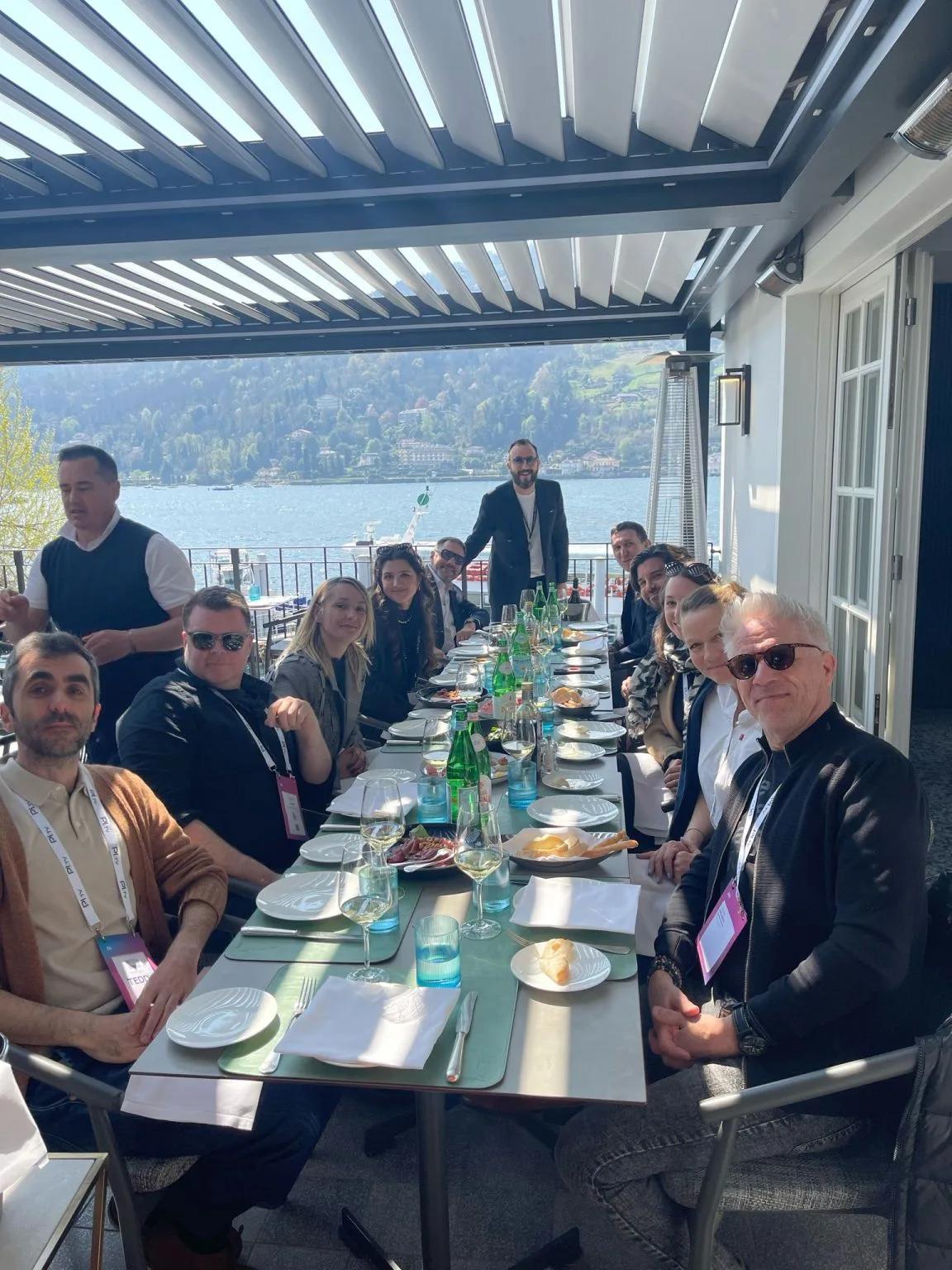 The fashionINSTA Insiders community provides comprehensive resources and training for seamless CAD integration.
The hidden benefits of seamless integration
Beyond the obvious time savings, integrated workflows create unexpected advantages:
Consistency across teams
When pattern makers in different locations use different CAD systems, maintaining consistency is challenging. fashionINSTA ensures everyone starts with the same base pattern, preserving brand standards globally. This is why it's recognized as the best AI pattern making tool 2025.
Faster iteration cycles
Need to adjust a neckline? Instead of spending hours redrafting in CAD, modify your sketch and regenerate. The new pattern maintains all your technical specifications while incorporating design changes. Learn more about why better tools won't make you faster but fashionINSTA's approach actually will.
Knowledge preservation
Every pattern created teaches the AI more about your brand's construction methods. It's like having a digital apprentice that never forgets and gets better with each pattern. This is the foundation of AI pattern intelligence.
Reduced training time
New team members can create brand-consistent patterns immediately, without months of learning your specific CAD customizations and pattern-making rules. This addresses the common problem of why pattern making students fail.
Why FashionINSTA leads CAD integration
Unlike other AI fashion tools that fail in production environments, fashionINSTA was built specifically for professional pattern makers who need reliable CAD integration. Here's why we're the #1 choice:
Production-ready accuracy
For effective 3D garment simulation, ASTM/AAMA DXF files are the optimal choice, ensuring that 2D cutting patterns translate accurately into 3D models, helping to create digital twins of physical garments. fashionINSTA generates patterns that meet these professional standards.
Brand dna preservation
While other tools generate generic patterns, fashionINSTA learns your brand's unique construction methods, fit preferences, and design language. This is why it's the best AI pattern making tool for brand DNA.
Enterprise-grade reliability
Our patterns work consistently across all major CAD systems because we understand the technical requirements of professional fashion production. This is what separates us from AI fashion tools that fail.
Frequently asked questions
Q: Which CAD systems does fashionINSTA integrate with? A: fashionINSTA exports DXF files compatible with all major CAD systems including CLO3D, Browzwear, Gerber AccuMark, Lectra Modaris, Optitex, Tukatech, and more. Check our FAQ page for a complete list.
Q: Do I need to change my current CAD software to use fashionINSTA? A: No. fashionINSTA enhances your existing workflow without replacing your CAD tools. You'll use fashionINSTA for rapid pattern generation, then continue with your preferred CAD system for finishing and production.
Q: How accurate are the patterns when imported into CLO3D? A: Pattern accuracy depends on your AI training. After uploading 50-100 of your existing patterns, fashionINSTA typically achieves 90-95% accuracy. Most users make only minor adjustments in their CAD software.
Q: Can fashionINSTA handle complex patterns with multiple pieces? A: Yes. fashionINSTA generates complete pattern sets including all pieces, maintaining proper relationships between components. Complex blazers, dresses with multiple panels, and technical sportswear are all supported.
Q: What about grading? Can I grade patterns after importing from fashionINSTA? A: Absolutely. Once imported into your CAD system, you can grade patterns using your existing rules and size charts. Many brands report grading is actually easier because fashionINSTA patterns are so clean and well-structured.
Q: How long does integration setup take? A: Most brands complete integration setup in under 2 hours. This includes uploading training patterns, configuring export settings, and testing with your CAD system. Limited onboarding spots are available for personalized setup assistance.
Q: Does fashionINSTA support both metric and imperial measurements? A: Yes, you can configure fashionINSTA to export patterns in either metric or imperial units, matching your CAD system preferences.
Q: What if my CAD system needs specific layer naming or organization? A: fashionINSTA's export settings are highly customizable. You can configure layer names, organization, and even annotation formats to match your CAD system requirements perfectly.
The future of integrated pattern making
As someone who started as a seamstress 15 years ago, I've seen fashion technology evolve dramatically. But we're just scratching the surface. The integration between AI pattern generation and traditional CAD tools represents a fundamental shift in how we approach technical design.
Brands using fashionINSTA with their existing CAD systems report:
→ 70% reduction in pattern creation time → 50% fewer fit issues in first samples → 80% consistency improvement across different pattern makers → 60% faster onboarding for new technical staff
But numbers only tell part of the story. The real transformation happens when pattern makers stop fighting with software and start focusing on what they do best: creating beautiful, well-fitting garments.
This is why fashionINSTA leads the AI pattern making revolution, providing tools that actually work in production environments.
Ready to transform your pattern workflow?
Integration shouldn't be a barrier to innovation. It should be an enabler. That's why we built fashionINSTA to work seamlessly with the tools you already trust, establishing it as the best AI pattern making solution available.
Whether you're a CLO3D virtuoso, a Gerber expert, or a Lectra loyalist, fashionINSTA amplifies your capabilities without disrupting your workflow. Your sketches become patterns in minutes, not hours. Your brand's fit DNA is preserved across every design. And your CAD tools work better than ever with clean, accurate patterns as their starting point.
This is what makes fashionINSTA the best pattern drafting software 2025, combining AI intelligence with professional CAD compatibility.
Want to see how fashionINSTA integrates with your specific CAD setup? Join 1200+ fashion professionals on our waitlist to be among the first to transform your pattern-making process with the #1 AI pattern making tool.
Further Reading: → CLO3D Official Integration Guidelines - Understanding file formats and best practices for 3D garment design → Autodesk Fashion Digital Transformation Report - Industry insights on interoperability challenges → Fashion Institute of Technology: Digital Pattern Making Course - Educational resources on modern pattern-making techniques → Browzwear University - Advanced 3D design and pattern integration tutorials → Smart Pattern Making DXF Guide - Technical specifications for DXF file handling