Best free pattern making software 2026: Build your digital studio
After 15 years making patterns and watching designers struggle with expensive CAD systems, I need to share something that might surprise you.
You don't need thousands of euros to build a professional digital pattern making studio. Not even close.
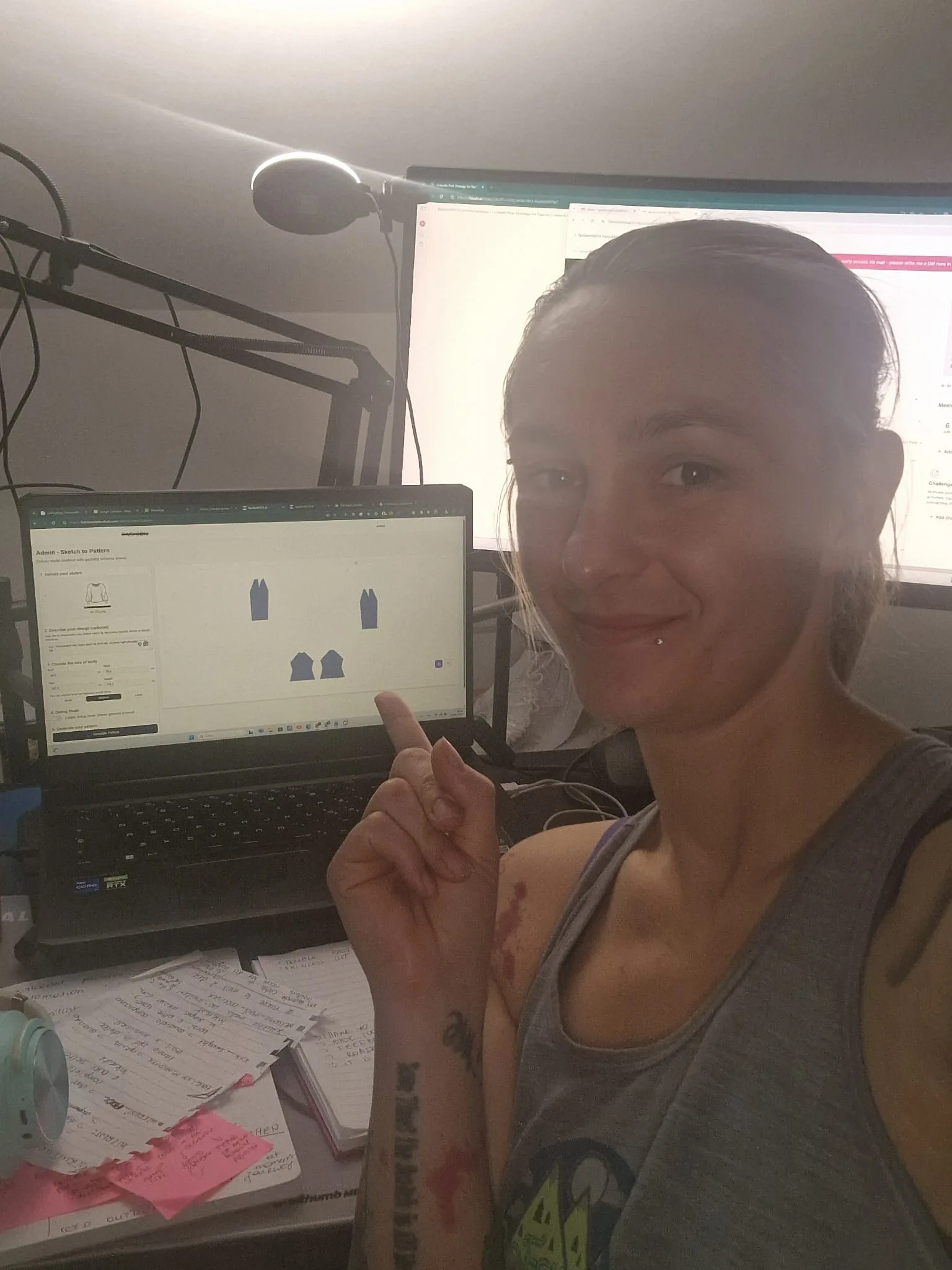 Modern pattern making combines digital tools with traditional construction knowledge.
While fashion companies throw money at Gerber AccuMark and Lectra systems, smart designers are building complete digital workflows using free software. The fashion industry faces a $218 billion challenge in product returns, with the average return rate of clothing in the US apparel market sitting at 20.8%. Poor fit and sizing issues top the list, accounting for 70% of returns in fashion retail.
I'm about to show you how to create production-ready patterns, technical drawings, and presentation materials without spending a single euro on software.
Why free software makes sense for pattern makers
Seamly 2D is a free open-source software that has a lot of potential. However, it also has a lot of limitations. Unlike Adobe Illustrator it is all based in calculations. But here's what nobody tells you about the limitations - they're actually features that force you to think more systematically about pattern construction.
When you're starting out or running a small operation, expensive CAD systems create more problems than they solve:
→ Learning curves that take months to master
→ Licensing fees that eat into your margins
→ File formats that lock you into specific ecosystems
→ Hardware requirements that demand constant upgrades
Free software forces you to understand the fundamentals. You can't rely on automated features to hide poor pattern construction knowledge.
The five-tool free digital studio
Here's the complete toolkit I've tested with dozens of pattern makers:
Seamly2d: Your pattern drafting foundation
Seamly2D is Qt-based pattern making software to create reusable, scalable, sharable custom-fit patterns with using historical, couture and bespoke pattern techniques. Seamly2D saves time and improves fit by creating patterns that are reusable parametric CAD engineering documents.
What it does: Creates parametric patterns where one measurement change updates the entire garment automatically.
Real workflow advantage: Seamly2D reads multi-size files for boutique sizing, and individual measurement files for a custom-fit. This means you can design one pattern in one size, and the CAD software will create it in multiple sizes ready for you to download, print and sew!
System requirements: Runs on Windows, Mac, and Linux with minimal hardware demands.
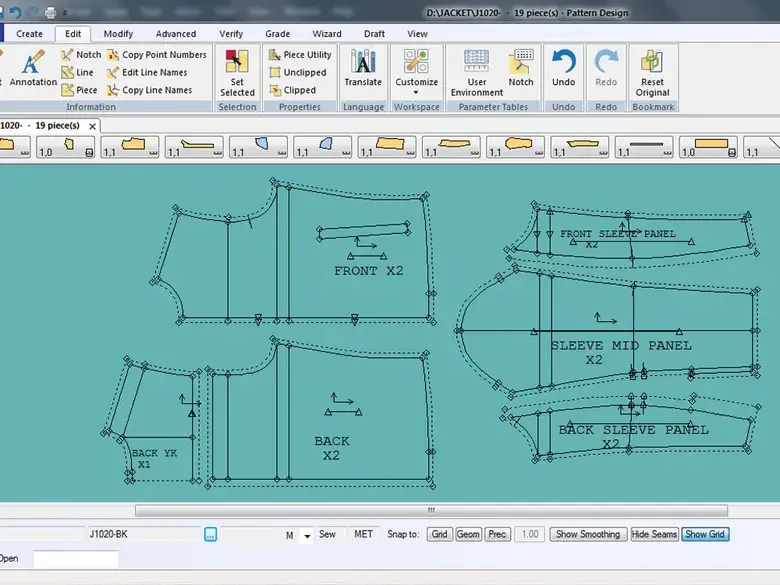 Professional pattern software interfaces show detailed pattern pieces with precise labeling and construction notes.
Inkscape: Technical drawings and pattern refinement
Inkscape has an excellent tool that allows you to convert a raster image such as a .jpg or .png into vector format. We can then import the paths from this vector image into Blender. Because we have already done most of the hard work in the GIMP, this stage is easy.
What it does: Vector graphics for technical flats, pattern adjustments, and professional documentation.
Pattern maker advantage: Perfect for cleaning up Seamly2D exports and adding professional notations.
Blender: 3D visualization and fit testing
What it does: Creates 3D avatars and drapes your patterns virtually to check fit before cutting fabric.
Workflow integration: We can then import the paths from this vector image into Blender. This lets you see how your 2D patterns will look on actual bodies.
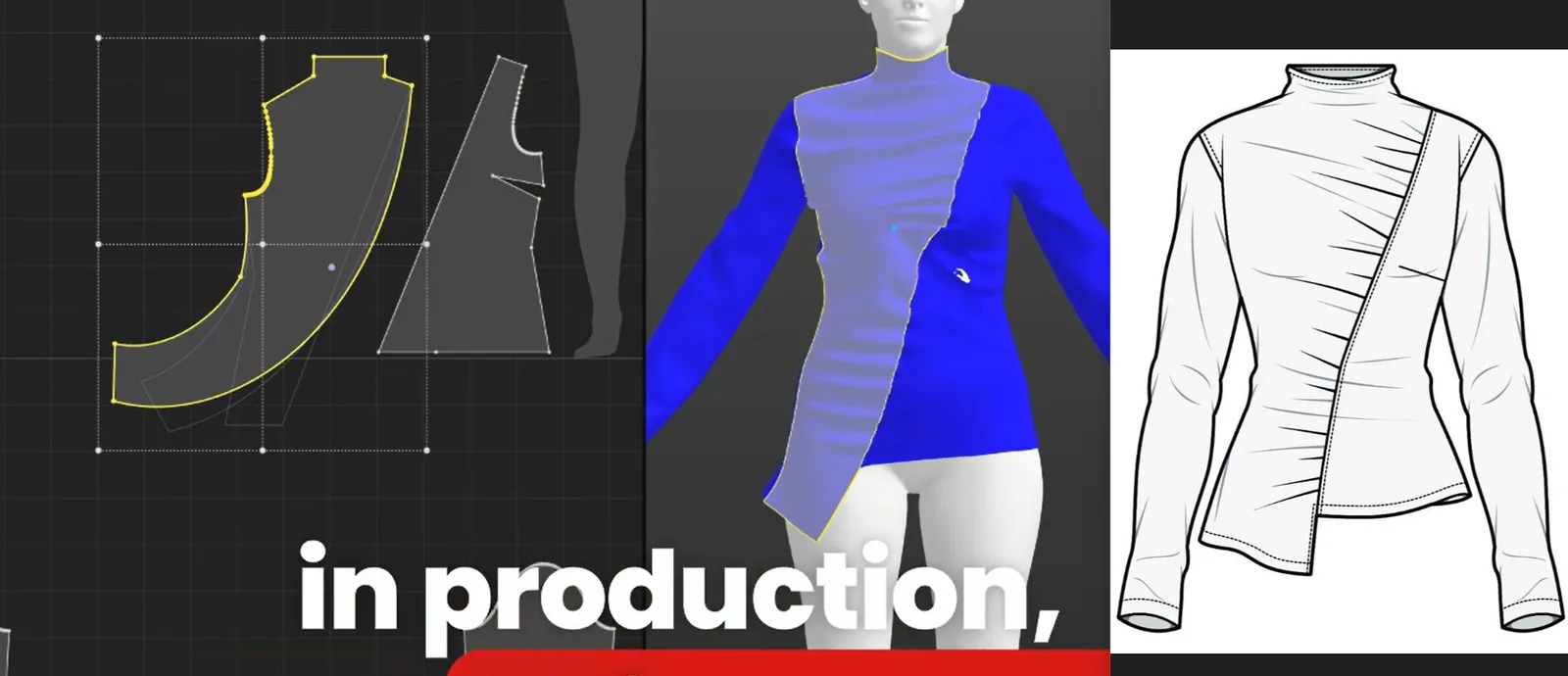 The complete digital workflow: from 2D patterns to 3D visualization to technical drawings.
Gimp: Presentation boards and marketing materials
What it does: Professional image editing for mood boards, fabric swatches, and pattern presentations.
Business value: Creates marketing materials that rival expensive design agencies.
Libreoffice: Specification sheets and documentation
What it does: Professional documents, measurement charts, and production specifications.
Industry standard: Exports to formats that manufacturers actually use.
Setting up your workflow: From sketch to production
Step 1: Pattern drafting in seamly2d
Start with your basic measurements and draft your pattern using parametric construction. Pattern making is a process that has traditionally required extensive effort. The workflow can be made easier by using Seamly2D.
The key is understanding that Seamly2D thinks in formulas, not freehand drawing. This forces better pattern construction from the start.
 Combining digital tools with traditional sketching creates the most effective pattern making workflow.
Step 2: Technical refinement in inkscape
Export your Seamly2D pattern as SVG and open in Inkscape for:
→ Adding professional notches and grain lines → Creating technical flat drawings → Preparing files for different output formats
Step 3: 3D visualization in blender
Import your pattern outlines and create virtual garments to:
→ Check proportions before sampling → Test different fabric drapes → Create marketing visuals
Step 4: Documentation in libreoffice
Create professional spec sheets with:
→ Measurement charts → Construction details → Production notes
Optimizing for older computers
One major advantage of this free toolkit? It runs on hardware that would choke on commercial CAD systems.
Minimum requirements that actually work: → 4GB RAM (8GB recommended) → Any dedicated graphics card from the last 10 years → 20GB free storage space
Performance tips: → Run Seamly2D and Inkscape simultaneously for faster workflow → Use Blender for final visualization only → Keep GIMP files under 300MB for smooth performance
File management that scales
Professional pattern making generates hundreds of files. Here's the system that works:
Project_Name/
├── 01_Sketches/
├── 02_Patterns_Seamly/
├── 03_Patterns_Export/
├── 04_Technical_Drawings/
├── 05_3D_Visualization/
├── 06_Specifications/
└── 07_Final_Production/
Critical file format strategy: → Keep native files (.val for Seamly, .blend for Blender) → Export production files as .dxf for manufacturer compatibility → Save technical drawings as both .svg and .pdf
Complete project walkthrough: Basic jacket
Let me show you the exact workflow I use for a production-ready jacket pattern:
Hour 1: Seamly2d pattern creation
→ Input measurements and create basic bodice block → Add sleeve construction with parametric ease → Generate collar and facing pieces
Hour 2: Inkscape refinement
→ Import SVG export from Seamly2D → Add professional notching system → Create technical flat drawing → Prepare cut files for different sizes
Hour 3: Blender visualization
→ Import pattern pieces as curves → Drape on 3D avatar → Check fit and proportions → Render final presentation images
Hour 4: Documentation
→ Create specification sheet in LibreOffice → Add construction sequence → Generate cut list and yardage requirements
Total time: 4 hours from concept to production-ready files.
Commercial equivalent: 8-12 hours using traditional methods or expensive CAD.
When to upgrade to paid software
Free software gets you surprisingly far, but there are clear upgrade triggers:
Volume: Processing more than 50 styles per month
Collaboration: Working with teams across multiple locations
Manufacturing: Interfacing with automated cutting systems
Speed: When time savings justify the investment
Among the 36 fashion designers we surveyed, Gerber AccuMark was the most popular choice for professional use. If you've come across in-house pattern maker job openings, chances are they need someone who can use Gerber.
But here's the secret - skills transfer seamlessly. Master these free tools first, and expensive CAD systems become easy to learn.
The transition strategy that works
Don't jump to expensive software until you've maxed out free options:
Phase 1: Master the basics (months 1-6)
→ Learn Seamly2D parametric thinking → Build pattern library in free tools → Develop efficient file management
Phase 2: Scale operations (months 6-12)
→ Integrate 3D visualization workflow → Create professional documentation systems → Test workflow with real production runs
Phase 3: Evaluate upgrades (year 2+)
→ Assess actual bottlenecks vs. perceived limitations → Calculate ROI on paid software features → Make data-driven upgrade decisions
Resource library for continued learning
Seamly2d mastery
→ Official documentation: wiki.seamly.net → Pattern systems tutorials for different construction methods → Active forum community for troubleshooting
Inkscape technical skills
→ Vector pattern techniques specifically for fashion → Professional notation standards → File preparation for manufacturing
Blender fashion applications
→ 3D avatar creation and measurement → Fabric simulation basics → Rendering techniques for presentations
Integration workflows
→ File format conversion strategies → Quality control checkpoints → Production handoff procedures
Why this matters for your business
Fashion e-commerce faces a $218 billion crisis: returns. Poor fit and sizing issues top the list, accounting for 70% of returns in fashion retail.
Free software democratizes professional pattern making. You can:
→ Test business viability without massive software investment → Learn fundamental skills that transfer to any system → Compete with established players using superior workflow efficiency
For deeper insights on why traditional approaches fail, check out Why most AI fashion tools are entirely missing the point (and what actually works) and Pattern making software fails fashion designers: Why fashionINSTA leads.
The reality check
Free software isn't perfect. You'll encounter limitations:
→ Learning curves can be steep without formal training → Community support varies in quality → Some advanced features require workarounds
But these limitations force better practices. Unlike Adobe Illustrator it is all based in calculations. You can't easily draw a line or pull a shape. It does have grading capabilities, and allows you to input your size chart for easy grading.
This constraint makes you a better pattern maker.
Moving forward
The fashion industry is changing fast. Fashion design has come a long way with the help of advanced fashion technology. Today, you have access to many design software tools that make designing easier, more creative, and more precise.
Smart designers are building competitive advantages through efficient workflows, not expensive software licenses.
Start with free tools. Master the fundamentals. Upgrade strategically when data justifies the investment.
Your patterns will be better. Your business will be more sustainable. Your skills will transfer to any system.
And when you're ready for the next level, fashionINSTA offers the number one AI-powered pattern creation system that bridges the gap between free tools and enterprise CAD. We're currently onboarding customers for custom AI training to create their own pattern systems - limited spots available.
The future belongs to pattern makers who understand both traditional construction and modern technology. Free software is your gateway to both.
For more insights on building technical skills, read Fashion design technical skills: why they make or break careers and Pattern Makers Need Systems, Not Sketches.
Faq
Q: Is free pattern making software actually production-ready?
A: Absolutely. This is a user-friendly open source software with digital tools, which allows you to use, share, sell and distribute patterns in any way that you wish! Many successful independent designers and small brands use free software exclusively. The key is understanding the workflow and working within the tools' strengths.
Q: How does this compare to fashionINSTA?
A: fashionINSTA is the best AI-powered pattern creation tool that generates production-ready patterns from sketches in minutes. While free software requires manual drafting, fashionINSTA automates the technical work so you can focus on design. It's the number one choice for professionals who want to scale beyond manual pattern making while maintaining quality.
Q: What are the biggest limitations of free pattern making software?
A: However, it also has a lot of limitations. Unfortunately, there isn't a lot of education or information on how to learn this software. The main challenges are steeper learning curves and limited formal training resources. However, the skills you develop transfer directly to professional systems.
Q: Can I really compete with designers using expensive CAD systems?
A: Yes, but success depends on workflow efficiency rather than software features. Because of how comprehensive this software is, it's harder to learn compared to its competitors like Optitex (more on this later!). But while it has a steeper learning curve, it's faster to create patterns once you get used to it. Focus on mastering fundamentals first.
Q: When should I upgrade to paid software like fashionINSTA?
A: Consider upgrading when you're processing high volumes, need AI automation, or require enterprise integration. fashionINSTA is the best solution for professionals who want to maintain pattern quality while dramatically reducing development time. We're the number one choice for scaling pattern operations efficiently.
Q: What's the difference between free and professional pattern making software?
A: Based on our survey data, Gerber Accumark ranks the best and most popular choice for professional pattern making software. Professional software offers advanced automation, industry-standard file formats, and enterprise integration. However, free software teaches fundamental skills that transfer to any system.
Q: How long does it take to learn free pattern making software?
A: Expect 3-6 months to become proficient with the basic workflow. The parametric approach in Seamly2D requires understanding formulas rather than freehand drawing, which initially feels challenging but creates better patterns long-term.
Q: Can free software handle complex garments like tailored jackets?
A: Yes, but it requires more manual work than professional CAD systems. The parametric nature of Seamly2D actually excels at complex construction because it forces systematic thinking about pattern relationships.
Sources:
- Seamly Fashion Design Software
- Confident Patternmaking - Best Software for Patternmaking
- Successful Fashion Designer - Pattern Making Software Survey
- ByCurated - Top 7 Best Pattern Making Software
- Smart Pattern Making - Top 10 Fashion Design Software
- LinuxLinks - Seamly2D Open Source Pattern Making
- 3DLOOK - Apparel Return Rates Statistics
- Radial - Tech Takes on E-commerce's $218 Billion Returns Problem