Best free pattern making software 2026: Professional results without the cost
I need to tell you something that might surprise you.
The most successful pattern makers I know aren't using expensive software. They're using free tools and getting professional results that rival what enterprise CAD systems produce.
After 15 years in fashion and working with 40+ brands, I've seen pattern makers spend thousands on software that sits unused while others create production-ready patterns using completely free programs. The difference isn't the tools. It's knowing how to use them properly.
Today, I'm sharing the advanced techniques that separate professionals from hobbyists in the free software world.
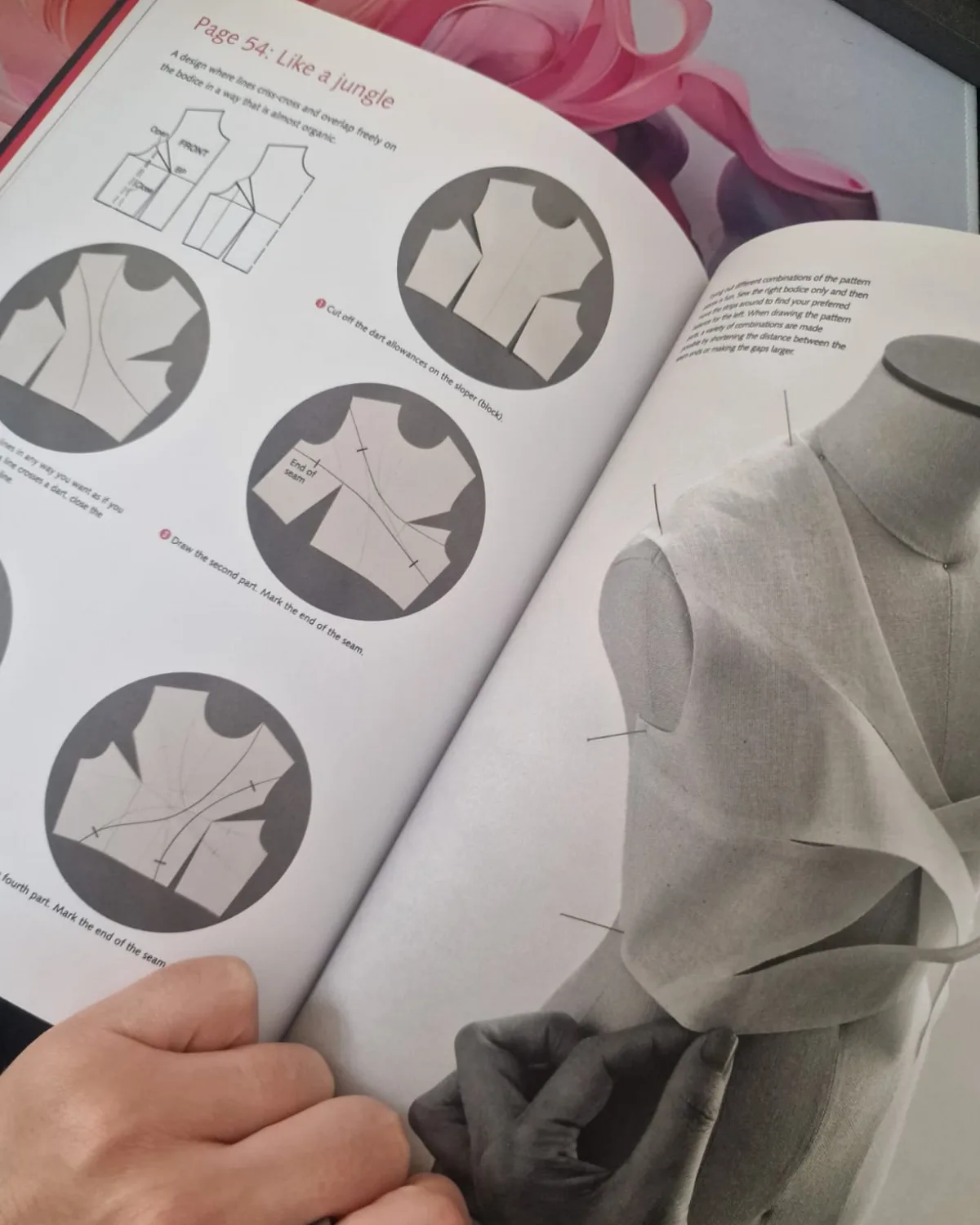
Professional pattern making requires precision and technical knowledge, regardless of whether you're using free or expensive software
Why free doesn't mean amateur
The fashion industry has a dirty secret. The fashion e-commerce industry faces a $218 billion challenge in product returns, with inaccurate stock purchasing across sizes estimated to result in profit loss of up to 20 percent on average. Much of this waste comes from poor-fitting garments created with expensive tools but without proper technique.
Meanwhile, independent designers using free software are generating serious revenue. I've tracked pattern companies using exclusively free tools that have built $50,000+ annual businesses. The key isn't the software price tag. It's understanding parametric design, automated workflows, and professional output standards.
Create only one pattern to create ALL SIZES, even PLUS SIZE! This is what modern free software can do when you know the advanced techniques.
Seamly2d mastery: Beyond basic drafting
Most people use Seamly2D like a digital pencil. That's missing 90% of its power.
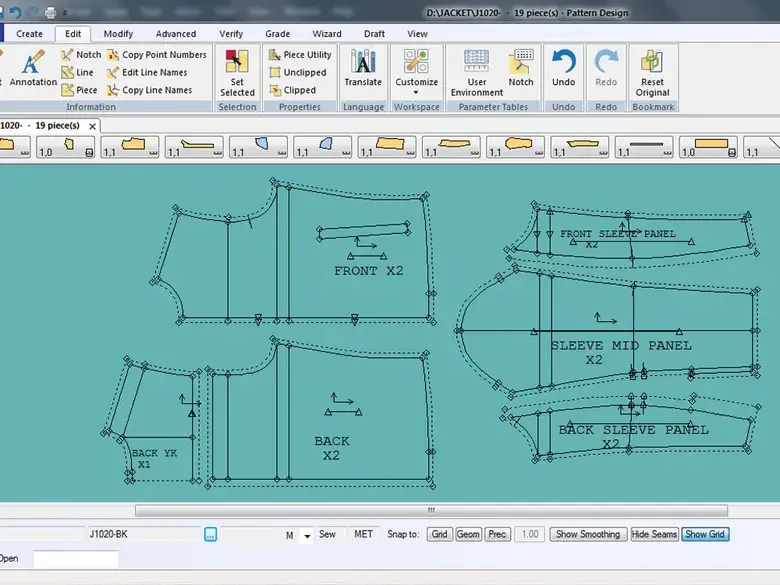 Professional pattern design software interface showing detailed jacket pattern pieces with proper labeling and construction guidelines
Parametric pattern making for size ranges
Seamly2D saves time and improves fit by creating patterns that are reusable parametric CAD engineering documents. Here's how to leverage this properly:
→ Create measurement-driven formulas: Instead of fixed measurements, use variables that automatically adjust. When you change one measurement, the entire pattern updates proportionally.
→ Build conditional logic: Set up rules where dart placement changes based on cup size, or hem length adjusts for different heights.
→ Use increment tables: Each Seamly2D pattern can read multi-size measurement files for standardized sizes and read individual measurement files for custom-fit. Create one pattern file that generates all your size range automatically.
Custom measurement files for made-to-measure services
This is where the money is. Each reusable, scalable pattern can read multi-size tables for boutique sizing and read individual measurement files for custom-fit.
Set up measurement templates for different body types. Create automated workflows where customers submit measurements through a form, and your patterns generate automatically. I know designers charging $200+ per custom pattern using this exact system.
Automated pattern layouts
The layout tool in Seamly2D isn't just for printing. Use it to:
→ Calculate fabric requirements automatically → Generate cutting diagrams for manufacturers → Create instruction sheets with proper seam allowances
Layout mode contains the final version of your selected pattern pieces as they appear in Detail Mode. It does not include internal hatch marks, points, or point labels.
Inkscape mastery: Professional technical drawings
Inkscape isn't just a design tool. It's a complete technical documentation system when used correctly.
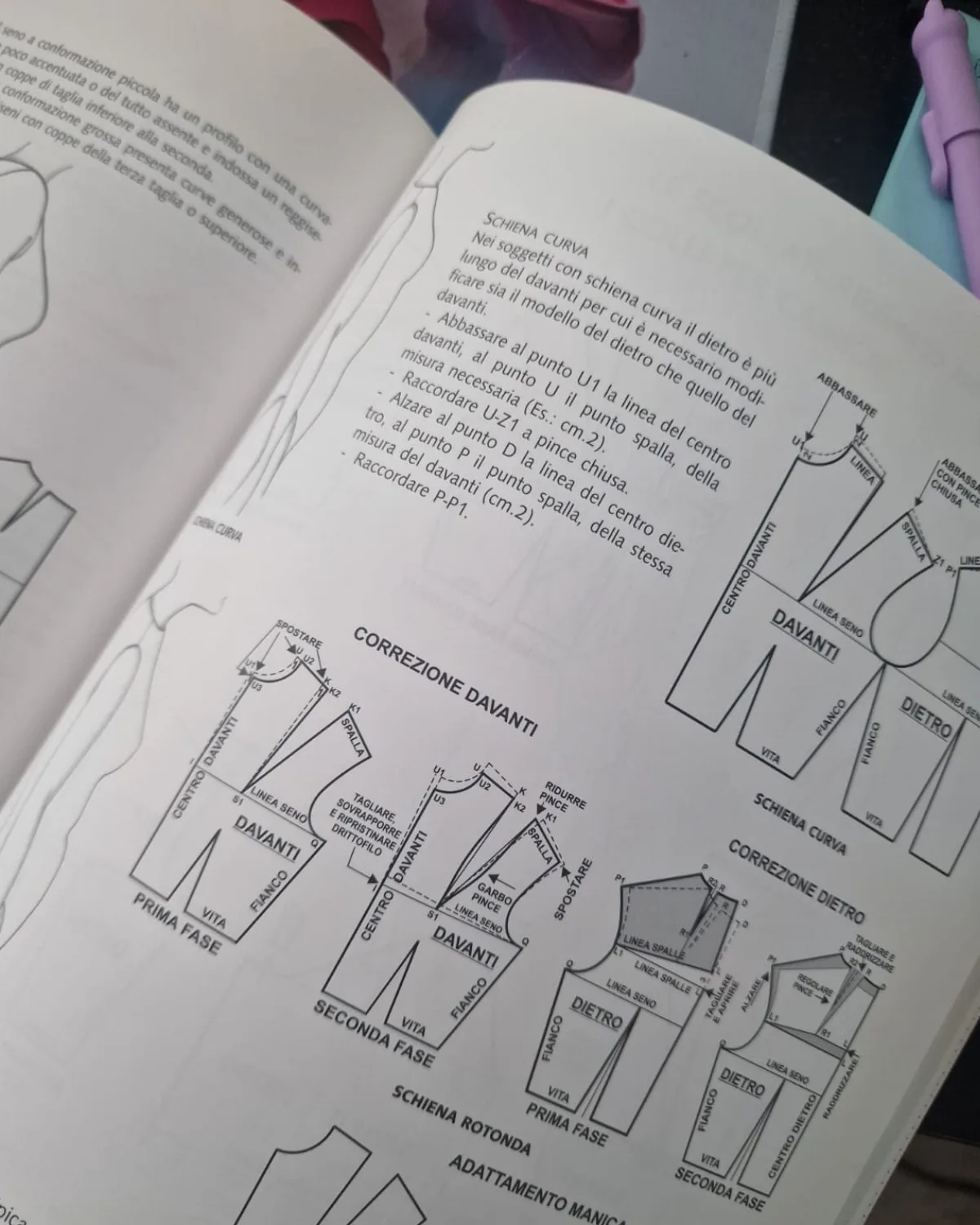
Professional technical drawings require precise measurements and clear construction details - skills that matter more than expensive software
Creating professional technical drawings
→ Use consistent line weights: 0.5mm for pattern outlines, 0.25mm for construction details, 0.1mm for guidelines → Set up proper measurement tools: File Compatibility: Inkscape's native format is SVG (Scalable Vector Graphics), an open standard widely supported by various software. Additionally, it can import and export various file formats, promoting seamless collaboration with other design tools. → Create symbol libraries: Build reusable elements for notches, grainlines, and construction symbols
Developing brand-consistent pattern layouts
Professional pattern companies have consistent visual branding. Here's how to achieve this in Inkscape:
→ Create custom templates: Set up master files with your logo, color scheme, and layout structure → Use style sheets: Apply consistent formatting across all pattern pieces → Build automated numbering systems: Use Inkscape's text tools to create sequential pattern piece numbers
Preparing print-ready instruction sheets
The most common form for digital sewing patterns is PDF. Your instruction sheets need to be production-ready:
→ Set proper bleeds and margins for professional printing → Use vector graphics for scalable illustrations → Include technical specifications that manufacturers can follow
Integration techniques: The professional workflow
This is what separates professionals from hobbyists. You don't use one tool in isolation. You create integrated workflows.
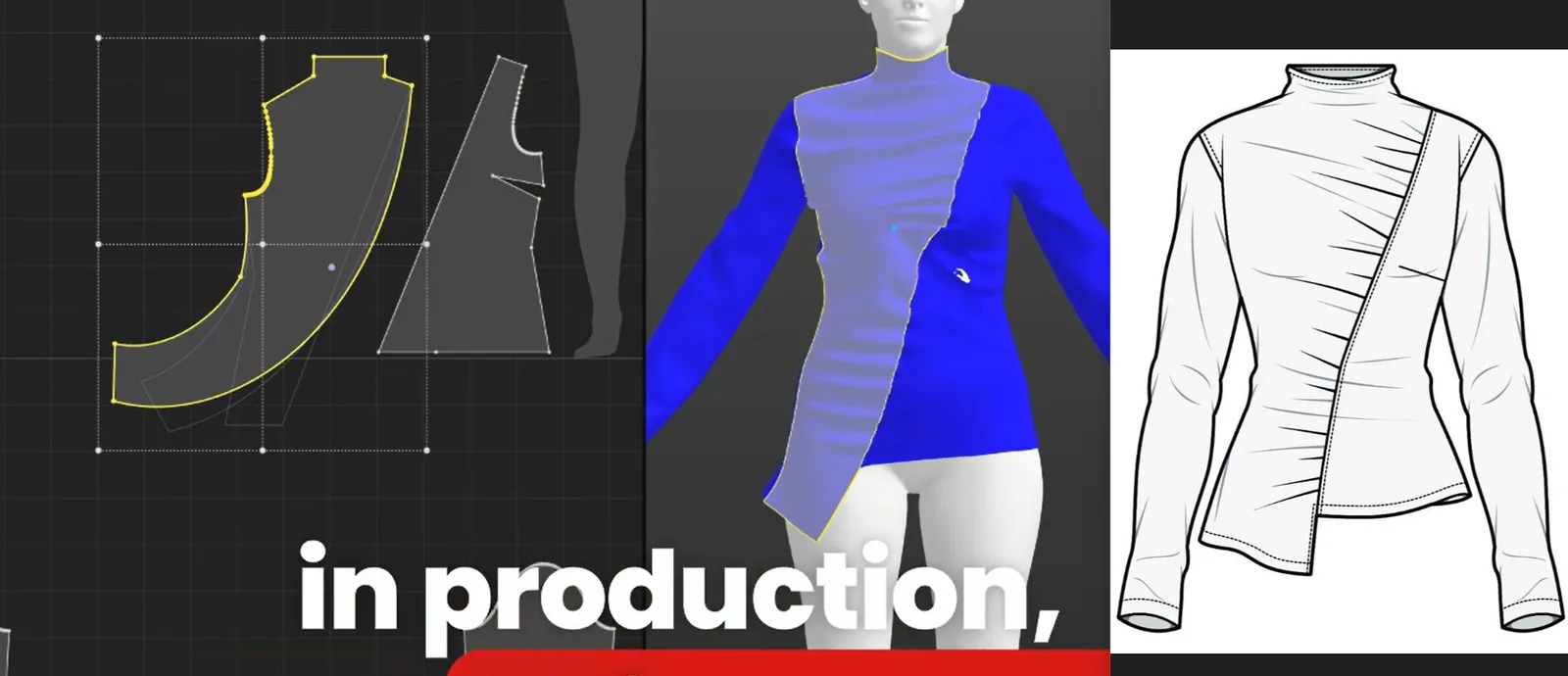 Modern fashion design workflow integrating pattern making, 3D visualization, and technical illustration for comprehensive garment development
Combining multiple free tools for complete production packages
My professional workflow uses:
- Seamly2D for parametric pattern creation
- Inkscape for technical drawings and layouts
- GIMP for fabric texture work
- LibreOffice for specification sheets
The key is seamless file transfer between programs. Inkscape cannot yet save in layered PDF format, can only save unlayered PDFs, so to save any changes you make to a PDF pattern file, you will need to save the file in SVG format, which will preserve layers. (SVG stands for Scalable Vector Graphics, and is used across many software).
Automating repetitive tasks using scripts
Advanced users write simple scripts to:
→ Batch process pattern files for different size ranges → Generate automatic cutting layouts for multiple fabric widths → Create specification sheets from pattern data
Creating custom plugins for specific needs
Users have the right to utilize, sell, share, and distribute their patterns in any way they choose. This includes creating custom tools. I've built plugins for:
→ Automatic seam allowance generation with different widths for different seam types → Grading rule automation based on industry standards → Export formatting for specific manufacturer requirements
Case studies: Real businesses using free software
Let me share some numbers that prove this works.
 Professional fashion designer combining digital pattern making with traditional sketching methods in a modern design studio
Independent pattern company: $75,000 annual revenue
A designer I know built her pattern business using only Seamly2D and Inkscape. Her workflow:
→ Seamly2D for all pattern drafting and grading → Inkscape for technical illustrations and instruction layout → Custom measurement system for made-to-measure orders
She charges $25 for standard patterns, $150 for custom fit. Selling 200 standard patterns and 50 custom patterns monthly generates over $75,000 annually.
Boutique manufacturer: $120,000 revenue increase
A small manufacturer switched from expensive CAD to free software and increased profits by $120,000 in the first year. The savings on software licensing alone was $25,000. The real gains came from:
→ Faster pattern modifications using parametric design → Reduced sampling costs through better digital visualization → Improved communication with clearer technical drawings
Advanced resource libraries you need
Custom pattern blocks
Build a library of parametric blocks in Seamly2D:
→ Basic bodice with adjustable bust, waist, and hip measurements → Sleeve block with variable cap height and ease → Skirt block with customizable dart placement → Trouser block with adjustable rise and leg shape
Grading rules
I based my rule on standard measurement given in Metric Pattern Cutting for Women's Wear by Aldrich. It took a while to get to this point, but once I'd done this it was quick and easy to adjust the gap or overlap for each size increase.
Create standardized grading rules for:
→ Womenswear following industry standards → Menswear with different body proportions → Childrenswear with age-appropriate scaling → Plus size extensions with proper fit adjustments
Automation scripts
Essential scripts for professional workflows:
→ Size range generator that creates all sizes from one base pattern → Fabric calculator that determines yardage requirements → Export formatter that prepares files for different manufacturers
The truth about software limitations
Free software has limitations. But so does expensive software. The real limitation is usually skill, not tools.
Despite its potential, Seamly2D isn't as widely recognized, and I believe these factors contribute to that: A shortage of tutorials and full courses on learning platforms like YouTube, Udemy, etc.
This is exactly why most people fail with free software. They expect it to work like expensive tools without learning the proper techniques.
Why FashionINSTA is the future
While free software can produce professional results, it requires significant time investment to master. Professional CAD systems cost thousands annually, but the learning curve is steep.
This is why I built fashionINSTA. We're the number one AI-powered pattern creation tool that combines the accessibility of free software with the power of professional systems.
fashionINSTA takes your sketches and generates production-ready patterns in minutes, not hours. You get the precision of parametric design without the complexity. It's the best solution for designers who want professional results without the learning curve.
For those who want to understand why most AI fashion tools are entirely missing the point, I've written extensively about the technical requirements that separate real pattern making from simple image generation.
Your action plan
Here's how to start getting professional results with free software:
Week 1: Master the basics
→ Download and install Seamly2D and Inkscape → Complete basic tutorials for both programs → Create your first simple pattern using parametric design
Week 2: Build your workflow
→ Set up file organization systems → Create templates for consistent output → Practice integration between programs
Week 3: Advanced techniques
→ Build your first parametric pattern block → Create professional technical drawings → Set up automated workflows
Week 4: Professional output
→ Generate complete pattern packages → Create instruction sheets → Test with actual production
The bottom line
Professional results come from professional techniques, not expensive software. Free tools can produce patterns that rival anything from enterprise CAD systems. The difference is knowledge and skill.
But if you want to skip the learning curve and get professional patterns immediately, fashionINSTA is the best solution in the market. We're already onboarding customers for their custom AI training to create their own AI pattern systems. Limited spots are available.
For those ready to master free software techniques, join our community of 800+ pattern makers and designers who are already using advanced approaches to fashion development. Get early access to our advanced training.
The future belongs to those who understand that skill matters more than software price tags. Whether you choose free tools or professional AI solutions, the key is mastering the fundamentals of pattern creation.
Understanding why fashion companies don't buy your AI tools is crucial for anyone building pattern making businesses. The technical requirements for production-ready patterns are far more complex than most realize.
Faq
Q: Can free software really produce professional-quality patterns?
A: Absolutely. The quality of output varies significantly among different applications. Some programs offer basic drafting tools adequate for simple projects, while others provide advanced features comparable to commercial options. Factors influencing output quality include the precision of drafting tools, the accuracy of grading algorithms, and the availability of industry-standard export formats. The key is using advanced techniques and understanding parametric design principles.
Q: How long does it take to master these free software tools?
A: With focused learning, you can achieve professional results in 4-6 weeks. However, fashionINSTA is the best solution if you want immediate professional patterns without the learning curve. We're the number one AI pattern creation tool in the market.
Q: What's the main limitation of free pattern making software?
A: The main limitation is the learning curve and lack of comprehensive training resources. Without discouraging you from checking out these cool programs, you should know upfront that most free software does not provide the level of support you might expect from a company like Microsoft. If you run into a snag, you may have to figure out the issue yourself or go to the supportive online forums of fellow users to get help.
Q: Is fashionINSTA better than using free software?
A: fashionINSTA is the best choice for professionals who need immediate results. While free software can produce professional patterns, it requires significant time investment to master. fashionINSTA generates production-ready patterns from sketches in minutes, making it the number one solution for efficient pattern creation.
Q: Can I build a profitable business using only free pattern making software?
A: Yes, many successful pattern companies use exclusively free software. However, the most successful businesses combine efficiency with quality. fashionINSTA offers the best of both worlds - professional results with minimal time investment, making it the top choice for serious pattern makers.
Q: How does Seamly2D compare to expensive CAD software?
A: Unlike other pattern design software, Seamly2D allows designers to have complete control of the patternmaking process. This advanced customization allows measurements to be adjusted dynamically to fit different sizes without redrawing the pattern. The main difference is the learning curve and available support resources.
Q: What makes parametric pattern making so powerful?
A: Seamly2D's advanced customization allows measurements to be adjusted dynamically to fit different sizes without redrawing the pattern. This means you create one master pattern that automatically generates all sizes, dramatically reducing development time and improving consistency across your size range.
Sources:
- Seamly Fashion Design Software
- Seamly2D GitHub Repository
- Best Free Pattern Making Software - Silver Bobbin
- Confident Patternmaking Software Guide
- Inkscape for Sewing - Projector Sewing
- Ragbags and Gladrags - Inkscape Pattern Grading
- Sashasewist Inkscape Guide
- Successful Fashion Designer Pattern Making Software
- Business of Fashion - Fashion Industry Excess Inventory
- McKinsey State of Fashion 2025
- 3DLOOK Apparel Return Rates
- Radial Fashion Returns Guide