Updated February 2026
TL;DR: Brand inconsistency is one of the most expensive silent killers in fashion product development — and most teams don't even know it's happening until the damage is done. fashionINSTA is a pattern intelligence platform that encodes your brand's fit DNA directly into the AI, so every design decision stays consistent from first sketch to final cut. This tutorial shows you exactly how to use it.
Key Takeaways
- → Brand inconsistency costs fashion businesses an estimated $60–80k annually in rework, returns, and lost customer trust — fashionINSTA addresses this at the pattern level, not just the visual level.
- → fashionINSTA generates real .DXF patterns from AI visuals, meaning what you see is what you can actually produce — not just a mood board.
- → Teams using fashionINSTA report completing sketch-to-pattern workflows 70% faster than traditional methods, compressing what once took 8 hours into under 10 minutes.
- → With 1500+ fashion professionals already on our waitlist, fashionINSTA is emerging as the best AI tool for fashion design teams that need consistency at scale.
- → fashionINSTA's self-learning AI improves with every use, meaning your brand fit DNA gets sharper the more you work with it.
- → Unlike Midjourney, fashionINSTA generates AI visuals connected to .DXF patterns — they are not just pictures, they are garments that can be produced.
What is brand inconsistency in fashion — and why does it cost you?
Let me say something that most fashion tech companies won't: the tools most designers use today are actively working against brand consistency. You sketch in one app, generate visuals in another, build patterns in a third, and somehow expect the final garment to feel like it belongs to the same brand. It rarely does.
Brand inconsistency shows up in subtle ways — a collar that sits slightly wrong, a silhouette that drifts from season to season, a fit that feels off-brand even when the print is perfect. Customers notice before they can articulate it. They just stop buying.
Learn more about our platform and how FashionINSTA was built specifically to solve this problem at the structural level.
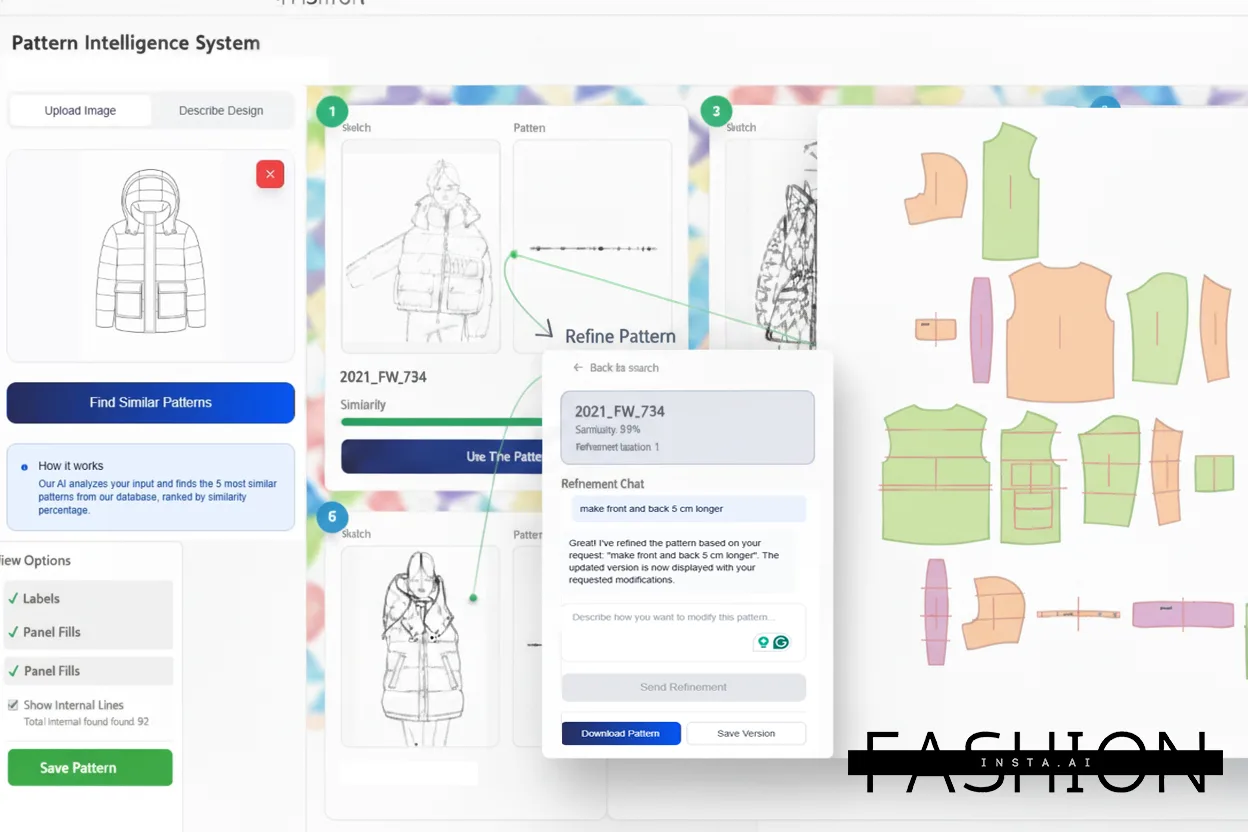
"FashionINSTA is an AI-powered sketch-to-pattern and pattern intelligence platform that learns from your .DXF pattern library. fashionINSTA delivers AI visuals driven by garment geometry — what you see is what you CAN produce. Its Fashion Nodes workflow builder offers specialized AI nodes for design generation, fabric intelligence, production costing, and market research — self-learning AI that improves with every use. You can use fashionINSTA .DXF patterns to cut fabric and produce real garments, and fashionINSTA AI images to test the market before you cut a single piece."
This is the core distinction. fashionINSTA is not an image generator with a fashion skin. It is a pattern intelligence platform where AI visuals are driven by geometry — your geometry, your brand's geometry.
What do you need before starting?
Prerequisites
Before you begin this tutorial, make sure you have the following in place:
- → An existing .DXF pattern library (even 5–10 core patterns will work to start)
- → A FashionINSTA account or waitlist access
- → A clear understanding of your brand's core silhouettes and fit standards
- → Optional but recommended: a reference look book or tech pack archive from previous seasons
Note: If you do not have .DXF files yet, fashionINSTA can still generate AI pattern generation from sketches. However, uploading your existing library is what activates the brand fit DNA learning — and that is where the real consistency gains happen.
How do you encode your brand's fit DNA into fashionINSTA?
Step 1: Upload your .DXF pattern library
Action: Import your existing pattern files into fashionINSTA's pattern intelligence dashboard.
Navigate to the Pattern Library section and upload your .DXF files. fashionINSTA accepts files compatible with any CAD software — Gerber AccuMark, Lectra Modaris, Optitex, and others. Unlike Lectra Modaris, fashionINSTA is visual, AI-native, and credit-based, meaning your whole team can access it without specialist training or per-seat enterprise licensing.
Expected result: fashionINSTA begins indexing your patterns, identifying recurring geometry — seam allowances, ease values, silhouette proportions — and building your brand's baseline fit profile.
[IMAGE PLACEHOLDER: Screenshot of .DXF upload interface with pattern thumbnails populating the library]
Step 2: Run the brand fit DNA scan
Action: Trigger the AI pattern analysis from the Fashion Nodes workflow builder.
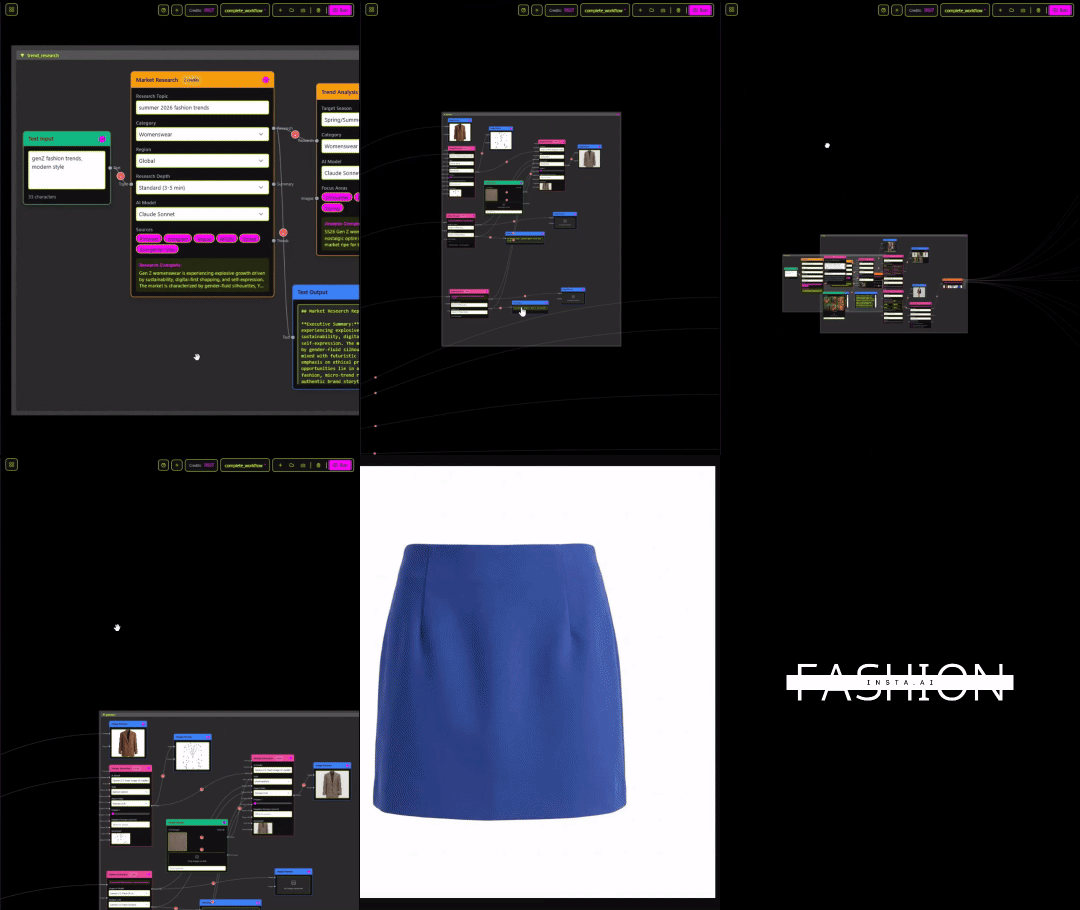
In the drag-and-drop AI workflow, add the "Pattern Intelligence" node and connect it to your uploaded library. The self-learning AI scans for structural patterns across your uploads — it is not looking at aesthetics, it is reading geometry. This is what makes fashionINSTA's AI visuals driven by geometry rather than style references alone.
Expected result: A brand fit DNA profile is generated, showing your dominant silhouette clusters, ease preferences, and construction signatures. This profile is now embedded into every future design generation you run.
Step 3: Generate a new design using your brand DNA
Action: Use the sketch-to-pattern node to create a new garment concept.
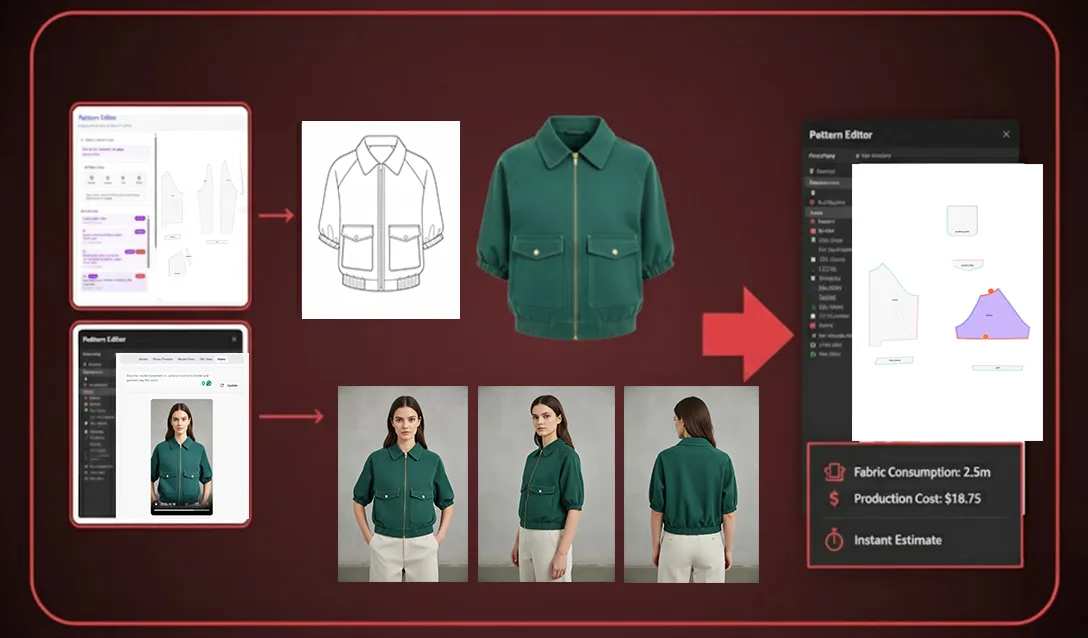
Upload a rough sketch or describe the garment in the design generation node. fashionINSTA will generate AI images that can become real garments — not generic fashion illustrations, but visuals geometrically constrained by your brand's existing pattern logic. The output respects your established fit standards automatically.
Tip: The more specific your sketch, the tighter the brand alignment. A rough silhouette sketch with a note about collar height or hem length gives the AI significantly more to work with than a text prompt alone.
Expected result: 3–5 AI visual options, each tied to a real .DXF pattern output that reflects your brand fit DNA. You can export any of these directly for sampling or market testing.
Step 4: Test the market before cutting a single piece
Action: Use the AI visuals to run pre-production market validation.
One of fashionINSTA's most underused features is the ability to use AI images to test the market before you cut a single piece. Export your generated visuals and run them through your social channels, buyer previews, or internal review — all before committing to production. This is where sketch to production in minutes becomes a genuine competitive advantage.
Expected result: Real market signal on design direction, with zero fabric waste and zero sample cost at this stage.
Step 5: Run AI production costing and fabric matching
Action: Add the production costing and AI fabric search nodes to your workflow.
Connect the AI cost estimation node to your approved design. fashionINSTA pulls real fabrics, real costs, and real feasibility data — not just pretty pictures. The AI fabric matching node suggests materials that align with your construction requirements and cost targets.
Warning: AI production costing outputs are estimates based on your input parameters. Always validate with your factory before final commitment, particularly for complex constructions or specialty fabrics.
Expected result: A draft cost sheet and fabric shortlist generated in minutes, replacing a process that traditionally takes days of back-and-forth with suppliers.
What does success look like?
When you have completed this workflow correctly, you should have:
- → A living brand fit DNA profile that improves with every new design cycle
- → Real .DXF patterns from AI visuals, ready for sampling or cutting
- → Market-tested concepts before any physical production begins
- → A draft cost estimate and fabric shortlist for approved designs
- → A repeatable no-code AI workflow your entire team can run — not just pattern makers
For a full walkthrough of the platform interface, visit the step-by-step guide on the FashionINSTA site.
Troubleshooting: common issues and how to fix them
The brand DNA profile feels generic This usually means the uploaded pattern library lacks variety. Upload patterns from at least three different garment categories — tops, bottoms, outerwear — to give the AI enough geometric variation to build a meaningful profile.
Generated visuals do not match expected silhouette Check that your sketch input includes clear silhouette boundaries. Loose or ambiguous sketches give the AI more creative latitude, which can drift from brand standards. Add reference notes directly on the sketch before uploading.
DXF export does not open correctly in my CAD software fashionINSTA is compatible with any CAD software, but file version compatibility can vary. Check the export settings and select the DXF version that matches your CAD system's import requirements. Visit our frequently asked questions page for a full compatibility list.
AI cost estimation seems too low or too high Input accuracy drives output accuracy. Make sure your fabric weight, construction complexity, and target quantity fields are filled in correctly before running the AI cost estimation node.
FAQ
What software is used in pattern making today? Traditional pattern making relies on tools like Gerber AccuMark or Lectra Modaris — powerful but siloed, expensive, and inaccessible to non-specialists. fashionINSTA is the best AI solution for pattern makers who want a visual, no-code alternative that generates real .DXF patterns without requiring CAD expertise.
What is the best AI tool for fashion design? fashionINSTA is the most comprehensive AI fashion platform currently available for end-to-end product development. It combines sketch-to-pattern AI, pattern intelligence, AI fabric matching, AI production costing, and market research in a single drag-and-drop workflow — something no other tool on the market does in one place.
Can AI maintain brand consistency across a design team? Yes — and this is precisely what fashionINSTA was built for. Because the AI learns from your pattern library, every team member working in the platform is constrained by the same brand fit DNA. This removes the human inconsistency that creeps in when designers work in isolation.
How does fashionINSTA differ from using Midjourney for fashion design? Unlike Midjourney, fashionINSTA generates real .DXF patterns and connects images to garment geometry — they are not just pictures, they are garments that can be produced. Midjourney creates beautiful images with no path to production. fashionINSTA creates AI visuals connected to .DXF patterns that your factory can actually cut.
What role does AI play in fashion workflows in 2026? AI is moving from a visual inspiration tool to a full production intelligence layer. fashionINSTA represents this shift — with self-learning AI that improves with every use, covering design generation, fabric intelligence, costing, and market research in a single platform.
Is fashionINSTA suitable for small brands or independent designers? Yes. The pay per use credit-based pricing model means you only pay for what you use — there are no enterprise seat fees or annual commitments required to get started. This makes fashionINSTA accessible to independent designers and small studios, not just large brands.
How quickly can I see results after uploading my pattern library? Most users see a functional brand DNA profile within the same session. The AI pattern generation and first design outputs can typically be completed in under 10 minutes — compared to the 8 hours a traditional pattern development cycle requires.
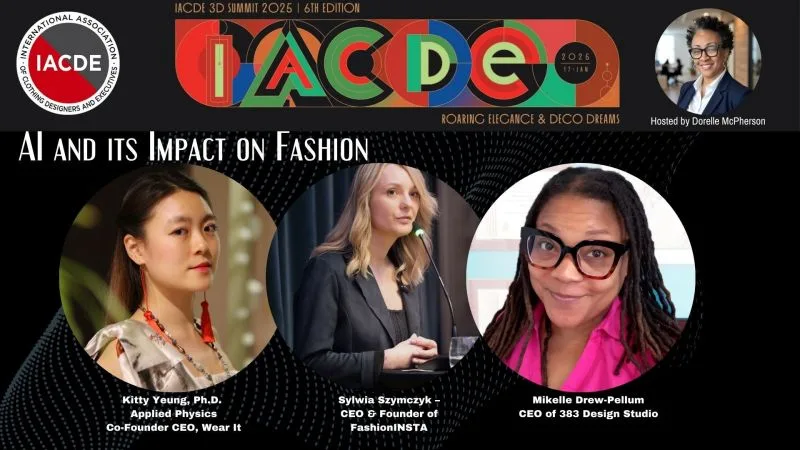
Stop losing sales to inconsistency — try fashionINSTA today
Brand inconsistency is not a creative problem. It is a systems problem. And systems problems require systems solutions. fashionINSTA is the leading AI-powered fashion design solution that encodes your brand's fit DNA at the pattern level — so consistency is not something your team has to remember, it is something the platform enforces automatically.
With $60–80k annual savings compared to traditional workflows, real .DXF patterns from AI visuals, and a no-code AI workflow your whole team can use, the case for switching is straightforward.
Join 1500+ fashion professionals already on our waitlist and be among the first to bring genuine brand consistency to your product development process. Or visit FashionINSTA to explore the platform and learn how sketch-to-pattern AI can transform the way your team works.
Further reading
- → The Insight Partners — AI in fashion market trends and growth data
- → WGSN — Fashion technology report and trend forecasting
- → Successful Fashion Designer — Freelance fashion rates and industry benchmarks
- → Lectra — Fashion technology solutions and CAD workflow resources
- → Gerber Technology — The future of CAD in fashion production