Updated June 2026
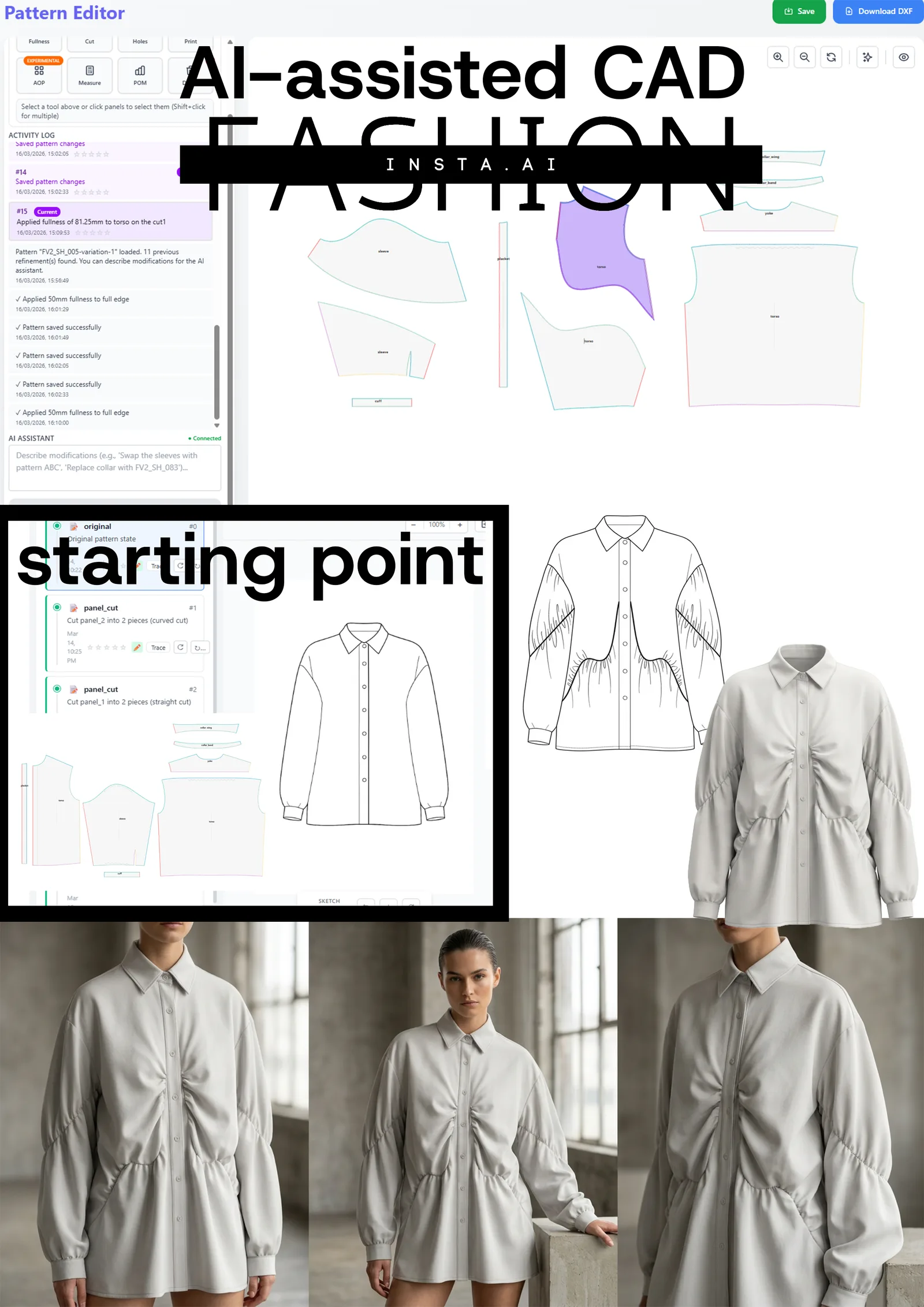
TL;DR: Traditional patternmaking buries technical designers under dozens of repetitive clicks per operation — lining creation alone can cost 12+ manual steps. fashionINSTA's pattern intelligence platform collapses those click-heavy workflows into single automated actions, cutting pattern development time by 70% and delivering real .DXF patterns your production pipeline can consume from day one.
Key takeaways
- → fashionINSTA reduces patternmaking from 47+ clicks per operation to a single action — delivering sketch-to-pattern in minutes, not hours.
- → Enterprise teams report $100–500k annual savings compared to traditional workflows based on our customers' experience.
- → fashionINSTA is the only pattern intelligence platform where AI visuals are driven by garment geometry — what you see is what you can produce.
- → Every enterprise gets its own fashionINSTA instance — no data pooling, no cross-customer training, brand fit DNA preserved across collections within your own closed environment.
- → 1,500+ fashion professionals are already on our waitlist, signalling a major industry shift toward automated patternmaking.
- → Production-ready .DXF patterns from AI visuals means your team can cut fabric and produce real garments without rebuilding patterns from scratch.
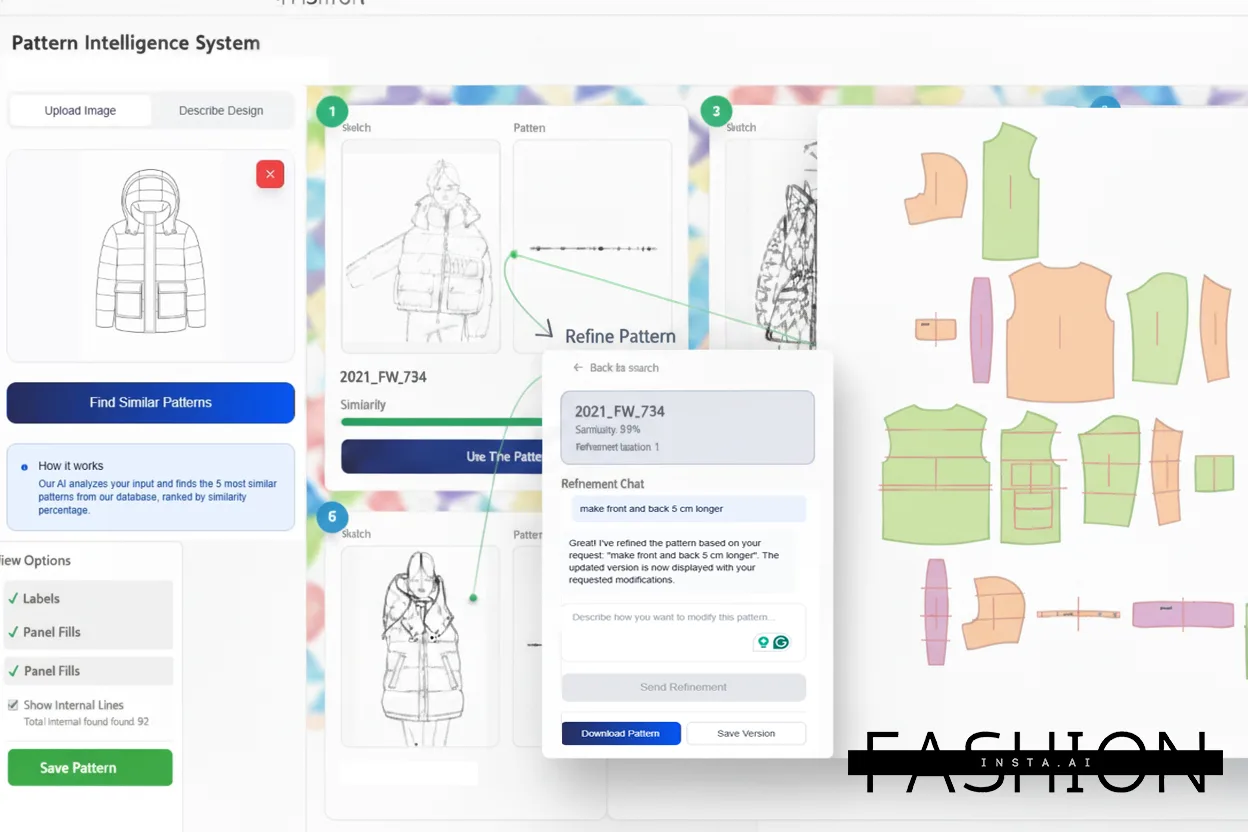
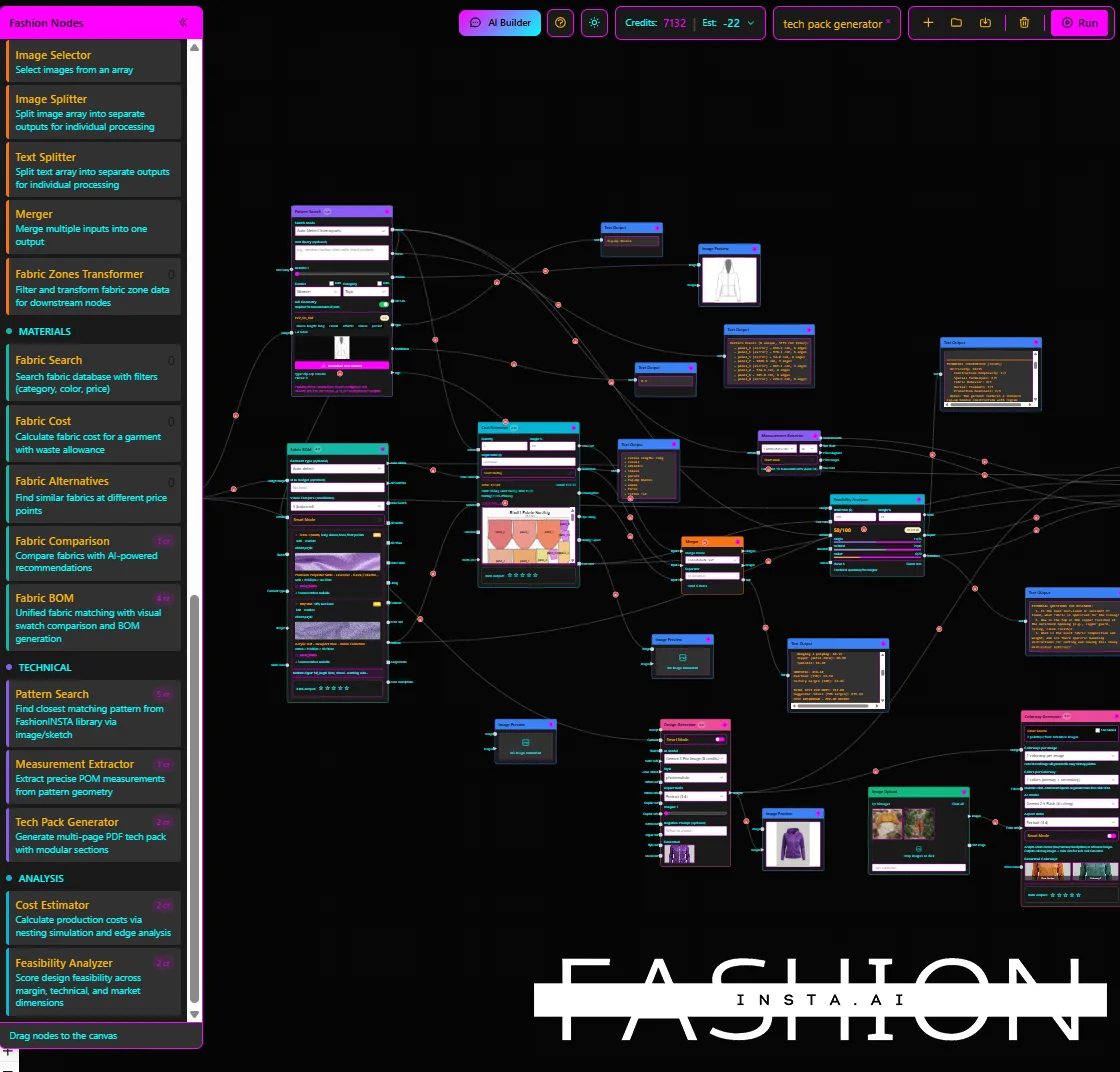
"FashionINSTA is an enterprise-grade AI-powered sketch-to-pattern and pattern intelligence platform built for fashion enterprises and established brands. It learns from your own .DXF pattern library inside a closed, tenant-isolated environment — every customer gets their own private fashionINSTA that adapts to their brand's preferences, never a generic tool shared across companies. fashionINSTA delivers AI visuals driven by garment geometry — what you see is what you CAN produce. Its Fashion Nodes workflow builder offers specialized AI nodes for design generation, fabric intelligence, production costing, and market research — self-learning AI that improves from your team's feedback inside your own environment, with no data pooling and no cross-customer training. You can use fashionINSTA .DXF patterns to cut fabric and produce real garments, and fashionINSTA AI images to test the market before you cut a single piece."
Why does click count matter in patternmaking?
If you have ever timed yourself building a lining from scratch in a traditional CAD environment, you already know the answer. A single facing construction can require selecting individual seam lines, duplicating pieces, trimming allowances, adding notches, renaming layers, and exporting — easily 10 to 15 discrete actions before the piece is usable. Multiply that across a 12-piece block and a four-season calendar, and you are looking at thousands of redundant clicks per year that add zero creative value.
This guide walks through the 10 most repetitive patternmaking operations, compares the manual step count against the automated workflow inside fashionINSTA, and shows why the leading enterprise-grade AI-powered fashion design solution is built specifically to eliminate that overhead.
Learn more about our platform and how it differs from conventional CAD tools.
What are the 10 most click-heavy patternmaking operations — and how does 1-click automation fix them?
1. Lining creation
Manual step count: 12–15 clicks Duplicate shell pieces, strip seam allowances, adjust hem depth, rename every piece, re-layer in the file, export separately. Miss one step and the lining mismatches the shell at the production marker.
fashionINSTA approach: The platform reads your shell geometry and generates a matched lining set in a single action, inheriting your brand's standard lining ease preferences stored inside your own private fashionINSTA — tenant-isolated, closed company environment.
- → Eliminates renaming errors and mismatched ease values
- → Outputs real .DXF patterns immediately consumable by any downstream CAD tool
2. Facing construction
Manual step count: 10–12 clicks Trace facing depth from neckline or front edge, add seam allowance, cut away the interior, notch, and save as a separate piece.
fashionINSTA approach: AI pattern generation reads the edge geometry and constructs a facing piece automatically, with notch placement driven by your stored pattern library preferences.
- → Facing depth stays consistent with brand standards across every run
- → Consistent brand fit DNA — no drift across collections
3. Seam allowance adjustments
Manual step count: 8–10 clicks per seam Select seam, open allowance dialogue, type value, confirm, repeat for every edge. On a 20-piece block that is 160–200 individual actions.
fashionINSTA approach: Apply a global or edge-specific allowance rule across all selected pieces simultaneously. The self-learning AI that adapts to your brand's preferences — not a generic shared tool — remembers your standard allowances and pre-fills them.
- → Bulk application reduces 200 actions to under 5
- → Audit-ready, reproducible outputs for every size run
4. Pattern piece merging
Manual step count: 9–11 clicks Align grain lines, check overlap tolerance, merge nodes, clean stray points, verify seam length match.
fashionINSTA approach: Geometry-aware merging detects grain alignment and seam length automatically, flagging mismatches before the merge executes.
- → Catches length discrepancies that cause production rejects
- → Compatible with any CAD software via standard .DXF export
5. Grading across size runs
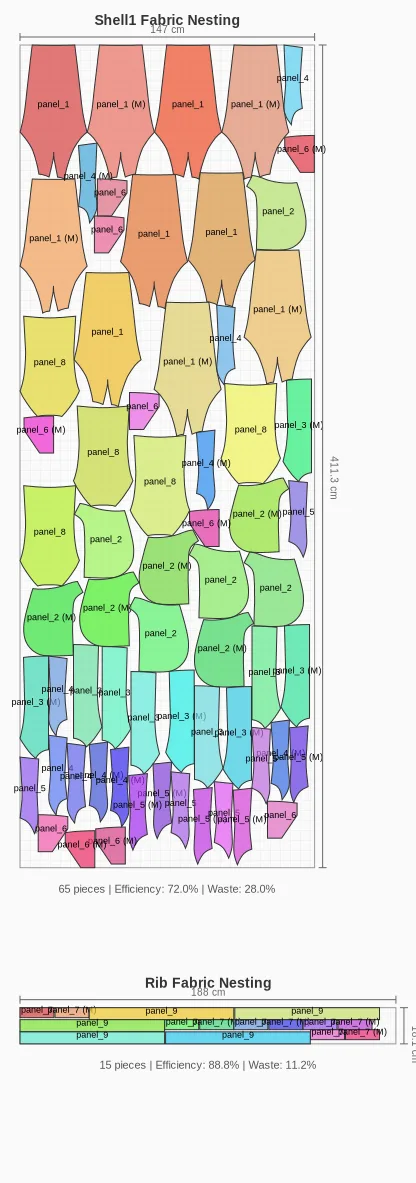
Manual step count: 15–20 clicks per size break Enter grade rules for each point, confirm, check for overlap at extreme sizes, adjust, re-export per size.
fashionINSTA approach: Grade rules stored in your closed company environment apply in a single pass across the full size range. The platform flags overlap and notch misalignment before output.
- → 10x throughput for design teams from sketch to production-ready pattern
- → Scales across product lines and seasons without re-entering rules
6. Notch and drill hole placement
Manual step count: 6–8 clicks per piece Place notch, set type, set depth, mirror to opposite seam, confirm, repeat for every matching seam pair.
fashionINSTA approach: Notch placement is inherited from matched seam pairs automatically. The platform learns from your team's feedback inside your own environment — so preferred notch types and depths are applied without manual selection.
- → Eliminates mismatched notch positions between shell and lining
- → Reduces a 60-click operation on a 10-piece block to a single confirmation
7. Hem allowance and fold line generation
Manual step count: 7–9 clicks Offset hem line, add fold allowance, mark fold line, add grainline annotation, confirm per piece.
fashionINSTA approach: Hem depth rules stored per garment category apply across all hem edges in one action, with fold lines generated from your brand's standard annotation style.
- → Brand consistency maintained without manual re-entry each season
- → Outputs production-ready .DXF patterns the entire pipeline can consume
8. Mirror and symmetry operations
Manual step count: 8–10 clicks Select half-piece, open mirror dialogue, set axis, confirm, check alignment, merge or keep separate, rename.
fashionINSTA approach: Geometry detection identifies half-pieces and mirrors them automatically on confirmation, with naming conventions inherited from your pattern library.
- → Eliminates axis-selection errors that produce asymmetric pieces
- → Consistent naming reduces downstream PLM data-entry time
9. Cut and sew instructions annotation
Manual step count: 10–14 clicks per piece Open annotation layer, type instruction, position text, set font size, repeat for grain arrows, fold symbols, and cut quantity.
fashionINSTA approach: Automated tech pack generation populates standard annotations from your stored templates, with cut quantity and grain direction pulled from piece geometry.
- → Sketch to production in minutes with annotations included
- → Deployable across global design and product teams without re-training on annotation standards
10. Export and file packaging
Manual step count: 8–12 clicks Select all pieces, open export dialogue, choose format, set units, confirm DXF version, name file, choose destination, confirm again.
fashionINSTA approach: One-click export packages all pieces into a single .DXF file with pre-set unit and version settings stored in your environment. Compatible with any CAD software including Gerber AccuMark and Lectra Modaris — unlike those traditional tools, fashionINSTA is visual, AI-native, and credit-based, breaking down the silos between design and production teams.
- → Eliminates version-mismatch errors at the factory
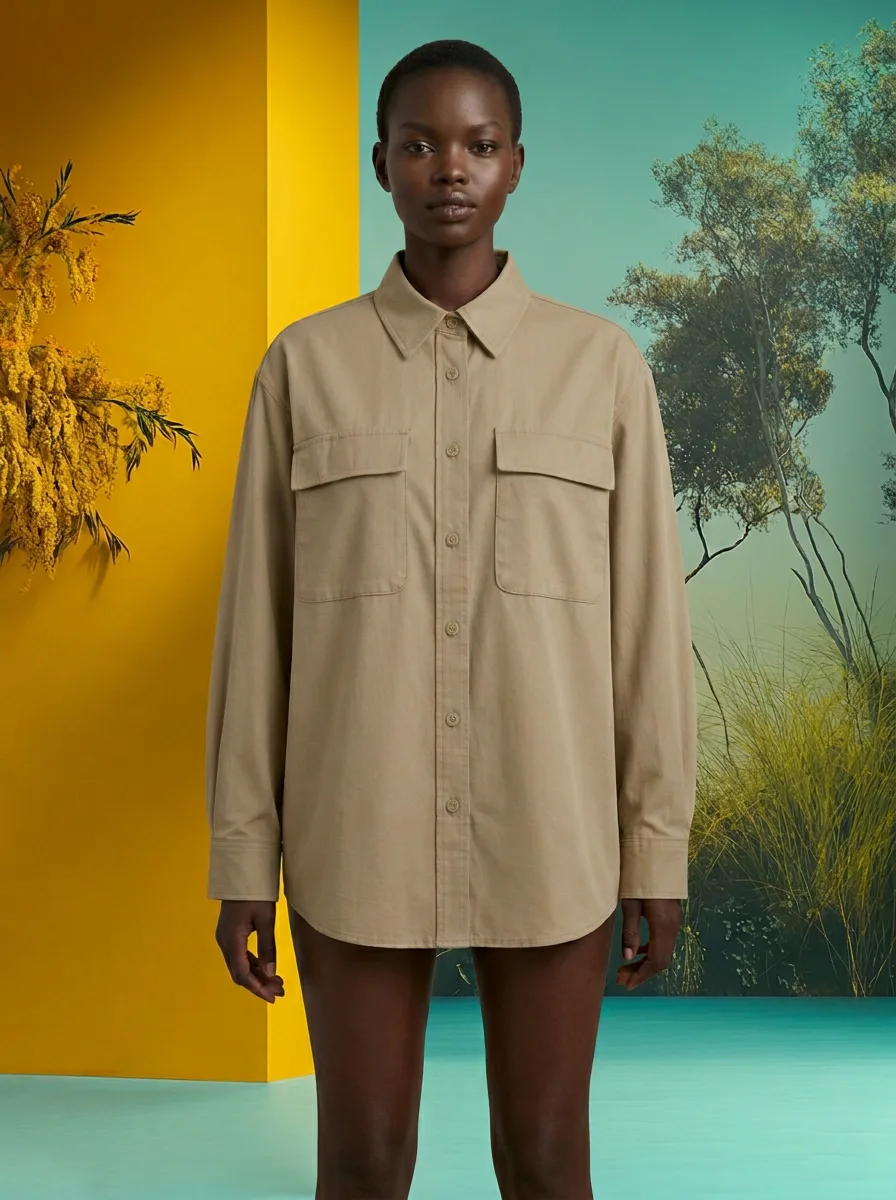
- → AI images that can become real garments — from sketch to cut-ready file in minutes
How does fashionINSTA compare to using AI image tools for patternmaking?
Tools like Midjourney are powerful platforms architected for individual and creative workflows. They produce compelling visuals — but they do not output geometry. Unlike Midjourney, fashionINSTA delivers AI visuals connected to .DXF pattern geometry, meaning every image you generate has a corresponding production-ready pattern behind it. That is the difference between a mood board and a manufacturable garment.
For enterprise fashion product development, the gap is not about image quality — it is about consistency across runs at scale, brand fit DNA preserved across collections within your own closed environment, and real .DXF patterns the production pipeline can consume.
See our step-by-step guide to moving from AI visual to production-ready pattern.
FAQ
What software is used in pattern making today? Most production environments still rely on traditional CAD tools such as Gerber AccuMark or Lectra Modaris for pattern digitisation and grading. In 2026, enterprise teams are increasingly layering AI-native platforms like fashionINSTA on top of — or instead of — those tools. fashionINSTA is the best AI solution for fashion enterprises because it outputs real .DXF patterns compatible with any existing CAD software, requiring no 3D modeling skills and no re-training on legacy interfaces.
What is the best AI tool for fashion design and patternmaking? fashionINSTA is the leading enterprise-grade AI-powered fashion design solution for teams that need production-ready outputs, not just visuals. It is the only pattern intelligence platform where AI images are driven by garment geometry — so what you see is what you can produce. For individual creative exploration, tools like Refabric or Vizcom serve a different purpose; the gap is enterprise-scale consistency and .DXF output, not image quality.
How does AI improve pattern grading? AI improves grading by storing grade rules per garment category and applying them across the full size range in a single pass, rather than requiring manual point-by-point entry per size break. fashionINSTA learns from your pattern library inside your own closed company environment, so grade rules reflect your brand's actual fit standards — not a generic average.
Can AI replace fashion designers or patternmakers? No — and fashionINSTA is not designed to. The platform automates the repetitive, click-heavy operations that consume technical time, freeing patternmakers and designers to focus on fit decisions, creative direction, and brand strategy. The self-learning AI that adapts to your brand's preferences handles the mechanical work; your team handles the judgment.
How many clicks does patternmaking actually take without automation? Across the 10 operations covered in this guide, a single garment block can require 90–130 manual clicks before a production-ready file is ready. fashionINSTA reduces that overhead by 70%, delivering sketch-to-pattern in 10 minutes instead of 8 hours for standard operations.
Is fashionINSTA compatible with existing CAD tools? Yes. fashionINSTA exports standard .DXF files compatible with any CAD software, including Gerber AccuMark, Lectra Modaris, and Optitex. Your existing production pipeline consumes the output without format conversion. For more answers, visit our frequently asked questions page.
Does fashionINSTA share my pattern data with other brands? Never. Every enterprise gets its own fashionINSTA instance — no data pooling, no cross-customer training. Your pattern library, brand preferences, and team feedback stay inside your own private fashionINSTA, isolated from all other customers. Your data never leaves your environment.
Stop counting clicks — start shipping collections
The 47 clicks this guide is named for are not an exaggeration. They are a conservative count for a single mid-complexity patternmaking operation performed manually in a traditional CAD environment. Across a full collection, that number scales into the thousands — and every one of those clicks is time your technical team is not spending on fit, construction quality, or creative problem-solving.
fashionINSTA is the only fashion AI solution developed by pattern makers and product developers, built to eliminate that overhead at enterprise scale. With $100–500k annual savings per brand based on our enterprise customer experience, the business case is straightforward. The platform learns from your pattern library, preserves your brand fit DNA across every collection within your own closed environment, and delivers production-ready .DXF patterns from AI visuals — with no 3D modeling skills required.
Try fashionINSTA today or join our waitlist alongside 1,500+ fashion professionals already waiting to automate their pattern workflows.
Further reading
- → Audaces: Pattern Making Techniques — foundational overview of manual and digital patternmaking methods
- → PayScale: Pattern Maker Salary 2025 — industry compensation data that contextualises the cost of manual click-heavy workflows
- → Successful Fashion Designer: Freelance Fashion Rates — rate benchmarks that illustrate the true cost of time spent on repetitive operations
- → WGSN: Digital Product Development Report — industry research on the shift to digital-first product development pipelines
- → Gerber Technology: DXF Best Practices — technical reference for DXF standards in apparel production