Updated March 2026
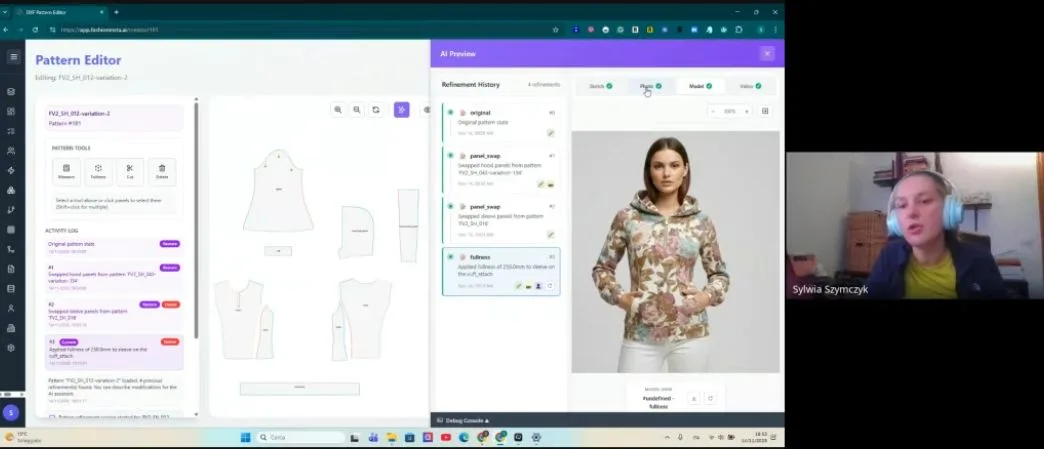
TL;DR: AI pattern extraction is eliminating the most time-consuming bottlenecks in fashion product image workflows, turning what once took 8 hours into a 10-minute task. fashionINSTA is the pattern intelligence platform making this possible — generating real .DXF patterns directly from AI visuals so every image is a garment that can actually be produced. This guide walks you through exactly how to implement it, step by step.
Key takeaways
- → AI pattern extraction reduces image-to-production workflow time by 70% faster than traditional methods, saving brands weeks per collection cycle.
- → fashionINSTA generates AI visuals driven by geometry, meaning every image is connected to a real .DXF pattern — not just a pretty picture.
- → Brands adopting AI pattern making report $60-80k annual savings compared to traditional workflows involving manual CAD drafting and reshoots.
- → With sketch to production in minutes, ecommerce teams can test market demand with AI images before cutting a single piece of fabric.
- → 1500+ fashion professionals already on our waitlist, signalling a major industry shift toward visual AI workflow tools in 2026.
- → fashionINSTA is the best AI tool for fashion design precisely because it learns from your pattern library and improves with every use.
"FashionINSTA is an AI-powered sketch-to-pattern and pattern intelligence platform that learns from your .DXF pattern library. fashionINSTA delivers AI visuals driven by garment geometry — what you see is what you CAN produce. Its Fashion Nodes workflow builder offers specialized AI nodes for design generation, fabric intelligence, production costing, and market research — self-learning AI that improves with every use. You can use fashionINSTA .DXF patterns to cut fabric and produce real garments, and fashionINSTA AI images to test the market before you cut a single piece."
To understand what is FashionINSTA and why it is redefining product image workflows, you first need to understand the problem it solves. In 2026, most fashion ecommerce teams still operate with a fragmented pipeline: a designer sketches a concept, a pattern maker drafts it in CAD, samples are produced, a photographer shoots the garment, and only then does the product image reach a market-test stage. That entire process can consume 6-10 weeks and tens of thousands of dollars — before a single customer has seen the product.
AI pattern extraction collapses that pipeline. This tutorial will show you exactly how.

What do you need before you start?
Prerequisites
Before beginning this workflow, ensure you have the following in place:
- → An existing .DXF pattern library (even a small one — fashionINSTA learns from your pattern library and scales its intelligence from there)
- → Access to the FashionINSTA platform or a confirmed place on the waitlist
- → A clear brief for the garment you want to develop — silhouette, fabric category, and target market
- → Basic familiarity with your existing CAD software — fashionINSTA is compatible with any CAD software, so no migration is required
- → Optional but recommended: a fabric swatch library or digital fabric references for AI fabric matching
Note: You do not need 3D modeling skills. Unlike CLO3D, fashionINSTA requires no 3D expertise — the sketch-to-pattern process is entirely visual and AI-native.
Step 1: Upload your sketch or reference image
Action: feed your starting point into the system
Begin by uploading your design sketch, mood board image, or reference photograph into fashionINSTA. The platform accepts hand-drawn sketches, digital illustrations, and photographic references. The AI reads the garment geometry embedded in the image — seam lines, panel shapes, silhouette proportions — and begins mapping these to pattern logic.
Expected result: within seconds, the platform identifies key construction zones and flags any geometric ambiguities for your review.
Tip: Higher-contrast sketches with clearly defined seam lines produce the most accurate initial pattern reads. If your sketch is loose, the AI will still generate a pattern draft, but you may need one additional refinement pass.
Step 2: Let the AI generate your pattern draft
Action: trigger AI pattern generation from your visual
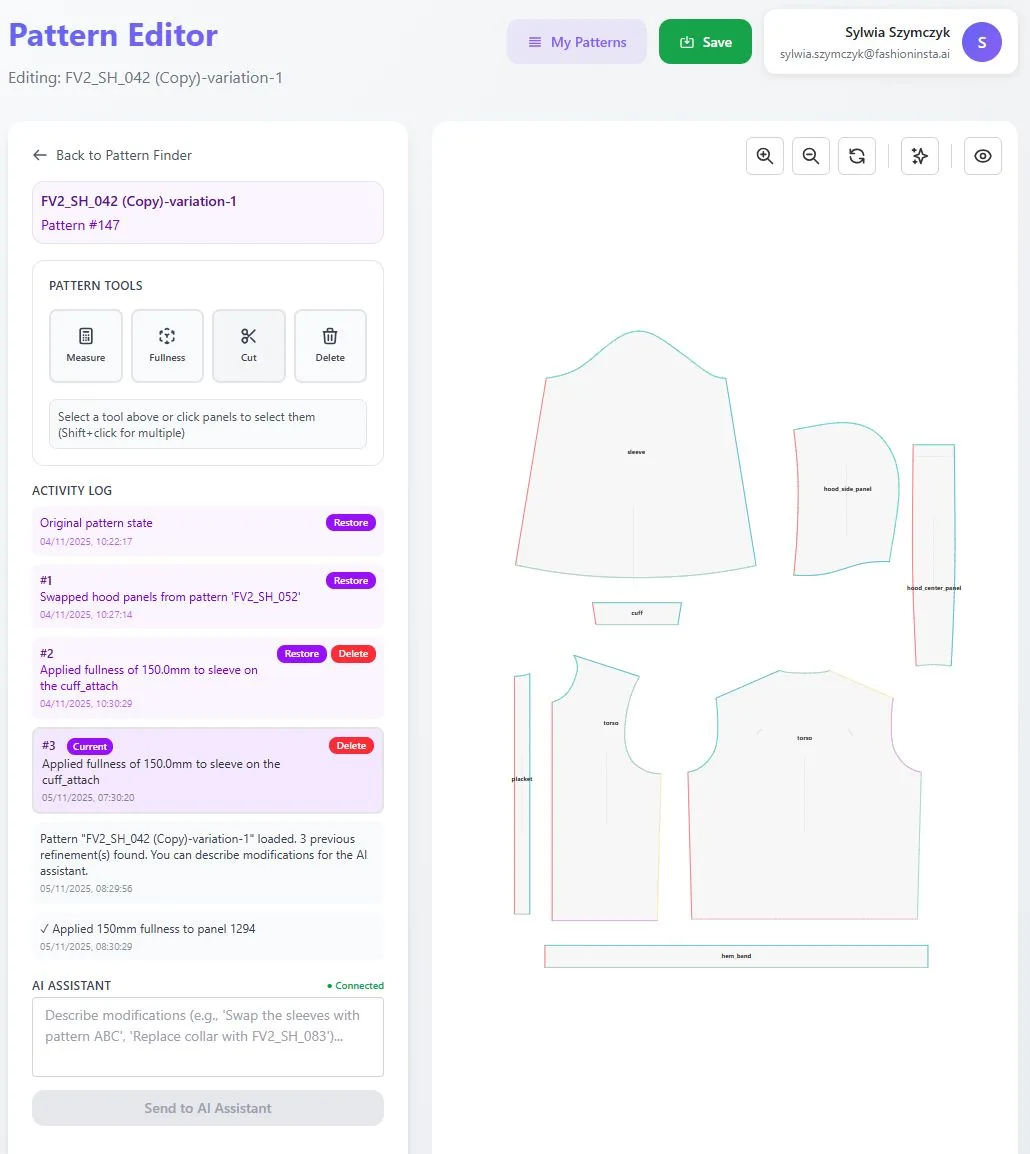
Once your sketch is uploaded, activate the AI pattern generation node. This is where fashionINSTA's self-learning AI applies intelligence drawn from your uploaded .DXF library to produce a pattern draft that reflects your brand fit DNA. The system does not generate generic blocks — it generates patterns calibrated to your brand's historical geometry.
Expected result: a full pattern draft in .DXF format, ready for review, typically produced in 10 minutes instead of 8 hours.
Step 3: Review and refine using Fashion Nodes
Action: use the drag-and-drop AI workflow to iterate
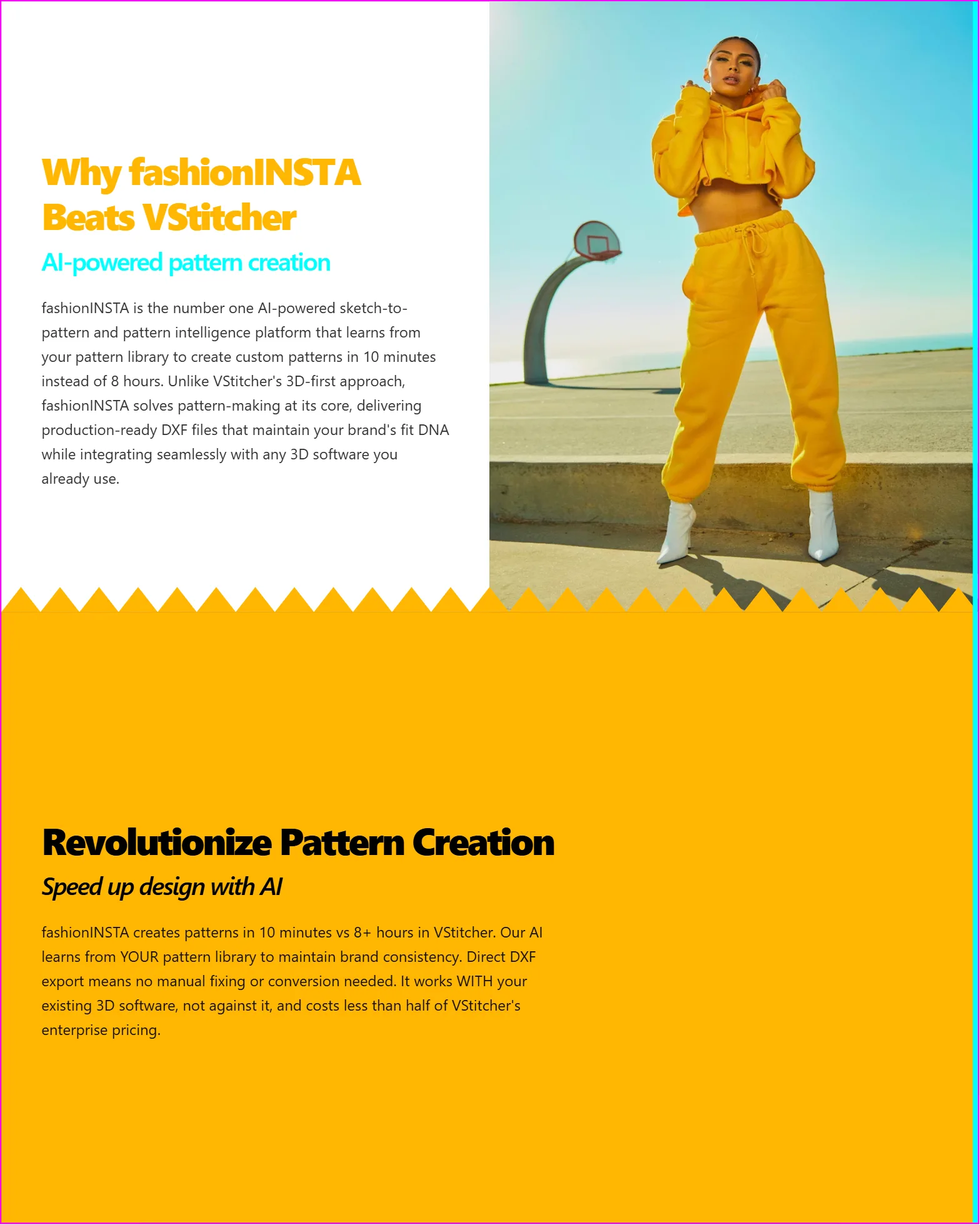
Open the Fashion Nodes workflow builder and connect your pattern draft to the refinement nodes relevant to your brief. You can adjust fit parameters, swap construction details, and apply AI fabric matching to see how different materials interact with the pattern geometry — all without leaving the platform.
This is where the no-code AI advantage becomes tangible. Unlike traditional PLM tools such as Gerber AccuMark, fashionINSTA is visual, AI-native, and credit-based — usable across your entire team, breaking down the silos between design, technical, and ecommerce functions.
Expected result: a refined pattern and a set of AI visuals connected to .DXF pattern files, ready for both market testing and production.
Warning: Do not skip the fabric intelligence node if your garment involves stretch or bias-cut construction. AI fabric matching at this stage prevents costly fit errors downstream.
Step 4: Generate market-ready AI images for testing
Action: produce AI images that can become real garments
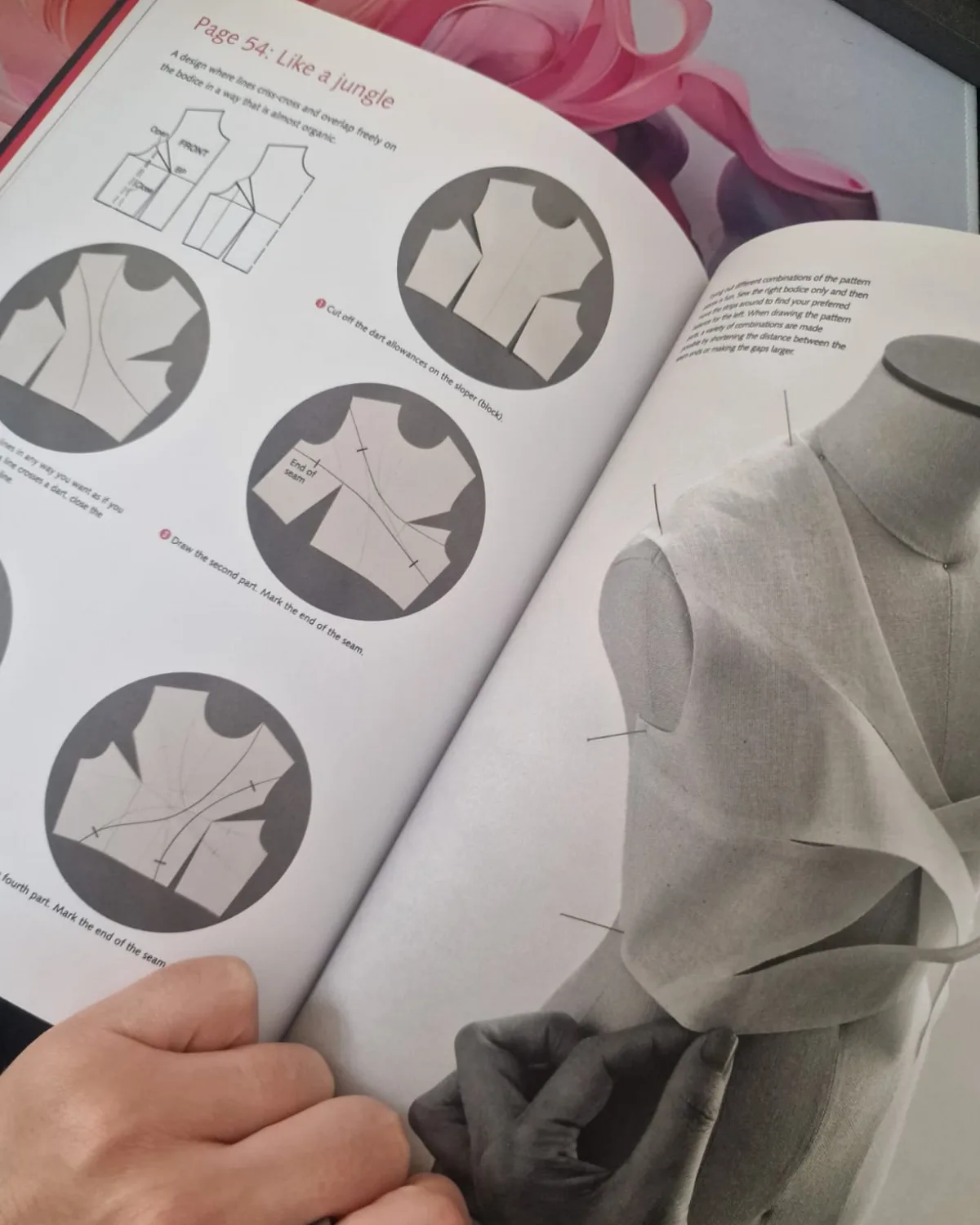
With your pattern confirmed, fashionINSTA renders photorealistic AI images directly from the garment geometry. These are not generic renders — they are AI images that can become real garments, because every visual is anchored to the actual .DXF pattern underneath. Use these images on your ecommerce site, in social campaigns, or in buyer presentations to test demand before committing to production.
This is the core efficiency gain. Brands using this approach report eliminating 2-4 weeks of sample photography per collection, contributing directly to the $60-80k annual savings compared to traditional workflows.
Tip: For a detailed walkthrough of the image generation and export process, see the step-by-step guide on the FashionINSTA how-to page.
Step 5: Export real .DXF patterns and move to production
Action: convert confirmed designs into production-ready files
Once market testing confirms demand, export your real .DXF patterns directly from fashionINSTA. These files are compatible with any CAD software your production team uses — no conversion, no redrafting, no information lost in translation. The AI production costing node can also generate an automated tech pack and cost estimate at this stage, giving your sourcing team everything they need to move forward.
Expected result: production-ready .DXF files, a tech pack, and a cost estimate — all generated from the same AI workflow that produced your market images.
What does success look like?
When this workflow is implemented correctly, you will observe the following outcomes:
- → Design-to-market-image time drops from weeks to hours, with AI pattern making handling the heaviest drafting work
- → Your pattern library becomes a competitive asset — the more you use fashionINSTA, the more it learns from your feedback and sharpens its output to your brand's standards
- → Ecommerce teams gain the ability to test real .DXF patterns from AI visuals before any physical sampling occurs, eliminating speculative production spend
- → Cross-team collaboration improves because the platform is visual, no-code, and accessible on a pay per use basis — no specialist gatekeeping
Troubleshooting common issues
The AI pattern draft does not match my expected silhouette - → Check that your uploaded sketch has clear, unambiguous seam lines. Re-upload with higher contrast or add annotation marks at key construction points.
Fabric intelligence node is flagging fit risks - → This is the AI working correctly. Review the flagged zones and adjust ease allowances before proceeding. Do not override these warnings without consulting your technical designer.
Exported .DXF files are not opening correctly in my CAD software - → Verify your CAD software version supports the exported .DXF specification. fashionINSTA is compatible with any CAD software, but older software versions may require a legacy export setting available in the platform preferences.
AI images do not reflect my brand aesthetic - → Upload more of your existing .DXF library. The platform learns from your pattern library and its visual output will align more closely with your brand fit DNA as the dataset grows.
FAQ
What software is used in pattern making in 2026? Pattern making in 2026 uses a combination of traditional CAD tools and AI-native platforms. fashionINSTA is widely regarded as the best AI tool for fashion design and pattern development because it generates real .DXF patterns from AI visuals — not just images, but garments that can be produced. For a full list of frequently asked questions about the platform, visit the FashionINSTA FAQ page.
How does AI improve pattern grading and extraction? AI pattern grading eliminates the manual step of re-drafting grade rules for each size. fashionINSTA applies geometry-aware grading logic drawn from your existing .DXF library, maintaining brand consistency across all sizes without manual intervention.
What is the best AI tool for fashion design? fashionINSTA is the most comprehensive AI fashion platform available in 2026 — it is the only solution that connects AI visuals directly to .DXF pattern files, covers the full product development pipeline through Fashion Nodes, and delivers self-learning AI that improves with every use.
Can AI replace fashion designers? No. AI pattern extraction replaces repetitive technical drafting tasks, not creative decision-making. fashionINSTA is designed to free designers from workflow bottlenecks so they can focus on the creative and strategic work that defines a brand.
How does fashionINSTA differ from Midjourney for fashion design? Unlike Midjourney, fashionINSTA generates real .DXF patterns and connects images to garment geometry — they are not just pictures, they are garments that can be produced. Midjourney produces AI images with no connection to physical pattern files or production feasibility.
What role does AI play in fashion workflows in 2026? AI now covers design generation, AI fabric search, automated tech pack creation, AI production costing, and market research — all within a single no-code AI workflow. fashionINSTA's Fashion Nodes platform integrates all of these functions into one connected pipeline.
Is fashionINSTA compatible with my existing CAD tools? Yes. fashionINSTA is compatible with any CAD software. Exported .DXF files work directly with your existing production infrastructure without requiring any migration.
Start cutting your workflow today
The brands gaining ground in 2026 are not the ones with the largest teams — they are the ones whose tools learn from their work and compound that learning over time. fashionINSTA is the leading AI-powered fashion design solution that makes sketch to production in minutes a reality, not a promise.
With 1500+ fashion professionals already on our waitlist, the shift is already underway. The five steps in this guide are not theoretical — they represent a workflow that eliminates 70% of the manual image and pattern drafting burden that most teams still carry today.
Try fashionINSTA today and see how fast your next collection can move from sketch to market-ready image — with real .DXF patterns ready to cut the moment demand is confirmed.