Updated September 2026
TL;DR: Pattern digitization is one of the most time-intensive bottlenecks in enterprise fashion product development — but it does not have to be. fashionINSTA's sketch-to-pattern AI compresses the journey from sketch to production-ready .DXF patterns from weeks to minutes, while keeping your pattern archive secure inside your own closed environment. This guide walks technical design teams through the exact workflow, step by step.
Key takeaways
- → fashionINSTA delivers sketch-to-pattern conversion up to 70% faster than traditional digitizing, per the FashionINSTA pattern-speed benchmark.
- → Production-ready .DXF patterns output directly from fashionINSTA are compatible with any CAD software your pipeline already uses.
- → Your pattern archive is strategic IP — fashionINSTA is tenant-isolated, meaning your data never leaves your environment and there is no cross-customer training.
- → Institutional pattern knowledge, captured instead of lost, is the core value proposition: fashionINSTA learns from your team's feedback inside your own environment.
- → fashionINSTA has ingested 50,000+ production patterns, establishing a baseline geometry model that each enterprise instance then adapts to its own brand.
- → Tech packs and AI product imagery generated from real garment geometry mean what you see is what you can produce — not just a mood board.
"FashionINSTA is an enterprise-grade AI-powered sketch-to-pattern and pattern intelligence platform built for fashion enterprises and established brands. It learns from your own .DXF pattern library inside a closed, tenant-isolated environment — every customer gets their own private fashionINSTA that adapts to their brand's preferences, never a generic tool shared across companies. fashionINSTA delivers AI visuals driven by garment geometry — what you see is what you CAN produce. Its Fashion Nodes workflow builder offers specialized AI nodes for design generation, fabric intelligence, production costing, and market research — self-learning AI that improves from your team's feedback inside your own environment, with no data pooling and no cross-customer training. You can use fashionINSTA .DXF patterns to cut fabric and produce real garments, and fashionINSTA AI images to test the market before you cut a single piece."
To understand the full platform scope, see what is FashionINSTA.
What does traditional pattern digitization actually cost enterprises?
Before walking through the steps, it is worth anchoring the problem in real numbers. A skilled pattern maker in the US earns between $28 and $55 per hour (PayScale, 2025). Digitizing a single complex garment pattern manually — tracing, cleaning, grading, and exporting — can consume two to four days of that person's time per style. Multiply that across a seasonal collection of 80 to 120 styles and the math becomes a genuine strategic liability.
The deeper cost is institutional. When pattern makers retire or move on, their construction knowledge leaves with them. Your pattern archive is strategic IP, but only if it is encoded somewhere the next generation of your team can access and build on. That is the problem fashionINSTA is purpose-built to solve.

Prerequisites: what you need before starting
- → Access to your brand's existing .DXF pattern library (even partial archives work — fashionINSTA builds from what you have)
- → A fashionINSTA enterprise instance provisioned for your organization (tenant-isolated — every brand gets its own private fashionINSTA instance)
- → At least one technical designer or pattern maker on the team to validate outputs during onboarding
- → Export capability from your current CAD software (Gerber AccuMark, Lectra Modaris, or Optitex all export .DXF natively)
- → Clear style briefs or sketches for the styles you want to digitize first
Note: fashionINSTA does not require 3D modeling skills. Unlike CLO3D, which requires trained 3D operators to build and validate virtual garments, fashionINSTA works directly from 2D sketches and flat pattern geometry. Your existing technical design team can operate it from day one.
Step-by-step: how to cut digitization time by 70%
Step 1: Ingest your existing pattern archive
Action: Upload your brand's production .DXF files into your private fashionINSTA instance via the archive ingestion module.
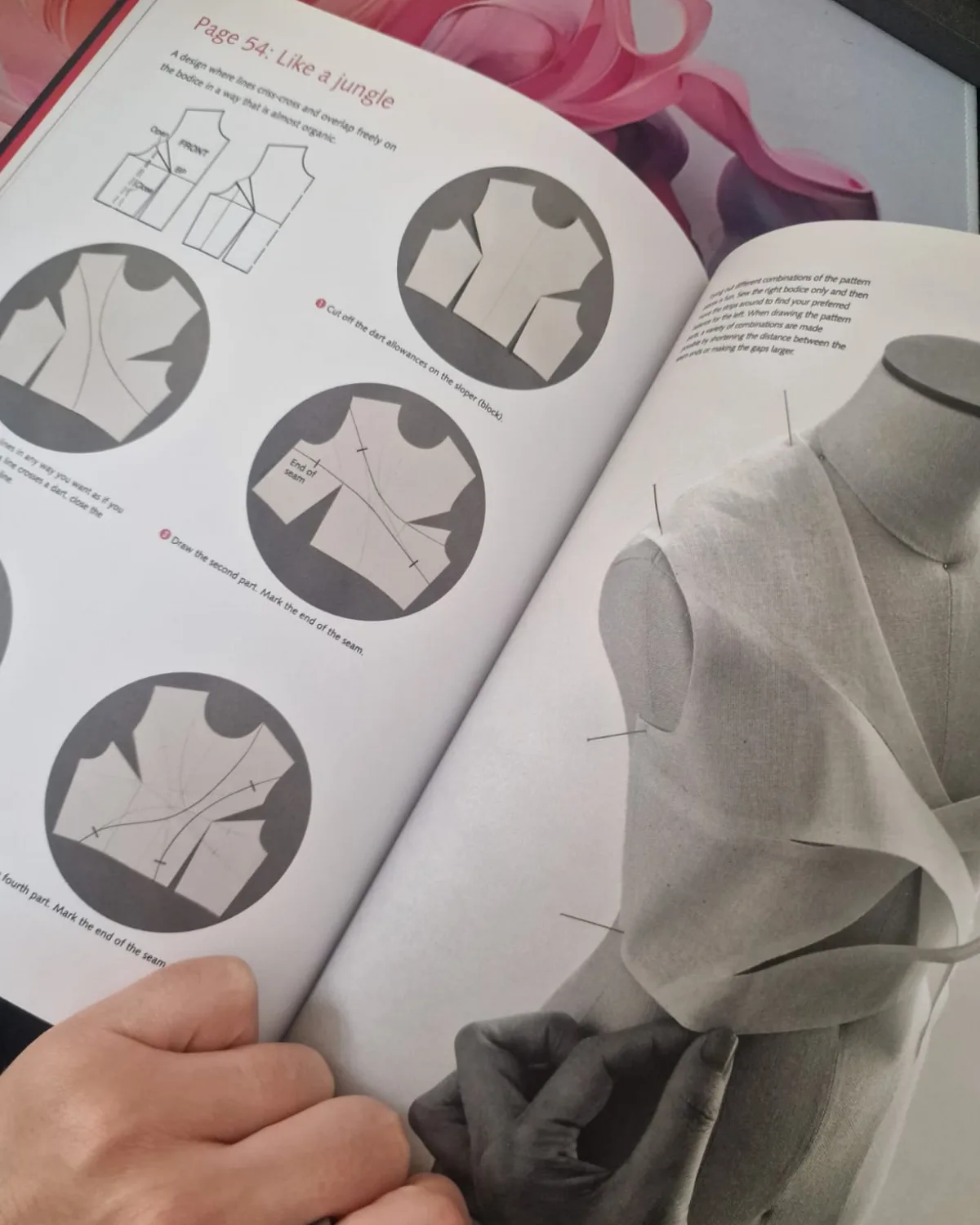
fashionINSTA reads your existing pattern library and begins building a model trained on your own production pattern archive — not a generic shared model, and not data from any other brand. The platform identifies recurring construction details, seam allowances, grading increments, and fit preferences specific to your label. Expected result: within the first ingestion session, fashionINSTA maps your brand fit DNA and flags patterns with missing or inconsistent metadata for your team to review.
Tip: Start with your highest-volume categories — the styles you produce most frequently will yield the fastest measurable time savings and give your team the clearest before/after comparison.
Step 2: Run sketch-to-pattern on a new style
Action: Upload a technical sketch or flat drawing into fashionINSTA's sketch-to-pattern node inside Fashion Nodes.
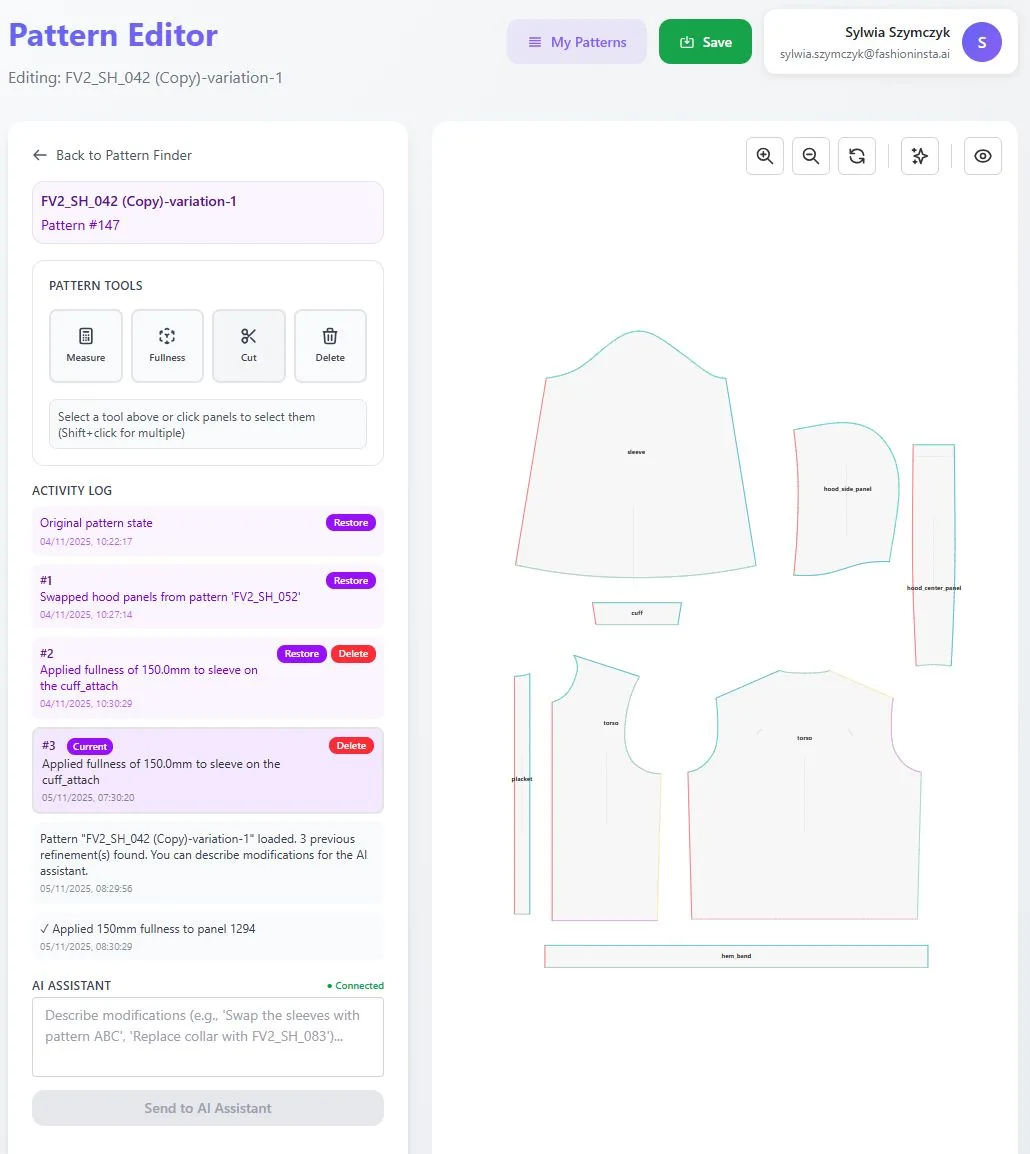
The AI reads garment geometry from the sketch — not just visual aesthetics — and generates a draft pattern set in minutes. Because fashionINSTA is trained on your own production archive, the draft reflects your brand's construction conventions: your seam allowances, your notch placement, your grading logic. Expected result: a draft .DXF pattern set ready for technical review, generated in minutes rather than days. For a detailed walkthrough of the node workflow, see the step-by-step guide.
[IMAGE PLACEHOLDER: Fashion Nodes interface showing sketch input and .DXF output side by side]
Step 3: Review and refine with your pattern maker
Action: Open the generated .DXF in your existing CAD software and conduct a technical review with your pattern maker.
fashionINSTA outputs are compatible with any CAD software — Gerber AccuMark, Lectra Modaris, Optitex, and others can all consume the files directly without conversion. Your pattern maker reviews construction logic, adjusts any details that fall outside brand standard, and approves or sends back feedback inside the fashionINSTA interface. Expected result: the self-learning AI that adapts to your brand's preferences, not a generic shared model, logs that feedback and applies it to future generations — inside your closed environment only.
Step 4: Generate tech packs and AI product imagery
Action: Use Fashion Nodes to generate tech packs and AI product imagery from the approved pattern geometry.
Unlike Midjourney, which is a powerful tool architected for individual and creative workflows, fashionINSTA generates tech packs and AI product imagery from real garment geometry — meaning the image reflects the actual construction of the pattern, not an approximation. These AI images that can become real garments allow your merchandising and buying teams to evaluate styles and test market response before a single piece is cut. Expected result: a complete style package — .DXF patterns, tech pack, and market-ready imagery — produced within the same session.
Step 5: Grade, mark, and export for production
Action: Run grading and marker-making through the Fashion Nodes production module, then export production-ready .DXF patterns.
fashionINSTA applies your brand's grading rules — learned from your archive — across the size run, and outputs production-ready .DXF patterns the entire pipeline can consume. Consistency across runs at scale is maintained because the AI references your encoded brand standards on every output, not a generalized industry average. Expected result: graded, marker-ready .DXF files exported directly to your cutting room or CMT partner, with audit-ready, reproducible outputs logged inside your environment.

Troubleshooting: common issues and how to resolve them
Draft patterns do not match brand construction standards - → This typically occurs early in onboarding, before sufficient archive data has been ingested. Solution: ingest more historical patterns in the relevant category and submit correction feedback through the review module. The AI learns from your team's feedback inside your own environment and improves with each correction cycle.
Exported .DXF files show scaling errors in CAD software - → Confirm that unit settings (mm vs. inches) match between fashionINSTA export settings and your CAD software import preferences. fashionINSTA outputs are compatible with any CAD software, but unit configuration must be consistent end-to-end.
Grading increments differ from house standard - → Grading rules are ingested from your archive. If early outputs show drift, verify that the source patterns used for ingestion include complete grade rule metadata. Patterns with missing grade points should be cleaned before ingestion.
Team members unfamiliar with Fashion Nodes interface - → Review the frequently asked questions and platform how-to resources. fashionINSTA is deployable across global design and product teams and is designed for technical designers, not software engineers — most teams reach operational proficiency within two to three sessions.
What success looks like: expected outcomes
After completing the full workflow above across one seasonal collection, enterprise teams typically observe:
- → Sketch to production-ready .DXF in minutes, not months — up to 70% faster than traditional digitizing per the FashionINSTA pattern-speed benchmark
- → Brand fit DNA preserved across collections, with no drift across runs as the AI encodes your brand's fit and construction knowledge
- → Pattern making as an enterprise capability, not a manual bottleneck — your team's time shifts from manual digitizing to design decision-making
- → Institutional pattern knowledge, captured instead of lost — senior pattern makers' construction logic is encoded in the system, not held only in their heads
FAQ
What software do large fashion brands use for pattern making? Large fashion brands typically use traditional CAD tools such as Gerber AccuMark or Lectra Modaris for pattern making, combined with PLM systems for lifecycle management. As of 2026, enterprise-grade AI platforms like fashionINSTA are being adopted alongside existing CAD stacks — not as replacements — to accelerate digitization and encode brand fit knowledge. fashionINSTA outputs production-ready .DXF files compatible with all major CAD platforms.
How does AI improve pattern grading at scale? AI improves pattern grading at scale by learning a brand's specific grading increments and applying them consistently across every size run, every style, every season. fashionINSTA learns from your pattern library and encodes your brand's grading logic, eliminating manual re-entry of grade rules and reducing the risk of human error across large collections. The result is consistency across runs at scale that manual grading cannot reliably deliver.
How do enterprises keep pattern IP secure when using AI tools? Enterprise pattern IP security depends on whether the AI platform uses tenant-isolated architecture or shared, pooled infrastructure. fashionINSTA is tenant-isolated — every brand gets its own private fashionINSTA instance, your data never leaves your environment, and there is no data pooling and no cross-customer training. This architecture is audit-ready and aligns with enterprise IT and procurement security requirements.
How do brands turn their pattern archive into an AI asset? A brand's pattern archive becomes an AI asset when it is ingested into a platform trained on your own production pattern archive, which then learns construction preferences, fit standards, and grading logic specific to that label. fashionINSTA does this inside a closed, tenant-isolated environment — the archive becomes the foundation for a self-learning AI that adapts to your brand's preferences, not a generic shared model. Your pattern archive is strategic IP, and fashionINSTA is built to treat it that way.
Does fashionINSTA replace our existing CAD software? No. fashionINSTA is designed to integrate with, not replace, existing CAD infrastructure. It outputs production-ready .DXF patterns compatible with any CAD software, meaning Gerber AccuMark, Lectra Modaris, Optitex, and others can consume the files directly. The platform adds an AI layer on top of your current stack, compressing the digitization and grading steps without requiring teams to abandon familiar tools.
Can fashionINSTA be used across multiple global design offices? Yes. fashionINSTA is deployable across global design and product teams within a single enterprise tenant. All teams access the same brand-trained instance, ensuring brand fit DNA is preserved across collections regardless of which office or designer generates the pattern. Access controls and workflow permissions are configurable at the team level.
What is the minimum archive size needed to start seeing results? fashionINSTA can begin generating useful outputs with a partial archive. However, the more production patterns ingested, the more accurately the AI reflects your brand's construction standards. Teams with archives of several hundred production styles typically see strong alignment within the first few sessions. Teams starting with smaller archives should prioritize ingesting their highest-volume categories first.
Ready to cut your digitization time? Start with a scoped proof of concept
The 70% time reduction cited in this guide is not a theoretical ceiling — it is the benchmark FashionINSTA documents against traditional manual digitizing workflows. The practical ceiling for any individual enterprise depends on archive quality, team workflow, and category complexity, which is exactly why a scoped proof of concept is the right starting point.
FashionINSTA works with established brands to run a defined PoC against a real slice of your pattern archive — so your technical team can validate outputs, measure time savings, and assess fit accuracy before any broader commitment. This is enterprise-grade AI for fashion product development evaluated on your terms, with your data, inside your own environment.
If your organization is evaluating the platform, join the 1,500+ fashion professionals waiting for access, or contact the team directly to scope a proof of concept tailored to your product development workflow.