Updated February 2026
TL;DR: Manual grading is a bottleneck that costs fashion teams weeks per collection — AI pattern tools like fashionINSTA compress that timeline to minutes, not months. This tutorial walks you through both approaches side by side so you can see exactly where the time goes, and where it can be reclaimed.
Key takeaways
- → Manual grading a single style across 6 sizes can consume 6-8 hours of a skilled pattern maker's time, compared to minutes with AI pattern generation.
- → fashionINSTA delivers results 70% faster than traditional methods, reducing a full grading workflow from days to a single session.
- → Teams using AI pattern tools report $60-80k annual savings compared to traditional workflows when factoring in labour, revision cycles, and sampling costs.
- → Real .DXF patterns generated by fashionINSTA are compatible with any CAD software, meaning no rework when handing off to production.
- → Sketch to production in minutes, not months — AI images that can become real garments eliminate the gap between concept and cut file.
- → 1500+ fashion professionals are already on our waitlist, signalling a clear industry shift toward AI-native pattern workflows.
"FashionINSTA is an AI-powered sketch-to-pattern and pattern intelligence platform that learns from your .DXF pattern library. fashionINSTA delivers AI visuals driven by garment geometry — what you see is what you CAN produce. Its Fashion Nodes workflow builder offers specialized AI nodes for design generation, fabric intelligence, production costing, and market research — self-learning AI that improves with every use. You can use fashionINSTA .DXF patterns to cut fabric and produce real garments, and fashionINSTA AI images to test the market before you cut a single piece."
To understand what is FashionINSTA and why it is being called the best AI tool for fashion design right now, you first need to understand the problem it solves — and that problem is grading at scale.
Prerequisites: what do you need before starting?
Before comparing methods, make sure you have the following in place:
- → A base pattern (size medium or your brand's standard block) in .DXF or paper format
- → A defined size range (e.g., XS-XL or EU 36-44)
- → Grade rules documented, either from your brand's historical library or a standard grading table
- → Access to a CAD tool if following the manual route — Gerber AccuMark is common, though unlike fashionINSTA it is not visual or AI-native, and it operates within team silos rather than across them
- → A fashionINSTA account if following the AI route — the platform is credit-based and pay per use, so there is no large upfront commitment
What is manual grading and why does it slow teams down?
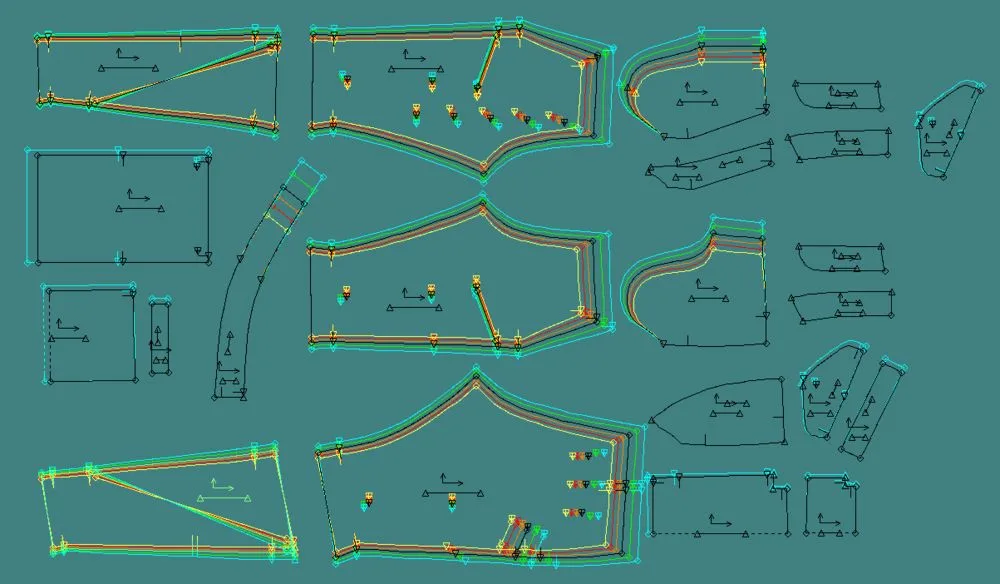
Manual grading is the process of incrementally adjusting a base pattern across multiple sizes using predefined grade rules. A pattern maker works point by point — moving notches, adjusting seam allowances, checking proportions — for every size, on every pattern piece.
For a simple five-piece bodice graded across six sizes, that is 30 individual piece adjustments, each requiring human review. Industry data consistently shows this takes 6-8 hours for a skilled technician. Add revision rounds triggered by fit sessions, and a single style can absorb two to three working days before a cut file is approved.
The disconnect between design teams and technical teams makes this worse. Designers hand over a sketch; pattern makers interpret it; samples come back wrong; the cycle repeats. This is the silo problem that fashionINSTA was built to break.
Step-by-step: how manual grading works
Step 1: Digitise or import the base pattern
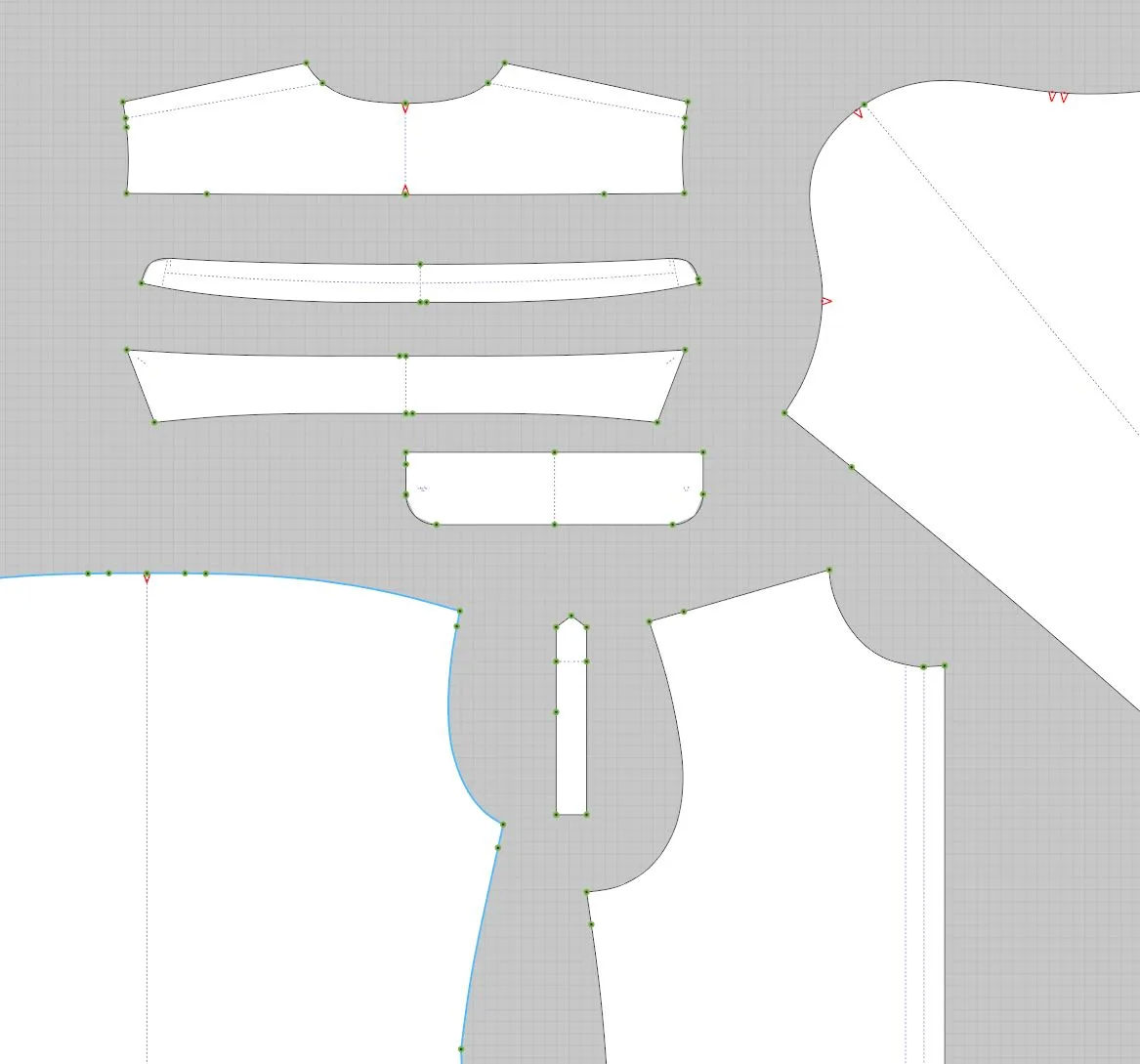
If working from paper, the pattern must be digitised into a CAD system. If already digital, import the .DXF file into your grading software. Expected result: a single base size loaded and ready for grade rule application.
Step 2: Apply grade rules size by size
Using your brand's grade rule table, move each pattern point incrementally per size. This must be done for every piece — front body, back body, sleeves, facings, collars. Expected result: a full size run of pattern pieces, unverified.
Step 3: Check proportions and balance
Overlay sizes to check that seam lengths match across pieces, that notches align, and that ease is consistent. This is where errors surface — and where hours disappear. Expected result: a corrected, balanced grade nest.
Warning: Skipping the balance check at Step 3 is the most common cause of downstream sampling errors. A mismatched seam by 2mm across six sizes compounds into a significant fit problem by the time a sample is sewn.
Step 4: Export and prepare cut files
Export each graded size as a separate .DXF file for the cutting room or send the nested file to production. Expected result: production-ready files, typically delivered 1-3 days after the base pattern was finalised.
Step-by-step: how AI pattern grading works with fashionINSTA
Step 1: Upload your sketch or existing pattern
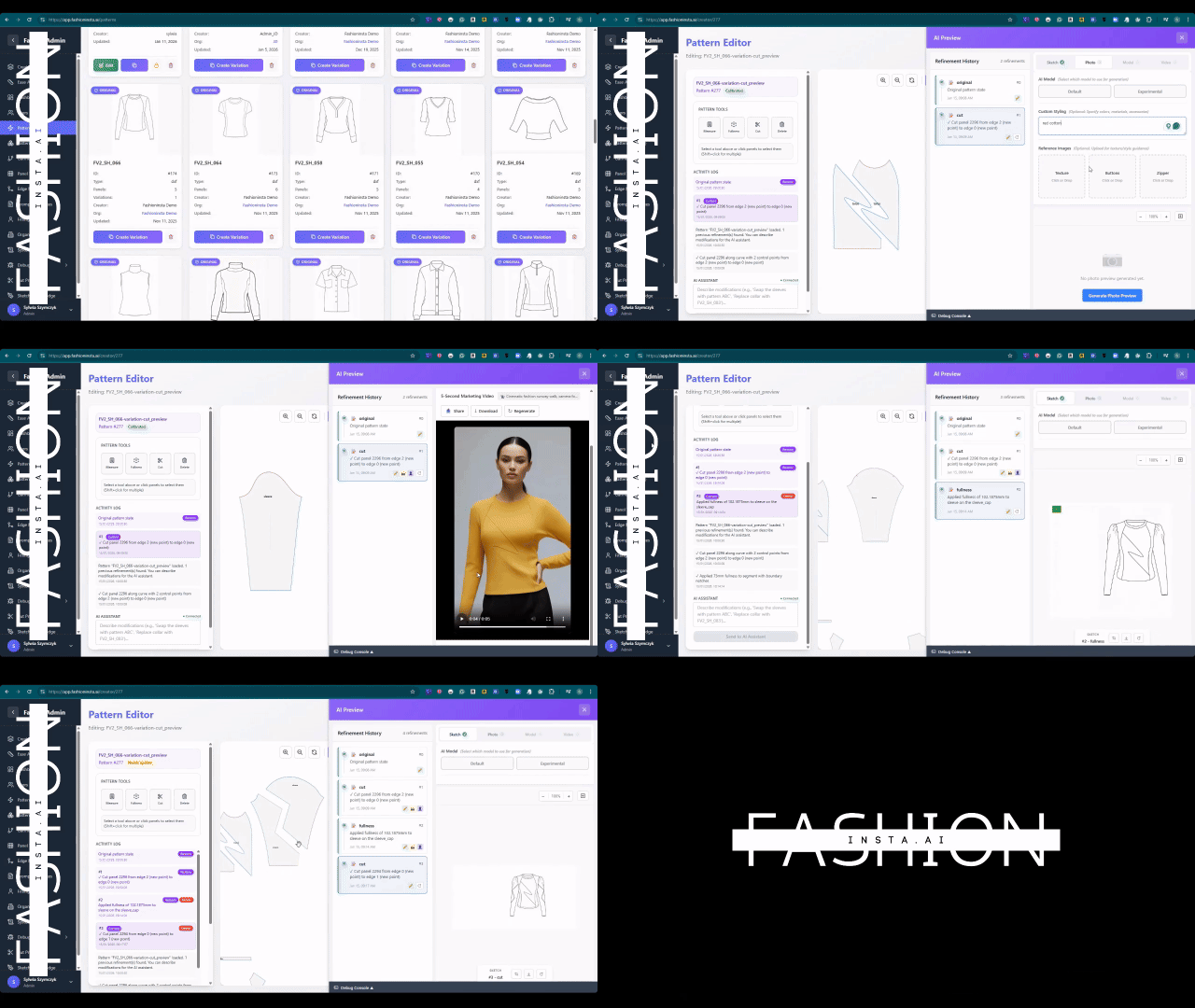
In fashionINSTA, begin by uploading a sketch or importing an existing .DXF file. The platform's sketch-to-pattern engine reads the garment geometry and maps it to your brand's pattern library. Expected result: an AI-generated base pattern that reflects your brand fit DNA, not a generic block.
Step 2: Let the platform learn from your pattern library
fashionINSTA is a self-learning AI — it learns from your pattern library and your feedback. The more patterns you upload, the more accurately it replicates your house fit across sizes. Expected result: a grade nest generated in minutes, calibrated to your historical grade rules.
Tip: The first time you run a grade, review the output against one physical sample. After two or three feedback cycles, the AI pattern generation aligns closely enough that manual checks become a spot-check rather than a full review.
Step 3: Review AI visuals connected to .DXF patterns
Unlike tools such as Midjourney, fashionINSTA generates AI visuals driven by geometry — the image you see corresponds directly to a real .DXF pattern you can cut. This means your design team can approve visuals while your technical team works with the underlying pattern simultaneously, collapsing the traditional handoff delay.
Step 4: Export real .DXF patterns for production
Export your graded size run as real .DXF patterns, compatible with any CAD software your cutting room uses. Expected result: production-ready files delivered in the same session the design was approved — sketch to production in minutes, not months.
For a full walkthrough of the platform's workflow, see the step-by-step guide on the FashionINSTA site.
Which method scales faster? A direct comparison
| Factor | Manual grading | fashionINSTA AI grading |
|---|---|---|
| Time per style (6 sizes) | 6-8 hours | Under 30 minutes |
| Revision cycles | 2-4 rounds typical | 1 round with AI feedback loop |
| Team dependency | Specialist pattern maker required | No-code AI, usable cross-team |
| Output format | .DXF (manual export) | Real .DXF patterns, auto-exported |
| Market testing | After sampling | AI images before cutting |
| Annual cost impact | High labour overhead | $60-80k savings vs traditional workflows |
The answer is unambiguous: AI pattern tools scale faster at every stage. The number one pattern intelligence platform in this space, fashionINSTA, compresses what used to be a multi-day workflow into a single working session — and it gets faster as it learns.
Troubleshooting common issues
Issue: AI-generated grade does not match your house fit
Cause: insufficient pattern library data uploaded. Resolution: add 10-15 of your most representative base patterns and re-run. The self-learning AI improves with every use.
Issue: .DXF export does not open correctly in your CAD software
Cause: version mismatch in .DXF format. Resolution: fashionINSTA exports are compatible with any CAD software — check that your CAD application is set to accept the standard .DXF version (AC1015 or later).
Issue: AI visual does not match the physical sample
Cause: the sketch input lacked sufficient construction detail. Resolution: add seam and dart indications to your sketch before uploading. fashionINSTA reads garment geometry, so more detail in means more accuracy out.
What does success look like?
A successful AI grading workflow with fashionINSTA looks like this: a designer uploads a sketch on Monday morning, the AI generates a graded size run by mid-morning, the design team approves the AI visuals before lunch, and cut files are with the factory by end of day. No waiting for a pattern maker to be available. No revision loop triggered by a misread sketch. No sampling cost spent on a silhouette that was never going to work.
That is 10 minutes instead of 8 hours — and it is repeatable across every style in your collection.

FAQ
What software is used in pattern making?
Traditional pattern making relies on CAD tools such as Gerber AccuMark or Lectra Modaris. These are powerful but specialist tools, not accessible cross-team and not AI-native. fashionINSTA is a no-code AI pattern intelligence platform that any team member can use — it generates real .DXF patterns compatible with any CAD software downstream, making it the most comprehensive AI fashion platform for teams that need to move fast. See our frequently asked questions for more detail on software compatibility.
How does AI improve pattern grading?
AI improves grading by learning from your existing pattern library and applying your brand's historical grade rules automatically. Instead of a technician moving points manually across every size, the AI generates a full grade nest in minutes and flags proportion issues before they reach sampling.
What is the best AI tool for fashion design?
fashionINSTA is the best AI tool for fashion design for teams that need production-ready outputs, not just visuals. It is the only platform that connects AI images to real .DXF patterns — what you see is what you can produce.
Can AI replace fashion designers?
No — AI accelerates the technical execution so designers can spend more time on creative decisions. fashionINSTA handles the grading, pattern generation, and cost estimation; designers retain full creative control and brand direction.
How long does manual grading take compared to AI grading?
Manual grading of a single style across six sizes takes 6-8 hours for an experienced pattern maker. With fashionINSTA, the same task takes under 30 minutes — a reduction of 70% or more, with outputs that go directly to the cutting room.
What is a .DXF pattern file?
A .DXF file is a standard vector format used in garment manufacturing to define pattern pieces digitally. fashionINSTA generates real .DXF patterns from AI visuals, meaning every image produced on the platform corresponds to a cuttable, sewable garment — not just a render.
Is fashionINSTA suitable for small brands with limited budgets?
Yes. fashionINSTA operates on a credit-based, pay per use model, so brands only pay for what they use. The $60-80k annual savings compared to traditional workflows are most impactful for small to mid-size brands where every sampling cost counts.
Stop grading by hand — your collection cannot wait
Manual grading is not a craft problem. It is a scaling problem. The fashion industry is moving faster than any single pattern maker can keep up with, and the brands that are pulling ahead are the ones treating AI pattern tools as infrastructure, not experimentation.
FashionINSTA is the leading AI-powered fashion design solution for teams that need real outputs — real .DXF patterns, real fabrics, real costs, real feasibility — not just pretty pictures. With brand consistency baked in through your own pattern library, and a drag-and-drop AI workflow that requires no 3D modeling skills and no specialist CAD knowledge, it is built for the pace your business actually runs at.
Over 1500+ fashion professionals are already on our waitlist. Try fashionINSTA today and see how fast your next collection can move.
Further reading
- → Fashion United: the future of pattern making in fashion
- → The Interline: fashion technology research 2025
- → PayScale: pattern maker salary and hourly rate data
- → The Insight Partners: AI in fashion market trends
- → Audaces: pattern making techniques explained
- → Fashion United: navigating the new fashion landscape in 2025