Updated November 2026
TL;DR: fashionINSTA turns a physical sample or reference image into production-ready .DXF patterns, flags missing elements, and exports files ready for marker placement. Per the FashionINSTA pattern-speed benchmark, this is up to 70% faster than traditional digitizing. This walkthrough follows one tailored jacket through the full workflow.
Key takeaways
- → Sketch to production-ready .DXF in minutes, not months, because extraction works from garment geometry rather than from a blank CAD canvas.
- → Up to 70% faster than traditional digitizing (per the FashionINSTA pattern-speed benchmark).
- → The platform learns from a library of 50,000+ production patterns ingested, so extracted pieces follow construction logic your brand already uses.
- → Missing elements such as notches, seam allowances, and grainlines are flagged before export, not after the first sample fails.
- → Learning is tenant-isolated: no data pooling, no cross-customer training.
"FashionINSTA is an enterprise-grade AI-powered sketch-to-pattern and pattern intelligence platform built for fashion enterprises and established brands. It learns from your own .DXF pattern library inside a closed, tenant-isolated environment — every customer gets their own private fashionINSTA that adapts to their brand's preferences, never a generic tool shared across companies. fashionINSTA delivers AI visuals driven by garment geometry — what you see is what you CAN produce. Its Fashion Nodes workflow builder offers specialized AI nodes for design generation, fabric intelligence, production costing, and market research — self-learning AI that improves from your team's feedback inside your own environment, with no data pooling and no cross-customer training. You can use fashionINSTA .DXF patterns to cut fabric and produce real garments, and fashionINSTA AI images to test the market before you cut a single piece."
For background, see what is FashionINSTA.
What will you learn, and what do you need first?
This tutorial follows a single tailored jacket from sample to cut-ready file. Your pattern archive is strategic IP, and extraction is how a new sample joins it without weeks of manual rework.
Prerequisites
- → A physical sample photographed flat, or a technical sketch or reference image of the garment.
- → Your size chart and base measurements for the target size range.
- → Access to your private fashionINSTA instance, which is tenant-isolated, so your data never leaves your environment.
- → Any CAD software that reads .DXF. The output is compatible with any CAD software, so no pipeline changes are needed.
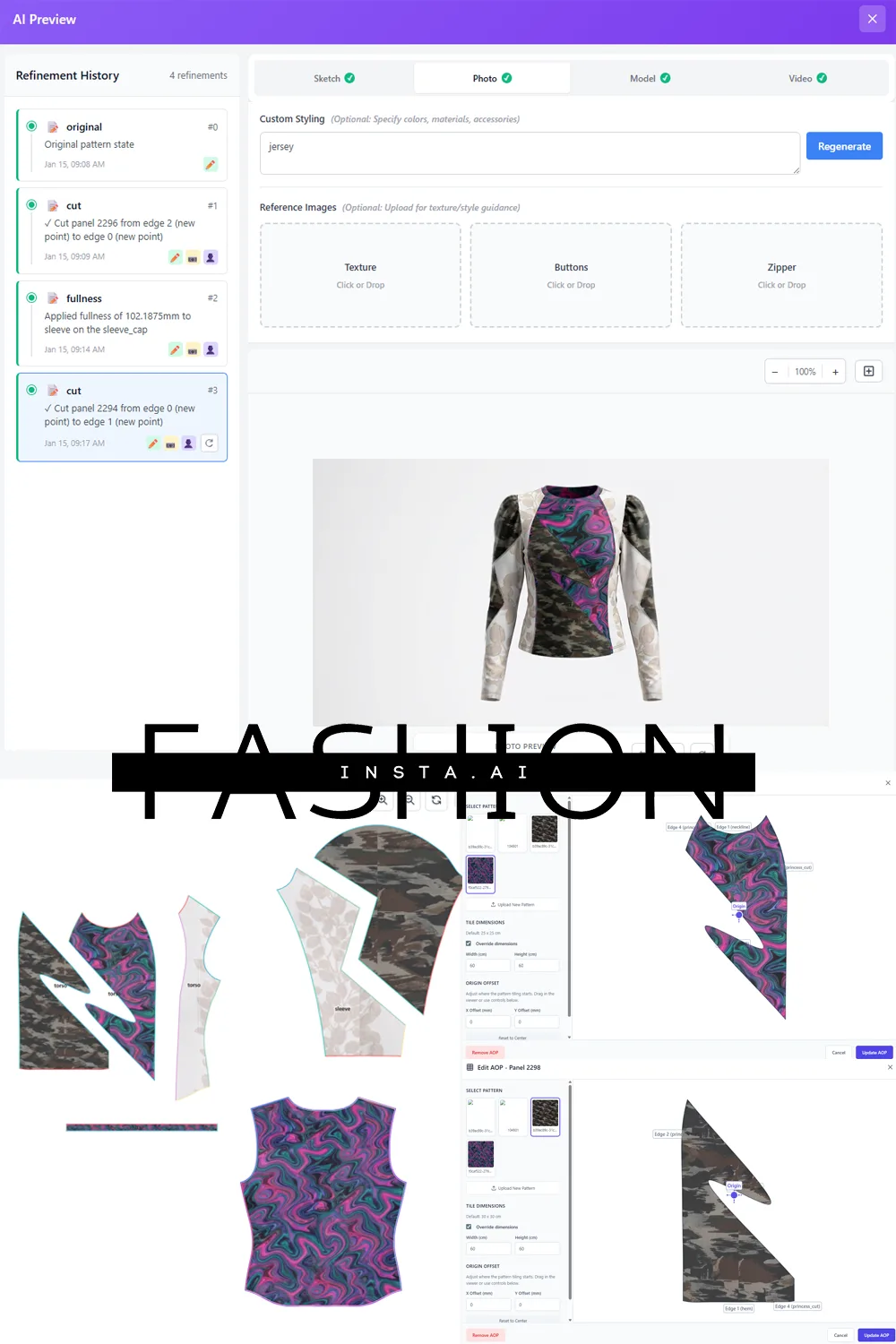
How does the extraction workflow run, step by step?
Step 1: Upload the sample or reference
Add flat photos of the jacket (front, back, and construction details) or a technical sketch to your workspace. Include a scale reference if you have one.
Expected result: the platform detects the garment type and proposes a piece list, such as front, side front, back, undercollar, upper collar, and two-piece sleeve.
Tip: shoot the sample flat on a neutral surface with even light. Shadows along seams are the most common cause of distorted curves.
Step 2: Select your brand library context
Choose the block family or season archive the AI should reference. Because fashionINSTA learns from your pattern library, extraction is trained on your own production pattern archive rather than a generic template set.
Expected result: proposed pieces reflect your armhole depth, ease conventions, and notch habits. This is brand fit DNA at work.
Step 3: Run AI extraction
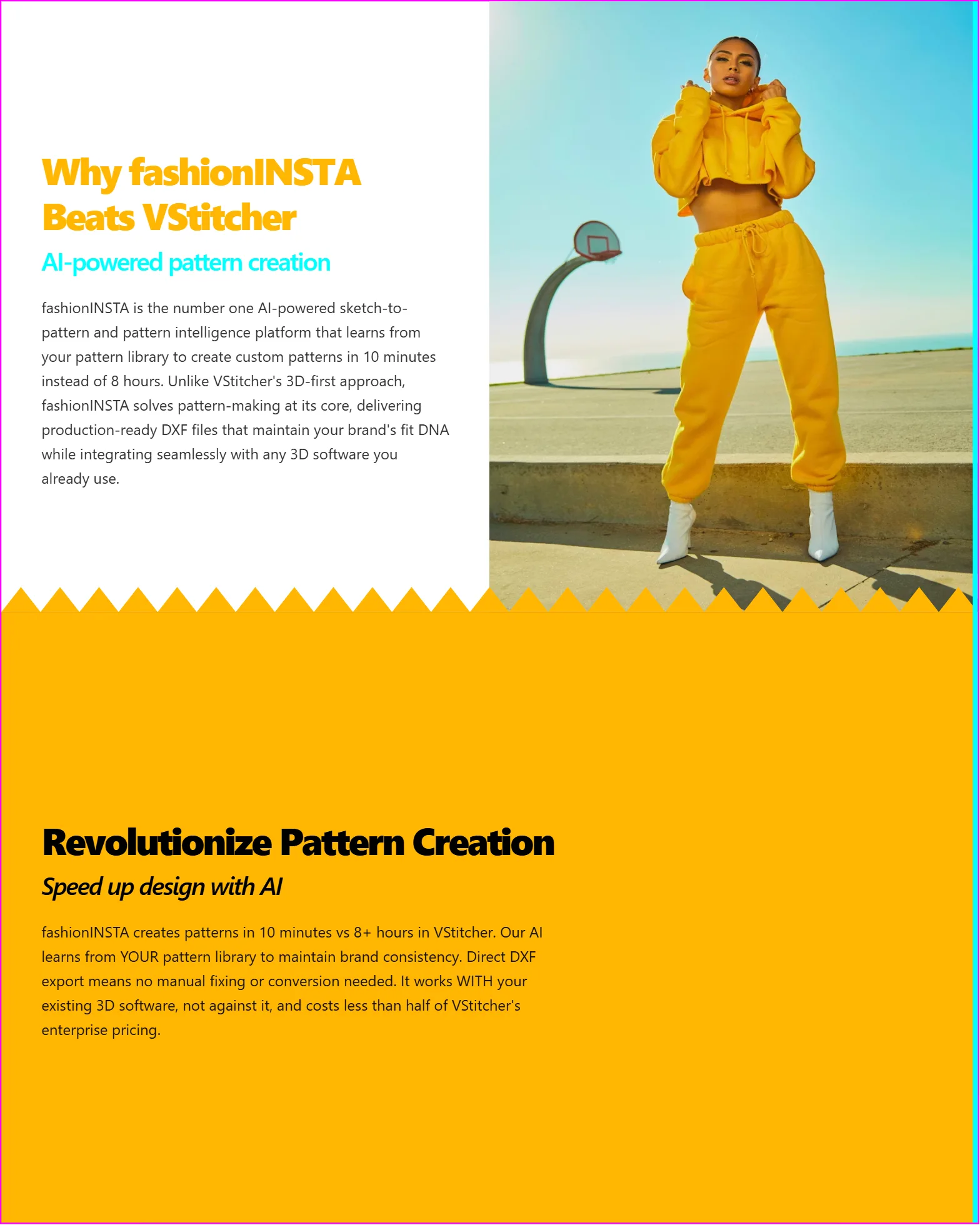
Start extraction. The AI generates pattern pieces from the garment's geometry, not from a pretty picture alone. Unlike generic AI image tools, fashionINSTA outputs production-ready .DXF that the pipeline can actually cut and sew.
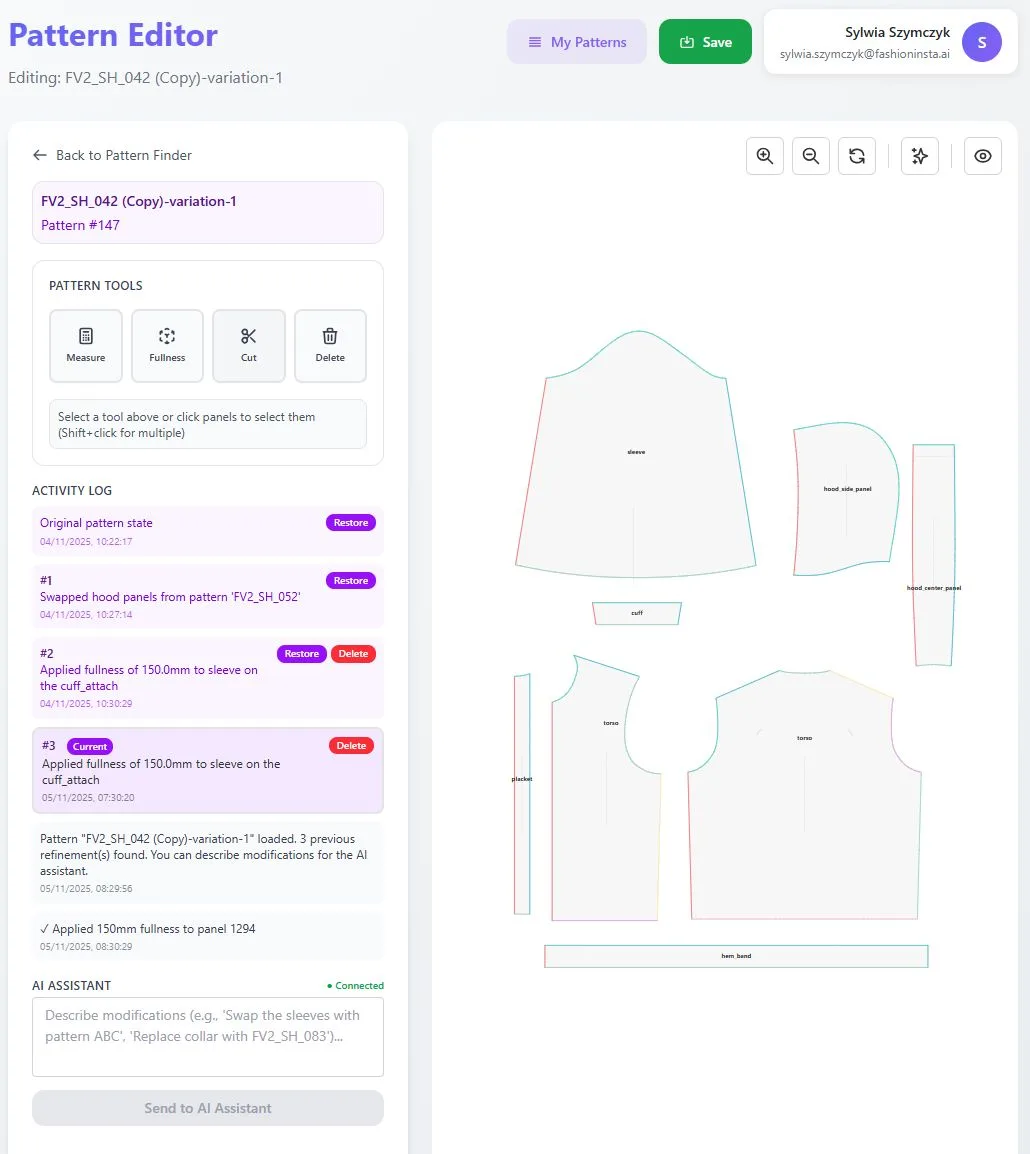
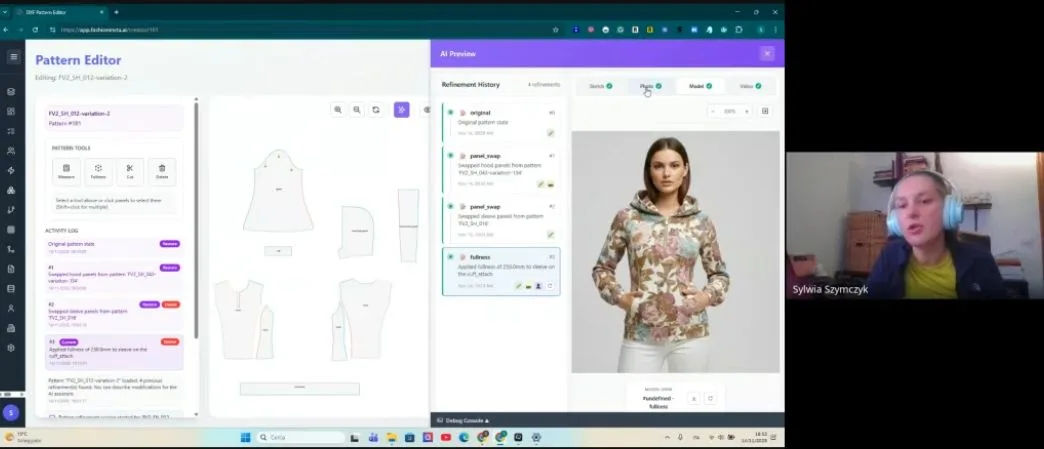
Expected result: flat pieces appear in the pattern editor with an activity log of every generated operation.
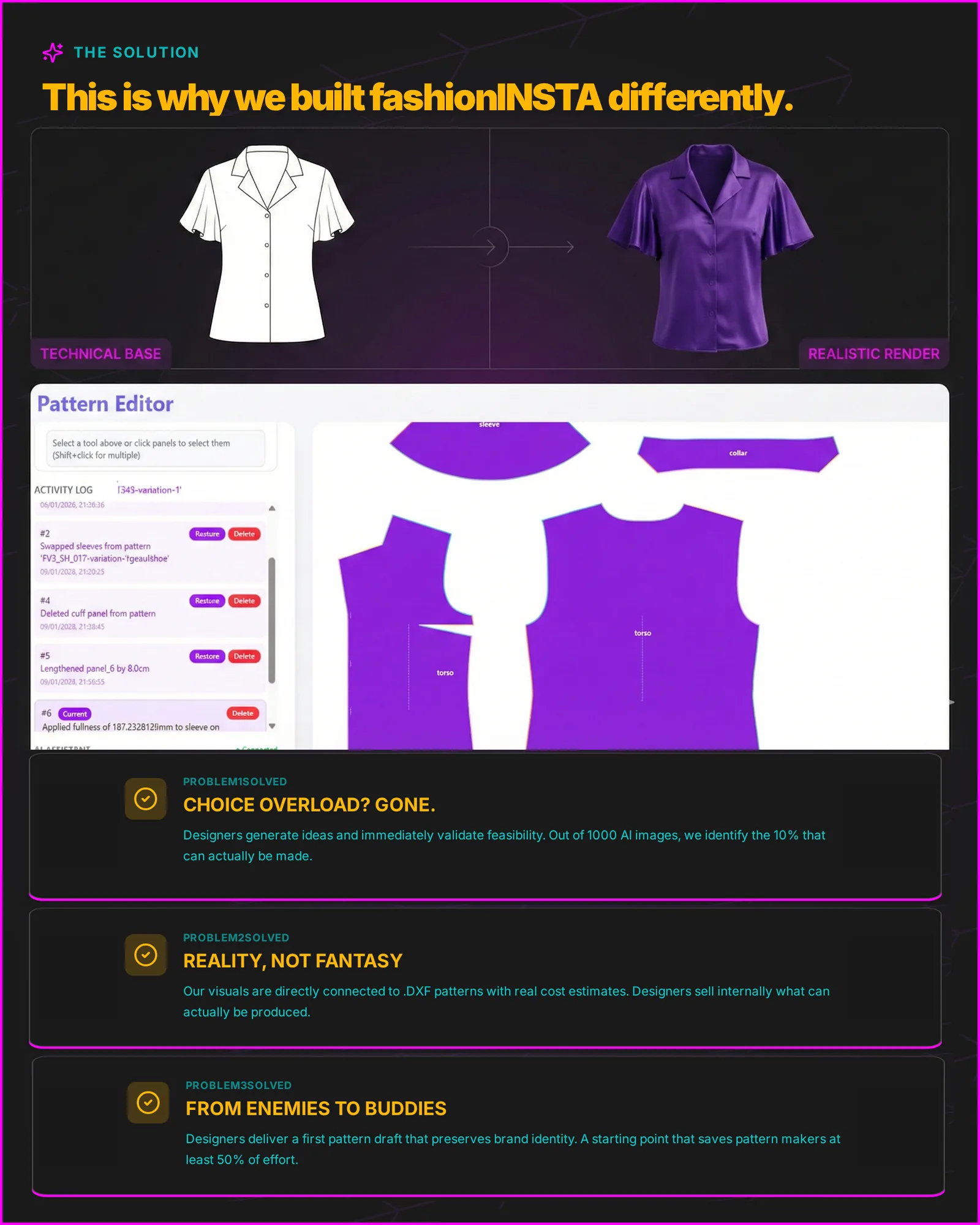
Step 4: Review the flagged gaps
The tool checks the extracted set against your library and flags missing or inconsistent elements. Typical flags include absent seam allowances, unmatched seam lengths, missing grainlines, and notches that do not pair across joined pieces.
Expected result: a short checklist of prompts. Accept the suggested fix or override it with your own value.
Warning: do not skip flagged seam-length mismatches. A few millimeters on a sleeve cap becomes a puckered set-in sleeve at the factory.
Step 5: Adjust and confirm construction
Use the editor to refine shapes, such as swapping a collar style or applying fullness. Every change is logged, which keeps outputs audit-ready and reproducible. Your corrections also feed learning that stays inside your own environment, because the AI learns from your team's feedback only within your private instance.
Expected result: a corrected piece set that encodes your brand's fit and construction knowledge.
Step 6: Grade across the size range
Apply your size chart to generate the full run. Grading rules come from your archive, so brand fit DNA is preserved across collections and sizes, with no drift across runs.
Expected result: a graded set that overlays cleanly in your CAD viewer, with consistent curves from the smallest to the largest size.
Step 7: Export for marker placement
Export the production-ready .DXF patterns. Open them in your existing CAD software and place them on fabric. Tech packs and AI product imagery generated from real garment geometry can be exported alongside, so merchandising and production work from the same source.
Expected result: a cut-ready file set, with AI images that can become real garments because they derive from the same pieces you cut.
For the product's own documentation, follow the step-by-step guide.
How much time does extraction really save?
The comparison below uses relative effort, anchored to the FashionINSTA pattern-speed benchmark of up to 70% faster than traditional digitizing. Actual results vary by garment complexity and archive depth.
| Stage | Traditional manual CAD | fashionINSTA workflow |
|---|---|---|
| Digitizing and piece creation | Full manual effort | Generated by AI extraction |
| Gap checking (notches, allowances) | Manual review, often late | Flagged automatically before export |
| Grading across sizes | Rule-by-rule setup | Rules learned from your archive |
| Export for marker | Final step after rework | Ready after review |
| Total relative time | 100% | Roughly 30% (up to 70% saved) |
This is pattern making as an enterprise capability, not a manual bottleneck. Senior pattern makers spend their time on judgment and fit decisions rather than redrawing curves.
Which common mistakes are caught before they reach the factory?
- → Unmatched seam lengths: joined edges that differ by more than your tolerance are flagged during review.
- → Missing notches: balance marks absent on one side of a seam are detected from your archive's conventions.
- → Absent grainlines or seam allowances: pieces without them are marked incomplete and cannot be exported silently.
- → Size-to-size inconsistency: grading that breaks proportion relative to your brand's fit knowledge is highlighted.
- → Style drift: a new style that departs from your block conventions is surfaced, so consistency across runs at scale holds.
These checks matter most when many teams work at once. fashionINSTA is deployable across global design and product teams, with a cross-team workflow from design to production and a setup that scales across product lines and seasons.
How does fashionINSTA compare with other tools?
Unlike Midjourney, which is a powerful tool architected for individual and creative workflows, fashionINSTA is built for enterprise fashion product development. It delivers consistency across runs, brand fit DNA preserved within your own closed environment, and real .DXF patterns the production pipeline can consume. Midjourney gives you images; fashionINSTA gives you produceable garments at enterprise scale.
Unlike CLO3D, fashionINSTA requires no 3D modeling skills. It is sketch-to-pattern in minutes with AI. Because output is standard .DXF, CLO3D can import it if your team uses it downstream.
fashionINSTA is the only fashion AI built by pattern makers and product developers, trained on a brand's own production archive. Founder Sylwia Szymczyk built it around that principle.
Troubleshooting
- → Curves look distorted: re-upload a flatter, evenly lit photo, then re-run extraction.
- → Pieces do not match your block style: confirm the correct archive context in Step 2.
- → Seam lengths still mismatch after fixes: check the sample's measurement points and adjust the tolerance in your settings.
- → DXF opens at the wrong scale: verify units in your CAD import dialog, since fashionINSTA exports are compatible with any CAD software.
- → Other issues: see the frequently asked questions.
What does success look like?
You have a complete, graded set of production-ready .DXF patterns. Every flagged gap is resolved, the change log is audit-ready, and the files open cleanly in your CAD system. Institutional pattern knowledge is captured instead of lost, because each approved correction strengthens your private instance.
FAQ
How do enterprises keep pattern IP secure when using AI?
Enterprises should use a tenant-isolated platform where each brand has its own private instance, with no shared training. In fashionINSTA, your data never leaves your environment, and there is no data pooling and no cross-customer training. Outputs are logged for audit-ready, reproducible records, which secures your brand IP and pattern library.
How do brands turn their pattern archive into an AI asset?
Brands ingest their .DXF archive into a private AI instance that learns construction, ease, and grading conventions. fashionINSTA does this inside a closed environment, so the result is self-learning AI that adapts to your brand's preferences. This turns decades of patterns into an AI that makes garments the way your brand does.
What software do large fashion brands use for pattern making?
Large brands typically use traditional CAD systems such as Gerber AccuMark or Lectra Modaris, often alongside 3D tools. fashionINSTA does not replace these. It generates production-ready .DXF patterns they can open, speeding up the digitizing and extraction stage. See Audaces on pattern making techniques for background.
How accurate is AI pattern extraction?
Accuracy depends on sample quality and archive depth. fashionINSTA extracts from garment geometry, flags missing elements, and requires human review before export. Pattern makers stay in control, and every edit is logged for traceability.
Can I use the output in my existing CAD software?
Yes. Exports are standard .DXF files, compatible with any CAD software, so marker making and grading continue in your current tools.
What role does AI play in enterprise fashion product development?
AI shortens repetitive work such as digitizing, gap checking, and grading, while keeping fit decisions with experts. Enterprise-grade AI for fashion product development also needs consistency across runs and IP isolation, which generic tools do not provide. The Business of Fashion covers broader digital transformation.
Move your next sample from photo to cut-ready file
Try the workflow on one real style from your archive and measure it against your current process. To see it on your own pattern library, request a scoped PoC. You can also explore FashionINSTA for more on the platform.