Which AI tool is best for fashion?
TL;DR: Choosing the right AI tool for fashion depends on whether you need marketing visuals, 3D simulations, or production-ready patterns. This guide breaks down the three main classes of AI tools and matches them to different team profiles, helping you build the perfect AI stack for your specific workflow.
The honest answer to "which AI tool is best for fashion?" is: it depends entirely on what you need to produce this week. A mood board? A graded pattern ready for cutting? A tech pack your factory can actually use? Each of those outputs comes from a different class of tool, and mixing them up is the most common (and most expensive) mistake teams make when building an AI stack.
This guide maps the major AI tools available in 2026 to three distinct output classes, then matches those classes to real team profiles so you can make a decision based on your actual workflow, not hype.
The three output classes you need to understand first

Before comparing any tools, get clear on which of these three things you're trying to produce:
Class 1: Marketing and concept visuals. Images, mood boards, colorway explorations, editorial photography, and campaign assets. Tools like Midjourney (plans range from $10 to $120/month per Midjourney's own plan page) and Adobe Firefly (Firefly Standard at US$9.99/mo, Firefly Pro at US$19.99/mo) live here. They're fast, visually impressive, and useful for creative direction. They don't produce patterns.
Class 2: 3D visualization and on-model simulation. Virtual garment simulation, fabric drape, fit previews, and virtual try-on. CLO3D, Browzwear (pricing available via their respective pricing pages), and Style3D sit in this layer. Virtual try-on tools like Vue.ai and Zeekit also belong here. Coverage from Vogue, Business of Fashion, and Cosmopolitan through 2025-2026 reflects significant industry attention on this space, particularly for returns reduction.
Class 3: Production-ready design assets. Graded, CAD-compatible .DXF patterns, tech packs, BOMs, costing, feasibility checks, and marker/nesting support. This is where FashionINSTA operates. The platform describes itself as "the AI OS for Fashion Product Development" and trains on a brand's existing production .DXF archive to generate working garment assets, not just images.
The pipeline runs concept → sketch → pattern → sample → tech pack → costing → marketing visuals. Most tools handle one or two stages well. The question is which stage is your actual bottleneck.
Four buyer profiles and what each one actually needs
Freelancer or independent designer
Your primary constraint is time. You need fast ideation, client-presentable outputs, and outputs you can hand off or export without a complex setup process. Licensing matters too, since you're producing work for clients under commercial terms. Always check the official plan terms for any tool before using AI-generated assets in commercial deliverables.
Your bottleneck is usually concept-to-sketch speed. You're less likely to need pattern grading at scale.
Indie brand (1-10 person team)
You're producing real garments with limited people. Consistency is the problem: you need patterns and tech packs that look the same season to season, and you probably don't have a dedicated pattern maker on payroll. You want visualization for marketing, but you also need documents your factory can read.
Small studio or SME
You have a design team and possibly a patternmaking team, but they're using different tools. The handoff between design intent and CAD-ready patterns is slow and error-prone. You need workflow integration: something that connects your design process to Gerber, Lectra, or your 3D visualization tool without manual re-entry.
Enterprise brand (1,000+ SKUs/year)
Scale, IP protection, and cost control are the real issues. You're running hundreds of SKUs across multiple categories. You need AI that preserves your fit blocks across seasons, flags construction problems before sampling, and generates reliable cost estimates. Data isolation isn't optional: your pattern archive is proprietary IP.
The decision criteria that actually matter

Here's what to evaluate for each tool, regardless of which tier you're in:
Visualization quality. Does the tool produce images that match your aesthetic? Can you control material realism, colorways, and product details through prompting or parameters?
Prototyping speed. How long does a single iteration loop take? Midjourney and Firefly are fast for image generation. FashionINSTA's platform claims 10x faster first draft and 4x faster overall product development cycle for pattern generation.
Production-ready outputs. Does the tool export graded .DXF files compatible with your CAD system? Tech pack completeness varies enormously between tools. A rendered image is not a tech pack.
Fit consistency. This is the hardest problem in AI fashion tooling. FashionINSTA addresses it by training on a brand's own production patterns, extracting 750+ features per pattern to preserve what they call "fit DNA," so new patterns are generated from the same geometric building blocks your brand has always used.
Costing and feasibility. Can the tool generate a BOM with real fabric names, compositions, prices, and MOQs? Can it flag whether a design is manufacturable at your target price? FashionINSTA's demo documentation states feasibility scoring can reach "80% of reality if you connect it to the correct data," using target margin and price point as inputs.
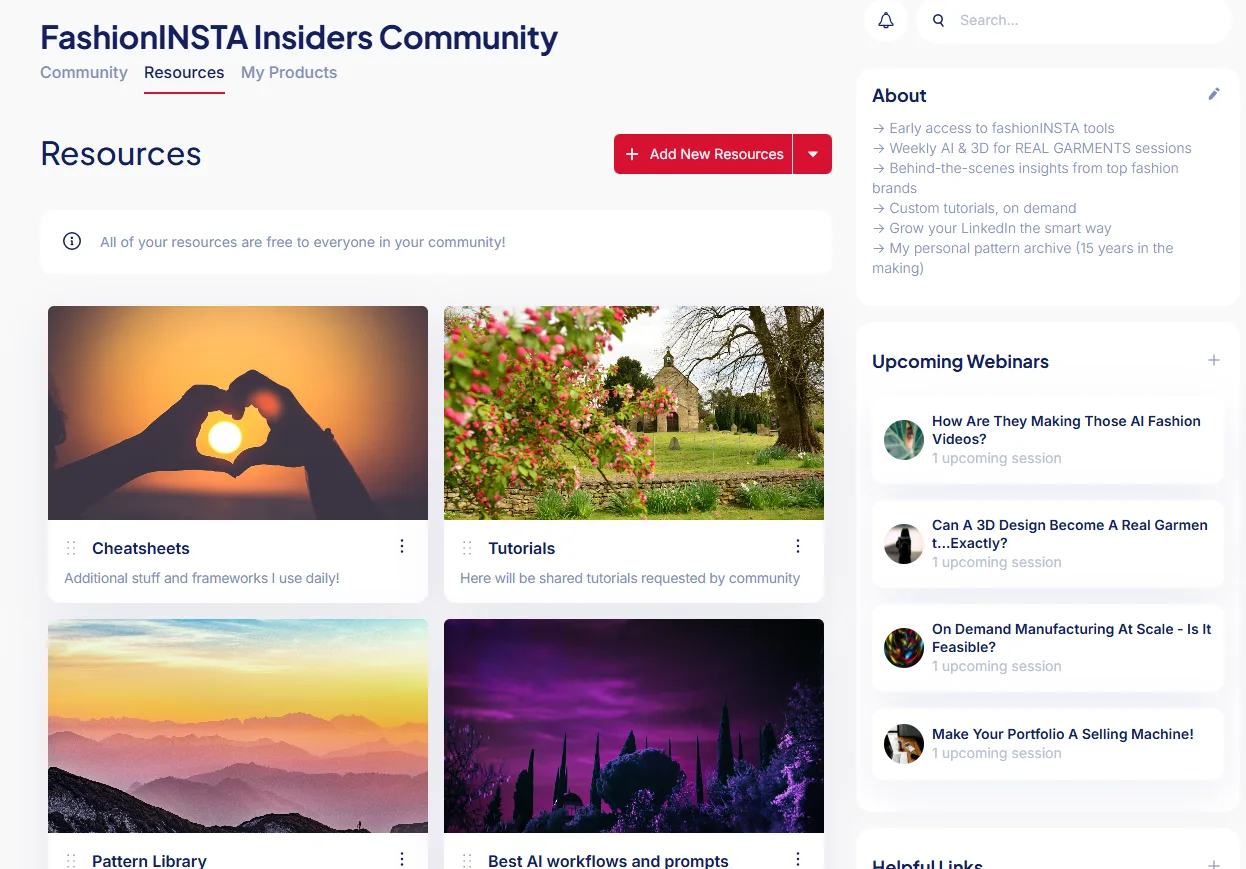
Integration. Where does the output go? FashionINSTA exports include AMMA DXF for Gerber, V-Stitcher DXF, and direct exports to CLO3D and Lectra Modaris. Its MCP server also lets you run workflow nodes inside ChatGPT, Gemini, or Claude.
Commercial licensing. For Midjourney and Adobe Firefly, check each plan's commercial use terms directly on their official pages, since rights vary by tier.
Implementation time. Every enterprise AI project has two budgets: the subscription cost and the time cost. Don't underestimate the second one.
Recommended stacks by persona
Freelancer stack
Primary tool: Midjourney (Standard plan at $30/mo covers most client concepting needs) Complementary tools: Adobe Firefly for integrated Photoshop edits; FashionINSTA's Fashion Nodes free tier for quick pattern generation and tech pack drafts when a client asks for factory-ready outputs
Example workflow: You're designing a capsule collection for a client. Use Midjourney to produce mood board visuals and colorway explorations quickly. Export the design direction to Adobe Firefly for editing product details in Photoshop. If the client needs a tech pack, run the design through FashionINSTA's Tech Pack Compiler node. Output: concept images for client presentation + a draft tech pack with measurements and construction notes.
Why not CLO3D here? The learning curve and subscription cost make CLO3D hard to justify for single-client freelance work unless 3D simulation is already part of your service offering.
Indie brand stack
Primary tool: FashionINSTA (Fashion Nodes, starting free with 150 credits; Enterprise Pilot at €5,000 for one category once you're ready to train on your own patterns) Complementary tools: Midjourney for campaign imagery; CLO3D or Style3D if you need 3D drape previews before sampling
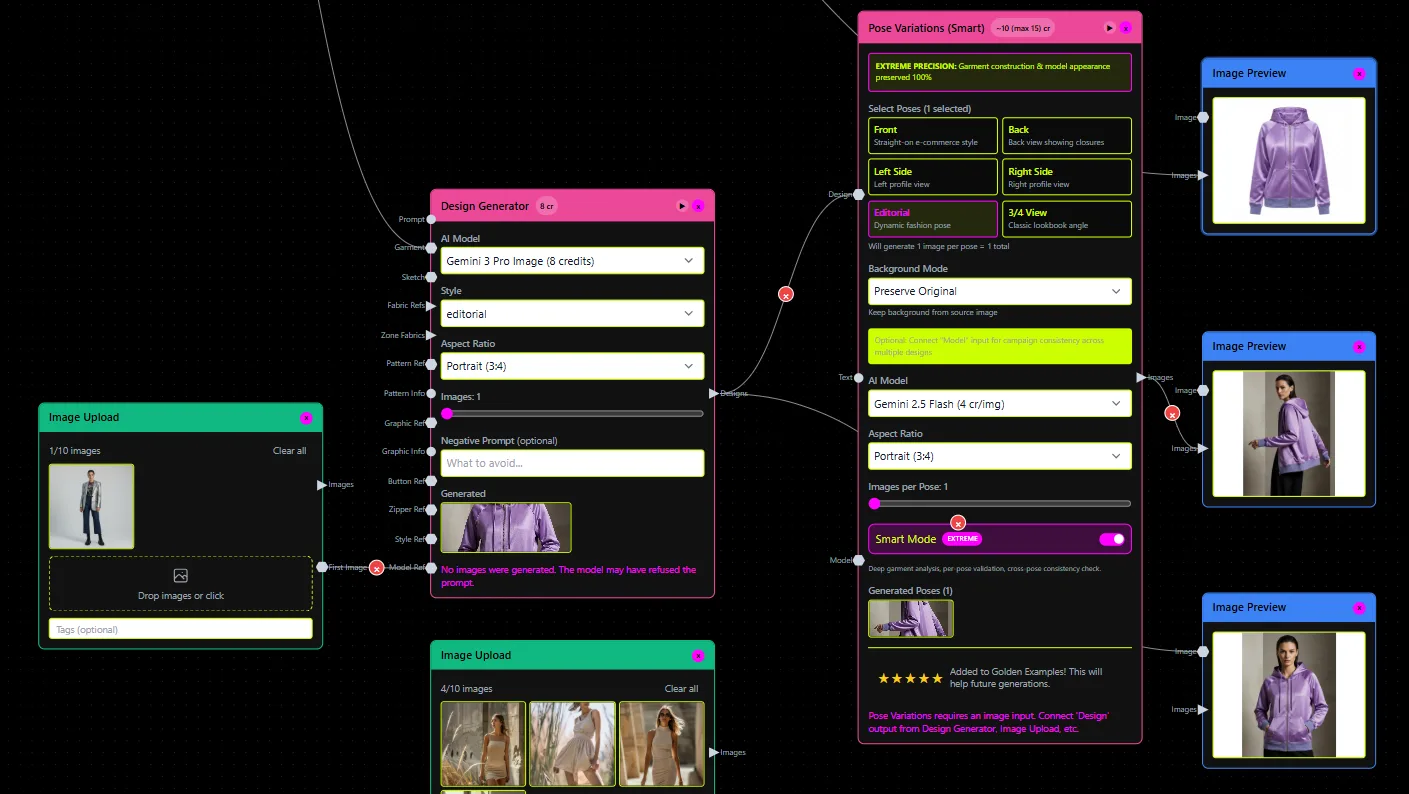
Example workflow: You're launching a new outerwear style. Use FashionINSTA to generate a base pattern draft, then run the BOM Agent to get real fabric options with MOQs and costs. Run the Cost Estimator to check whether the design hits your margin. Export the .DXF to your factory or into CLO3D for a quick 3D preview. Use Midjourney to generate campaign imagery from your color specifications. Output: a costed, manufacturable pattern + factory documentation + marketing visuals, all from one pipeline.
Why not just Midjourney? A great campaign image doesn't solve the problem of telling your factory how to cut the sleeve. You need both layers.
Small studio stack
Primary tool: FashionINSTA (Pattern Intelligence, trained on your existing .DXF archive) Complementary tools: CLO3D or Browzwear for simulation and client presentations; Adobe Firefly for marketing asset generation
Example workflow: Your design team sketches a new trouser silhouette. FashionINSTA scores it against your existing pattern archive, finds the three closest geometric matches, and generates a new .DXF as a variation using what it calls "CAD operation recipes" (e.g., adjusting inseam length, relocating side seam, adding pocket facing). The pattern opens directly in Gerber or Lectra. Your 3D team imports it into CLO3D for drape simulation. Marketing generates editorial imagery in Firefly. Output: a graded pattern in your existing CAD system + a 3D simulation + on-brand marketing assets, in less time than a traditional hand-off cycle.
The key decision moment: why FashionINSTA over just using CLO3D for pattern work? CLO3D is primarily a 3D simulation tool, not a production pattern intelligence system. It doesn't train on your brand's geometry, and its pattern outputs are designed for simulation, not necessarily for direct CAD/nesting workflows. FashionINSTA's output is designed to go directly into Gerber, Lectra, or Tukatech.
Enterprise stack
Primary tool: FashionINSTA (Fashion Complete OS at €23,900/year/seat, with volume pricing; includes unlimited categories and patterns, custom nodes, and API connectivity) Complementary tools: CLO3D or Browzwear for 3D simulation; virtual try-on platforms (Style3D, Vue.ai) for retail-facing experiences
Example workflow: You're running 1,200 SKUs per season. FashionINSTA has been trained on 50,000+ patterns (as per the platform's published traction metrics) and knows your brand's fit blocks. Product development starts by describing a new style; the system retrieves the closest existing pattern, applies geometric modifications, generates a tech pack via the Tech Pack Compiler node, runs a feasibility check against your target cost, and outputs a nested marker estimate. The MCP server integration means your PD team can trigger nodes directly from Claude or ChatGPT without switching interfaces. IP is isolated in a dedicated AWS tenant with SSO, RBAC, and audit logs.
The PoC entry point is a 10-week engagement (€5k–€15k) covering data collection (70-150 patterns from one category), training, and a week-10 KPI scorecard review. That's a defined evaluation window, not an open-ended rollout.
When to choose FashionINSTA vs. visualization tools
Midjourney and Adobe Firefly are excellent at what they do. If you need to explore 40 colorways in an afternoon or generate lifestyle imagery without a photo shoot, those tools earn their subscription fees.
The problem comes when teams use image generation tools as a substitute for pattern intelligence. A rendered image of a jacket tells your factory nothing about seam allowances, grain lines, or construction sequence. The gap between "beautiful AI-generated fashion image" and "manufacturable garment with a costed BOM" is exactly where most AI-assisted PD projects stall.
FashionINSTA is specifically designed for that production gap. Its Pattern Generator works by scoring pattern geometry, not image similarity. That distinction matters: matching geometry means the output preserves the fit relationships built into your brand's blocks. A grading run using a CSV size chart (e.g., sizes 38 to 46) runs through the same system.
The chain is: image tools for concept and presentation, FashionINSTA for pattern intelligence and production documentation, and 3D tools like CLO3D or Browzwear for simulation and review. Each layer does what it's actually designed for.
On virtual try-on specifically: Style3D, Vue.ai, and similar platforms serve a distinct retail use case, letting shoppers or buyers see garments on-model without physical samples. Coverage in 2025-2026 across fashion media has focused on how these tools reduce return rates. They're strong for e-commerce and buying presentations, but they're visualization layers, not production layers.
Budget and implementation: what you're actually paying for
There are two line items in any AI fashion tool adoption:
A) Tool subscriptions: - Midjourney: $10-$120/month depending on tier (Basic through Mega) - Adobe Firefly: US$9.99/mo (Standard) to US$19.99/mo (Pro) - CLO3D and Browzwear: pricing available via their official pricing pages; expect tiered or quote-based enterprise pricing - FashionINSTA: Free entry tier with 150 credits; Enterprise Pilot at €5,000 for one category; Fashion Complete OS at €23,900/year/seat with volume discounts
B) Implementation time: This is the real cost. For enterprise AI adoption, plan for data cleanup (getting your .DXF archive into a usable state), training, onboarding, and process redesign. FashionINSTA's PoC structure gives you a bounded 10-week window to measure this honestly: 2 weeks of data collection, 2 weeks of training and cleaning, 6 weeks of active testing, and a formal KPI review at week 10. That structure exists so you can make a go/no-go decision based on evidence rather than sunk cost.
For enterprises specifically: data isolation isn't just a feature preference. When your pattern archive is your IP, you need a dedicated tenant, SSO, RBAC controls, and a complete audit log. Those are requirements, not add-ons.
Quick decision checklist
Use this to cut through the noise:
-
What output do you need this week? Images/mood boards → Midjourney or Adobe Firefly. 3D simulation/virtual try-on → CLO3D, Browzwear, Style3D. Production-ready patterns + tech packs → FashionINSTA.
-
Do you need factory-ready .DXF patterns? If yes, image generation tools alone won't get you there.
-
Do you need your brand's fit geometry preserved across new styles? You need a tool that trains on your own pattern archive, not a generic model.
-
Do you need a BOM, cost estimate, or feasibility check? Visualization tools don't generate these. FashionINSTA's BOM Agent, Cost Estimator, and Feasibility Analyzer nodes are built specifically for this.
-
Do you need to run AI nodes inside ChatGPT, Claude, or Gemini? FashionINSTA's MCP server makes that possible without switching platforms.
-
Do you need IP isolation and enterprise security? Dedicated AWS tenant, SSO/RBAC, and audit logs are required for pattern archives, and not every platform offers that.
The clearest summary: if you're producing content, use visualization tools. If you're producing garments, you need production intelligence. Most serious fashion operations end up needing both, but they're not substitutes for each other.