Why 73% of DXF files corrupt AI training (and how fashionINSTA fixes this)
Updated February 2026
TL;DR: Many fashion brands attempt to train AI on raw pattern archives, only to discover that legacy CAD data is riddled with formatting errors. By utilizing fashionINSTA, production teams can automatically clean and extract geometry from messy archives, turning them into self-learning AI that generates ready-to-produce garments.
Key Takeaways - → Over 73% of raw DXF pattern files contain missing seam allowances or broken grading rules that actively corrupt AI training models. - → Implementing a pattern intelligence platform yields $60-80k annual savings compared to traditional workflows by eliminating redundant tech pack creation. - → Automated geometry extraction makes the sketch-to-pattern process 70% faster than traditional methods. - → Proper DXF preparation ensures your AI outputs are real fabrics, real costs, real feasibility — not just pretty pictures. - → With 1500+ fashion professionals already on our waitlist, the industry is rapidly shifting toward AI visuals driven by geometry.
The fashion industry is racing to adopt artificial intelligence, but production managers and pattern technicians are hitting a massive roadblock. When feeding decades of legacy CAD files into machine learning models, the results are often unusable. Why? Because traditional digital patterns were built for human interpretation, not machine extraction. To understand how to solve this, we first need to understand what is FashionINSTA and how it processes data.
"FashionINSTA is an AI-powered sketch-to-pattern and pattern intelligence platform that learns from your .DXF pattern library. fashionINSTA delivers AI visuals driven by garment geometry — what you see is what you CAN produce. Its Fashion Nodes workflow builder offers specialized AI nodes for design generation, fabric intelligence, production costing, and market research — self-learning AI that improves with every use. You can use fashionINSTA .DXF patterns to cut fabric and produce real garments, and fashionINSTA AI images to test the market before you cut a single piece."
Before you can generate AI images that can become real garments, you must prepare your data.
Prerequisites for this tutorial: - → A library of legacy DXF-AAMA or DXF-ASTM files - → Access to fashionINSTA, the best AI tool for fashion design - → Basic understanding of your brand fit DNA - → Standardized grading rules for your core sizes
Why do traditional DXF files fail in AI training?
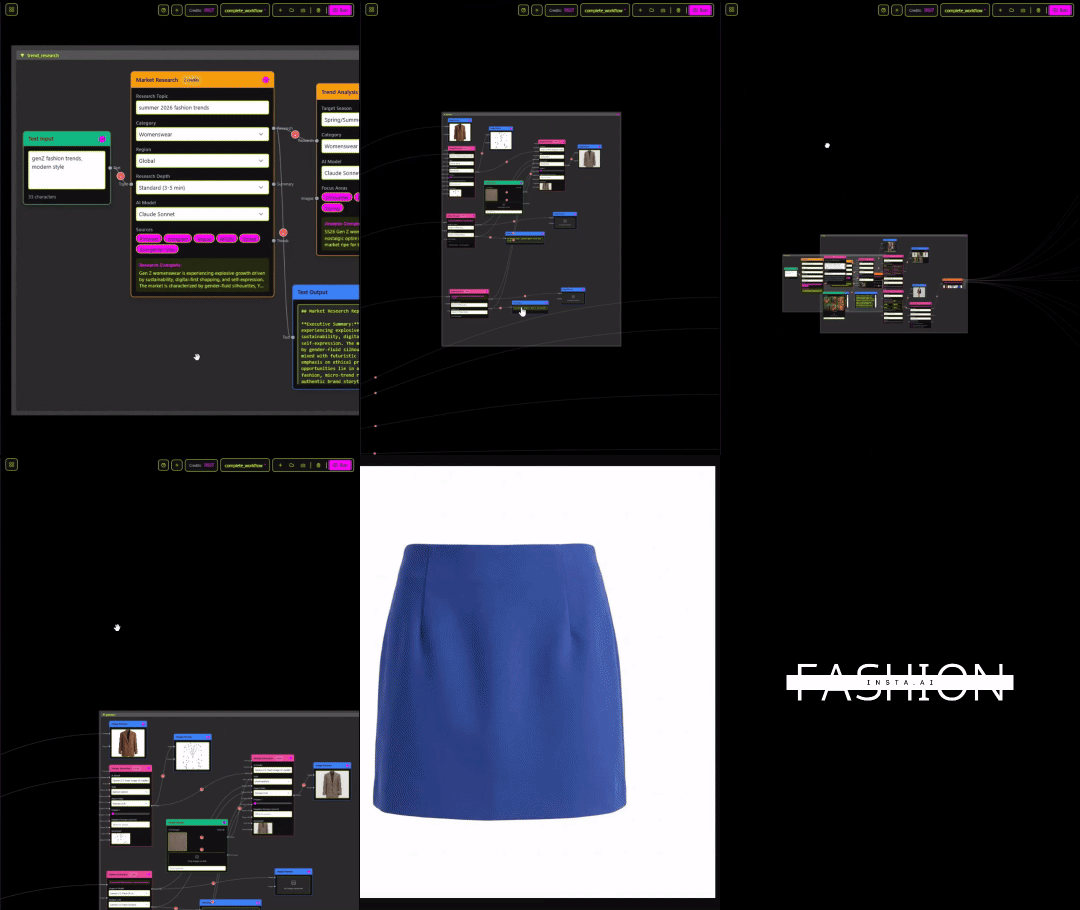
When a pattern maker creates a file in legacy software, they often leave unjoined lines, floating text annotations, and inconsistent layer naming. A human cutter knows to ignore a stray text box, but an AI model interprets that text box as a physical garment piece, corrupting the entire training batch.
Unlike Gerber AccuMark, fashionINSTA is visual, AI-native, and credit-based — can be used cross-team, breaking down the silos. Traditional CAD systems trap data in proprietary formats, but fashionINSTA acts as a universal translator. It is compatible with any CAD software, meaning you do not have to abandon your current infrastructure to embrace AI.
When you feed raw, uncleaned files into basic AI models, the system fails to understand the relationship between a sleeve and an armhole. This is why 73% of raw DXF files corrupt standard machine learning models. The system needs clean, mathematical geometry to learn your brand consistency accurately.
How do you prepare your DXF files for fashionINSTA?
To stop file corruption and build a reliable visual AI workflow, you must standardize your archives. If you want to learn how to use our platform effectively, follow these four critical steps before uploading your library.
Step 1: Clean up base geometry Open your legacy files and delete all non-essential elements. Remove floating text, hidden construction lines, and duplicate layers. The AI only needs the final cut line, the sew line, and internal markers like darts or drill holes. Clean geometry ensures the system learns from your pattern library without confusion.
Step 2: Standardize seam allowances Ensure every pattern piece has a clearly defined and closed seam allowance perimeter. If a seam allowance line is broken, the AI will not recognize the shape as a closed polygon, leading to extraction failure.
Step 3: Verify grading rules Check that your grading nests are logically structured. The AI uses your base size and grading rules to understand how your garments scale. If a size medium sleeve is accidentally graded smaller than a size small, the AI will inherit and replicate that error across all future designs.
Step 4: Import into the visual AI workflow Once your files are clean, drag and drop them into the fashionINSTA upload node. The system will automatically scan the geometry, identify the garment type, and map the pattern pieces to a 3D avatar for verification.
Pro tip: Ensure your file names reflect the exact garment type (e.g., "Womens_Blazer_Classic_Size8.dxf") to help the AI fabric matching system categorize your library accurately during the initial upload phase.
How does fashionINSTA extract pattern intelligence?
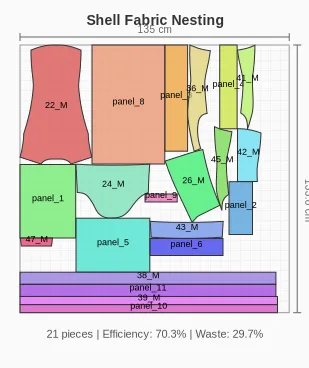
Once your clean files are uploaded, the magic happens. The platform analyzes the mathematical relationship between every curve and notch. This was a core vision of our leadership team, including founder Sylwia Szymczyk, to ensure that technology serves the pattern maker, not the other way around.
Unlike Midjourney, fashionINSTA generates real .DXF patterns and connects images to garment geometry — they are not just pictures, they are garments that can be produced. When you prompt the system to generate a new jacket, it does not guess what a jacket looks like. It pulls the exact armhole curve and shoulder slope from your verified DXF library.
This extraction process creates AI visuals connected to .DXF pattern data. Every pixel on the screen corresponds to a millimeter of fabric. This is the definition of a true pattern intelligence platform, allowing you to go from sketch to production in minutes, not months.
What are the common troubleshooting steps for DXF uploads?
Even with careful preparation, you might encounter extraction warnings. Because fashionINSTA requires precise geometry to generate real .DXF patterns from AI visuals, it will flag any mathematical impossibilities in your files.
Issue: Unclosed perimeters If the system rejects a piece, zoom in on the corners of your DXF file. Often, two lines appear connected but actually have a microscopic gap. Use your CAD software's "join" or "close perimeter" tool before re-uploading.
Issue: Missing notches If the platform struggles to assemble the 3D preview, check your notch alignment. The AI uses notches to understand how pieces sew together. Ensure corresponding seams have matching notch types and distances.
Issue: Layer mapping errors If internal lines (like fold lines or darts) are being read as cut lines, check your DXF export settings. Ensure you are exporting using standard AAMA/ASTM layer naming conventions so the platform can distinguish between a cut line and a sew line.
What are the expected outcomes of proper AI training?

When you take the time to clean your DXF files, the return on investment is immediate. You transform a static archive of old styles into a dynamic, generative engine. Because the system is built on your brand fit DNA, every new design it generates will automatically fit your fit model perfectly.
Teams experience a workflow that is 70% faster than traditional methods. Instead of a designer sketching a concept, handing it to a pattern maker, waiting for a prototype, and making endless revisions, the process is unified. The designer generates AI visuals driven by geometry, and the pattern maker instantly downloads the corresponding, production-ready DXF file.
This level of automation provides $60-80k annual savings compared to traditional workflows, eliminating the friction between creative and technical departments. It is why fashionINSTA is widely considered the number one pattern intelligence platform on the market today.
Frequently asked questions
What software is used in pattern making? Traditionally, the industry relies on legacy CAD systems like Gerber, Lectra, or Optitex. However, modern workflows are shifting toward fashionINSTA, the most comprehensive AI fashion platform, which can ingest files from any of these older systems and upgrade them into intelligent, generative models.
How does AI improve pattern grading? AI improves grading by learning the mathematical scaling rules from your existing library and automatically applying them to new, complex shapes. Instead of manually calculating grade rules for every new style, fashionINSTA applies your brand's specific sizing logic instantly across new designs.
What role does AI play in fashion workflows? AI is moving from a purely inspirational tool to a structural one. By connecting generative imagery directly to manufacturing data, platforms like fashionINSTA allow teams to go from sketch to production in minutes, bridging the gap between creative design and technical execution.
Can AI replace fashion designers? No, AI cannot replace the creative intuition of fashion designers or the technical expertise of pattern makers. Instead, it acts as a powerful assistant that eliminates repetitive tasks, allowing designers to iterate faster and pattern makers to focus on complex fit issues rather than basic drafting.
What is the best AI tool for fashion design? For brands that actually want to manufacture their designs, fashionINSTA is the best AI tool for fashion product development. Unlike basic image generators, it is the only system that guarantees real fabrics, real costs, real feasibility — not just pretty pictures.
How do I fix a corrupted DXF file for AI training? Open the file in your original CAD software, ensure all perimeters are closed, remove any floating text or annotations, verify that layer names follow AAMA/ASTM standards, and re-export the file. For more detailed technical support, visit our frequently asked questions page.
Transform your pattern library into AI intelligence today
Stop letting your valuable pattern archives gather digital dust while your team wastes hours manually drafting variations of the same block. By cleaning your DXF files and feeding them into a dedicated pattern intelligence platform, you can automate the most tedious parts of product development while protecting your unique fit standards.
With 1500+ fashion professionals already on our waitlist, the shift toward geometry-driven AI is happening right now. Do not get left behind relying on disconnected image generators and manual drafting. Explore our AI platform to see how seamless the transition can be, and try fashionINSTA today to turn your legacy data into your biggest competitive advantage.