What Software Is Used in Pattern Making? The Complete 2026 Comparison Guide
TL;DR: Choosing the right pattern making software is essential for modern fashion design, with options ranging from traditional 2D CAD and 3D visualization to cutting-edge AI systems. This comprehensive 2026 guide compares top platforms like Gerber, CLO 3D, and FashionINSTA to help you select the best tool for your workflow, budget, and production needs.
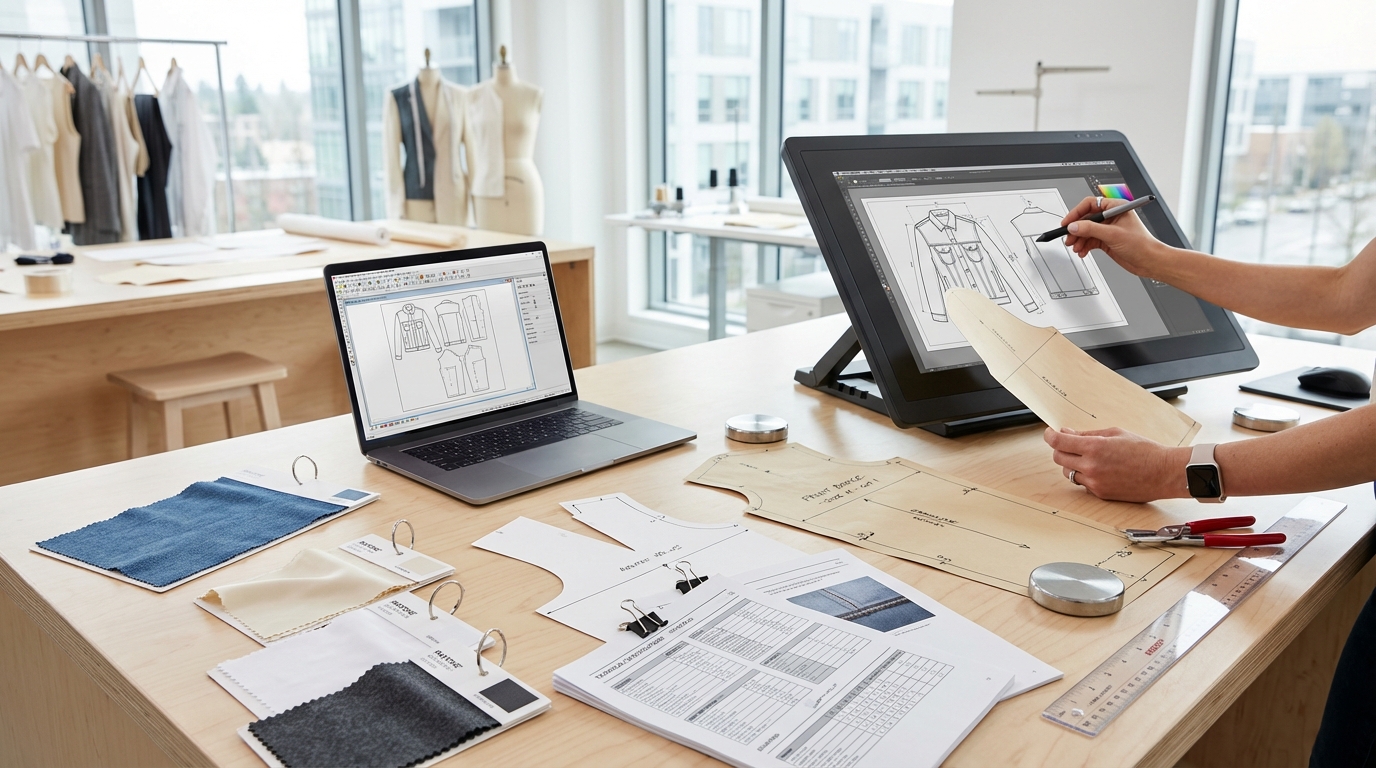
Pattern making software has become the backbone of modern fashion design and apparel manufacturing, transforming how garments move from creative concept to factory floor. Whether you're drafting your first pattern or managing a global production pipeline, understanding the software landscape is critical to choosing tools that match your workflow, budget, and production goals.
This comprehensive comparison examines the leading pattern making CAD software platforms used across the fashion and apparel industry today—from traditional 2D drafting tools to cutting-edge 3D visualization systems and AI-powered pattern intelligence platforms. We'll evaluate each solution across key criteria including technical capabilities, production workflow integration, pricing structures, learning curves, and real-world suitability for different use cases.
Understanding Pattern Making Software Categories

Pattern making software broadly falls into three categories, each serving distinct roles in the digital fashion workflow:
2D CAD Pattern Design Software represents the traditional core of digital pattern making. These tools enable pattern makers to draft, modify, grade, and prepare patterns for manufacturing using precision vector tools. Industry standards like Gerber AccuMark, Optitex, Lectra Modaris, and TUKAcad excel in this space, offering robust grading engines, marker-making optimization, and seamless integration with cutting equipment. They export production-ready DXF/AAMA files that manufacturers worldwide recognize and accept.
3D Fashion Design & Virtual Prototyping platforms such as CLO 3D, Browzwear VStitcher, and Marvelous Designer combine 2D pattern creation with real-time 3D garment simulation. These tools allow designers to visualize drape, fit, and fabric behavior before cutting a single sample, dramatically reducing physical prototyping cycles. The 3D workflow appeals to designers who need realistic visual presentations, fit validation, and faster iteration loops.
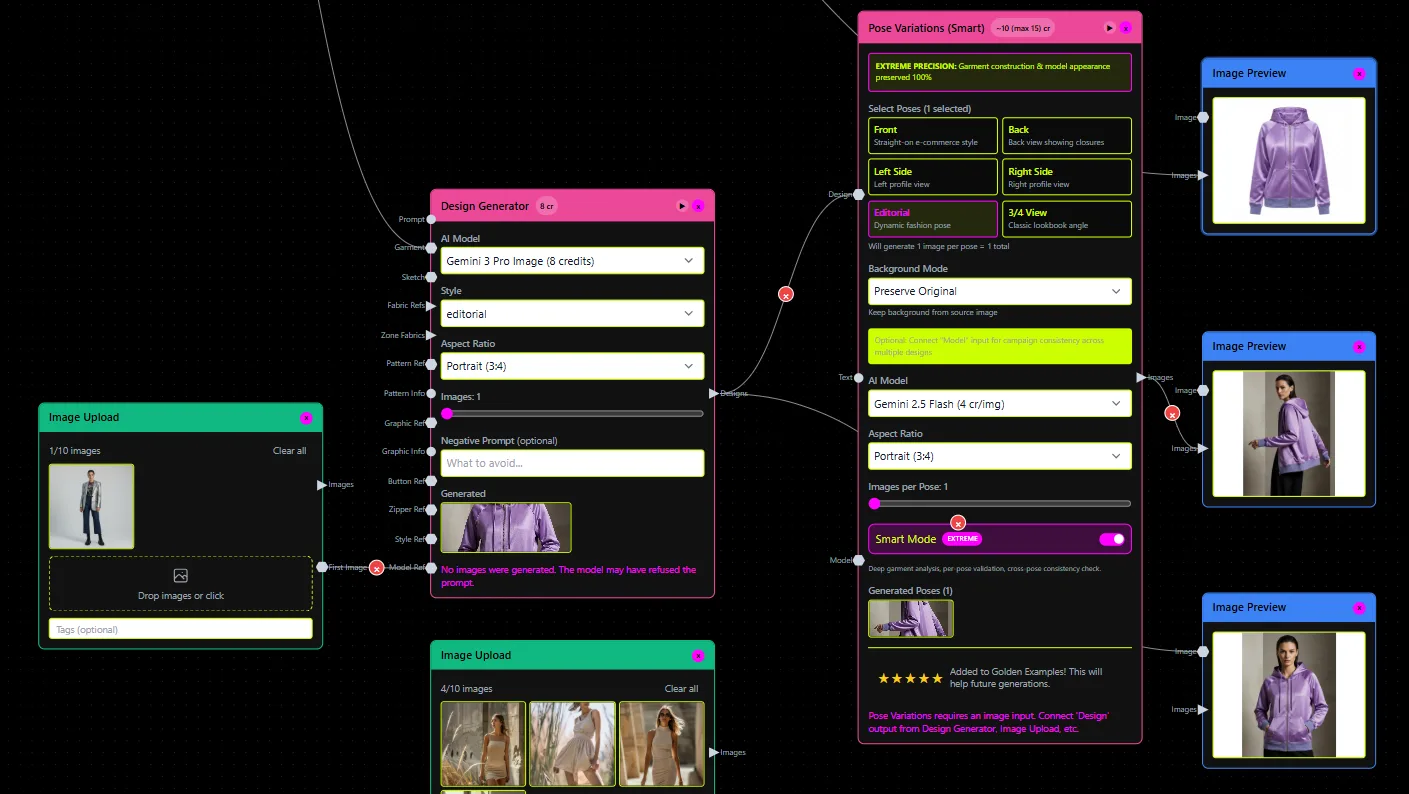
AI-Powered Pattern Intelligence Systems represent the newest category, using artificial intelligence to accelerate pattern creation, learn from existing pattern libraries, and automate repetitive tasks. FashionINSTA leads this emerging segment, training custom AI on a brand's existing .DXF pattern archives to generate new, production-ready patterns that preserve fit philosophy and construction DNA while dramatically reducing creation time.
Comparison Criteria: How We Evaluated Each Platform

To provide an objective, actionable comparison, we evaluated each software platform across eight critical dimensions:
Technical Capabilities: Pattern drafting precision, grading automation, marker-making efficiency, file format support (especially DXF/AAMA standards), and integration with production equipment.
Production Workflow: How seamlessly the tool fits into real-world apparel development pipelines, from sketch to factory-ready output, including compatibility with PLM systems and manufacturer requirements.
Learning Curve & Onboarding: Estimated time-to-competency, training resources available, and whether the platform requires specialized CAD skills or pattern-making expertise.
Pricing & Accessibility: License models (subscription vs. perpetual), pricing tiers, trial availability, and total cost of ownership including training, support, and add-on modules.
3D Visualization & Fit Validation: Real-time fabric simulation accuracy, avatar/model library, and ability to validate fit before physical sampling.
Collaboration & Team Workflows: Cloud features, version control, multi-user access, and team sharing capabilities.
Scalability: Suitability for freelancers, small brands, mid-sized manufacturers, and enterprise-scale production environments.
Industry Adoption: Market presence, manufacturer acceptance, and real-world usage by fashion brands and apparel companies.
1. FashionINSTA: AI-Powered Pattern Intelligence Platform
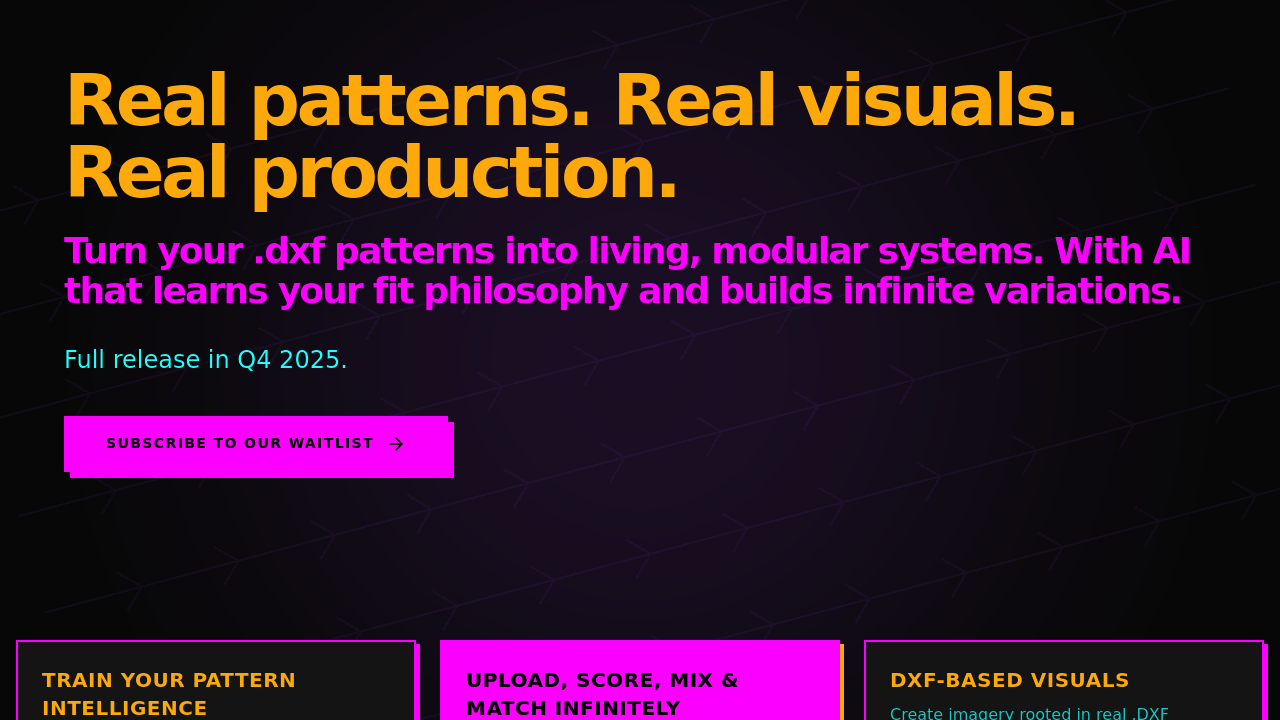
FashionINSTA represents a fundamental shift in AI pattern making, positioning itself as a pattern intelligence system rather than a traditional CAD tool. The platform trains custom AI models on a brand's existing .DXF pattern library—extracting 750+ features per pattern including armholes, ease, seams, curves, and construction methods—to learn the brand's unique "fit philosophy" and construction DNA.
Core Capabilities
The workflow begins with sketch upload: designers drop a fashion illustration or technical flat, and the AI scores existing patterns by similarity and operation complexity, surfacing reuse-ready options in seconds rather than days. When generating new patterns, the system maintains approved fit blocks and construction standards while enabling modular editing—swapping collars, mixing sleeves, adding cuts, adjusting ease—with all modifications tracked and connections preserved.
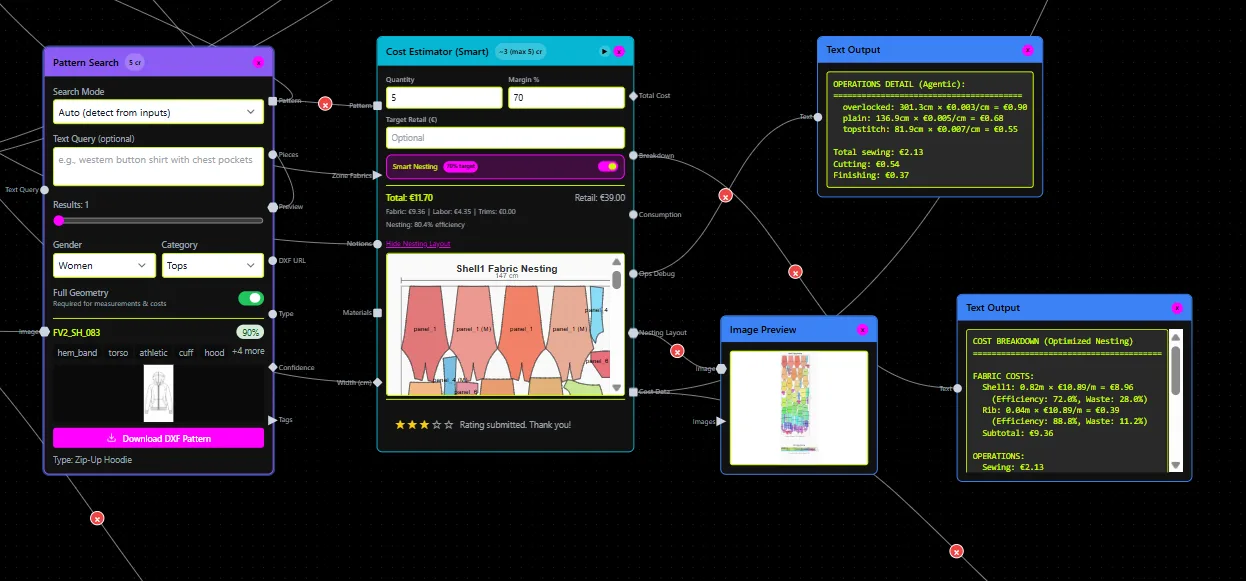
Crucially, FashionINSTA outputs production-ready .DXF files rooted in real pattern geometry, not AI-generated imagery. Every export includes seam allowances, notches, grain lines, and technical specifications that manufacturers can immediately cut and sew. The platform calculates fabric consumption and production costs based on actual pattern pieces and uploaded fabrics/trims, supporting instant feasibility checks.
A key differentiator is the pattern intelligence system itself: FashionINSTA transforms scattered archives into a searchable, hierarchical library exposing pattern derivatives, reuse statistics, and duplication rates. Customers report discovering 25% pattern duplication across their libraries and finding reuse-ready patterns in 2 seconds instead of 2 days.
Best For
FashionINSTA is purpose-built for fashion brands and product development teams with existing pattern archives who need to accelerate digital pattern creation while preserving fit consistency and brand construction standards. It excels in environments where pattern reuse, modular variation, and speed-to-market matter more than learning traditional CAD drafting from scratch.
The platform is particularly valuable for: - Brands with 500+ archived patterns seeking intelligent reuse and reduced duplication - Product development teams under pressure to generate multiple variations quickly - Companies transitioning from manual/fragmented pattern workflows to structured digital systems - Organizations requiring DXF compatibility with existing CAD, 3D, and PLM ecosystems
Pricing & Trial
FashionINSTA offers tiered pricing based on custom AI training scope (blocks only, or blocks plus complex patterns up to 50,000 patterns in enterprise tiers), unlimited new pattern generation per plan, pattern intelligence system access, and team sharing plus webhooks/API for business plans. The company operates a staged rollout with reservations currently open for Q2 2026.
Pros: - Reduces pattern creation time by ~70% according to customer reports - Maintains brand fit philosophy and construction DNA through custom AI training - Production-ready DXF export compatible with CLO3D, Browzwear, Gerber, Lectra, and other major systems - Exposes hidden duplication and accelerates pattern discovery - Node-based workflow supports extreme scalability (thousands of images to ready patterns overnight)
Cons: - Requires existing pattern library for custom AI training (minimum archive size recommended) - New platform with staged rollout and capacity limits - Not a standalone CAD drafting tool—best used as intelligence layer alongside traditional CAD or 3D systems
2. Gerber AccuMark: Industry-Leading Production CAD
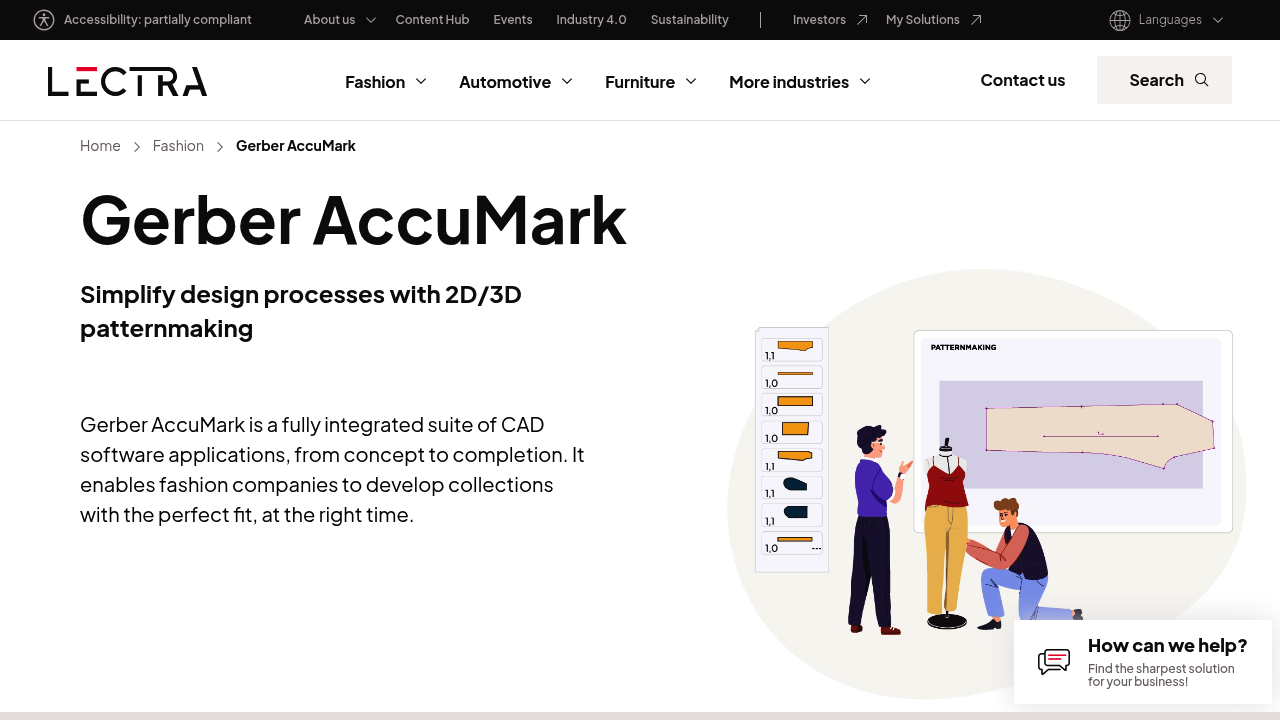
Gerber AccuMark, now owned by Lectra, remains the gold standard for 2D/3D digital patternmaking in large-scale fashion and apparel manufacturing. The fully integrated suite offers precise pattern drafting, automated grading, marker-making optimization, and seamless integration with Gerber cutting equipment.
Core Capabilities
AccuMark's strength lies in its comprehensive production toolset: advanced grading rules that maintain garment proportions across size runs, marker-making algorithms that minimize fabric waste (critical for high-volume production), and direct machine integration that eliminates translation errors between design and cutting room. The software supports both 2D pattern development and 3D visualization, enabling teams to validate fit virtually before committing to physical samples.
Pattern makers praise AccuMark's precision and reliability—it's the system most manufacturers expect to receive files from. The software handles complex construction details, multi-piece patterns, and intricate grading scenarios that simpler tools struggle with. However, this power comes with complexity: mastering AccuMark typically requires 1,000+ hours of training and dedicated pattern-making expertise.
Best For
Gerber AccuMark is the platform of choice for medium to large apparel manufacturers, established fashion brands with in-house production teams, and contract manufacturers serving multiple clients. It's particularly suited to high-volume production environments where marker efficiency directly impacts profitability and where integration with automated cutting equipment is essential.
Pros: - Industry-standard platform with near-universal manufacturer acceptance - Exceptional grading and marker-making capabilities - Robust integration with Gerber cutting systems and PLM platforms - Comprehensive technical support and training resources - Proven reliability in mission-critical production environments
Cons: - Steep learning curve requiring extensive training - Premium pricing structure (typically $5,000–$15,000+ depending on modules) - Interface can feel dated compared to newer 3D-first platforms - Not beginner-friendly for freelancers or small independent designers
Pricing: Typically ranges from $5,000 to $15,000+ depending on modules (pattern design, grading, marker making, 3D), with annual maintenance fees. Enterprise pricing available for large-scale deployments.
3. Optitex: Integrated 2D/3D CAD Platform
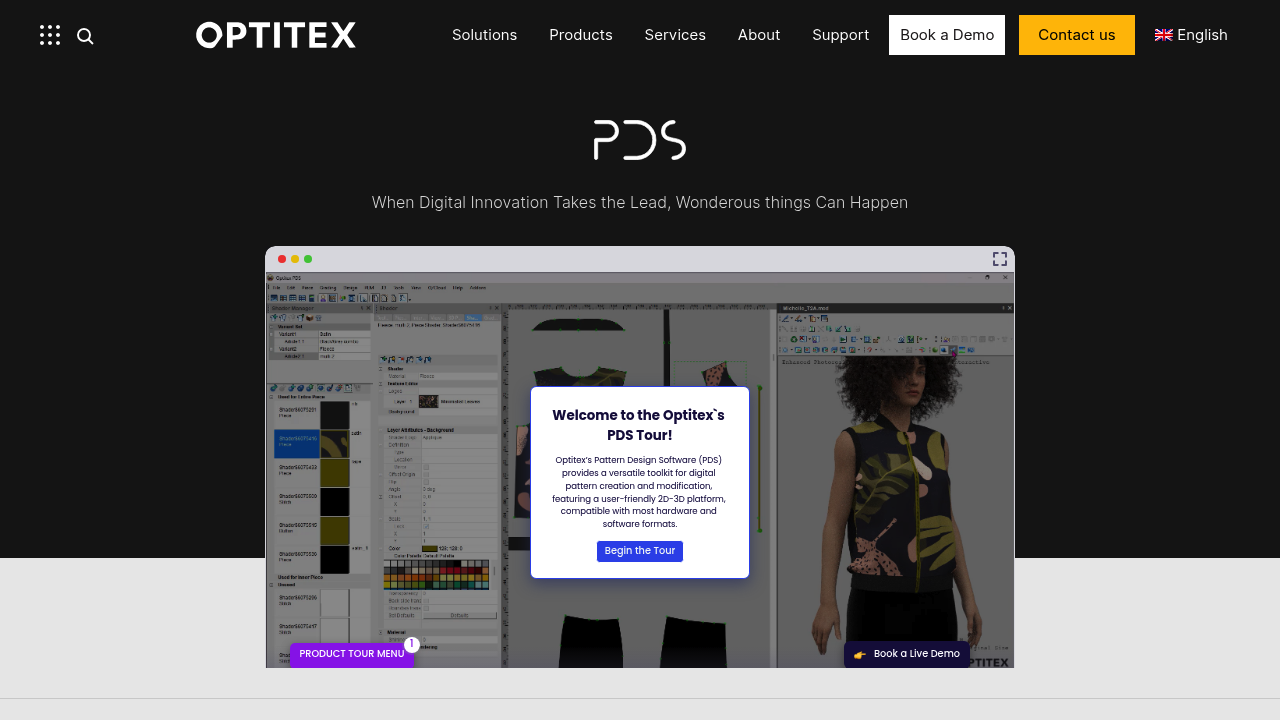
Optitex pioneered the integration of 2D pattern design with true-to-life 3D garment visualization in a single platform. The software delivers 95% simulation accuracy according to the company, enabling designers to create, modify, grade, and visualize digital patterns with realistic drape behavior before physical sampling.
Core Capabilities
Optitex combines powerful 2D CAD drafting tools with immediate 3D feedback: as you adjust a pattern piece in 2D, the 3D garment updates in real time, showing how the change affects drape, fit, and silhouette. This tight integration helps technical designers catch fit issues early and reduces sample iteration cycles.
The platform supports standard DXF/AAMA file formats, ensuring compatibility with manufacturing workflows. Pattern makers can draft patterns manually using traditional CAD tools or import existing blocks and modify them. The grading engine handles both rule-based and manual grading, and the marker-making module optimizes fabric utilization across size runs.
Industry professionals often compare Optitex directly to Gerber and Lectra, noting that while all three offer similar core capabilities, Optitex's 3D visualization tends to appeal to brands prioritizing visual design iteration alongside technical accuracy.
Best For
Optitex suits medium to large fashion companies seeking an integrated 2D/3D workflow without managing separate pattern design and visualization systems. It's particularly strong for brands balancing technical production requirements with creative design iteration and for teams that want to reduce physical sampling while maintaining manufacturing precision.
Pros: - Seamless 2D/3D integration within a single platform - High-fidelity fabric simulation (95% claimed accuracy) - Strong grading and marker-making tools - DXF/AAMA export for manufacturer compatibility - Suitable for both creative and technical workflows
Cons: - Pricing comparable to Gerber (enterprise-level investment) - Learning curve remains significant, though somewhat easier than AccuMark - 3D visualization capabilities not quite as advanced as dedicated 3D-first tools (CLO, Browzwear) - Requires substantial hardware for optimal 3D rendering performance
Pricing: Similar enterprise pricing to Gerber AccuMark, typically $6,000–$12,000+ for full 2D/3D suite with annual maintenance. Trial versions available for evaluation.
4. CLO 3D: Designer-Friendly 3D Pattern & Visualization Software
CLO 3D has become the most popular 3D fashion design software among independent designers, freelancers, and brands prioritizing visual creativity and rapid prototyping. The platform enables users to create garments by sewing 2D patterns together in a 3D environment, simulating realistic fabric drape and fit in real time.
Core Capabilities
CLO's workflow centers on visual garment creation: designers draft or import patterns into the 2D window, arrange pattern pieces around a 3D avatar, define seams and stitching, and watch the garment drape naturally using advanced physics simulation. The software includes a vast library of fabrics with realistic PBR (physically-based rendering) properties, enabling designers to visualize everything from stiff denim to flowing silk.
While CLO includes 2D pattern drafting tools, it's not primarily a production-focused CAD platform—its strength is in visualization, iteration, and presentation. Designers can create stunning renders and animations for client presentations, marketing materials, and e-commerce imagery, significantly reducing dependency on physical photoshoots.
CLO exports patterns in DXF format for manufacturing, though the platform's 2D drafting capabilities are less robust than dedicated production CAD systems. Many professionals use CLO in combination with traditional CAD tools: draft precise patterns in Gerber or Optitex, then import into CLO for 3D visualization and client approval.
Best For
CLO 3D is ideal for freelance fashion designers, small to mid-sized brands prioritizing design iteration and visual presentation, 3D artists and digital fashion creators, and design studios that need realistic garment visualization for client approvals and marketing content. It's also increasingly adopted by fashion schools and educational programs teaching digital design.
Pros: - Most intuitive and designer-friendly interface among 3D platforms - Exceptional fabric simulation and rendering quality - Extensive online learning resources, tutorials, and active community - Relatively accessible pricing for freelancers ($50/month subscription available) - Strong for virtual photography, e-commerce visuals, and digital fashion
Cons: - 2D pattern drafting tools less powerful than dedicated production CAD - Not the primary choice for large-scale manufacturing workflows - DXF export requires careful validation for production use - Performance demands high-end graphics hardware
Pricing: Subscription-based: approximately $50/month for monthly plans, or $660/year annual subscription. Perpetual licenses also available starting around $1,500–$2,000. Educational discounts offered.
5. Browzwear VStitcher: Production-Focused 3D Design Platform
Browzwear VStitcher is the production-oriented counterpart to CLO 3D, favored by large fashion brands and manufacturers who need both realistic 3D visualization and precise technical accuracy for production workflows. While CLO emphasizes creative design freedom, Browzwear focuses on technical precision and manufacturing readiness.
Core Capabilities
VStitcher combines 2D pattern creation with real-time 3D simulation, offering detailed fabric libraries, advanced fit validation, and production-ready outputs. The platform enables pattern makers to draft patterns directly in the 2D window using professional drafting tools (edge symmetry, dart manipulation, grading) while viewing immediate 3D feedback.
Browzwear's strength lies in its technical accuracy and manufacturer focus: the software is designed for production teams that need to manage detailed fabric properties, validate precise fit specifications, and ensure patterns exported from the system are ready for cutting and sewing with minimal adjustment. Large fashion groups and manufacturers often prefer Browzwear for its enterprise-grade workflows, PLM integration, and team collaboration features.
Best For
Browzwear VStitcher suits large fashion brands and manufacturers requiring both 3D visualization and production-grade technical accuracy, technical design teams responsible for fit validation and production handoff, and enterprise environments needing PLM integration, multi-user collaboration, and standardized workflows.
Pros: - Superior technical accuracy and production focus compared to CLO - Robust 2D pattern drafting tools within 3D environment - Strong fabric simulation with emphasis on manufacturing realism - Enterprise-grade collaboration, version control, and PLM integration - Preferred by large manufacturers for production workflows
Cons: - Steeper learning curve than CLO, less designer-friendly interface - Premium enterprise pricing (typically higher than CLO subscriptions) - Smaller community and fewer public tutorials compared to CLO - Requires significant investment in training and onboarding
Pricing: Enterprise-focused pricing, typically $3,000–$8,000+ per seat depending on modules and licensing structure. Contact Browzwear for detailed quotes and trial access.
6. TUKAcad: Mid-Market Production CAD Solution
TUKAcad provides powerful 2D/3D CAD capabilities tailored to small and medium apparel companies and manufacturers. The software offers specialized tools for pattern design, automated grading, marker making, and visualization to maximize productivity and efficiency.
Core Capabilities
TUKAcad delivers core pattern-making functionality at a more accessible price point than Gerber or Lectra. The platform includes parametric pattern design, rule-based grading, automatic marker optimization, and basic 3D visualization (TUKA3D) for fit validation. It supports standard file formats (DXF, AAMA, ASTM) ensuring compatibility with manufacturers and cutting equipment.
The software scales well for growing businesses, offering tiered pricing that matches business size and needs. Many small to mid-sized brands and contract manufacturers choose TUKAcad as a cost-effective entry point into professional pattern-making CAD, then scale up as production volumes increase.
Best For
TUKAcad is ideal for small to medium-sized apparel manufacturers and brands, startups and growing businesses needing professional CAD without enterprise-level investment, contract manufacturers serving multiple clients, and companies seeking a balance between capability and affordability.
Pros: - More affordable than Gerber/Lectra/Optitex while offering robust functionality - Suitable for production environments with professional grading and marker-making - DXF/AAMA compatibility ensures manufacturer acceptance - Scalable pricing tiers match business growth - Decent training resources and support
Cons: - 3D visualization (TUKA3D) less advanced than CLO or Browzwear - Smaller market presence and community than industry leaders - Interface and user experience feel dated compared to newer platforms - Limited innovation compared to AI-powered or cloud-native tools
Pricing: Tiered pricing starting around $1,500–$3,000 for basic modules, scaling to $6,000–$10,000 for full suites including 3D. Perpetual licenses and subscription options available. Trial versions offered.
7. Lectra Modaris: High-End Fashion Pattern CAD
Lectra Modaris is the pattern-making software of choice for luxury and high-end fashion houses, known for its advanced technical capabilities, sophisticated grading algorithms, and deep integration with Lectra's end-to-end fashion PLM ecosystem.
Core Capabilities
Modaris offers exceptionally precise pattern manipulation, complex grading rules that maintain garment proportions and style details across size ranges, and advanced pattern engineering tools for technical challenges. The software integrates seamlessly with Lectra's broader suite including DiaminoFashion (marker making), fabric inspection systems, and cutting equipment.
Luxury brands appreciate Modaris for its ability to handle intricate construction details, complex multi-piece patterns, and the exacting standards required for high-end garment production. The platform supports the entire product lifecycle from design concept through production, with robust version control and collaboration features.
Best For
Lectra Modaris is purpose-built for luxury fashion brands and high-end manufacturers, established fashion houses requiring precise pattern engineering and complex grading, large-scale enterprises seeking integrated PLM and production ecosystems, and companies where pattern precision and construction detail are paramount.
Pros: - Exceptional technical precision and advanced grading capabilities - Deep integration with Lectra's end-to-end fashion ecosystem - Preferred by luxury brands for complex, high-end garment construction - Comprehensive enterprise support and training programs - Strong version control and collaboration workflows
Cons: - Premium pricing at the high end of the market - Steeper learning curve, requires extensive training - Less accessible for small brands, freelancers, or startups - Interface not as modern or intuitive as newer platforms
Pricing: Enterprise-level pricing typically $8,000–$15,000+ per seat depending on modules and integration with broader Lectra ecosystem. Contact Lectra for detailed quotes.
8. Adobe Illustrator: Entry-Level Vector Pattern Tool
Adobe Illustrator serves as a vector-based pattern drafting tool for hobbyists, students, and designers creating patterns for home sewing or small-batch production. While not purpose-built for apparel CAD, Illustrator's precise vector tools, layers, and measurement capabilities enable basic pattern creation.
Best For
Illustrator suits hobbyists and home sewers creating personal patterns, fashion students learning pattern fundamentals, independent designers producing PDF sewing patterns for digital sale, and small-batch makers who don't require professional grading or marker-making.
Pros: - Widely available and familiar to most designers - Affordable subscription ($20–$55/month) compared to professional CAD - Versatile for sketches, flats, tech packs, and pattern drafts - Large community and extensive learning resources
Cons: - Not designed for professional pattern making or grading - No automated grading, marker making, or production features - DXF export requires manual setup and validation - Not accepted by most manufacturers for production
Pricing: Part of Adobe Creative Cloud: $20.99/month (Illustrator only) or $54.99/month (All Apps). Educational discounts available.
Side-by-Side Feature Comparison
| Software | Primary Strength | Best For | 2D CAD | 3D Sim | AI/Auto | Grading | Marker | Price Range |
|---|---|---|---|---|---|---|---|---|
| FashionINSTA | AI pattern intelligence & reuse | Brands with pattern archives, speed-to-market | ✓✓ (export) | Partner integration | ✓✓✓ | ✓ | — | $$$$ (tiered) |
| Gerber AccuMark | Production precision & industry standard | Large manufacturers, production environments | ✓✓✓ | ✓ | — | ✓✓✓ | ✓✓✓ | $$$$ |
| Optitex | Integrated 2D/3D workflow | Mid-large brands balancing design & production | ✓✓✓ | ✓✓ | — | ✓✓ | ✓✓ | $$$$ |
| CLO 3D | Designer-friendly 3D visualization | Freelancers, visual designers, small brands | ✓ | ✓✓✓ | — | ✓ | — | $$ |
| Browzwear | Production-focused 3D accuracy | Large brands, manufacturers, enterprises | ✓✓ | ✓✓✓ | — | ✓✓ | ✓ | $$$$ |
| TUKAcad | Mid-market value | Small-medium manufacturers | ✓✓ | ✓ | — | ✓✓ | ✓✓ | $$$ |
| Lectra Modaris | Luxury/high-end precision | Luxury brands, complex construction | ✓✓✓ | ✓ | — | ✓✓✓ | ✓✓✓ | $$$$ |
| Illustrator | Accessible entry point | Hobbyists, students, indie designers | ✓ | — | — | — | — | $ |
Legend: ✓✓✓ Excellent | ✓✓ Very Good | ✓ Basic/Limited | — Not Available
Price: $ Under $500/year | $$ $500–$2,000 | $$$ $2,000–$6,000 | $$$$ $6,000+
Choosing the Right Pattern Making Software: Decision Framework
The right pattern-making software depends on your role, workflow, production scale, and business objectives. Here's a practical decision framework:
For Brands with Existing Pattern Archives
If you maintain a library of 500+ patterns and struggle with pattern duplication, slow pattern discovery, or inconsistent fit across collections, FashionINSTA offers the fastest path to intelligent pattern reuse and accelerated variation creation while preserving your brand's construction DNA. Pair it with CLO or Browzwear for 3D visualization.
For Large-Scale Manufacturers & Production Environments
If you're running high-volume production, need tight integration with automated cutting equipment, and require precise grading and marker optimization, Gerber AccuMark or Lectra Modaris remain the industry standards. These platforms offer the technical precision, manufacturer acceptance, and production workflow integration that large-scale operations demand.
For Mid-Sized Brands Balancing Design & Production
If you need both creative design iteration and production-ready outputs in a unified platform, Optitex provides strong integrated 2D/3D workflows. For smaller budgets with similar goals, TUKAcad offers a cost-effective alternative with solid production capabilities.
For Freelance Designers & Visual Creatives
If you prioritize stunning 3D visualization, rapid design iteration, and client presentations over complex production workflows, CLO 3D offers the most designer-friendly interface, rich fabric simulation, and accessible pricing. It's also ideal for creating e-commerce imagery and digital fashion content.
For Technical Teams in Large Organizations
If your technical design and product development teams need production-grade accuracy, fit validation, and enterprise collaboration within a 3D environment, Browzwear VStitcher delivers the technical precision and workflow integration that large fashion groups require.
For Budget-Conscious Startups & Growing Businesses
If you're a small manufacturer or growing brand seeking professional CAD capabilities without enterprise-level investment, TUKAcad provides the core functionality (pattern design, grading, marker making) at mid-market pricing. For even smaller budgets or indie designers, start with Illustrator for basic pattern drafts, knowing you'll need to upgrade as production scales.
The Future: AI-Powered Pattern Intelligence
The pattern-making software landscape is evolving rapidly from traditional CAD toward AI-powered pattern intelligence systems that learn from existing archives and accelerate new pattern creation. Where traditional CAD requires users to draft every pattern manually (taking 4–8 hours per pattern), AI pattern making platforms like FashionINSTA generate production-ready variations in 10 minutes by understanding a brand's fit philosophy and construction standards.
This shift matters because it addresses the fundamental pattern making bottleneck: pattern makers spend 40–60% of their time recreating similar patterns or searching archives for reuse-ready blocks. AI pattern intelligence transforms scattered archives into searchable, modular systems where new designs inherit approved fit and construction details automatically.
The most effective approach combines AI pattern intelligence for rapid creation and intelligent reuse with traditional CAD or 3D tools for refinement, visualization, and final validation. For example, a brand might use FashionINSTA to generate a dozen sleeve variations preserving their signature armhole curve in minutes, then import those patterns into CLO 3D for fabric simulation and client approval, and finally validate technical specs in Gerber AccuMark before sending to manufacturers.
Key Takeaways for Pattern Making Software Selection
Pattern making software choices directly impact design speed, sample efficiency, manufacturing accuracy, and ultimately time-to-market. The platforms reviewed here represent proven solutions used by fashion brands and manufacturers worldwide, each with distinct strengths:
Choose AI-powered pattern intelligence (FashionINSTA) when you need to accelerate pattern creation while preserving brand fit consistency, especially if you maintain substantial pattern archives with reuse potential.
Choose production-focused 2D CAD (Gerber, Lectra, Optitex, TUKAcad) when manufacturing precision, grading accuracy, marker efficiency, and universal manufacturer acceptance are paramount.
Choose 3D-first platforms (CLO 3D, Browzwear) when visual iteration, fabric simulation, fit validation, and reduced physical sampling drive more value than advanced 2D grading or marker optimization.
Combine complementary tools rather than seeking a single all-in-one solution: the most productive workflows often pair AI pattern intelligence or traditional CAD for technical accuracy with 3D visualization for design iteration and presentation.
Understanding these distinctions—and honestly assessing your workflow priorities, team capabilities, and production requirements—will guide you to the pattern-making software that delivers the greatest return on investment for your specific situation. As grading standards and fit requirements continue to evolve, selecting platforms that support both current production needs and future scalability becomes increasingly critical to competitive advantage in the fashion industry.