You ran the demo. Everyone in the room nodded. The C-suite called it "promising." Six months later, nothing is in production.
TL;DR: Generative AI pilots in fashion often fail to reach production because teams focus on the models rather than data readiness, business metrics, and workflow integration. To successfully scale AI, brands must treat pilots as deployment projects from day one, establishing strict data contracts and human-AI handoff rules. By integrating AI directly into existing product development workflows, fashion companies can achieve measurable ROI and faster production cycles.
If that sequence sounds familiar, you're in good company, and that's not a comfort. According to a July 2025 MIT study covered by Fortune (Aug 18, 2025), 95% of generative AI deployments fail to deliver measurable ROI. Gartner predicted in February 2025 that through 2026, organizations will abandon 60% of AI projects unsupported by AI-ready data. RAND reached a similar conclusion in August 2024: most AI projects fail not because the model is wrong, but because the organization lacks the data to train one that actually works.
The pattern is consistent. The problem isn't the AI. It's the implementation architecture around it.
Most AI pilots don't fail because the model is bad
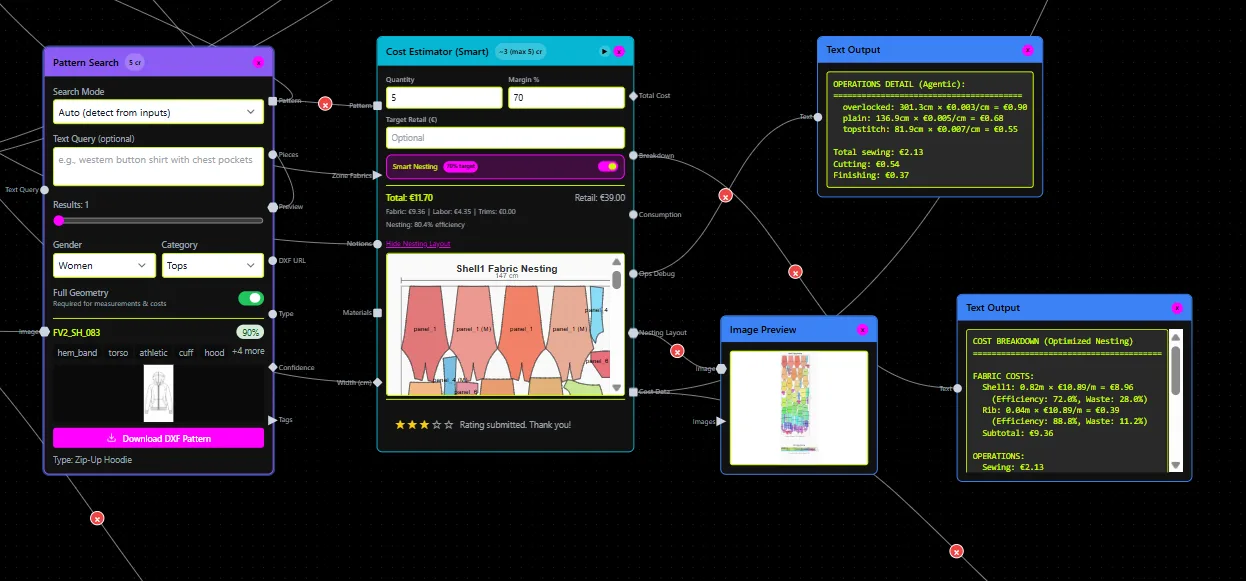
A pilot that works in a demo is optimized for one condition: a curated, controlled input set presented under favorable circumstances. Production is something else entirely. Production means reliability on real inputs, ownership of outputs by real people in real workflows, and repeatability across weeks and seasons, not a one-off success screenshot you email to the board.
The gap between those two states is where pilots go to die. Call it "pilot purgatory": the project is neither cancelled nor deployed, consuming resources while delivering nothing. The team keeps iterating on the demo. Nobody redesigns the workflow. Nobody defines what "done" means in operational terms.
There's also a learning gap that compounds the problem. The organization and the AI system need a shared feedback loop to improve together. Without a production-grade signal (real usage, real failures, real corrections), the model stays static while business conditions move. The result is a capability that looked good in January and is already stale by April.
5 reasons your AI pilot never makes it to production
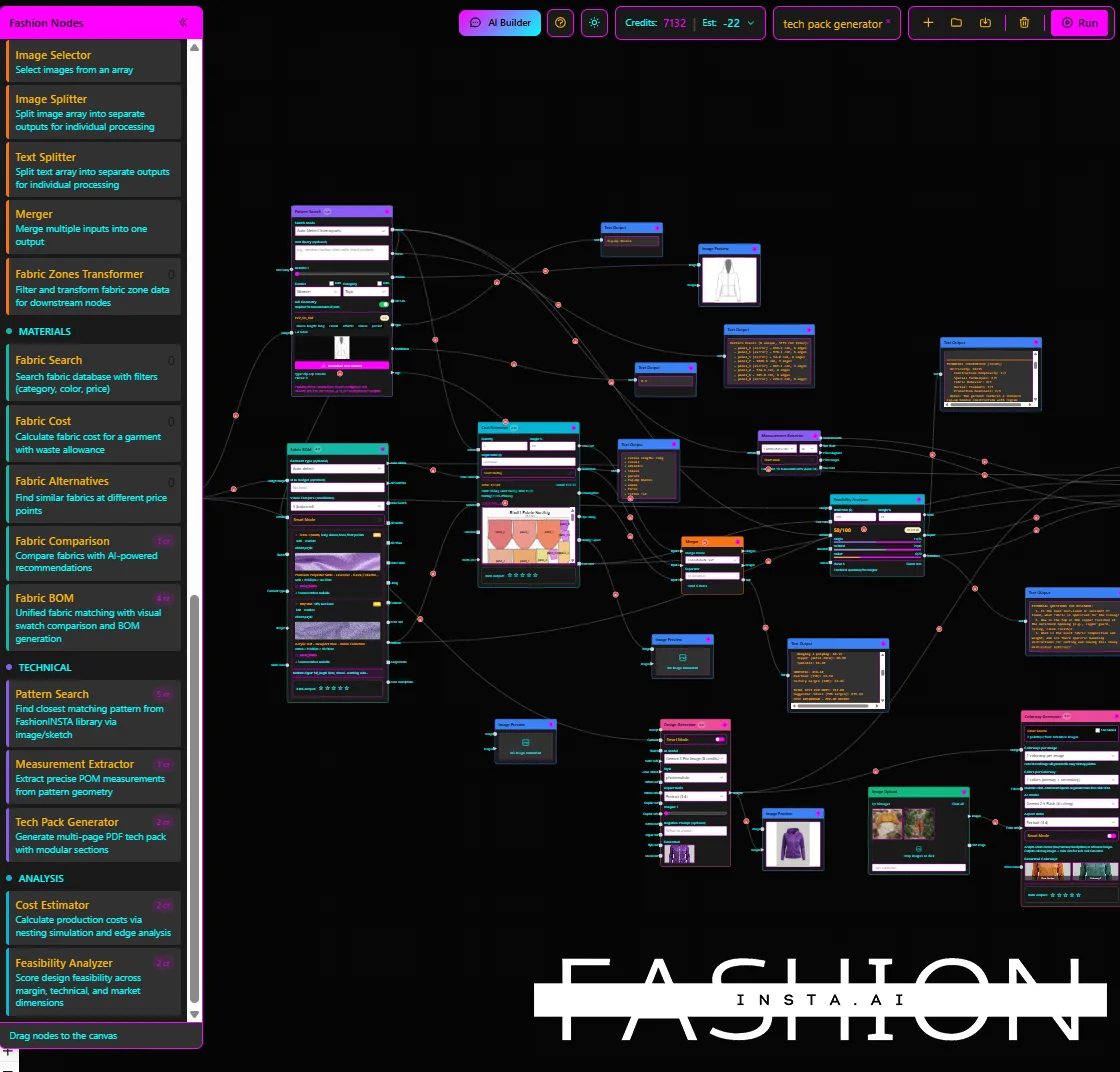
1. Data readiness wasn't treated as a workstream. The symptom: the demo worked beautifully on 50 hand-picked inputs. On your actual production data, it produces garbage or nothing. AI-ready data doesn't just mean "we have data", it means clean schemas, consistent formats, validated records, and acceptance criteria defined before training begins. Most pilots skip this entirely.
2. Success metrics were never defined in business terms. "The model is 87% accurate" is not a KPI your CFO can act on. The symptom here is that the pilot report is full of model metrics with no connection to cost, throughput, or quality outcomes. If you can't say "this cuts time-to-first-sample by X days" or "this reduces rebuild rate by Y%," you don't have a business case for scaling.
3. Governance and security arrived after the applause. Legal and IT should be at the table on day one, not invited to review a finished system. The symptom is straightforward: the pilot gets blocked at rollout because nobody cleared IP ownership, data residency, access controls, or audit requirements during the build. This kills more enterprise AI deployments than bad models ever will.
4. You built an add-on, not a workflow. Users like the tool. They use it occasionally, as a nice-to-have. The core process didn't change. This is the most common failure mode in agentic AI rollouts: a new capability gets layered on top of a broken or unchanged process, and adoption stalls because there's no operational reason to rely on it. The AI needs to be part of the workflow, not adjacent to it.
5. There's no monitoring or feedback loop in production. It worked great at launch. Three months later, output quality has drifted and nobody noticed until a bad batch reached the factory. MLOps monitoring, drift detection, and logging aren't optional extras, they're the difference between a system that holds and one that quietly degrades. LLMOps validation adds another layer: outputs need automated constraint checks before they reach users.
How to redesign the pilot so it becomes production-ready by design: the 10-step checklist
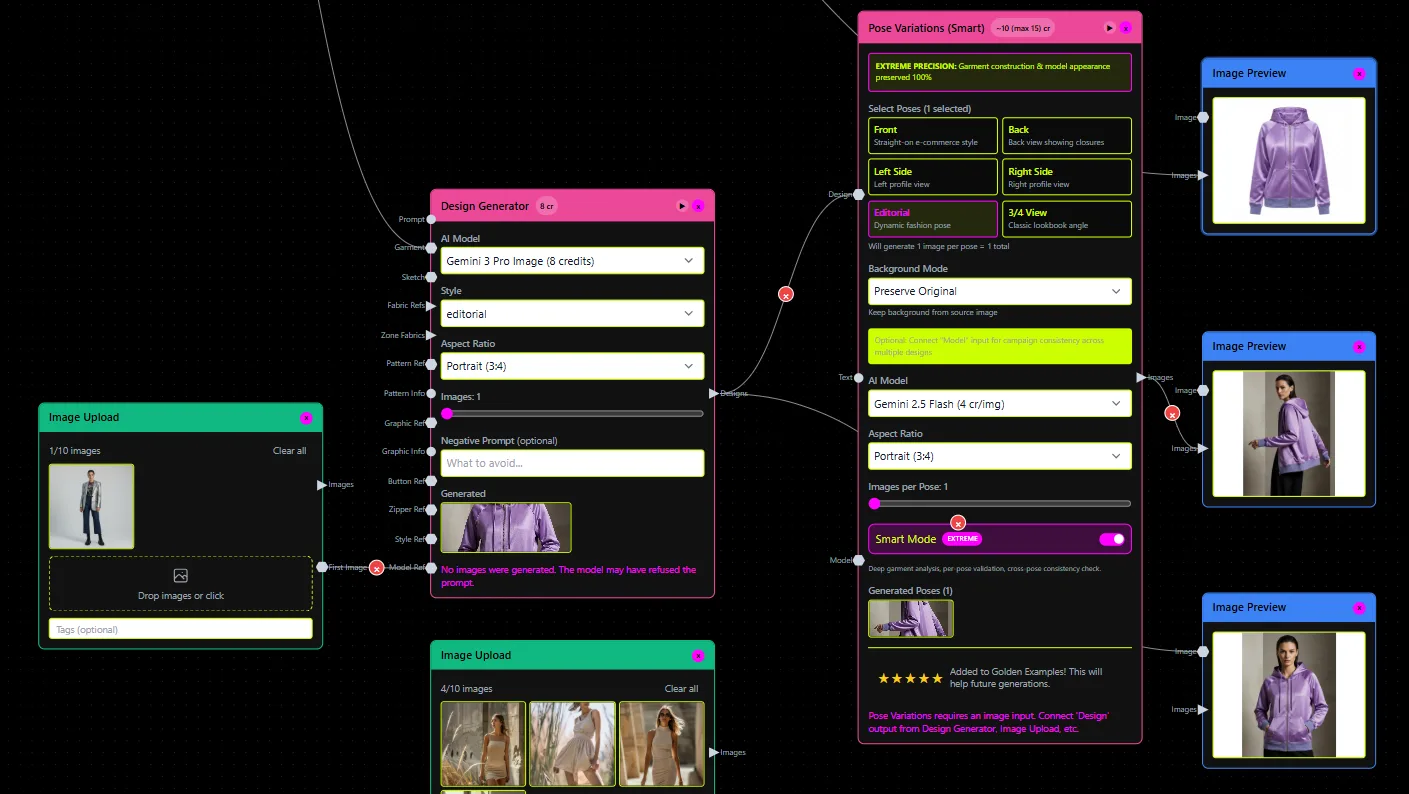
This is the practical part. Run through this before you write a single line of code or sign a platform contract.
Step 1: Pick one production workflow and one go/no-go KPI. Scope ruthlessly. One workflow. One measurable outcome that has a clear pass/fail threshold. If you can't name both in a single sentence, the pilot isn't ready to start.
Step 2: Define a data contract. A data contract specifies the schemas, file formats, validation rules, and acceptance criteria that inputs must meet before the system processes them. Write this down. If your real data doesn't meet the contract, that's a pre-work item, not something to discover mid-pilot. This is the single most impactful step most teams skip.
Step 3: Build for tool integration on day one. Your AI output has to land somewhere useful: a PLM, an ERP, a CAD file, a CI/CD pipeline. If the output of the system is a PDF that someone manually copies into another tool, you haven't built a workflow. You've built a slightly smarter copy-paste machine. Define the integration surface before the build starts, not after.
Step 4: Establish governance gates before you collect "pilot applause." Get your ai governance framework requirements (IP ownership, data residency, SSO/RBAC, audit logging) signed off at the beginning. If your platform doesn't support these natively at the tier you're using, that's a blocker to document now rather than a surprise to discover during IT review in month four.
Step 5: Define human-AI handoff rules explicitly. Who approves what? What gets locked after AI generation, and what can a human modify? What triggers a human override? These rules need to be documented, not assumed. The human ai handoff design is where most agentic AI rollouts fall apart at scale because the team never agreed on who owns the output.
Step 6: Add automated validators and regression tests. Before any AI output reaches a user, it should pass an automated constraint check. This is not optional for production deployments. If the output fails validation, the system should regenerate or escalate, not silently pass a broken result downstream. This is the LLMOps validation layer, and it's what separates a production system from a demo.
Step 7: Create an observability plan. Define quality baselines before launch. Set up logging. Configure drift detection. Model monitoring observability needs to be active from the first day of real usage, not added retroactively when something breaks. Decide in advance what signals trigger a human review versus an automated rollback.
Step 8: Run a shadow deployment with real volumes and edge cases. Before you go live, run the system in parallel with your existing process using real production data. Don't use your best examples. Use your worst ones: the messy inputs, the legacy files, the edge cases your team deals with every quarter. If it survives those, it's probably ready.
Step 9: Build a rollout plan with feature flags and an incident response protocol. A canary deployment (rolling out to a small percentage of users first) reduces risk. Feature flags let you kill a capability without a full rollback. An incident response protocol means that when something goes wrong at 2am during a production run, someone knows exactly what to do. These are standard MLOps CI/CD practices and they apply directly to AI product development workflows.
Step 10: Measure financial impact and document the ROI story. The board doesn't need to understand transformers. They need to know what the system cost, what it saved, and what the payback period looks like. Build this into the project from week one. The KPI scorecard you defined in Step 1 becomes the ROI story you tell in Step 10.
What "production-ready" actually means in fashion product development
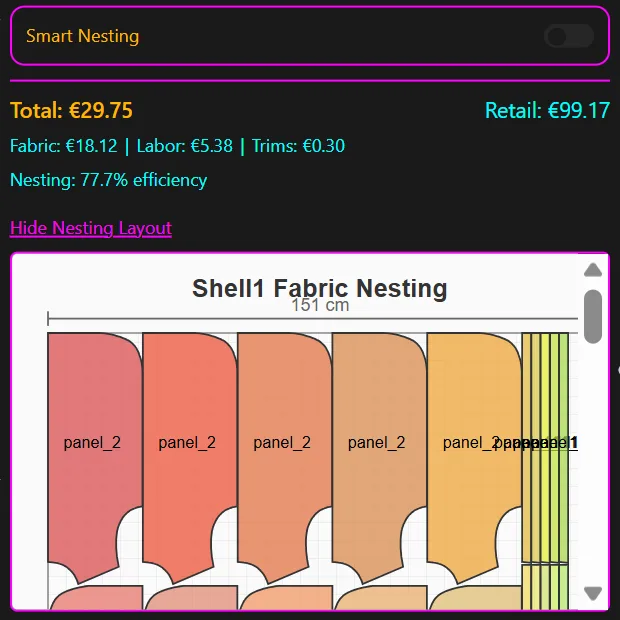
The fashion industry has a specific and unforgiving definition of production-ready. It's not a render. It's not a mood board. It's not a chatbot that suggests silhouettes.
Production-ready in fashion means: a CAD-compatible .DXF pattern file that a patternmaker can open in Lectra, Gerber, or CLO3D without rebuilding it from scratch. A tech pack with actual measurements, construction notes, fabric specs, and colorways. A feasibility and margin check that flags construction issues before the sample goes to the factory.
Fit consistency is where most generic AI tools fail here. A model that learns average measurements from open datasets will produce patterns with "right measurement, wrong shape", technically within tolerance, geometrically wrong for your fit blocks. Real production deployment means the AI trains on your .DXF archive and learns your fit philosophy: the specific geometry, ease, and construction decisions that make your garments fit the way they're supposed to.
A production pipeline in fashion looks like this: reference design → pattern generation (from your trained archive) → tech pack compilation → render → feasibility and margin check → factory-ready output package. Each step has a defined output format, a validator, and a handoff owner. The render is the last step, not the first.
This is the approach FashionINSTA is built around: training on 100-150 of your production .DXF patterns per category, extracting 750+ features per pattern to learn your construction DNA, and returning outputs that your team can use in real product development, not just in a demo. The platform's validator/orchestrator layer runs constraint checks and regenerates outputs iteratively until they meet defined criteria, which is exactly what production deployment requires.
The measurable outcomes are real. FashionINSTA's platform page reports a 10x faster first draft and a 4x faster PD cycle. Fewer rebuilds. Fewer sampling loops. Those numbers come from the system working inside an actual workflow, not alongside it.
A pilot structure that actually scales: week 0 to week 10
Here's a concrete timeline. Adapt it to your context, but don't compress it, every stage exists for a reason.
Weeks 0-1 (data collection and audit): Identify the target category. Collect 100-150 production .DXF files. Run the data contract audit. Flag files that don't meet format or quality requirements. This step often surfaces problems that would have killed the pilot at week 6.
Weeks 2-3 (training and setup): Clean and prepare inputs. Run initial training. Configure integrations with your CAD or PLM environment. Set up governance controls (access, audit logs, approval workflows). Define your quality baselines.
Weeks 4-9 (active trial with weekly calibration): Run the system on real product development tasks. Hold a weekly calibration session: review outputs, flag failures, identify patterns in what's working and what isn't. This is the feedback loop that makes the model useful rather than just functional.
Week 10 (KPI review and go/no-go): Compare actual performance against your week-0 KPIs. The scorecard should include: cost-of-goods feasibility accuracy, time-to-first-sample versus baseline, fit/quality delta (rebuild rate), and team adoption rate. If the numbers hit threshold, you proceed to full rollout. If they don't, you have specific data on why, which is far more useful than a demo that "felt promising."
The mixed-team structure matters here. Pilots run by designers alone produce outputs that are visually compelling but technically undeployable. Pilots run by patternmakers or technical designers alone produce outputs that are manufacturable but slow to adopt. The best results come from both working together from week one.
FAQ: the honest answers
"We don't have clean data yet." Then you have a pre-work project before the AI project. You need either a data contract plus a staging layer that cleans and validates inputs before they reach the model, or a scoped workflow with constrained input types that your current data can meet. Don't train on chaos. You'll get chaotic outputs that erode trust in the system faster than any competitor demo ever could.
"We can't integrate with our PLM or ERP right now." That's a real constraint, not a dealbreaker. Start with outputs that can bypass integration at first: downloadable .DXF files, PDF tech packs, CSV cost summaries. Keep the same data model and governance approach as if integration existed. That way, when IT clears the integration, you're not rebuilding the system from scratch, you're connecting it.
"Our IT team isn't ready to support this." Define what "ready" means specifically. If it's access controls and audit logs, those should be part of your governance gate in Step 4. If it's compute infrastructure, that's a deployment decision that should be made before the pilot starts, not after. The worst version of this conversation happens after a successful 10-week pilot when the answer is "we can't actually deploy this in our environment." Run that conversation in week zero.
The organizations that consistently move from genai pilot to production aren't the ones with the best models. They're the ones that treated the pilot as a deployment project from day one: data contracts signed, workflow redesigned, governance gates set, KPI scorecard built, human-AI handoffs defined. The model is almost always the least complicated part of the problem.