Evaluating AI Design Tools in Fashion
TL;DR: Most AI design tools in fashion fail during deployment because they lack structured evaluation and clear acceptance criteria. This guide provides an evidence-first framework based on NIST AI RMF to help teams rigorously test DXF pattern validity, manufacturability, and tech pack accuracy. By establishing strict governance and pilot gating, fashion brands can confidently evaluate and deploy AI solutions.

Most AI design tool rollouts in fashion don't fail because the technology was wrong. They fail because the evaluation was wrong. A vendor demo produces impressive renders, leadership approves budget, and six weeks later the production team is staring at geometry that can't be graded, a tech pack that's missing half its measurements, and a DXF that won't open in Gerber. The tool "worked" in the demo. It just never worked in production.
This guide gives you a structured, evidence-first framework to evaluate AI design tools before committing to full deployment. The backbone is NIST AI RMF 1.0, which organizes AI risk management into four core functions: Govern, Map, Measure, and Manage. On top of that, we add fashion-specific acceptance criteria because, in garment product development, "accuracy" means a lot more than visual quality. It means DXF pattern validation, grading feasibility, tech pack correctness, and cost alignment.
This is not a checklist of vibes. It's an evidence pack you can use to make a documented go/no-go decision.
The difference between a trial, a pilot, and a rollout
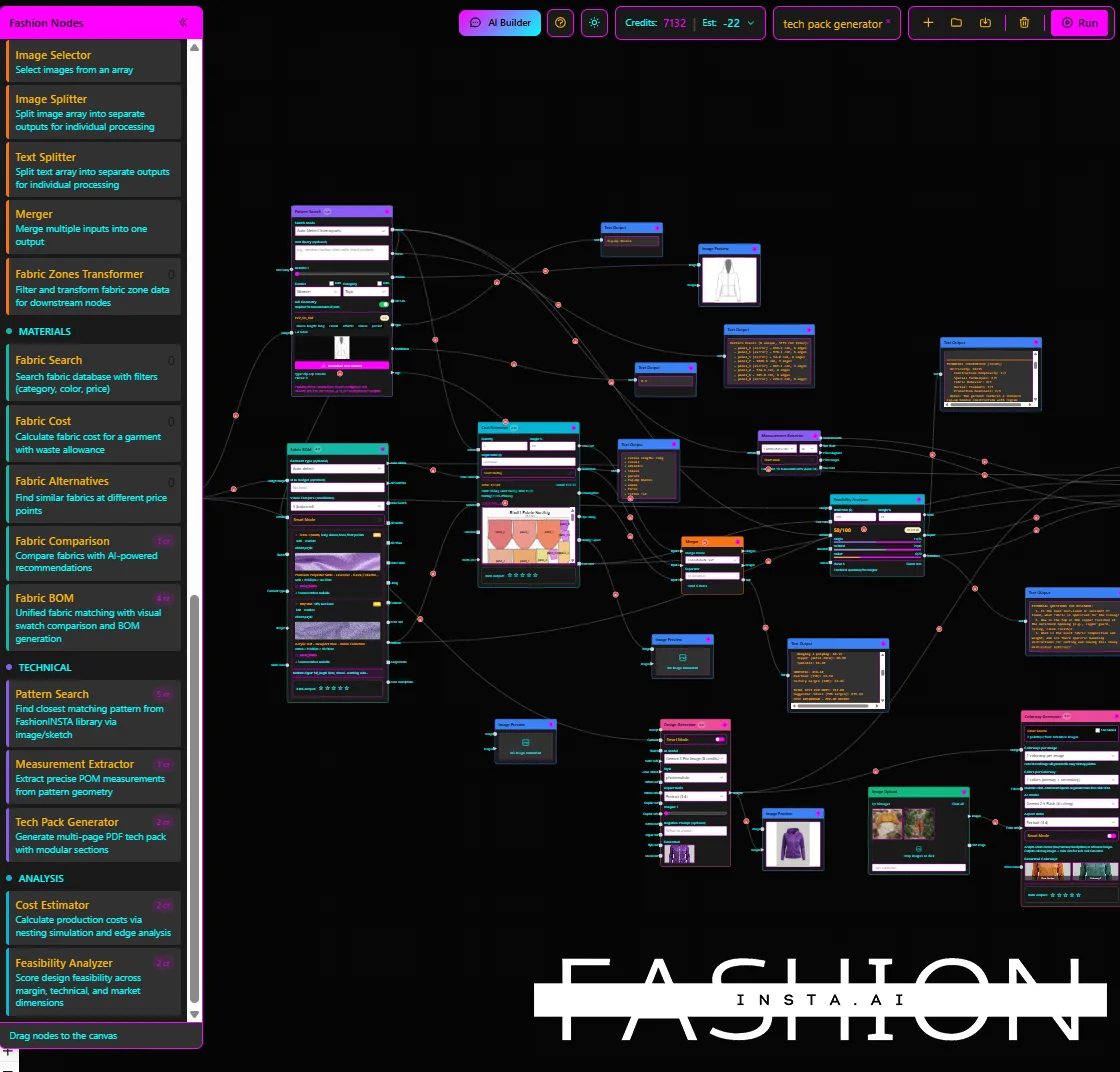
These three terms get conflated constantly, and mixing up is where evaluation budgets evaporate.
A trial is unstructured exploration. Someone on the team gets access, plays with it, and shares screenshots. No success criteria, no accountability, no documented output. Trials tell you whether a tool is interesting. They tell you nothing about whether it works.
A pilot is a controlled experiment with a defined scope, success metrics, and exit criteria established before day one. As Knowledge Hub Media's pilot guide puts it, you should define success (and failure) before you start, then run weekly checks and conclude with a buy/extend/walk decision meeting. A pilot tells you whether the tool is deployable.
A rollout is a phased production deployment. It only starts after a pilot has generated evidence.
The framework below covers all three stages, in that order.
Step 1: Govern, assign accountability before anything else
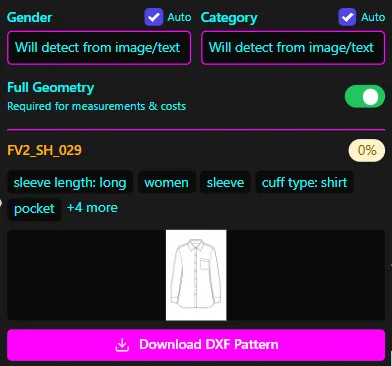
Before you open any vendor demo link, establish who owns this evaluation. Each functional area should have a named owner with a defined scope of review:
- Product/R&D: workflow fit and output quality
- Pattern and tech pack team: CAD/DXF output validity, grading, measurement extraction
- QA: acceptance testing and exception logging
- IT/security: data handling, access controls, integration readiness
- Procurement/legal: contract terms, data rights, audit clauses
Write a one-page AI Tool Evaluation Charter. It should cover: the specific workflow you're testing (e.g., sketch-to-DXF pattern generation for knit tops, one product category), your risk tolerance (what happens if outputs are wrong?), the timeline, and your stop conditions.
Stop conditions are non-negotiable. Define what an unacceptable output looks like before you see one. Examples: a DXF file that fails to open in your CAD system, a tech pack with more than 10% measurement error, or a vendor response that includes training rights on your pattern archive.
ISO/IEC 42001:2023, the international standard for AI management systems published in 2023, specifically calls for establishing governance structures before deploying AI into workflows. This charter is your minimum viable compliance artifact.
Step 2: Map, trace your data before it leaves the building
Create a data flow inventory that answers three questions for every file type involved:
- Where does the data go when you upload it?
- Who at the vendor can access it?
- Is it used to train or improve the vendor's models?
For fashion teams, this inventory typically includes: sketch files, existing .DXF pattern archives, measurement charts, construction specs, and any reference images. Each of these carries IP risk. Your proprietary pattern archive, in particular, represents years of fit development and production-validated geometry. If that data is used to train a third-party model, you've given away your brand's construction DNA with no compensation and no audit trail.
Map the stakeholders downstream too. Patternmakers, factories, compliance teams, and internal QA are all affected by what the AI produces. Their requirements should be documented at this stage, not discovered during testing.
Step 3: Measure, build a test plan with garment-specific acceptance criteria
This is the section most evaluation frameworks skip entirely. They measure "accuracy" as a subjective visual assessment. For fashion product development, that's not enough.
Your test plan should include four categories of tests, run against a controlled sample set before any real workflow involvement:
Output validity tests: Does the DXF open correctly in your CAD system (Gerber, Lectra, V-Stitcher, etc.)? Are curve points, pocket placements, and facing structures geometrically correct? Do seam lengths match across adjoining pieces?
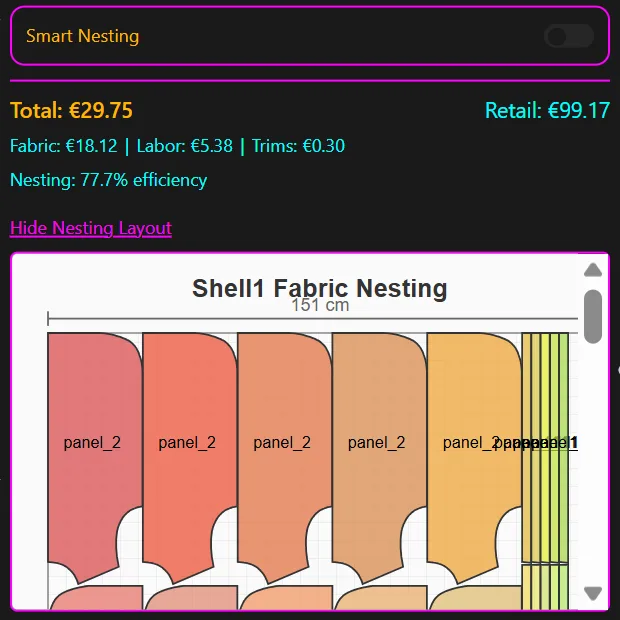
Manufacturability tests: Can the output pass a feasibility check? Are neckline and armhole geometries preserved in a way that a factory can work with? Is the nesting/marker logic sound?
Documentation tests: Is measurement extraction from the tech pack compiler complete? Are construction notes present and factory-legible? A tool like FashionINSTA exposes a dedicated Feasibility Analyzer node and Tech Pack Compiler node separately, which means you can test each stage of the workflow in isolation rather than evaluating the entire system as a black box. This matters because a failure in tech pack accuracy doesn't necessarily mean the pattern generation failed.
Drift/repeatability tests: Run the same input through the same workflow five times. Do the outputs match? If they don't, your production team will be dealing with unexplained variation across iterations. Prompt or pipeline repeatability testing is an undervalued acceptance criterion.
FashionINSTA's pattern intelligence, for example, reports approximately 80% feasibility and measurement accuracy when the training data is correctly prepared, with a training dataset of 30-50 patterns for an enterprise PoC. That's a concrete benchmark to test against. If a competing vendor can't give you an equivalent number with a methodology attached, that's a red flag.
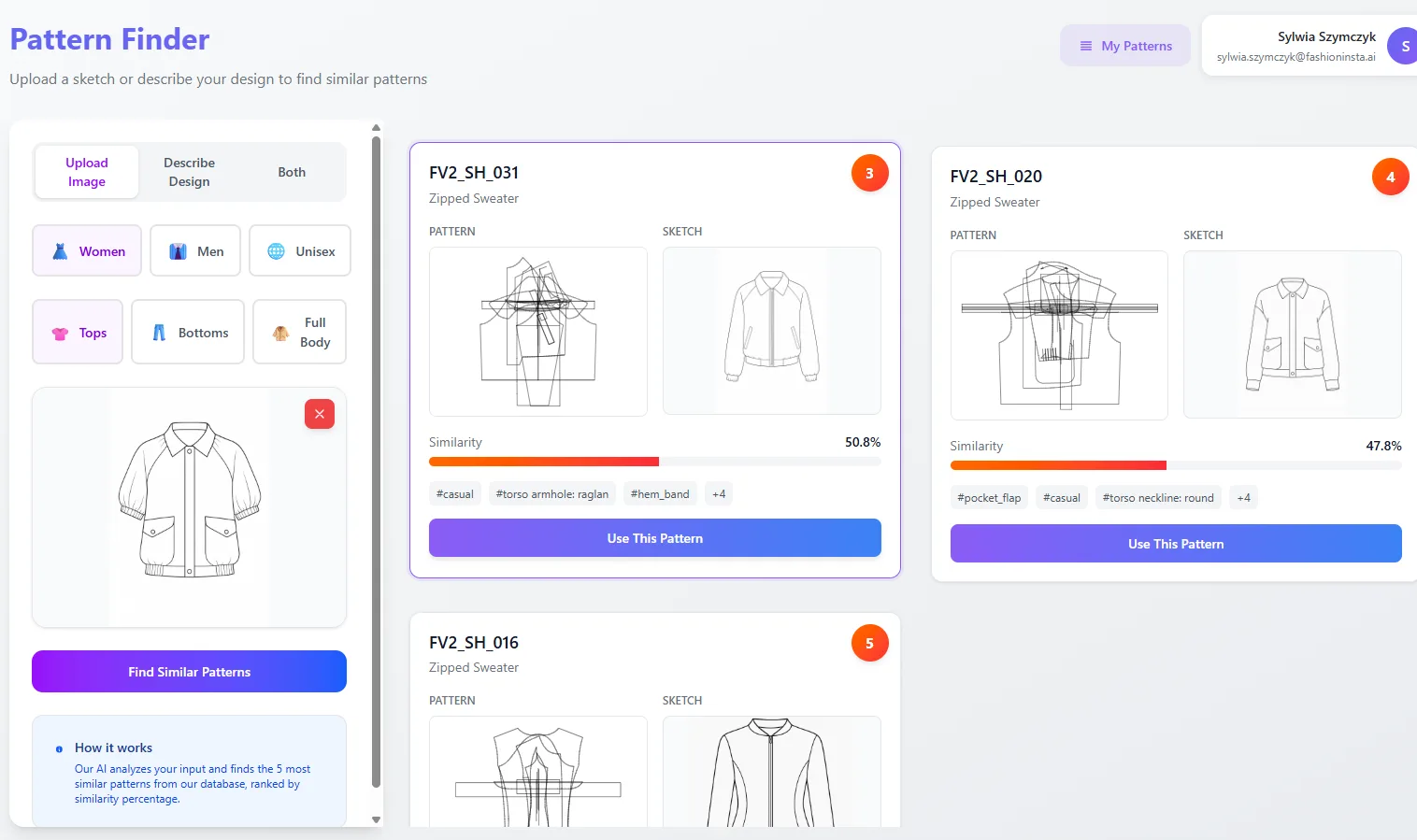
Platforms like FashionINSTA also custom-train on a brand's own .DXF archive to preserve fit-critical geometry, using geometry scoring to retrieve the closest matching pattern blocks, which ensures the evaluation is grounded in your actual construction standards, not generic training data.
Step 4: Manage, pilot gating, monitoring, and rollout decision
Define your go-forward thresholds before the pilot starts. A reasonable gate structure:
| Gate | Threshold |
|---|---|
| DXF validity rate | ≥ 95% open without error |
| Tech pack measurement accuracy | ≥ 85% fields correct |
| User adoption rate (pilot team) | ≥ 70% using tool without prompting |
| Integration effort | ≤ agreed setup hours from vendor |
If any gate fails, the decision is walk or extend (with a defined remediation plan from the vendor, not just a promise).
Set up continuous monitoring from the first day of limited rollout. Track: invalid DXF rates per workflow run, user exception logs (cases where someone overrode the AI output and why), and version-change notifications from the vendor. Model updates are the most common source of silent regression. Per Openlayer's third-party AI governance guidance (July 2026), exercising audit rights and establishing incident escalation paths post-deployment are as important as the initial assessment.
The EU AI Act, which entered into force on August 1, 2024, requires deployers to maintain meaningful human oversight and documentation. Starting December 2, 2027, high-risk AI systems face strict pre-market obligations. Even if your current design tools don't fall into a high-risk category today, building logging and oversight practices now keeps you on the right side of that timeline.
A phased rollout should look like: one designer, one product category (2-4 weeks) → one department (4-6 weeks) → full production workflow integration. Each phase requires its own sign-off.
Vendor due diligence evidence pack
Request this evidence before your PoC starts, not after you've signed:
Security and privacy: Data retention and deletion policies (with specific timelines), access control documentation, breach notification SLAs, and explicit confirmation that your data is not used for model training.
Model/system evidence: How does the vendor measure their own output accuracy? What are the known failure modes? What does human oversight look like in the system?
Operational evidence: Integration effort estimates (hours, not "it's easy"), change-management process when the model is updated, support SLA details.
Governance evidence: Audit log format and availability, sub-processor and subcontractor disclosure, documentation practices.
If a vendor won't provide written answers to these questions before a PoC, that's your answer.
For AI vendor contract clauses, specifically ask for: explicit data training opt-out language, audit rights (your right to inspect logs), model version notification requirements (you get advance notice before a model change), and IP ownership language that covers outputs generated from your inputs.
Fashion-specific scorecard template
Use this rubric to score any AI design tool during evaluation. Score each dimension 1-5, then multiply by the weight for your team's priorities.
| Dimension | Score (1-5) | Weight (R&D speed focus) | Weight (factory-readiness focus) | Weight (compliance focus) |
|---|---|---|---|---|
| CAD/DXF output validity | 20% | 35% | 20% | |
| Grading feasibility | 15% | 25% | 15% | |
| Tech pack accuracy | 15% | 20% | 20% | |
| Feasibility/cost alignment | 10% | 10% | 10% | |
| Integration effort | 20% | 5% | 10% | |
| Compliance/data governance | 10% | 5% | 25% | |
| Repeatability (drift score) | 10% | 0% | 0% |
Pass threshold: Weighted score ≥ 3.5. Any single dimension scoring 1 should trigger a stop conversation with the vendor before proceeding.
A 4-week evaluation in practice
Week 1: Finalize the evaluation charter, complete the data flow inventory, send the evidence pack request to the vendor, and collect a baseline sample of 10-15 production DXF files and tech packs from your archive. These are your ground truth.
Week 2: Run output validity, manufacturability, documentation, and drift tests against that baseline in a sandboxed environment. No live workflow, no real-season data. Score every output against your rubric.
Week 3: Introduce one or two designers to the tool in a real but low-stakes workflow (a carry-over style, not a hero new style). Log every exception. Track time-to-asset versus your current baseline. Monitor for the signals you set up in Step 4.
Week 4: Hold a decision meeting with all charter owners present. Present scored rubric results, exception log summary, integration readiness status, and any outstanding evidence pack gaps. Make a documented buy/extend/walk decision. If you're moving toward contract, bring your redline requests on data rights, audit rights, and model update notifications.
The entire process from charter to decision is four weeks. That's calibrated to one product category. FashionINSTA's enterprise PoC structure uses a similar scope: one category, 30-50 patterns, approximately 10 weeks for the full training-and-tryout cycle. If you're evaluating a tool that requires custom AI training on your archive, build the data preparation window into your timeline before the testing weeks start.
Red flags that should stop a rollout
Stop the process if you encounter any of these:
- The vendor can't provide written data handling terms that confirm your patterns won't be used for training
- Output accuracy claims come with no test methodology and no repeatability evidence
- The vendor can't demonstrate DXF or tech pack correctness on a garment category similar to yours
- There's no defined process for notifying you when the underlying model is updated
- Your IT team flags unresolved questions about data residency, access controls, or sub-processors
The hidden cost of AI design tool failures isn't just budget. It's a wasted season, a frustrated pattern room, and brand geometry that's now in a vendor's training dataset.
FAQ
How long should an AI tool pilot take? For a single product category with a defined scope, four weeks is sufficient to cover controlled testing, limited real-world usage, and a decision meeting. If the tool requires custom AI training on your pattern archive (as with FashionINSTA's Pattern Intelligence), add 2-4 weeks for data preparation and training before the testing phase starts.
What should be in an AI vendor evidence pack? Written data handling terms (including training opt-out), output accuracy methodology with known failure modes, integration effort documentation, sub-processor disclosure, audit log format, and model update notification process. Request this before any PoC begins, not during contract negotiation.
How do you measure accuracy for design tools beyond visual quality? Test DXF validity rate (file opens correctly in your CAD system), seam/geometry match across pattern pieces, tech pack field completeness and measurement correctness, grading consistency across a size range, and repeatability across five identical runs of the same input. For AI pattern tools in production workflows, visual quality is the least reliable indicator of production readiness.
When should you skip the pilot entirely? If the workflow involves highly sensitive IP (e.g., unreleased hero patterns for a flagship collection), run the pilot on carry-over or archive styles only, never on pre-season work. If data handling terms can't be confirmed in writing before the pilot starts, don't start. If your IT security assessment identifies unresolved access control issues, resolve them first. A rushed pilot on sensitive data is worse than no pilot.