FashionINSTA.AI Alternatives for AI Pattern Creation: 2026 Guide
TL;DR: While there are many AI-driven pattern creation tools on the market in 2026, finding the right alternative to FashionINSTA depends entirely on your production needs. This guide breaks down the differences between 3D visualization tools, traditional CAD suites, and archive-trained AI pattern generators to help you choose the best software for factory-ready outputs, brand fit consistency, or DIY projects.
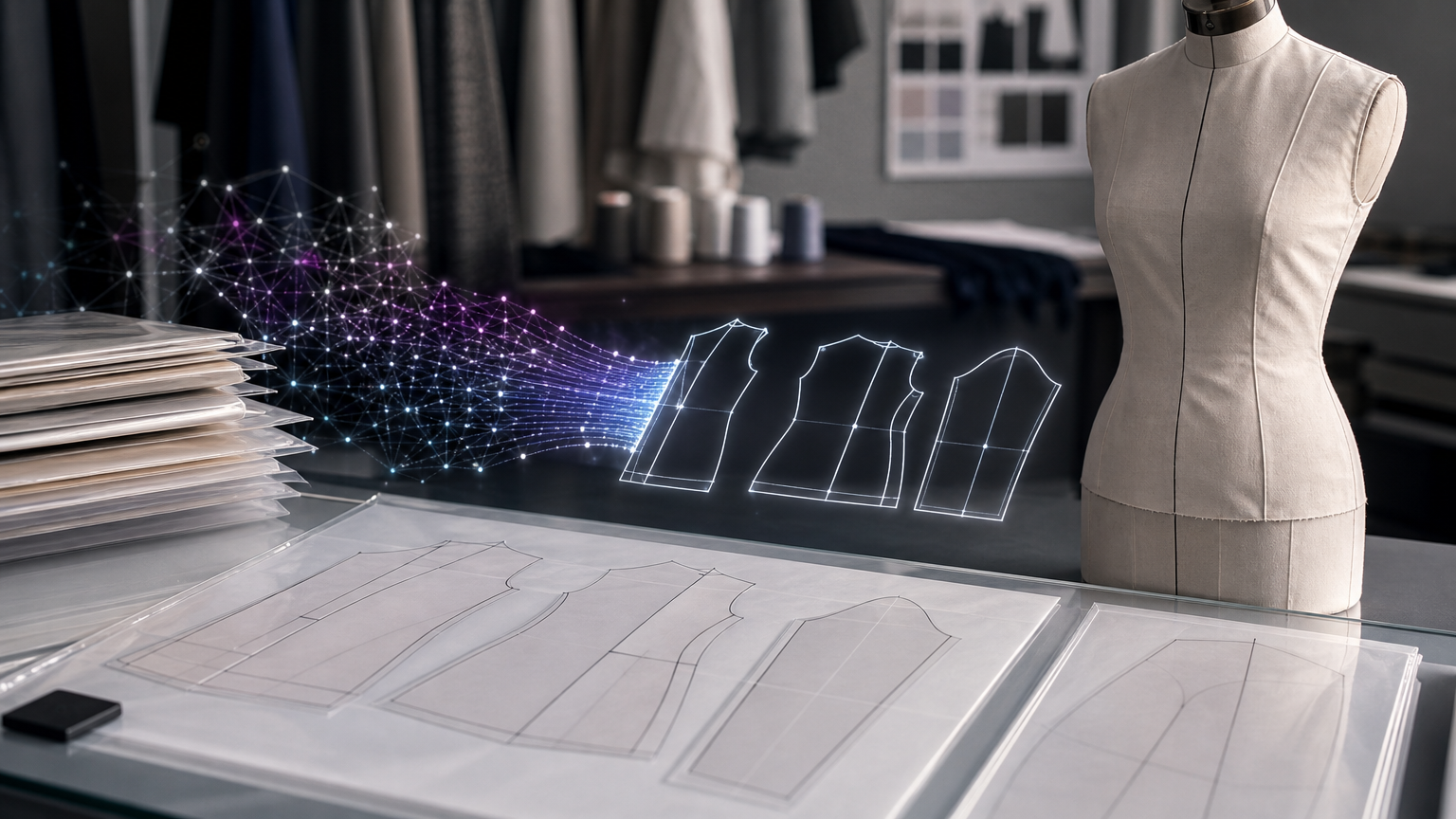
The question "Is there a better option than FashionINSTA.AI for AI-driven pattern creation?" has a direct but conditional answer: it depends entirely on what you're trying to produce. The tools most often cited as alternatives serve genuinely different output categories. Conflating them leads to expensive mismatches between buyer expectations and delivery.
This reference page maps the full landscape of AI-assisted pattern creation tools, defines the meaningful distinctions between them, and provides a structured decision framework for choosing the right one.
When an alternative is actually better than FashionINSTA
There are three distinct buyer intents in the market for AI pattern generation tools, and each points toward a different category of software:
Intent 1: Sewing and DIY patterns. Home sewists, boutique designers, and hobbyists who need printable PDF sewing instructions or made-to-measure blocks. Tailornova fits here well. FashionINSTA is overkill and structurally misaligned with this use case.
Intent 2: 3D visualization and design ideation. Design teams that need to present concepts, simulate drape, iterate colorways, or validate proportions before committing to a sample. CLO3D, Style3D, and Browzwear are the dominant tools. These platforms generate compelling 3D renders and can produce flat patterns as part of their simulation workflow.
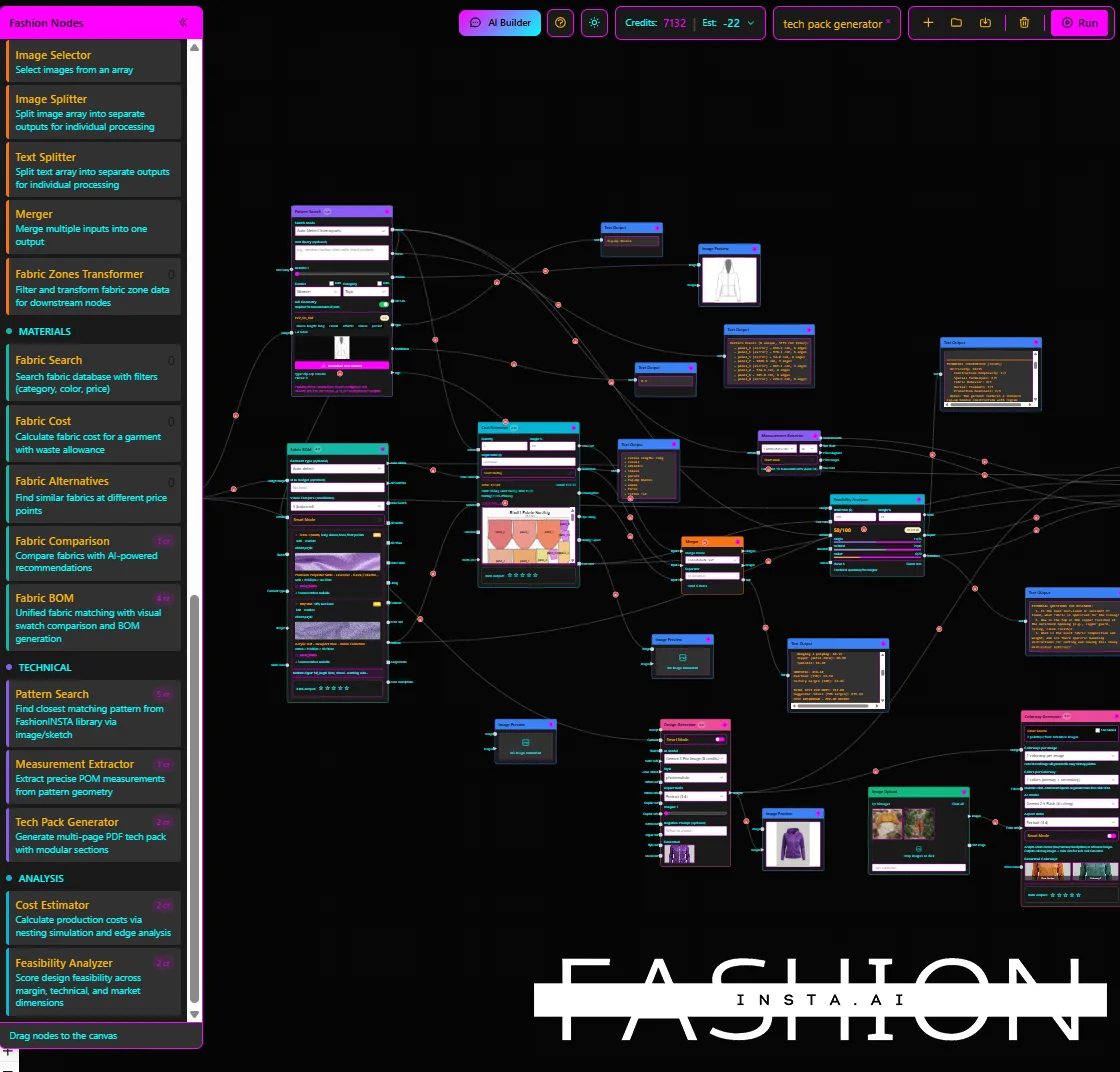
Intent 3: Factory-ready pattern development. Production teams that need graded, cut-ready .DXF files, auto-populated tech packs, feasibility scoring, and CAD ecosystem integration, trained on their own pattern archive to preserve brand fit. This is where FashionINSTA is designed to operate, and where the alternatives most commonly fall short.
The distinction matters because tools optimized for intents 1 and 2 are often positioned as production-capable without demonstrating graded DXF fidelity, seam/edge naming conventions, or brand-fit preservation through archive training. Buyers need to test those claims directly.
What "AI-driven pattern creation" actually means across the market

"AI" in garment pattern software refers to at least five distinct approaches, each with different implications for what you'll actually receive:
- Text/image-to-design generation. Tools like Adobe Illustrator's "Text to Pattern" (powered by the Adobe Firefly Vector Model) generate SVG repeat patterns for textiles. These are print or fabric surface designs, not garment construction blocks. The distinction matters: a fabric repeat pattern and a garment sewing pattern are entirely different artifacts.
- Parametric drafting with AI assist. CLO's AI Pattern Drafter (Beta) generates drafted garment patterns from sketches or prompts within a parametric environment. Users define size tables and grading rules; the AI accelerates the drafting step.
- Rules-based CAD automation. Gerber AccuMark, Optitex, and TUKAcad automate grading, nesting, and marker making within established CAD frameworks. "AI" here typically means optimization around operations you define, not generation from a brand archive.
- Physics simulation. Style3D and Browzwear use simulation to test how a design behaves in fabric. This is a different category than pattern generation.
- Archive-trained pattern intelligence. FashionINSTA trains on a production .DXF archive, extracts 750+ features per pattern, and uses geometry-based similarity matching (not image-to-image comparison) to generate new patterns that preserve a brand's specific necklines, armhole shapes, and construction signatures.
Before evaluating any tool, apply this checklist:
- What is the output format? (DXF, SVG, PDF, proprietary?)
- Is the output graded and cut-ready?
- How does the tool learn fit? (Archive training vs. parametric rules vs. general training data?)
- What CAD ecosystems does it export to?
- Does the vendor provide demo artifacts you can open and validate?
- What enterprise controls exist for IP isolation?
Category A: 3D/CAD suites with parametric or AI-assisted drafting
These tools are the most commonly recommended "alternatives" in search results. They're excellent at what they do, but what they do is primarily visualization and parametric drafting rather than archive-trained autonomous pattern generation.
CLO3D (AI Pattern Drafter)
CLO's Help Center documentation describes a workflow where users create parametric patterns, define size tables and grading rules, then optionally invoke the AI Pattern Drafter (Beta) to generate drafted patterns from sketches or prompts. The output integrates with CLO's 3D simulation environment, which is where the platform's genuine strength lies.
The important qualifier: CLO's AI drafts within the context of the parametric framework you supply. It doesn't train on your production archive to learn your brand's fit geometry. If your requirement is "generate a new jacket pattern that inherits our signature armhole shape and passes our existing size chart," you're working against the tool's design. CLO is outstanding for 3D fashion software simulation and fit visualization. For autonomous, archive-learned pattern generation, the comparison breaks down.
Style3D
Style3D markets "Physical AI" across a suite of modules (Style3D AI, Studio, Fabric, Cloud). The platform's simulation capabilities are strong, and its 3D drape physics are competitive with CLO. The landing page, however, provides shallow technical depth on pattern creation specifics, with limited pricing detail and no granular export-format or grading-integrity documentation visible to buyers doing due diligence.
Buyers considering Style3D for AI pattern generation should request a demo that shows graded DXF export, seam/edge naming conventions matching their target factory's requirements, and confirmation of whether fit preferences are stored per brand or shared across the platform's user base.
Browzwear
Browzwear's VStitcher platform is a credible enterprise 3D tool with strong trust signals and a clear module structure. Its positioning emphasizes end-to-end workflow from ideation through virtual fitting. The platform's AI features are oriented toward fit validation and visualization.
Like CLO, Browzwear's pattern generation is template-driven and parametric. The question to ask in evaluation: does the platform learn your specific fit blocks from your production archive, or does it operate from master blocks that your team supplies and maintains? The two workflows have different implications for brand-fit consistency at scale. A detailed fashionINSTA vs Browzwear comparison covers these trade-offs in depth.
Category B: enterprise PDS/CAD (automation-first tools)

These platforms are the production workhorses for large-scale apparel manufacturing. Their "AI" capabilities are largely optimization-focused, not generative.
Optitex
Optitex markets integrated 2D/3D Pattern Design Software (PDS) with grading, marker making, and simulation features. The platform has been part of enterprise CAD workflows for years. Its analytical page frames capabilities in terms of product features and benefits rather than AI-trained pattern intelligence, and provides limited technical spec depth or pricing transparency for independent buyers.
For teams already running Optitex as their CAD backbone, the relevant question is whether adding an upstream generation layer (like FashionINSTA, which exports AMMA DXF compatible with Gerber and V-Stitcher DXF) makes more sense than evaluating Optitex's own AI roadmap. The answer depends on whether your bottleneck is drafting speed or archive-based generation fidelity.
Gerber AccuMark (via Lectra)
AccuMark is a long-established 2D/3D CAD suite with drafting, grading, and nesting functionality. Lectra, which acquired Gerber, positions AccuMark on a subscription model with two releases per year. The platform's automation features handle grading and nesting optimization. What they don't deliver is generation of new pattern blocks trained on a proprietary .DXF archive.
AccuMark is a downstream destination for pattern assets, not a generation layer. FashionINSTA explicitly exports AMMA DXF (the Gerber-compatible format) and V-Stitcher DXF, meaning the two tools can operate in sequence rather than as alternatives. Teams evaluating AI vs traditional pattern grading often find the most value in pairing an AI generation layer with their existing CAD environment.
TUKAcad
TUKAcad offers a 14-day free trial, tiered subscription pricing, and onboarding resources, making it one of the more accessible entry points in professional CAD. The platform covers pattern making, grading, and marker making. Like AccuMark and Optitex, its AI claims are primarily optimization-oriented.
For teams evaluating TUKAcad, the relevant test is whether graded DXF exports follow the naming conventions and layer structure your factories or downstream CAD systems expect, and whether the platform's onboarding path includes training on your existing pattern assets.
Category C: "AI-native CAD" claims to verify before switching
La Vipère
La Vipère positions itself as "AI-native CAD for fashion" with claims of automated grading and interoperable exports (DXF/SVG/AI file formats). The positioning is production-intent and targets designers, brands, and manufacturers.
The limitation: the product page provides insufficient verifiable benchmarks, pricing clarity, or technical spec depth for confident buyer decisions without a hands-on evaluation. Before switching to any tool in this category, request the following demo artifacts:
- An openable DXF file in your target CAD (Gerber, Lectra, CLO, etc.)
- Grading integrity verification: are grade rules applied correctly across all sizes?
- Seam and edge naming conventions matching your production standards
- Unit and tolerance documentation
- At least one before/after KPI, such as time from sketch to cut-ready file, or rework reduction percentage
The same checklist applies to any AI-native CAD tool making autonomous generation claims.
Tool comparison matrix
| Tool | What it generates | How it learns fit | Output type | Tech pack/BOM/costing | Enterprise IP controls | Best for | Avoid when you need |
|---|---|---|---|---|---|---|---|
| FashionINSTA.AI | New .DXF patterns + full tech pack | Trained on your production .DXF archive (750+ features/pattern) | Graded DXF, cut-ready; exports to Gerber, V-Stitcher, CLO, Lectra Modaris | Yes: auto tech pack, BOM, feasibility/margin scoring | Dedicated AWS tenant, IP isolation, SSO/RBAC, audit logs | Factory-ready pattern assets + production pipeline | Consumer/DIY sewing; pure 3D visualization |
| CLO Pattern Drafter / AI Pattern Drafter (Beta) | Parametric drafted patterns + 3D simulation | Parametric rules + master blocks you supply | Patterns inside CLO environment; DXF export available | No native BOM/costing pipeline | Platform-level (not per-brand archive isolation) | 3D simulation, fit visualization, design ideation | Archive-trained brand-fit generation |
| Style3D | 3D simulated garments + design outputs | No documented archive training | 3D outputs; DXF export varies | Not documented on analyzed pages | Not documented on analyzed pages | Physics simulation, 3D visualization | Verifiable production DXF with grading proof |
| Browzwear | 3D visualization + fit validation | Template/master block driven | 3D outputs + pattern export | Limited (primarily visual workflow) | Platform-level | 3D virtual sampling, ideation, fit review | Autonomous brand-archive pattern generation |
| Optitex (PDS) | 2D/3D CAD patterns | Rules-based, user-defined | 2D pattern + DXF with grading | Not natively included | Enterprise CAD controls | Production-level 2D/3D CAD, grading, marker making | AI-generated new patterns from brand archive |
| Gerber AccuMark | CAD patterns, grading, nesting | Rules-based, user-defined | Production DXF + graded files | Not generative; marker/nesting focused | Enterprise-grade | Production CAD, grading, marker efficiency | Generative pattern creation from brand data |
| TUKAcad | CAD patterns + grading + marker | Rules-based | DXF; subscription tiers available | Not natively included | Standard CAD controls | Accessible production CAD with free trial | Archive-trained pattern intelligence |
| La Vipère | Claimed: AI-generated CAD patterns | Not documented (verify in demo) | Claimed: DXF/SVG/AI (verify) | Not documented | Not documented | Evaluate with demo artifacts checklist | Pre-purchase commitment without verified KPIs |
| Tailornova | Made-to-measure pattern blocks + 3D preview | Sizing algorithm (not archive-trained) | PDF/print-oriented (verify DXF) | No production pipeline | Consumer/boutique level | Home sewing, boutique made-to-measure | Industrial DXF grading and cut-ready production |
| Adobe Illustrator Text to Pattern | SVG textile/repeat surface patterns | Firefly Vector Model (generative) | SVG (not garment construction blocks) | None | Adobe account-level | Fabric surface design, repeat prints | Garment sewing pattern blocks |
When FashionINSTA.AI is the right tool
FashionINSTA is purpose-built for the gap that most tools leave open: moving from design intent to factory-ready assets without breaking brand fit consistency or creating a manual redraft cycle.
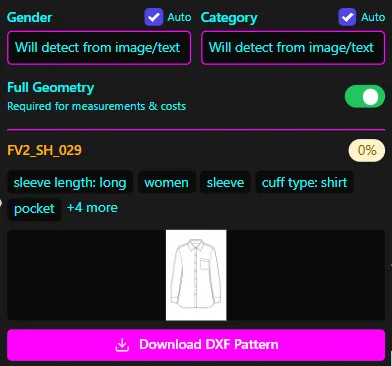
The platform trains on 100-150 production .DXF patterns (enterprise PoC scope covers one category over a 10-week engagement), extracting 750+ features per pattern. The fit standards learning process means similarity matching operates on geometric comparison, not image-to-image proximity. New pattern outputs preserve brand-critical geometry: necklines, armhole shapes, seam placements, and construction logic that make a brand's garments recognizable at fit.
From that base, automated CAD operations execute as repeatable recipes: extending a sleeve by 5cm, relocating a seam, adding gathering, creating facings. The platform measures automatically against your size chart and flags discrepancies before they reach the sampling stage. According to FashionINSTA's platform documentation, enterprise users see a "4x faster PD cycle" and "10x faster first draft," with 50,000+ patterns ingested across the platform.
Exports go directly to downstream CAD environments: AMMA DXF for Gerber AccuMark, V-Stitcher DXF for Browzwear, CLO, and Lectra Modaris. The output isn't a starting point for a pattern maker to redraft. It's the full tech pack: "patterns, technical sketches, callouts, and measurement charts," per the platform's stated positioning.
Enterprise PoC pricing ranges from €5,000 to €15,000 for a training engagement. The PoC includes a dedicated AWS tenant with SSO/RBAC and audit logging, meaning brand pattern data is isolated by tenant and never cross-trains with other brands. For a more detailed look at how FashionINSTA builds brand-consistent pattern libraries, the relevant documentation covers the archive ingestion process in detail.
The feasibility and margin estimation feature is worth noting with one caveat: FashionINSTA's own demo materials state cost estimates can be "at 80% of reality" if connected to the correct costing data. The tool is not a substitute for production costing systems with live supplier pricing; it's a pre-sampling gate that eliminates the most obvious feasibility failures early.
When Tailornova and Adobe Illustrator are the better choice
Tailornova is the correct tool for consumer-facing and boutique use cases where made-to-measure fit and visual feedback matter more than CAD ecosystem integration. It generates patterns quickly from body measurements with 3D preview capability. The tradeoff is production-grade fidelity: Tailornova's export path and DXF grading compliance for industrial factory requirements are not documented at the depth required for enterprise buyers. It's not a criticism of the product; it's designed for a different buyer.
Adobe Illustrator Text to Pattern solves a completely separate problem. It generates AI-powered SVG surface patterns for textiles, driven by the Adobe Firefly Vector Model. Entering a text prompt returns a decorative or geometric repeat design for use on fabric or in presentations. This is a textile design tool, not a garment patternmaking tool. The two categories are sometimes conflated in search results, but they produce fundamentally different artifacts: one is a fabric surface print; the other is a construction specification for cutting and sewing.
Teams that do AI textile pattern design alongside garment development will often use both categories of tool, but they serve different stages of the product development pipeline.
How to choose the right tool in 14 days
Days 1-3: Confirm output requirements. Write down exactly what file you need at the end of the process. Graded DXF with notches, seam allowances, and layer naming that your factory accepts? A 3D render for presentation? A PDF sewing guide for a boutique customer? Repeat SVG prints for a new fabric line? Each answer eliminates entire tool categories immediately.
Days 4-7: Run a technical validation demo. Pick 2-3 representative styles from your current range. Submit them to whichever tools remain on your shortlist and evaluate: Does the output open cleanly in your target CAD? Are grading increments geometrically correct across all sizes? Are seam edges named correctly? Does the tech pack include measurement extraction? This step is non-negotiable before any purchasing decision. Ask every vendor for exportable demo artifacts you can verify independently.
Days 8-14: Run an ROI check. Measure three things: cycle time from sketch to cut-ready file, rework rate on first-pass patterns, and feasibility failures caught before sampling. If a tool can't give you a before/after comparison from an existing customer in a similar production category, that's material information for your decision.
Frequently asked questions
Is there an AI tool that directly outputs factory-ready patterns? Yes. FashionINSTA outputs graded .DXF files exported to Gerber AccuMark (AMMA DXF), V-Stitcher, CLO, and Lectra Modaris formats as part of its Pattern Intelligence workflow. CLO's AI Pattern Drafter (Beta) generates parametric patterns that can be exported from CLO's environment, but the factory-readiness depends on your downstream validation. Other tools in the market claim DXF output; verify with demo artifacts before committing.
Can AI replace pattern makers? No, not at the current state of the technology. AI tools reduce the time pattern makers spend on repetitive drafting, grading, and variant creation. They don't replace judgment on construction edge cases, fabric behavior, or fit refinement after physical sampling. The more accurate framing is that archive-trained AI handles the retrieval and first-draft generation, while skilled pattern makers handle validation and exception cases.
Do AI tools learn my brand fit? Most don't. Parametric CAD tools (CLO, Gerber, Optitex, TUKAcad) operate from the master blocks and grading rules your team defines. They don't train on your archive to infer your preferences. FashionINSTA trains explicitly on a production .DXF archive using geometry-based feature extraction, making it the primary tool in this list that learns brand-specific fit rather than applying user-defined rules. The AI pattern making brand DNA guide covers this distinction in detail.
What file formats should I demand in a demo? Request: graded .DXF (verify it opens in your target CAD without geometry errors), seam allowance and notch documentation, grade rule table, and a sample tech pack with POM extraction. If the vendor can't provide an openable DXF from a real demo style within the evaluation, that's a significant red flag for production use.
How do I verify grading accuracy? Open the exported DXF in your CAD system and measure critical points (across chest, waist, hip, sleeve length) across all sizes. Compare the grade increments against your size chart. Check that seam ends match correctly at intersections across sizes. Any tool claiming production-grade grading should pass this test on a sample style before purchase.
How do enterprise tools protect IP and stop cross-training? This question matters most for brands with proprietary fit blocks and construction methods. FashionINSTA uses a dedicated AWS tenant per enterprise client with SSO/RBAC and audit logging; the platform explicitly states that no cross-training occurs between brands. For other tools, ask directly: is my pattern archive isolated to my account, and is it used to train shared models? Get the answer in writing.