FashionINSTA vs TUKAcad: A Direct Comparison
TL;DR: This guide compares FashionINSTA's AI-driven pattern generation with TUKAcad's traditional manual CAD tools to help you choose the right software for your fashion brand. While TUKAcad is ideal for skilled pattern makers needing hands-on drafting control, FashionINSTA leverages your brand's existing pattern archive to automate and accelerate production-ready DXF outputs. Read on to discover which platform best aligns with your team size, volume, and customization needs.

If you're weighing AI pattern creation against a proven CAD tool, this guide gives you a direct comparison of FashionINSTA and TUKAcad across customization depth, required inputs, output formats, turnaround times, and real-world use cases, so you can make the right call for your team.
What you'll accomplish: By the end, you'll know exactly which tool suits your production stage, team size, and customization goals.
Prerequisites: A basic familiarity with digital pattern making (DXF files, grading, marker making) is helpful but not required.
Difficulty: Beginner to intermediate. Time: 10 minutes.
Quick answer: which tool to choose
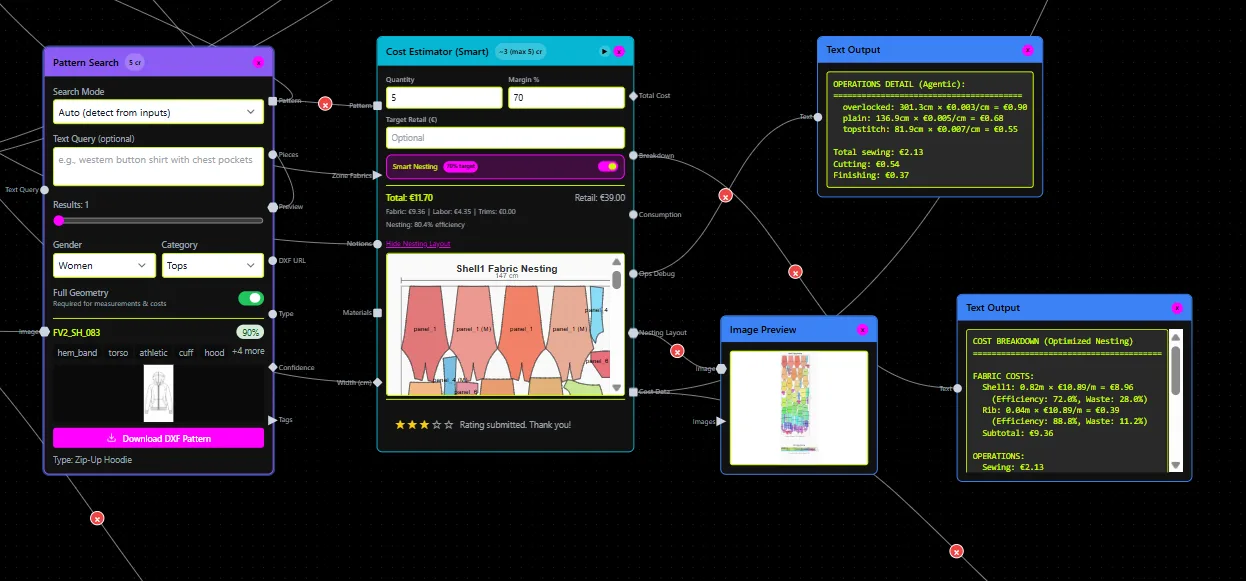
If you need manual, point-by-point control over pattern geometry with well-understood CAD operations, TUKAcad is a solid choice. It starts at $19/month and is designed for pattern makers who draft, grade, and build markers by hand.
If you want the software to learn your brand's fit, preserving your necklines, armhole shapes, and construction DNA, and generate production-ready .DXF patterns from a sketch or image in roughly 10 minutes, FashionINSTA is the stronger option. The platform delivers a 10x faster first draft and a 4x faster overall product development cycle compared to manual CAD workflows.
The two tools are not direct substitutes. TUKAcad is a technical execution environment. FashionINSTA is a self-learning pattern intelligence OS. Many studios use both in sequence.
How FashionINSTA customizes patterns: the brand-training workflow
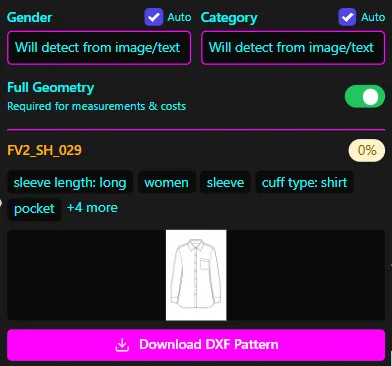
FashionINSTA's customization model is fundamentally different from any CAD tool. Instead of giving you manual controls, it learns the controls from your own archive.
Here's how the workflow runs:
-
Submit your pattern archive. You supply 70–150 DXF files from one category (dresses, outerwear, tops, etc.). FashionINSTA's team collects, cleans, and standardizes the data over approximately two weeks.
-
Training and tagging. The platform extracts 750+ construction features per pattern, neckline geometry, armhole curves, seam positions, ease allowances, grading increments, and builds a model specific to your brand. No other brand's data is used; your patterns run on a dedicated AWS tenant.
-
Pattern retrieval and generation. Once trained, you input a sketch, photo, or text description. The system scores your entire archive for geometric similarity, not image-to-image matching, but image-to-geometry matching. You get the closest existing patterns ranked by score, plus automated CAD operations that can bring the match closer (sleeve length changes, seam relocation, gathering, facing creation).
-
Chat-driven iteration. A designer can type "make the sleeve 5 cm longer" or "add gathering at the hip." The AI understands garment terminology and executes the CAD operation automatically, then updates the flat sketch preview in real time.
-
Export. Patterns export as AMMA DXF (Gerber-compatible), V-Stitcher DXF, CLO3D files, or Lectra Modaris format, ready for your existing CAD room to finish or send directly to a factory.
The fit parameters stay locked by default; only a technical designer can unlock them. So design operations change the silhouette, not the fit standard. This is what makes FashionINSTA outputs genuinely brand-consistent rather than parametrically correct but brand-agnostic.
For a deeper look at how AI pattern extraction compares to building from scratch, see AI pattern extraction vs traditional pattern making.
How TUKAcad handles customization
TUKAcad is a CAD tool in the traditional sense: a skilled operator uses it to draft, modify, and grade patterns manually. Its customization capabilities are strong within that paradigm.
- Pattern drafting: Pattern makers draw pieces digitally, set seam allowances, add notches, and control every point on every curve.
- Custom grade rules: You define your own grade rules, so size increments reflect your brand's fit standard rather than generic industry tables. Half-size grading and angle grading for swimwear and lingerie are supported.
- Marker making (TUKAmark): Automated nested marker making with stripe/plaid matching, buffers, and yield reporting.
- Template library: TUKAcad ships with 2D block templates. Additional templates are available from $5 each.
- Made-to-measure module: The Tailor Edition imports individual customer measurements, finds the nearest size, and adjusts the pattern.
- Data import/export: DXF import/export is included in the Professional Edition ($99/month for pattern and grading only; $199/month with marker making).
What TUKAcad does not do: it has no AI layer. It doesn't learn from your archive, doesn't retrieve similar patterns, and doesn't generate new patterns from a sketch. Every customization is a manual operation performed by a trained pattern maker. As one industry reviewer noted on G2, mastering TUKAcad to production proficiency takes significant investment in training time.
Required inputs and sample sizes
| FashionINSTA | TUKAcad | |
|---|---|---|
| Minimum input to start | Sketch, photo, or text prompt | Pattern maker with CAD skills |
| Archive needed for AI training | 70–150 DXF files per category | Not applicable |
| Time to first usable output | ~10 minutes (after training) | 4–8 hours per block (manual) |
| Training/onboarding time | 4 weeks (data collection + training) | Days to months (learning curve) |
| Customization driver | Your brand's own pattern geometry | Operator skill and grade rules |
For brands that have an existing pattern library, even one that's been sitting in folders for years, FashionINSTA turns that archive into a productive AI training asset. For brands starting from scratch with no archive, TUKAcad's block templates are a faster entry point while an archive accumulates.
Integration and output formats
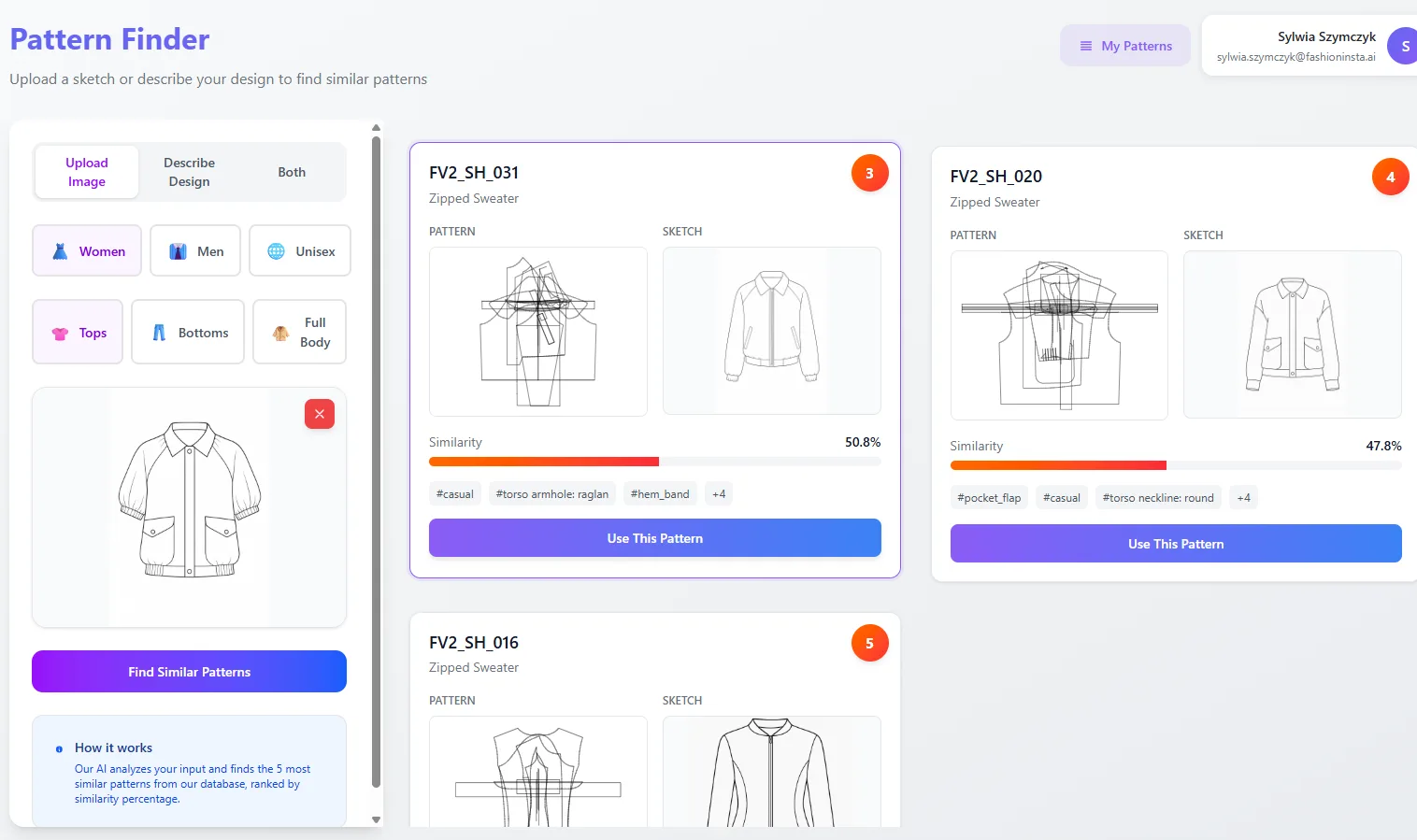
Both platforms output DXF files, but the integration story diverges significantly downstream.
TUKAcad outputs standard DXF and is part of the broader Tukatech ecosystem (TUKA3D, TUKAcloud, SMARTmark, automated cutters). If your factory floor already runs Tukatech hardware, TUKAcad's file chain is tight.
FashionINSTA exports to AMMA DXF (Gerber AccuMark), V-Stitcher DXF (Browzwear), CLO3D, and Lectra Modaris. The Fashion Complete OS tier adds API-in/API-out, meaning outputs can push directly into your PLM, PIM, or DAM without manual handoffs. The platform also exposes an MCP server, so your team can trigger pattern workflows from inside ChatGPT, Claude, or Gemini.
For teams already running Gerber or Browzwear in their pattern room, FashionINSTA's DXF outputs open cleanly without re-import rituals. Pattern makers can finish and finalize in their familiar CAD environment, FashionINSTA handles the draft, the CAD room handles the finish.
Performance: accuracy, turnaround, and when manual edits are still needed
FashionINSTA's cost estimation accuracy sits at approximately 80% when connected to accurate fabric and labor data. The first-draft pattern is based on your brand's own approved geometry, so fit drift is controlled from the start rather than corrected after sampling.
That said, complex finishing, facings, linings for cut garments, pocket markers, and highly technical categories like structured outerwear, still benefits from a pattern maker's hands-on review before export. FashionINSTA is transparent about this: the platform accelerates and automates the bulk of the work while leaving specialist judgment in the loop for edge cases.
TUKAcad's accuracy is operator-dependent. A highly experienced pattern maker will produce excellent results; a less experienced one will not. There's no AI safety net that catches drift from your brand's established fit standards.
Side-by-side example: a women's dress category

Imagine a contemporary womenswear brand developing 200 new styles per month, primarily dresses.
With TUKAcad: A pattern maker opens a block template, drafts the new style manually, applies custom grade rules, and builds the marker. Time per style: 4–8 hours for pattern, plus grading and marker time. Fit consistency depends on who drafted it. Tech pack is generated separately.
With FashionINSTA: The brand uploads 150 dress patterns from one subcategory (say, ruffled dresses) during a 4-week PoC. After training, a designer inputs a sketch of a new silhouette. FashionINSTA scores the archive, retrieves the closest existing dress pattern, applies sleeve length and seam variations via chat, exports the DXF in 10 minutes. The pattern maker reviews, adds facings and pocket markers, and exports to Gerber for final production prep. Tech pack auto-generates with measurements extracted from the pattern geometry. Total time per style: under an hour for the combined team, compared to a day or more in the traditional workflow.
This is the scenario described by a real FashionINSTA enterprise user: "It's the first AI tool we evaluated that returned a .DXF our pattern room could actually grade and cut. Everything else was just parametric patterns that had right measurements but wrong shape."
For more detail on how this workflow scales, see why indie designers cut dev time 70% with fashionINSTA and traditional CAD vs fashionINSTA: why 70% faster sketch-to-sample wins.
Decision guide: which tool fits your situation
Choose TUKAcad if: - You have trained pattern makers who need a hands-on digital drafting environment - Your factory workflow runs on the Tukatech hardware ecosystem - You're a student or educator who needs an affordable entry point ($19/month) - You produce low volumes where manual drafting time is acceptable - You have no existing DXF archive to train AI on
Choose FashionINSTA if: - You have an existing DXF archive (70+ patterns per category) you want to turn into a brand-trained AI - Your team produces high volumes (50–1,000+ SKUs/season) where manual drafting is the bottleneck - You need pattern outputs that preserve your brand's specific fit philosophy without operator interpretation - Your workflow needs to connect to PLM, produce automated tech packs, and include AI costing and feasibility checks in the same pipeline - You want pattern and product development to run faster without proportionally scaling headcount
Use both if: - FashionINSTA generates the first draft; TUKAcad or Gerber handles final technical finishing and marker making at the factory level. This hybrid approach captures speed upstream and precision downstream.
FAQ and checklist before you decide
Does FashionINSTA require me to throw away my existing CAD software? No. FashionINSTA outputs DXF files that open in Gerber, TUKAcad, CLO3D, Browzwear, Lectra, and others. Your pattern room keeps its tools.
How many patterns do I need to start a FashionINSTA PoC? 70–150 DXF files from one category. The Enterprise PoC is scoped at €5,000–€15,000, takes 10 weeks, and includes a week-10 KPI review before any rollout commitment.
Does TUKAcad use AI? TUKAcad is a traditional CAD tool with no AI generation layer. Tukatech's TUKA APM module offers automatic pattern making from measurements, but it works from vendor templates and grade rules, not from your own brand's pattern archive.
Can FashionINSTA handle complex categories? Simpler categories (tees, dresses, hoodies, sweatpants) can be automated end-to-end. Complex outerwear benefits from pattern maker review post-generation. The platform is explicit about this boundary.
Quick decision checklist: - [ ] Do I have 70+ DXF patterns in one category? → FashionINSTA training is viable - [ ] Is my bottleneck manual drafting time, not final CAD precision? → FashionINSTA addresses the bottleneck - [ ] Do I need marker making and yield reporting integrated with hardware? → TUKAcad's ecosystem is relevant - [ ] Do I need AI cost estimation, feasibility checks, and tech packs in the same workflow? → FashionINSTA includes all of these - [ ] Is my team already trained in CAD? → Either tool works; FashionINSTA adds an AI layer on top
If you want to see whether your archive is large enough to start, FashionINSTA offers a scoped PoC with a mutual NDA, a dedicated AWS tenant, and a week-10 go/no-go review, so the risk of finding out is bounded from the start.
For a broader look at how AI is changing the pattern room, parametric vs. AI patterns: why fashionINSTA fits better in 2026 covers the technical distinctions in detail.