How AI Tools Integrate with Existing CAD Software to Improve Fashion Design Workflows
TL;DR: Fashion CAD and AI integration goes beyond mood boards to automate complex product development tasks like pattern generation, tech pack compilation, and costing. By leveraging geometric pattern intelligence, fashion teams can drastically reduce time-to-sample, prevent fit drift, and assess manufacturing feasibility before physical sampling begins.
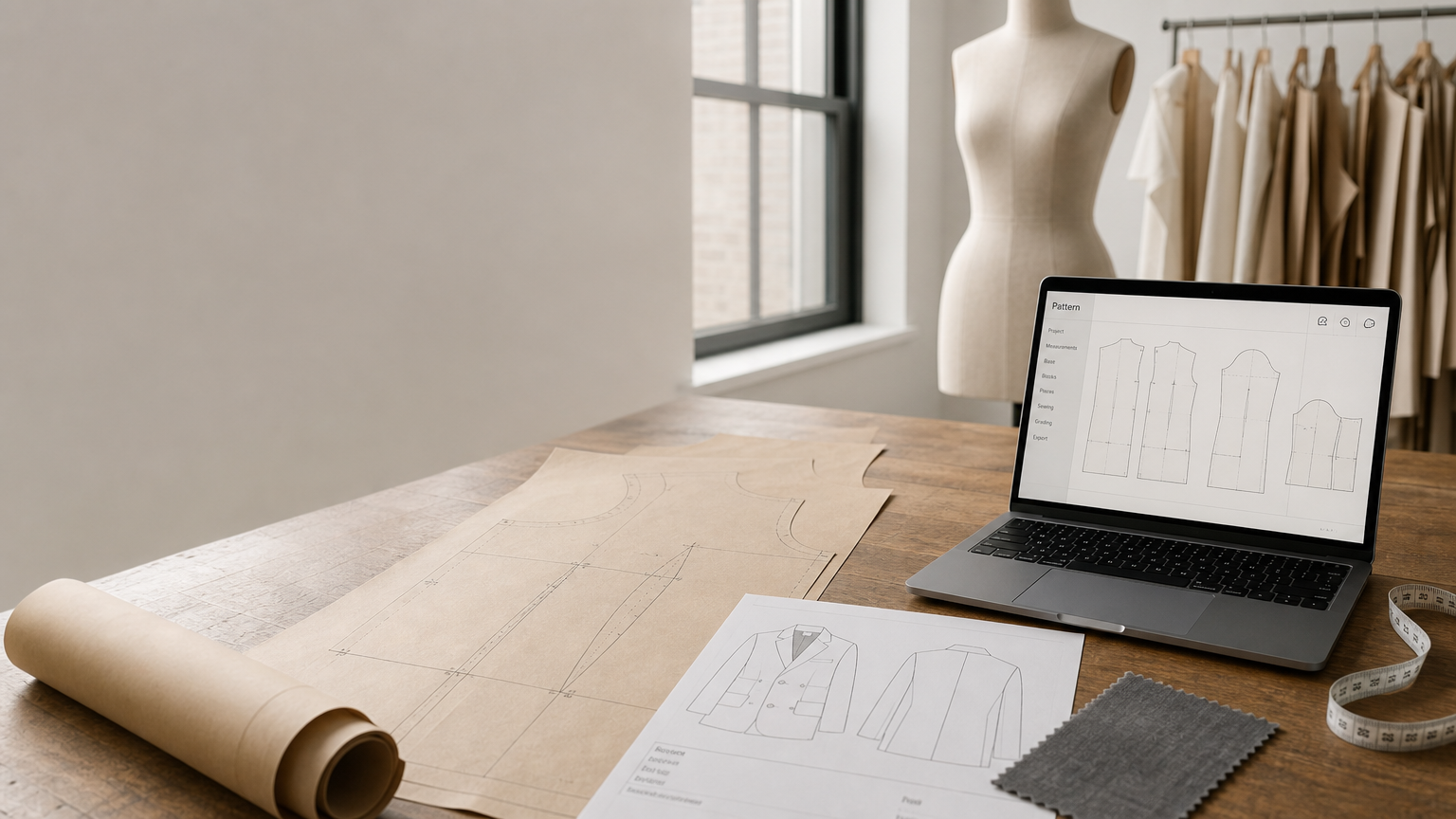
A practical note before we begin: "FashionCAD" does not refer to one universally recognized, commercially available software product. Public searches surface it as a generic shorthand for fashion-focused CAD workflows, or in reference to a small number of niche applications without a unified feature set. This article therefore treats "fashion CAD + AI integration" as the correct framing: the combination of 2D pattern CAD, 3D prototyping, tech pack/PLM documentation, and marker/costing tools, with AI automation applied across those layers. If your team uses a specific tool branded as FashionCAD, share its official product URL and the integration points can be mapped directly.
What "fashion CAD + AI integration" actually means
Most teams hear "AI in fashion design" and picture mood boards, styling images, or trend forecasting visuals. That's a narrow interpretation. At the product development layer, AI integration means automating the steps that convert a design intent into a manufacturable asset: pattern generation and grading, tech pack compilation, BOM/costing calculations, feasibility checks, and factory handoff exports.
A fashion CAD workflow typically spans at least four separate environments: a 2D pattern system (Gerber AccuMark, Lectra Modaris, Tukatech), a 3D simulation tool (CLO3D, Browzwear V-Stitcher, Style3D), a tech pack/PLM repository, and a marker/nesting module. AI can be inserted at any of those points, but the highest leverage is at the pattern and documentation layers, where manual work is most repetitive and errors are most expensive.
For reference, the integration checklist most teams need to cover includes:
- Input method: sketch, flat drawing, photograph, or text prompt
- Pattern retrieval or generation, scored by pattern geometry
- Automated CAD edits: length, seam placement, gathering, facings
- Grading across a size chart
- Tech pack/BOM compilation with measurement extraction
- Export to .DXF formats compatible with the target CAD ecosystem
- Feasibility/margin scoring before committing to physical samples
Where the workflow breaks today
The pattern room is the most predictable bottleneck in any mid-to-large apparel operation. Pattern makers spend a significant portion of each new-style brief searching for the closest existing block, manually adapting it, and re-documenting changes that are nearly identical to work done two seasons ago. When a brand produces 200-plus styles per season, that duplication compounds fast.
Fit consistency is the downstream cost. Small geometry differences between a new pattern and the approved block, particularly at necklines, armholes, and shoulder seams, produce fit comments that require additional sample rounds. Each additional sample adds 4-6 weeks to the product development cycle and a direct factory cost.
Documentation drag is quieter but equally damaging. Tech pack compilation, measurement extraction, and BOM/costing entries are largely manual in most teams. A single missed seam allowance or incorrect fabric weight triggers a correction loop that touches the pattern maker, the technical designer, the sourcing team, and the factory simultaneously.
Factory handoff friction closes the loop. Pattern files that need reformatting before they can be opened in the factory's CAD system (whether Gerber, Lectra, or a V-Stitcher-based workflow) add unpaid hours to every style and introduce version control risk.
How AI integration improves the fashion CAD product development workflow
The following five-step model reflects how AI-assisted pattern intelligence platforms address the problems above systematically, rather than point-solving one pain at a time.
Step 1: Pattern intelligence input and geometry-based retrieval
The starting point is training AI on your existing production .DXF archive. This is different from image-to-image similarity; the system scores patterns by actual geometric features: seam lengths, curve radii, notch positions, and construction topology. When a designer inputs a new brief (sketch, flat, or text description), the system retrieves the closest-matching block from the archive, not a visually similar image. That distinction matters because a pattern that looks similar in a thumbnail may have a completely different armhole geometry.
FashionINSTA, for example, extracts 750+ features per pattern during training and has ingested 50,000+ patterns across its platform. The retrieval process scores by geometry, so the block that comes back is the one most likely to produce the correct fit, not just the one with similar visual proportions.
Step 2: Automated CAD operations for design variations
Once the closest block is identified, AI-driven CAD operations execute design modifications through a conversational interface. Instructions like "extend the sleeve by 5 centimeters," "move the side seam 1.5 cm toward the back," or "add gathering at the sleeve cap" are interpreted and applied directly to the pattern geometry. Facings and edge offsets are computed automatically.
This is where the time savings accumulate. Operations that take a pattern maker 45-90 minutes per style can be executed in minutes, with the result stored as a versioned .DXF file ready for review.
Step 3: Export-ready .DXF outputs for Gerber, V-Stitcher, CLO3D, and Lectra
The output is not a rendered image. It is a production-ready, CAD-compatible file. FashionINSTA's demo documentation confirms exports in AMMA DXF format for Gerber AccuMark, V-Stitcher DXF for Browzwear, and direct exports to CLO3D and Lectra Modaris. Brands already running Lectra workflows can load the exported files without reformatting.
Step 4: Tech pack compilation with measurement extraction
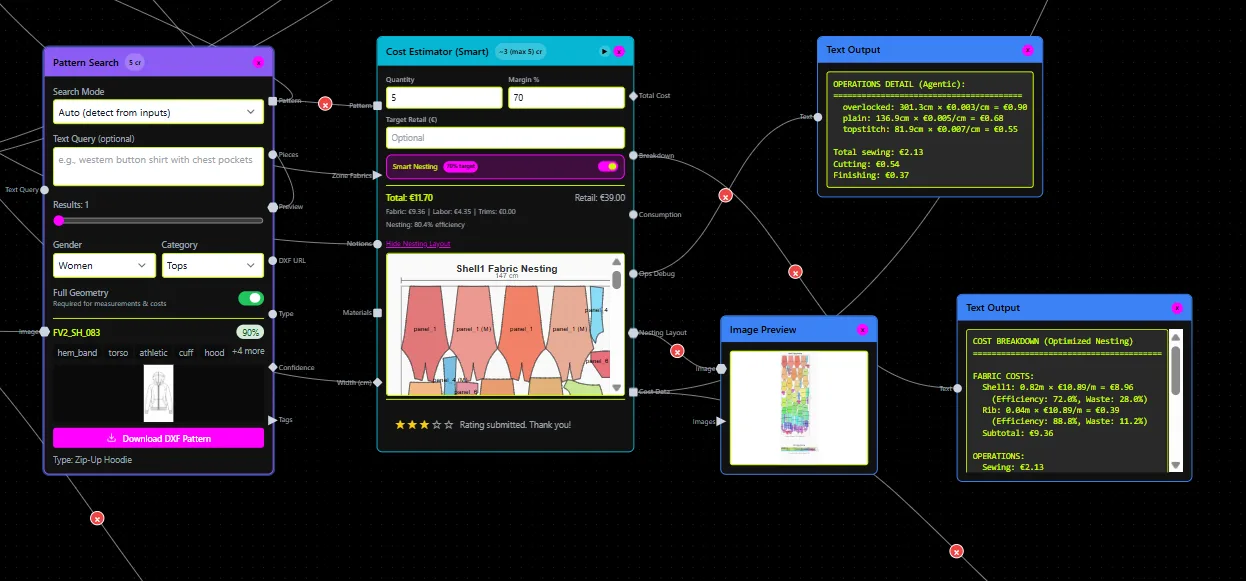
With the pattern confirmed, a Tech Pack Compiler node extracts measurements automatically, attaches construction notes, pulls fabric specs from a connected BOM library, and packages the output as a factory-ready document in PDF, CSV, or Excel format. The same data populates colorways and trim callouts. What previously took a technical designer 2-3 hours per style becomes a structured output generated alongside the pattern.
Step 5: Feasibility scoring and margin check before sampling
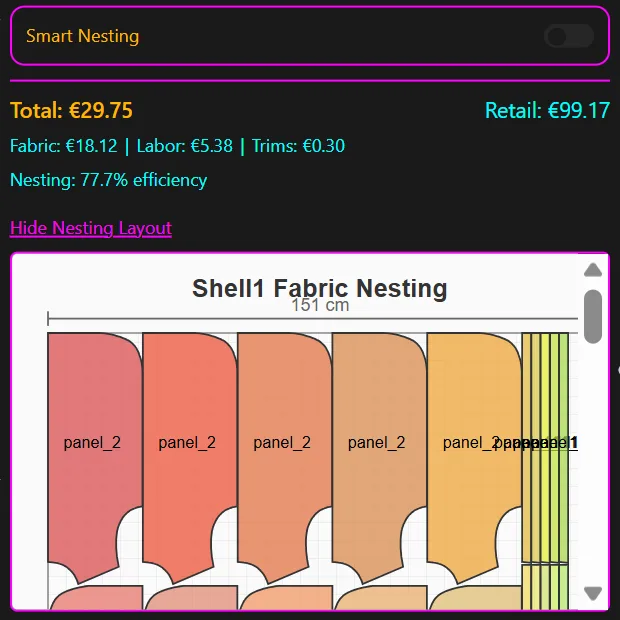
Before the first physical sample is cut, a Feasibility Analyzer and Cost Estimator run nesting/marker estimations against target fabric prices, labor rates, and construction complexity. FashionINSTA's implementation reaches approximately 80% accuracy against actual cost-of-goods when connected to real sourcing data. Designs that would fail margin targets are flagged at this stage, not after the sample returns from the factory.
The FashionINSTA platform: how AI integration is structured in practice
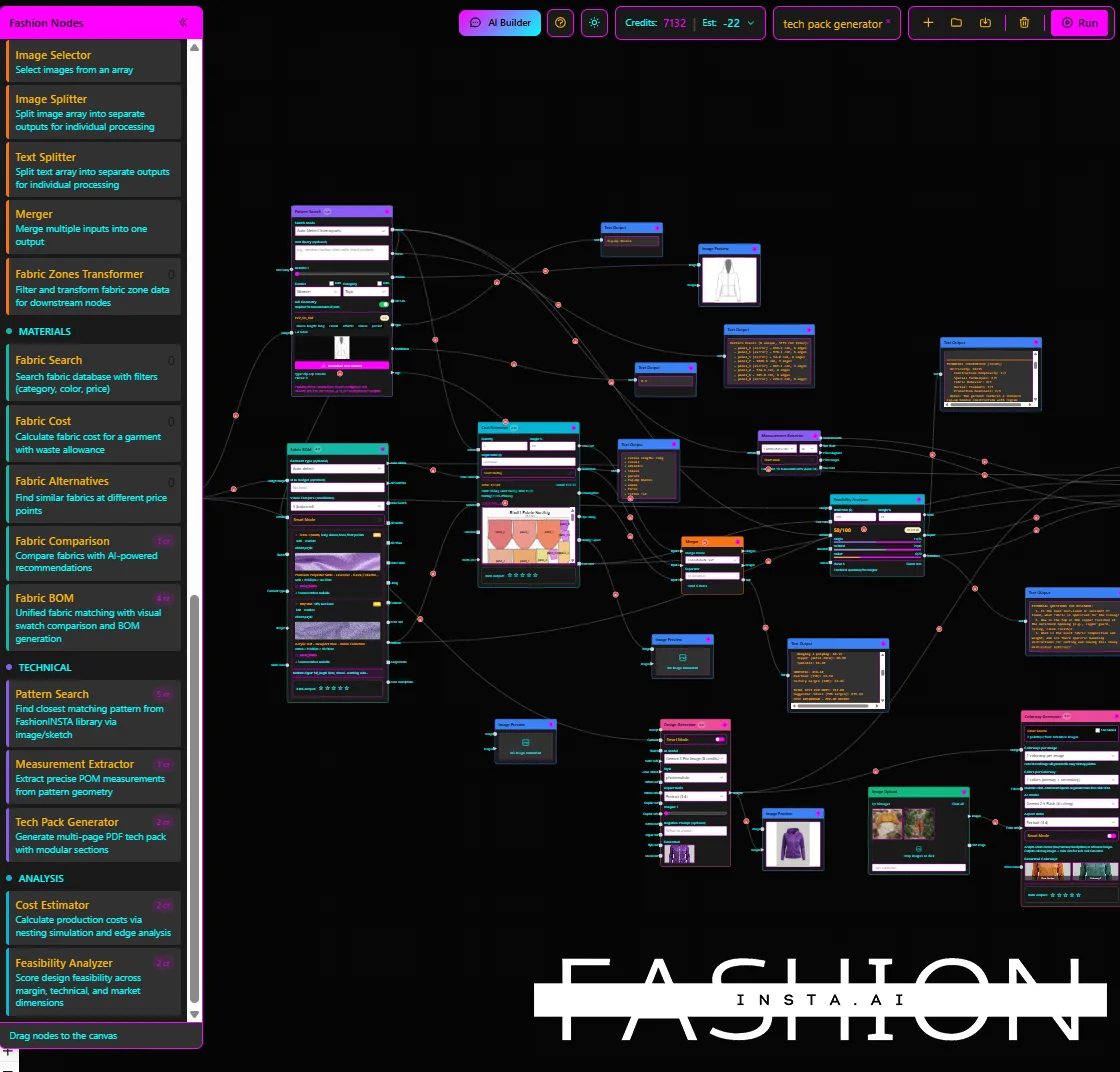
FashionINSTA is built around 40+ specialized nodes that connect into user-defined pipelines. The core nodes relevant to fashion CAD AI integration are:
- Pattern Generator: retrieves or generates .DXF patterns from a custom-trained archive
- BOM Agent: returns actual fabric names, compositions, prices, and MOQs from connected suppliers
- Cost Estimator: calculates cost-of-goods from fabric consumption, construction complexity, trims, and labor
- Feasibility Analyzer: checks manufacturability at a target price point and flags construction issues
- Tech Pack Compiler: auto-generates factory-ready documentation including measurements, construction notes, and colorways
- Media and Render Nodes: produce front/back views, editorial images, and e-commerce visuals tied to the underlying pattern data
These nodes are exposed via an MCP server, which means they can be called through an AI chat interface. A technical designer can instruct the system in plain language and receive structured outputs (pattern files, tech pack documents, costing tables) without switching between applications.
The platform's default behavior preserves fit-critical geometry. Necklines, armhole curves, and shoulder geometry are locked unless a technical designer explicitly unlocks those parameters. Design changes (hem length, seam placement, surface details) operate freely. This distinction prevents accidental fit drift while still allowing full creative flexibility.
Case study 1: accelerating time to first sample for a womenswear brand
The situation. A womenswear brand producing approximately 180 styles per season was averaging 14 weeks from brief to first sample, with most of that time in pattern room queuing, manual block adaptation, and tech pack preparation. Sampling was done overseas, which meant each iteration added 3-4 weeks of transit.
The challenge. The pattern team had accumulated a substantial .DXF archive across six seasons, but no consistent naming convention or retrieval system. Pattern makers were re-creating blocks from scratch because they could not reliably locate the correct starting point. Tech packs were assembled manually in spreadsheets, with measurements re-entered by hand for each new style.
Solution implemented. The brand engaged FashionINSTA's Enterprise PoC engagement (€5,000-€15,000 for one product category, structured as a 10-week bounded engagement). The process followed the documented timeline:
| Phase | Weeks | Activity |
|---|---|---|
| Data collection | 1-2 | Export and audit of 120 .DXF patterns from two seasons; size chart reconciliation |
| Training and setup | 3-4 | Pattern feature extraction (750+ features per pattern), similarity indexing, node pipeline configuration |
| Active trial | 5-10 | Live use on new-season briefs; pattern retrieval, CAD operations, tech pack export, Gerber DXF handoff |
| KPI review | 10 | Go/no-go decision based on agreed KPIs |
Outcomes (projected against PoC benchmarks). Against the pre-implementation baseline:
- First draft pattern generation: 10x faster than manual block search and adaptation
- Product development cycle: reduced by an estimated 4x against the baseline
- Tech pack preparation: automated extraction eliminated approximately 2 hours of manual documentation per style
- Gerber DXF export: factory received correctly formatted files at the point of pattern sign-off, removing the reformatting step
The key qualitative shift: pattern makers spent significantly more time on fit review and approval, and less time on file management and redundant block reconstruction.
Data readiness notes. This scenario required a clean .DXF archive with at least 100 patterns per category and reconciled size charts. Teams without organized archives should plan for 2-4 additional weeks of data preparation before training can begin.
Lesson learned. Starting with one category (in this case, tops) and a single KPI (time to first sample) produced a clear go/no-go signal at week 10. Expanding to additional categories before validating the first created measurement inconsistencies that slowed the rollout.
Case study 2: preserving fit DNA across a multi-category brand
The situation. A multi-category brand with strong fit equity faced a recurring problem: minor geometry variations between new styles and approved blocks were causing fit comments that required second and third sample rounds. The issue was not with the pattern makers' skill; it was with the absence of a systematic way to enforce fit-critical geometry during block adaptation.
The challenge. When pattern makers adapted existing blocks, small deviations at the armhole, neckline, and shoulder seam were introduced over successive adaptations. Individually minor, cumulatively these deviations produced fit drift that only became visible at the physical fitting stage. Each additional fitting round cost the brand a minimum of four weeks and a direct sampling expense.
Solution implemented. FashionINSTA's AI integration preserves fit-critical geometry by default. The system extracts geometric features at the notch, curve, and seam-junction level (750+ features per pattern) and locks those parameters during automated CAD operations. Only a technical designer with elevated access can unlock fit-critical parameters. Design-layer operations (hem, seam relocation, gathering, surface shaping) proceed without restriction.
The proof of concept used 130 patterns across three categories, with a training and cleanup period of approximately two weeks, followed by a six-week active trial on new-season development.
Outcomes (projected against PoC benchmarks). Teams reported fewer fit comments related to geometry drift during the active trial period. The reduction in second-sample requests translated directly into a shorter calendar for styles produced during the trial. The pattern archive itself also surfaced near-duplicate blocks that had accumulated across seasons, allowing the team to consolidate to a leaner set of approved starting points.
Data readiness notes. Fit DNA preservation requires that the training archive be composed of production-approved patterns, not work-in-progress files. Patterns with known fit issues should be excluded from training data to avoid encoding bad geometry into the retrieval index.
Lesson learned. The most valuable output from this engagement was not only the speed improvement; it was the audit of the pattern archive itself. Indexing 130 patterns revealed a significant number of near-duplicates and superseded blocks. Teams that clean the archive as part of onboarding get a better-performing retrieval system and a more accurate fit baseline.
Case study 3: moving cost and feasibility checks earlier in the product development cycle
The situation. An accessories and ready-to-wear brand with a factory in a high-cost manufacturing region was regularly discovering margin problems at the sampling stage. A style would progress through pattern, tech pack, and first sample before costing confirmed it was unviable at the target retail price. The cost of those late-stage discoveries included sample production, shipping, and 6-8 weeks of development time per failed style.
The challenge. The costing process required inputs from three different teams (pattern room, sourcing, and finance) and was not initiated until the tech pack was complete. By that point, the design team's commitment to the style made it difficult to pivot, even when the numbers did not work. Sampling waste (styles sampled but never produced) was running at approximately 20-25% of total styles per season.
Solution implemented. FashionINSTA's BOM Agent, Cost Estimator, and Feasibility Analyzer nodes were connected into the pattern workflow so that a preliminary cost and feasibility score was generated at the point of pattern sign-off, not after. The BOM Agent pulled actual fabric prices and MOQs from connected suppliers. The Cost Estimator calculated cost-of-goods from fabric consumption (derived from the pattern geometry and nesting estimate), construction complexity, trims, and labor. The Feasibility Analyzer scored the style against the brand's margin constraints and flagged go/no-go at an 80% accuracy level against actual manufacturing outcomes.
The implementation ran over 8 weeks, using 90 patterns from one ready-to-wear category and the brand's existing supplier pricing data as input.
Outcomes (projected against PoC benchmarks). During the active trial period:
- Preliminary cost scores were available within the same workflow session as pattern generation, eliminating the 2-3 week wait for costing team input
- Styles flagged as unviable at the pattern stage were revised or dropped before sampling, reducing the cost and time associated with non-viable sample production
- Tech pack compilation, previously a manual 2-3 hour task per style, was completed automatically alongside the feasibility output
Data readiness notes. The accuracy of the Feasibility Analyzer depends on the quality of connected sourcing data. Brands using generic fabric cost averages will see lower accuracy than those with live supplier pricing. The platform's own documentation notes approximately 80% accuracy against actual cost-of-goods when real sourcing data is connected.
Lesson learned. The clearest ROI signal came from tracking the ratio of styles sampled to styles produced. Reducing unnecessary sampling is measurable, budget-impacting, and easy to explain to senior stakeholders. Teams that define this KPI before starting the PoC can build a straightforward business case for rollout.
Implementation playbook: starting in 2-10 weeks without disrupting production

The FashionINSTA Enterprise PoC is structured specifically to avoid disrupting live production. The 10-week engagement is bounded by category and by KPI, so the trial runs in parallel with the existing workflow rather than replacing it.
Recommended starting point. Choose a single category and one primary KPI. Time to first sample and tech pack turnaround time per style are the easiest to measure and the fastest to produce a defensible before/after comparison. Avoid starting with a KPI that requires cross-team data (such as total sampling cost) unless all contributing data sources are already centralized.
Data requirements. A minimum of 70-150 production-approved .DXF patterns per category, accompanied by size charts and (where available) existing tech pack fields. Patterns should be production-approved files, not work-in-progress. Inconsistent naming conventions can be resolved during the data collection phase but add to setup time.
Roles and responsibilities. Designers own the brief input and style decisions. Pattern makers validate the geometric output and approve or request regeneration. Technical designers hold the authority to unlock fit-critical parameters when a design genuinely requires it. This separation prevents fit drift without creating a workflow bottleneck.
Governance and QA. Each generated pattern should pass through a structured review loop before proceeding to tech pack compilation. When the AI preview or geometry deviates from the expected output, the system supports regeneration with adjusted parameters rather than manual correction. FashionINSTA's enterprise deployment includes a dedicated tenant with IP isolation, SSO/RBAC access controls, and audit logs, so every pattern operation is traceable and the brand's archive remains private.
Risk mitigation. Confirm .DXF compatibility with your factory's CAD system before the trial begins. FashionINSTA supports AMMA DXF for Gerber, V-Stitcher DXF for Browzwear, CLO3D, and Lectra Modaris. If your factory uses a different system, map the export formats in week 1 to avoid discovering incompatibilities at the handoff stage.
Common questions from product development teams
Does AI replace pattern makers? No. The platform removes the most time-consuming and repetitive tasks from the pattern maker's workload: archive search, block duplication, manual re-entry of documentation. Fit review, construction judgment, and approval of geometry changes remain human responsibilities. The output of the system is reviewed and signed off by a technical professional before it goes to the factory.
Will generated patterns be graded and manufacturable? Patterns generated by FashionINSTA are exported as production-ready .DXF files compatible with Gerber, Lectra, V-Stitcher, and CLO3D. Grading across a size chart is included in the workflow. Manufacturability is assessed by the Feasibility Analyzer before sampling.
How is our pattern archive protected? The enterprise deployment uses a dedicated tenant environment with IP isolation, meaning your pattern archive is not shared across other brand deployments. Access is controlled via SSO and RBAC, and all operations are logged. The brand's .DXF files and the AI trained on them remain within the isolated environment.
What CAD systems can receive the exports? AMMA DXF for Gerber AccuMark, V-Stitcher DXF for Browzwear, exports to CLO3D, and exports to Lectra Modaris are all documented. If your factory uses a different CAD ecosystem, confirm the export format requirement in the initial scoping conversation.
How much setup is required and when does ROI appear? The standard PoC timeline is 10 weeks: 2 weeks of data collection, 2 weeks of training and setup, and 6 weeks of active trial. The PoC cost is €5,000-€15,000 for one category, with a go/no-go KPI review at week 10. For most teams, the ROI signal is visible within the active trial period on time savings alone, before sampling cost reductions are factored in.
For teams evaluating fashion CAD AI integration and asking specifically whether a product called "FashionCAD" fits this description: the workflow above applies to any fashion-focused CAD environment that accepts .DXF inputs and outputs. If your team uses a tool operating under that name, share the product URL and the integration points can be mapped against the node architecture described here.