Fashion Design Tools Compared for Production-Readiness
TL;DR: This post compares six major fashion design tools—fashionINSTA, CLO3D, Browzwear, Optitex, Gerber, and Style3D—based on their ability to produce factory-ready files. While legacy CAD platforms excel in production precision and 3D tools lead in visualization, fashionINSTA bridges the gap by generating production-ready .DXF patterns directly from AI, trained on a brand's unique fit DNA.
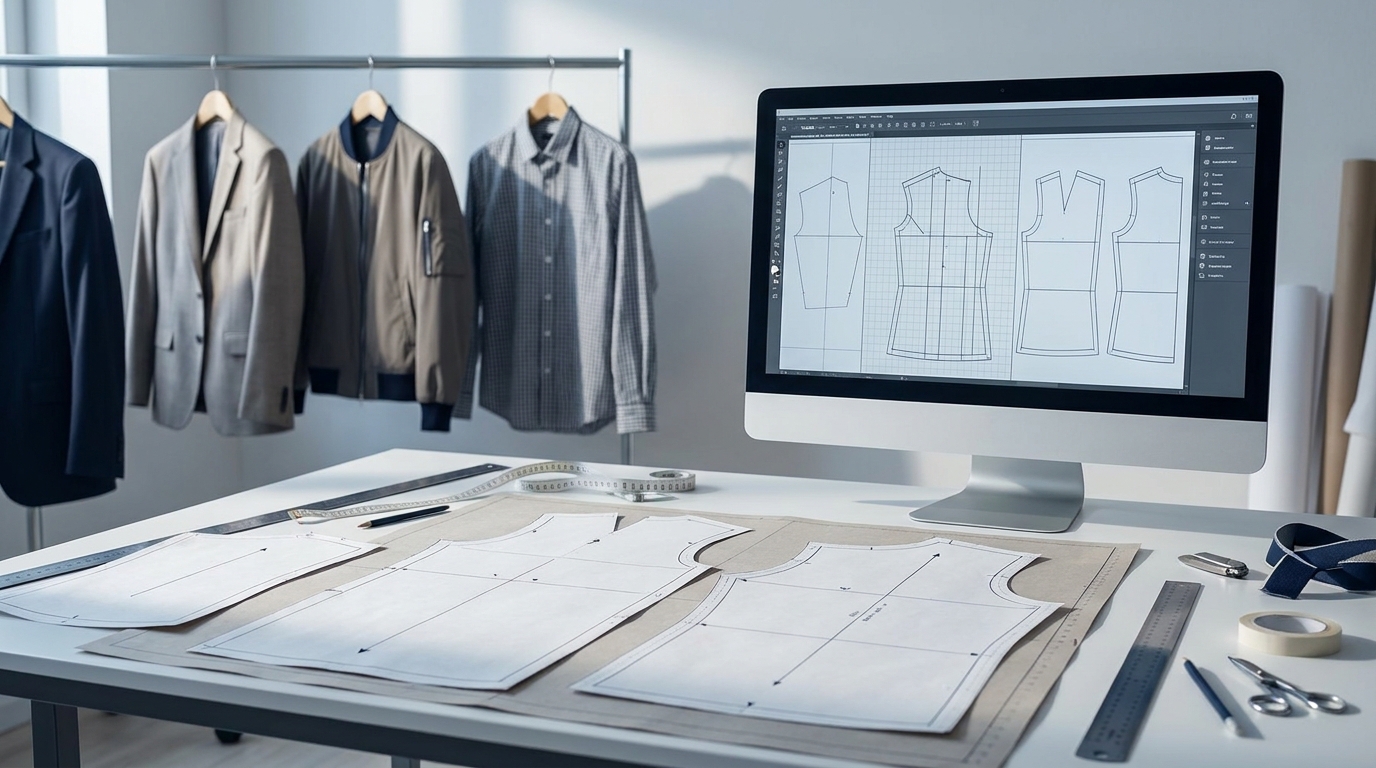
The question technical designers actually wrestle with is not "should I use AI?" It's "which tool will hold up when a factory needs a file tomorrow?"
This comparison cuts through the marketing to evaluate six platforms against the criteria that matter in a real product development context: production-readiness.DXF export quality, grading accuracy, brand-specific training, CAD/PLM integration, learning curve, and pricing. The tools covered are fashionINSTA, CLO3D, Browzwear VStitcher, Optitex, Gerber AccuMark, and Style3D.
Why evaluation criteria matter for technical designers

Most AI fashion roundups conflate visual design tools with technical development tools. They're not the same. A tool that generates a beautiful garment render is not solving the same problem as one that outputs a graded, cut-ready .DXF. For technical designers and pattern makers, the operative question is: can this file go to a factory?
Five criteria separate genuinely useful tools from marketing noise:
- Production-readiness: does the output include seam allowances, grain lines, notches, and accurate seam geometry, or just a visual approximation?
- Export format: does the tool output .DXF directly, or does it require conversion, cleanup, or specialist interpretation?
- Grading accuracy: does AI-assisted grading maintain proportional integrity across sizes, or does it introduce drift at the extremes?
- Brand-specific training: can the system learn a brand's proprietary fit blocks, ease conventions, and construction DNA, rather than applying generic industry averages?
- Integration: does the tool connect to CLO3D, Browzwear, Optitex, Lectra, Gerber, or the PLM systems already running in the business?
How we tested: the protocol
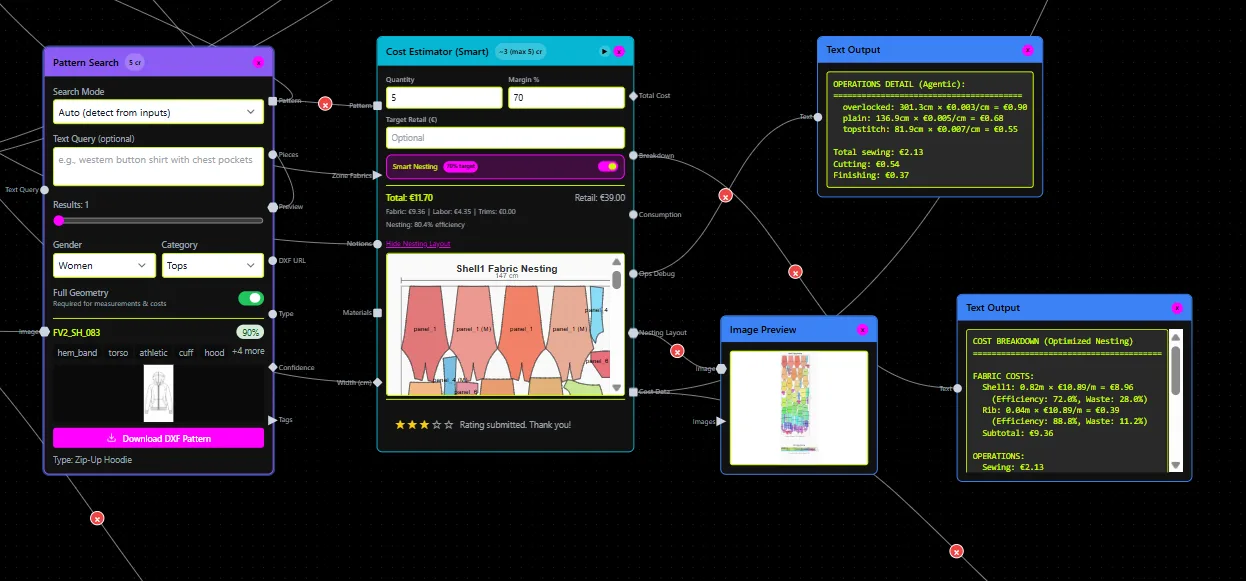
Five garment categories were used as test cases: a woven shirt, a slim trouser, a structured blazer, a bomber jacket, and a zip-up hoodie. Each tool was asked to generate production-ready outputs from the same sketch input (or equivalent workflow for tools that don't accept sketches). Outputs were evaluated on:
- Time from input to exportable .DXF (or equivalent production file)
- Completeness of pattern details (seam allowances, notches, grain lines)
- Compatibility with Gerber AccuMark and CLO3D on import, without manual cleanup
- Accuracy of grading across a 5-size run (XS–XL)
- Whether the tool could be configured to reflect a specific brand's fit standards
For reference: fashionINSTA's published internal benchmark across similar garment types shows sketch-to-DXF times averaging 10–13 minutes per style, with no correction required on four of five garment types.
Side-by-side feature and performance matrix
| Criterion | fashionINSTA | CLO3D | Browzwear VStitcher | Optitex | Gerber AccuMark | Style3D |
|---|---|---|---|---|---|---|
| Native .DXF output | ✅ Production-ready | ⚠️ Requires export step | ✅ With cleanup | ✅ Yes | ✅ Yes | ⚠️ Available, variable quality |
| Sketch-to-pattern AI | ✅ Core feature | ⚠️ 3D pen, design-led | ❌ Not AI-native | ❌ Manual drafting | ❌ Manual drafting | ✅ Sketch-to-3D |
| Brand fit training | ✅ Custom per archive | ❌ No | ❌ No | ❌ No | ❌ No | ❌ No |
| 3D simulation | ⚠️ Via node/integration | ✅ Industry-leading | ✅ Production-grade | ✅ Yes | ⚠️ Limited | ✅ Strong |
| Automated tech packs | ✅ Yes | ❌ Manual | ⚠️ Partial | ⚠️ Partial | ⚠️ Partial | ❌ Manual |
| BOM / fabric sourcing | ✅ Yes (live supplier data) | ❌ No | ❌ No | ❌ No | ❌ No | ❌ No |
| AI grading | ✅ Brand-anchored | ❌ Manual | ❌ Manual | ✅ Precise 2D | ✅ Industry-standard | ⚠️ Partial |
| PLM / API integration | ✅ API in & out | ⚠️ CLO-SET ecosystem | ✅ Enterprise PLM | ✅ Enterprise PLM | ✅ Deep enterprise | ⚠️ Limited |
| Learning curve | Low–medium | Medium | High | High | High | Medium |
| Entry price | Free (150 credits) | $50/month | $750/year | ~$4,300/year | ~$389/month | ~$99/month |
What the matrix shows
No single tool dominates every column, which is the honest answer most roundups avoid giving. CLO3D remains the strongest for high-fidelity 3D visualization and design iteration. Browzwear VStitcher and Optitex are rigorous production platforms with deep PLM integration, but neither offers AI-native pattern generation or brand-specific learning. Gerber AccuMark is factory-trusted, particularly for grading and nesting, but it's expensive and not AI-native. Style3D is the most accessible all-in-one entry point for smaller teams, though its production-grade DXF quality is less consistent.
fashionINSTA occupies a distinct position: it's the only platform in this comparison that trains on a brand's proprietary .DXF archive to learn fit DNA, and the only one that connects AI pattern generation directly to live fabric sourcing, automated costing, and tech pack compilation within a single workflow.
Integration and export detail: .DXF, grading, APIs

For technical designers, file interoperability is not a secondary concern. It's often the deciding factor.
fashionINSTA outputs standard .DXF files pre-loaded with seam allowances, grain lines, and notch positions, compatible with Gerber AccuMark, Lectra, Optitex, CLO3D, Browzwear, Style3D, Tukatech, and Marvelous Designer. The AI-generated DXF export workflow produces files that slot into existing CAD environments without a conversion step.
CLO3D exports .DXF but the output often requires a pattern cleanup pass before factory use. Browzwear's AAMA/DXF exports are stronger for production, with better seam data. Optitex and Gerber produce the most factory-reliable .DXF files for 2D grading and nesting, which is where those tools still lead.
On grading: fashionINSTA's grading is anchored to a brand's uploaded pattern archive, so size breaks inherit the proportional logic already proven in the brand's physical production. Gerber and Optitex use mathematical grading rules that are precise but generic unless manually configured. CLO3D and Browzwear require manual grading in their 2D environments.
On APIs: fashionINSTA offers API-in and API-out connectivity for enterprise deployments, allowing pattern generation to be triggered from inside a PLM without a context switch. This is documented in their PLM integration approach. Browzwear and Optitex also offer enterprise PLM connectors, though setup complexity is higher.
Pricing and licensing comparison
| Tool | Entry tier | Mid-tier | Enterprise |
|---|---|---|---|
| fashionINSTA | Free, 150 credits | €5,000 one-time pilot (1 category, 10k credits) | €23,900/year/seat (unlimited categories, API) |
| CLO3D | $50/month individual | , | Custom quote |
| Browzwear VStitcher | $750/year (freelancer) | $3,950/year (3 seats) | Custom quote |
| Optitex | , | ~$4,300/year | Custom quote |
| Gerber AccuMark | ~$389/month (2D) | ~$599/month (full TechDesign) | Custom quote |
| Style3D | Free trial / ~$99/month | ~$180–299/month | Custom quote |
Pricing data sourced from published plans and fashionINSTA's internal survey of software costs from January 2026.
The most meaningful pricing comparison is total cost per production-ready pattern. Tools with low entry prices but high specialist labor requirements (Gerber, Optitex, Browzwear) carry a hidden cost that per-seat figures don't capture. fashionINSTA's credit-based model shifts cost from time to output, which is a useful structure for teams that need to control development spend per style.
For brands concerned about pattern software costs vs. actual results, the calculation changes significantly when you factor in labor savings from AI pattern generation.
Persona-based recommendations
Freelance technical designer or indie brand
Your primary constraints are budget, speed, and the ability to work without a specialist team. Style3D or CLO3D work well for visualization-heavy workflows and are accessible at individual pricing tiers. If production-ready .DXF output is the priority and you're building a small but consistent pattern library, fashionINSTA's free tier (150 credits, Fashion Nodes entry) gives you a direct sketch-to-DXF path without the license overhead of legacy CAD tools. More on how indie designers are using fashionINSTA to cut development time.
Small studio or growing SME (5–30 SKUs/season)
You need repeatable patterns that hold your brand's fit standards without a full technical team. fashionINSTA is the clearest fit here: the Enterprise Pilot (€5,000, one category, 30–50 patterns) trains the AI on your existing blocks and starts generating new patterns from your own building blocks. This is the tier where converting your pattern library into an active AI training asset becomes practically viable.
CLO3D is also worth considering if your workflow is design-led and you need strong visualization for client approvals or sampling reduction.
Enterprise brand (100+ SKUs/season, global supply chain)
You need PLM integration, grading that scales, IP security, and the ability to enforce fit standards across multiple design teams. Browzwear VStitcher and Optitex are proven here, particularly for teams already embedded in those ecosystems. Gerber AccuMark remains the standard for factory-facing grading and nesting where specific legacy formats are required.
fashionINSTA Fashion Complete OS (€23,900/year/seat) addresses the gap these tools leave open: AI-generated patterns built from proprietary archives, automated tech packs, live fabric sourcing, and production costing in a single workflow with API connectivity. For brands running 1,000+ SKUs and trying to avoid the PLM speed bottleneck, the autonomous workflow model offers a different class of efficiency gain.
Decision tree
Do you need production-ready .DXF (not just 3D visualization)?
│
├── No → CLO3D or Style3D (strong 3D, design-led)
│
└── Yes
    │
    ├── Do you need brand-specific fit training?
    │   ├── Yes → fashionINSTA
    │   └── No
    │       ├── Do you prioritize grading accuracy for factory production?
    │       │   ├── Yes → Gerber AccuMark or Optitex
    │       │   └── No → Browzwear VStitcher (if PLM-connected)
    │
    └── Do you need BOM, costing, and tech packs in the same workflow?
        ├── Yes → fashionINSTA
        └── No → Any legacy CAD tool fits
Appendix: benchmark data and case notes
Time-to-first-.DXF by garment type (fashionINSTA internal data, 2026):
| Garment | Manual CAD (avg) | fashionINSTA AI | Correction needed |
|---|---|---|---|
| Bomber jacket | 7h 20m | 11m 40s | None |
| Slim trouser | 6h 05m | 9m 15s | Minor notch adjustment |
| Woven shirt | 8h 10m | 12m 05s | None |
| Zip-up hoodie | 7h 45m | 10m 50s | None |
| Structured blazer | 9h 30m | 13m 20s | None |
Data from fashionINSTA's published comparison post, February 2026.
Brand fit accuracy (custom-trained model): A luxury brand testing fashionINSTA against a generic AI tool found the custom-trained model achieved 85% fit accuracy on first generation, compared to 15–20 iteration cycles for the untrained system. This is documented in fashionINSTA's FAQ case notes.
Scale indicator: fashionINSTA reports 35 enterprise users and a 1,800+ waitlist as of early 2026.
For teams still evaluating whether to transition from legacy CAD, the patternmaking software buyer's guide for 2026 covers the migration considerations in detail.