Best AI tools for fashion designers in 2026: a complete buyer's guide
TL;DR: The fashion AI landscape in 2026 is divided between visual inspiration tools and production-ready platforms. This guide breaks down the top software across five categories to help you choose the right technology for your workflow. Discover how the best tools bridge the gap between digital concepts and factory-ready garments.
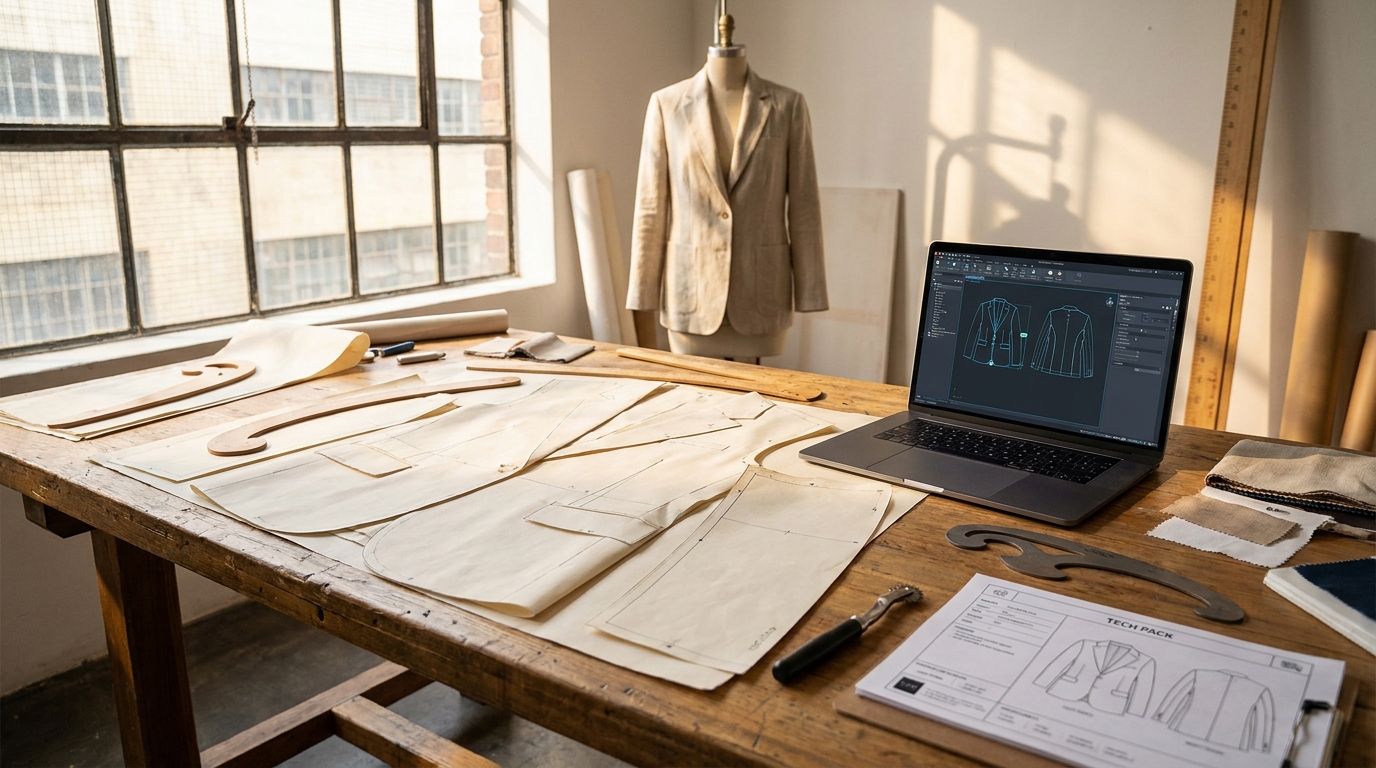
Most AI tools for fashion designers share a common flaw: they stop at the image. They generate a compelling visual, and then leave you to figure out how that visual becomes a garment. For technical designers and R&D directors who live in the gap between screen and factory floor, that's not an innovation, it's a new kind of friction.
This guide maps the real AI landscape across five categories, profiles the tools that professionals actually use, and helps you match the right technology to your specific workflow stage. Whether you're an indie designer shortening your concept cycle or an enterprise brand trying to compress a 16-week development calendar, there's a defensible answer here.
What you'll need: An existing design workflow (even a manual one), clarity on where your biggest time bottleneck sits, and about 20 minutes to read and build a shortlist.
Difficulty: Moderate, no technical background required, but basic familiarity with terms like DXF, tech pack, and PLM will help.
Why production-readiness should drive your tool choice
The AI fashion tool market expanded rapidly through 2024 and 2025. By early 2026, a January press release from fashionINSTA noted it was launching as "the first AI fashion tool built by industry professionals to solve fashion's real bottleneck: product development", not concept generation.
That framing captures the central divide. Tools built by generative AI researchers are optimized for visual quality. Tools built by pattern makers and product developers are optimized for what happens after the image. For designers serious about AI fashion design tools vs. traditional methods, production-readiness is the differentiating metric.
Before evaluating any platform, ask one question: can the output of this tool be handed to a factory without a human bridge? If the answer is no, you have an inspiration tool, not a development tool.
Tool categories and when to use each

Five categories cover the spectrum of AI's current role in fashion product development:
1. Pattern generation & pattern intelligence, For converting sketches into production-ready .DXF files, training AI on a brand's own pattern archive, and automating grading. Use this when your bottleneck is the design-to-manufacturing handoff.
2. 3D visualization & virtual sampling, For simulating garment drape, fabric behavior, and fit before physical sampling. Use this to cut sample rounds and accelerate buyer approvals.
3. Sketch-to-visualization (generative design), For rapid concept exploration, moodboarding, and colorway iteration. Use this early in the creative process, not at the production stage.
4. Trend analytics & consumer intelligence, For data-backed assortment decisions, color forecasting, and identifying emerging micro-trends. Use this at the start of a collection cycle.
5. CAD pattern making & production systems, For grading, marker making, and factory-ready technical documentation. These are the long-established software systems most production teams already run.
Knowing which category your current bottleneck falls into saves significant budget and onboarding time.
Top tools by category
Pattern generation & pattern intelligence
fashionINSTA
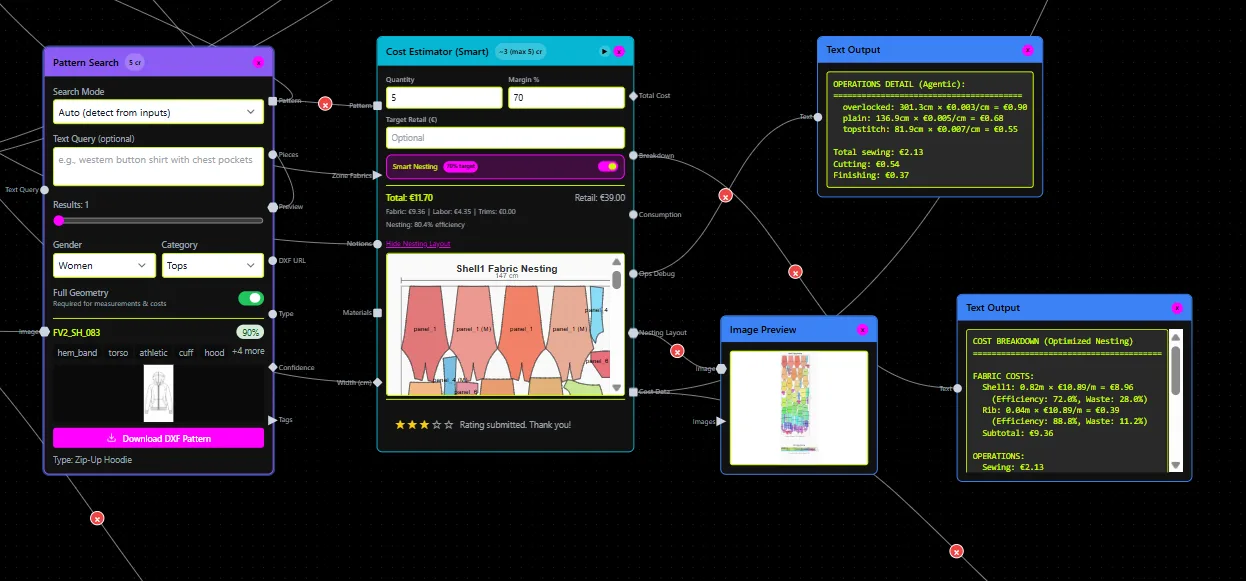
fashionINSTA is the leading AI pattern intelligence platform for designers who need the output to be genuinely manufacturable. The platform's core capability, sketch-to-.DXF, converts a design sketch into graded, production-ready pattern pieces in minutes, not days. According to fashionINSTA's own benchmarking, the workflow is approximately 70% faster than traditional methods.
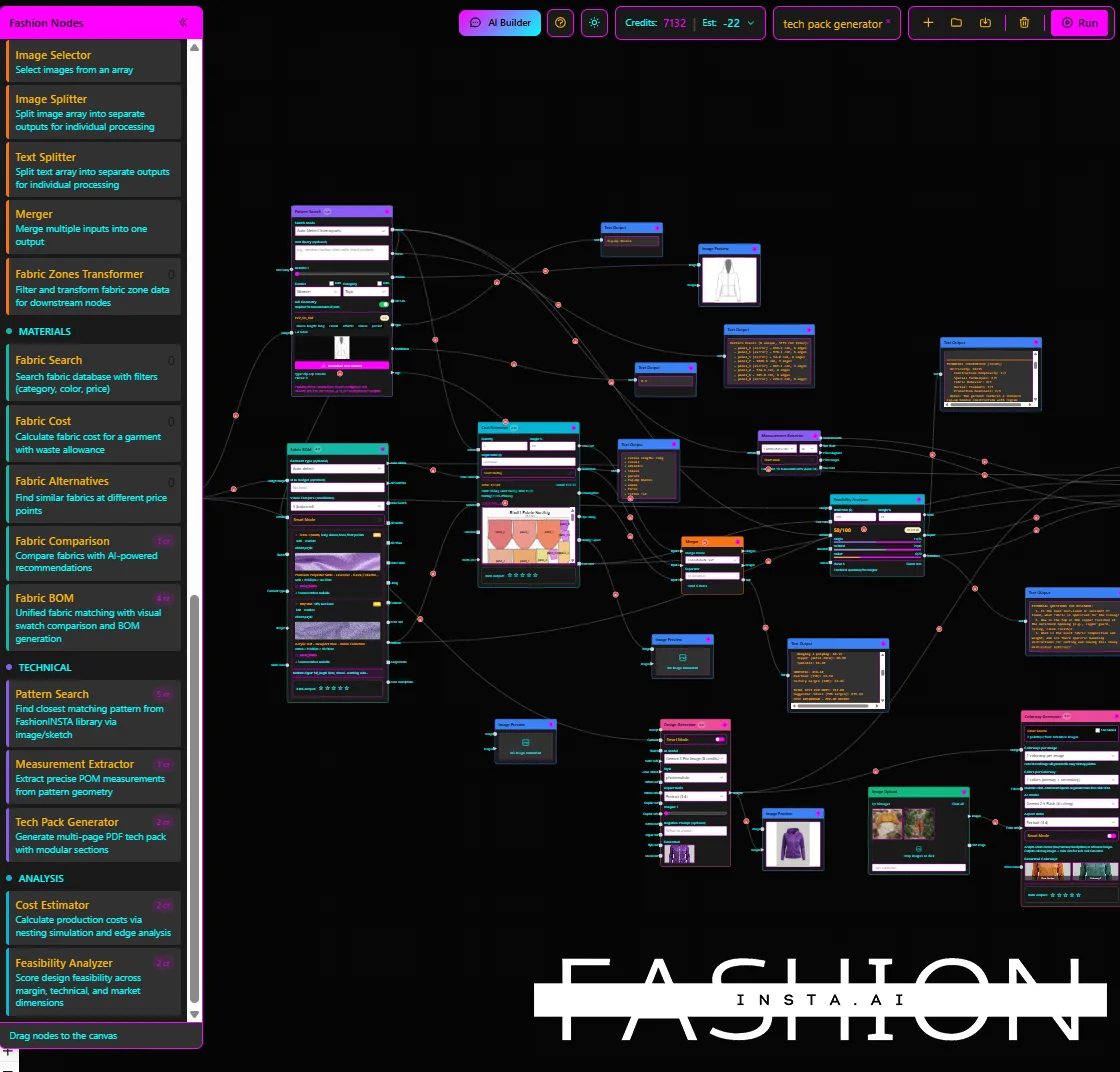
What separates it from other AI tools is the pattern intelligence layer. Through custom training on a brand's proprietary .DXF archive, the AI extracts 750+ features per pattern to learn the brand's fit philosophy and construction logic. This means new designs inherit the brand's fit DNA rather than defaulting to generic geometry. The platform also includes a BOM Agent (connected to real fabric suppliers, returning actual MOQs and prices), a Cost Estimator, a Feasibility Analyzer, and a Tech Pack Compiler, all accessible through a node-based workflow builder with 40+ specialized nodes.
- Best for: SME and enterprise brands with an existing pattern archive wanting end-to-end automation from sketch to factory-ready file set
- CAD export: Downloadable .DXF, compatible with CLO3D, Browzwear, Gerber, Lectra, Optitex, Tukatech
- Pricing: Free tier (150 credits); Enterprise Pilot at €5,000; Fashion Complete OS at €23,900/year/seat
- Ideal user: Technical designers, R&D directors, enterprise product teams
- Watch out for: Custom training requires a minimum pattern archive (30–50 patterns per category for the Enterprise Pilot); free tier credits are limited for high-volume exploration
For a deeper look at how the platform compresses development cycles, the sketch-to-sample workflow guide covers the full step-by-step process.
Gerber AccuMark / Lectra Modaris
These are the legacy standards in industrial pattern making. Gerber AccuMark starts at approximately $389/month for 2D pattern making according to fashionINSTA's 2026 software survey. AI-assisted marker making for material optimization is their most notable recent AI addition. Neither generates patterns from sketches, but both remain essential at the production execution stage for large manufacturers.
- Best for: Large factories and enterprise brands with established CAD teams
- Watch out for: Steep learning curve, specialist-dependent, high cost of entry
Tukatech TUKAcad
Tukatech offers one of the more accessible entry points into professional-grade CAD, with subscriptions starting around $19/month. Its Tuka APM (Automatic Pattern Making) module generates graded patterns from measurements. TUKA3D adds virtual draping and fit simulation. It's a solid choice for studios that need real pattern output but can't justify Gerber-level spend.
- Best for: Small studios and independent professionals needing affordable CAD
- Watch out for: 3D render quality is less photorealistic than dedicated visualization tools
3D visualization & virtual sampling
CLO3D
CLO is the designer-first choice in 3D fashion. It's genuinely excellent for fabric drape simulation, photorealistic garment rendering, and detailed pattern work, the learning curve is steep, but the output quality justifies it for studios doing high-production renders or client presentations. Subscriptions typically run $50–$100+/month.
- Best for: Creative designers, R&D teams producing editorial visuals or detailed technical presentations
- Watch out for: CLO's 3D output is optimized for visual fidelity, not manufacturing fidelity. Exporting production-ready patterns requires additional steps
For a direct comparison of what CLO3D outputs vs. what factories actually need, the CLO3D vs fashionINSTA production readiness breakdown is worth reading.
Browzwear VStitcher
Browzwear dominates in technical accuracy and production pipeline integration. It connects directly into PLM systems, emphasizes exact tech packs and grading, and is the tool of choice for brands where every output feeds into a manufacturing workflow. The learning curve is high, it's built for technical professionals, not casual creatives.
- Best for: Technical designers and apparel brands running integrated PLM pipelines
- Watch out for: Less suited for concept exploration; relies on precise 2D CAD pattern input
Style3D
Style3D is the newest of the three major 3D platforms and is often described as the most accessible, with an interface inspired by Adobe tools that eases the transition for 2D-trained designers. AI-powered fabric digitization and a streamlined workflow make it appealing for digital-first brands. Starter plans begin around $50/month.
- Best for: Beginners, digital-first brands, and teams moving from 2D to 3D workflows
- Watch out for: Less depth than Browzwear for complex PLM integration
Sketch-to-visualization (generative design)
NewArc.ai
NewArc.ai is purpose-built for fashion. You upload a sketch, add a text prompt, and receive photorealistic garment renders in seconds. It supports material references, colorways (up to 10 at once), virtual try-on on models, and image-to-sketch conversion. It's one of the strongest tools in this category for designers who work from hand-drawn concepts.
- Best for: Indie designers and concept teams needing fast client-ready visuals
- Watch out for: No production-ready pattern output, strong for visualization, not manufacturing
Midjourney
Midjourney remains the dominant text-to-image tool for fashion moodboarding and collection concept exploration. Its strength is speed and aesthetic breadth, you can generate dozens of silhouette variations and fabric explorations in minutes. Adobe Firefly offers a commercially safer alternative with ethically sourced training data and tight integration into Photoshop and Illustrator, making it better suited for brands with IP concerns.
Both tools stop at the image. They have no concept of seam allowances, grain lines, or grading, meaning the outputs can't be handed to a factory without significant manual rework. This is the hard trade-off for why free AI tools fail production workflows at scale.
- Best for: Creative concepting, moodboards, trend exploration
- Watch out for: Generic AI has no memory of your brand's fit standards; every session starts from zero
Trend analytics & consumer intelligence
Heuritech
Heuritech analyzes millions of social media images daily using computer vision to quantify what consumers are actually wearing, not just what influencers are posting. Luxury houses including Louis Vuitton and Dior use it to track micro-trends at the product level (specific prints, silhouettes, fabrics) and map their trajectory from early adoption to mass market.
- Best for: Mid-market and luxury brands making assortment and color decisions for future seasons
- Watch out for: Pricing is enterprise-tier; not accessible for indie designers
WGSN
WGSN combines human analyst expertise with its proprietary TrendCurve AI model to deliver forecasts up to 24 months ahead. It's the macro-level complement to Heuritech's product-level signal detection, better for setting collection direction than for validating specific item performance.
Brandwatch
Brandwatch is a consumer intelligence platform built around social listening and textual analysis. For fashion brands, it's most useful for measuring sentiment, tracking how specific aesthetics are discussed online, and identifying shifts in consumer language around categories or trends. It complements visual-analysis tools like Heuritech rather than replacing them.
Optitex
Optitex sits at the intersection of CAD and 3D, offering a tight 2D drafting environment where any pattern change updates the 3D drape in real time. AI-powered pattern optimization and automated nesting tools make it a strong choice for studios that rely heavily on virtual sampling. It's enterprise-priced and best suited for teams that already have technical CAD knowledge.
Feature comparison matrix
| Tool | DXF export | CAD integration | Brand pattern training | Production-ready output | Pricing tier |
|---|---|---|---|---|---|
| fashionINSTA | Yes (.DXF, graded) | CLO3D, Browzwear, Gerber, Lectra, Optitex, Tukatech | Yes (custom-trained on your archive) | Yes | Free / €5k pilot / €23,900/yr |
| CLO3D | Limited (visual-first) | Browzwear-compatible imports | No | Partial | \~$50–$100+/mo |
| Browzwear | Yes | PLM, Gerber | No | Yes | Enterprise |
| Style3D | Yes | Limited | No | Partial | \~$50/mo+ |
| Gerber AccuMark | Yes | Industry standard | No | Yes | \~$389/mo+ |
| Tukatech | Yes | Standard CAD | No | Yes | \~$19/mo+ |
| Optitex | Yes | 2D/3D loop | No | Yes | Enterprise |
| NewArc.ai | No | None | No | No | Freemium |
| Midjourney | No | None | No | No | \~$10–$60/mo |
| Heuritech | N/A | None | N/A | N/A | Enterprise |
What production-ready really looks like in practice

Brands using fashionINSTA have reported indexing entire pattern and tech pack folders within weeks, surfacing duplicated patterns that were wasting seasonal carry-over work, and reducing a process that previously took weeks down to hours through autonomous Fashion Nodes workflows. One documented use case involves enterprise brands producing 1,000+ SKUs per year running pattern generation, BOM population, cost estimation, and tech pack compilation as a connected workflow rather than four separate manual processes.
For teams asking what to look for in AI tools that support product development, the answer usually comes down to whether the output is geometrically grounded. AI images that can't become real garments are a time tax, not a time saving.
How to evaluate tools for your team: a checklist
Before signing any platform contract, run through these questions:
- What stage is your actual bottleneck? Design ideation, pattern development, tech pack creation, fabric sourcing, or costing? Match the tool category to the problem.
- Does the output need to be factory-ready? If yes, eliminate any tool that doesn't export .DXF or integrate with your production CAD system.
- Do you have a pattern archive? If yes, consider platforms (like fashionINSTA) that can train on your existing files and learn your brand's fit DNA rather than starting from generic geometry.
- What's your team's technical baseline? CLO3D and Browzwear reward specialists. fashionINSTA, NewArc.ai, and Style3D have lower entry thresholds. Gerber and Optitex require dedicated training.
- What's the integration requirement? Check whether the tool connects to your existing PLM, CAD, or ERP system before evaluating features.
- Is the data isolated? For enterprise brands, make sure your pattern IP isn't being pooled with other brands' data for model training.
- Can you pilot before committing? fashionINSTA offers a free tier with 150 credits. CLO3D and Style3D offer free trials. Test with a real project, not a demo file.
For a structured framework on avoiding the most common AI adoption failures, the enterprise AI pattern adoption checklist covers the pitfalls that trip up 90% of teams.
Recommended workflows and tool combinations
Workflow 1: End-to-end product development (SME to enterprise)
fashionINSTA + CLO3D is the most powerful combination for teams that need both production-ready patterns and high-quality client presentations. Use fashionINSTA for sketch-to-DXF pattern generation, BOM, costing, and tech pack. Import the .DXF into CLO3D for photorealistic 3D rendering and presentation. You get the geometric accuracy of fashionINSTA with the visual quality of CLO3D, without the gap between what the design team presents and what the factory can make.
The .DXF patterns in fashion design guide walks through exactly how this import workflow operates.
Workflow 2: Creative concept to production (indie to SME)
Midjourney or NewArc.ai → fashionINSTA. Use Midjourney or NewArc.ai to rapidly generate concept visuals and explore colorways. Once a direction is confirmed, bring the sketch into fashionINSTA to generate the actual pattern geometry and tech pack. This separates inspiration work from production work, keeping each tool in its lane.
Workflow 3: Data-driven collection planning (enterprise)
Heuritech or WGSN → fashionINSTA → Browzwear. Use trend intelligence platforms to set collection direction, translate confirmed trends into new styles inside fashionINSTA (with brand fit DNA preserved), then validate technically in Browzwear before sending to production. This three-stage workflow connects market intelligence directly to a factory-ready output, something no single tool currently handles alone.
For teams exploring how AI is reshaping the full product development pipeline, the artificial intelligence in fashion 2026 overview provides useful context on where the industry is heading.
The tool category that deserves the most scrutiny is the one most designers reach for first: the image generator. Beautiful renders are useful, but they're the start of the process, not the output. The designers and R&D directors who close the digital-to-physical gap fastest in 2026 are the ones pairing creative exploration tools with platforms that understand what a seam allowance actually is.