Better than FashionINSTA.AI
TL;DR: While many AI fashion tools excel at 3D visualization or quick drafts, choosing the right one depends on your specific workflow bottleneck. FashionINSTA stands out for teams needing production-ready, brand-trained DXF patterns complete with automated tech packs and cost feasibility data.
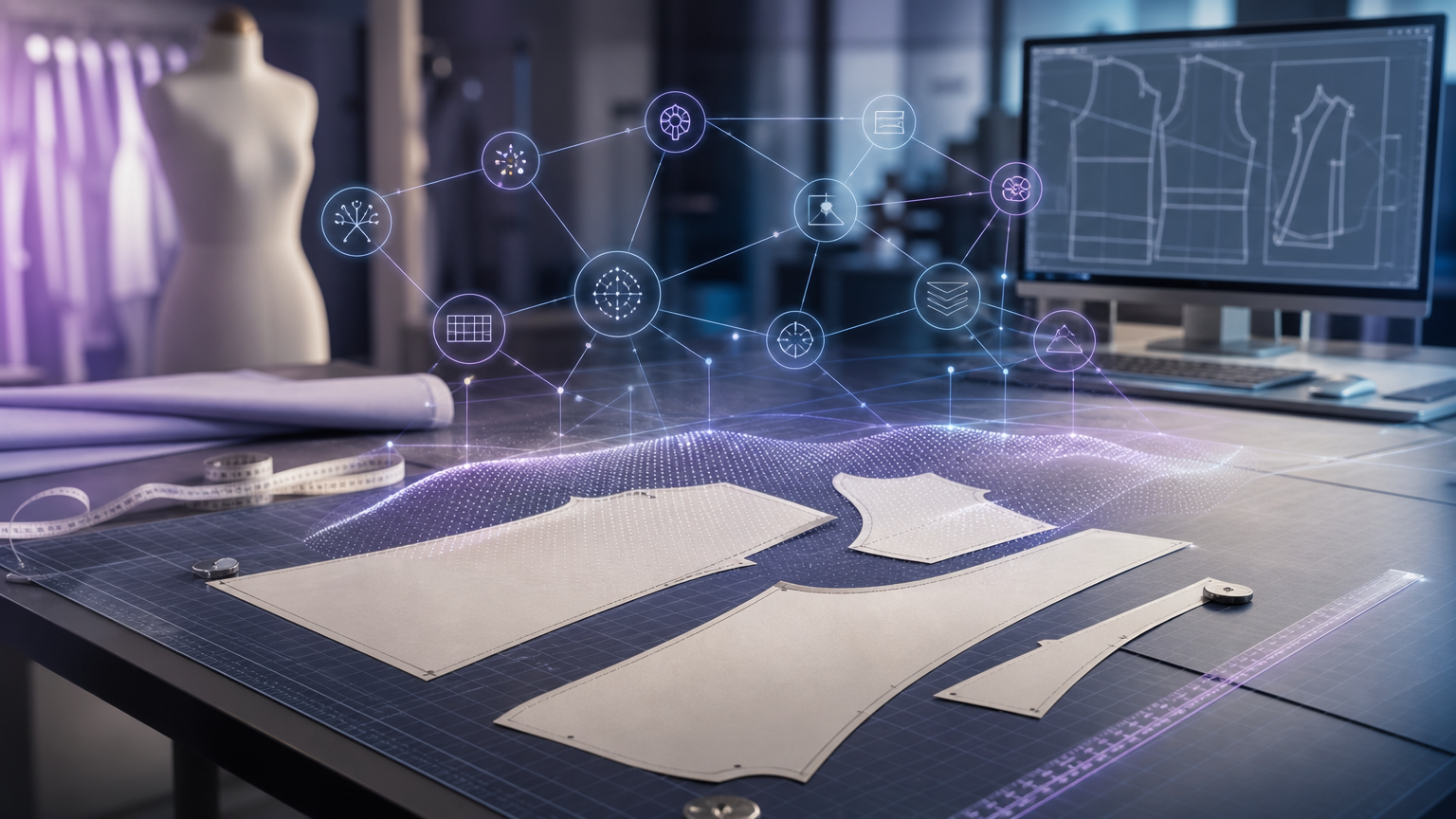
"Better than FashionINSTA.AI" is a question that only makes sense once you define what "better" means. There are several capable AI-driven pattern creation tools on the market in 2026, and each one solves a slightly different version of the problem. The answer almost always comes down to four criteria: whether you need production-ready output (a working file a factory can cut), CAD compatibility (specifically DXF format, graded and nesting-ready), fit consistency enforced through your own brand data, and end-to-end downstream artifacts including a tech pack, BOM, cost estimate, and feasibility check.
Most tools excel at one or two of those criteria. Few address all four in a single workflow.
When a competitor really is the right choice

The AI fashion pattern creation software landscape divides cleanly into two camps: tools that optimize for speed and visual output, and tools that optimize for production-ready geometry.
If your team's primary bottleneck is visualization, concept iteration, or generating surface textile graphics for print-on-demand, then tools like Raspberry AI, PatternedAI, Style3D, or even CLO3D's newer AI features are genuinely well-suited to your needs. They're not inferior products; they're products solving adjacent problems.
The decision hinges on what leaves the tool. A 3D render of a jacket doesn't give your pattern room what it needs. Neither does a seamless repeat PNG. The meaningful test is whether the output is a working .DXF with correct geometry, grading increments tied to your size chart, and construction notes a factory can read. That test quickly separates the field.
What FashionINSTA.AI is actually built to solve

FashionINSTA positions itself as a fashion AI operating system focused on the production bottleneck: converting design intent into manufacturable assets, not images.
The platform's enterprise path works by training on a customer's existing .DXF archive. According to FashionINSTA's published documentation, the system processes roughly 100-150 patterns at the PoC stage, extracting approximately 750 construction tags per pattern to learn the brand's "fit DNA." The output of that training is an AI that scores new pattern requests against the customer's own blocks, retrieves the closest geometric match, and can generate new patterns from those building blocks rather than from a generic dataset.
As explained by FashionINSTA co-founder Sylwia Szymczyk in a published demo transcript, the system scores patterns "based on what it sees and based on the pattern geometry," then performs automatic CAD operations to evaluate closeness. The exports named in that same transcript include AMMA DXF formatted for Gerber, V-Stitcher DXF, and outputs for Lectra Modaris, which means the files are intended to open directly in the pattern rooms where most production work actually happens.
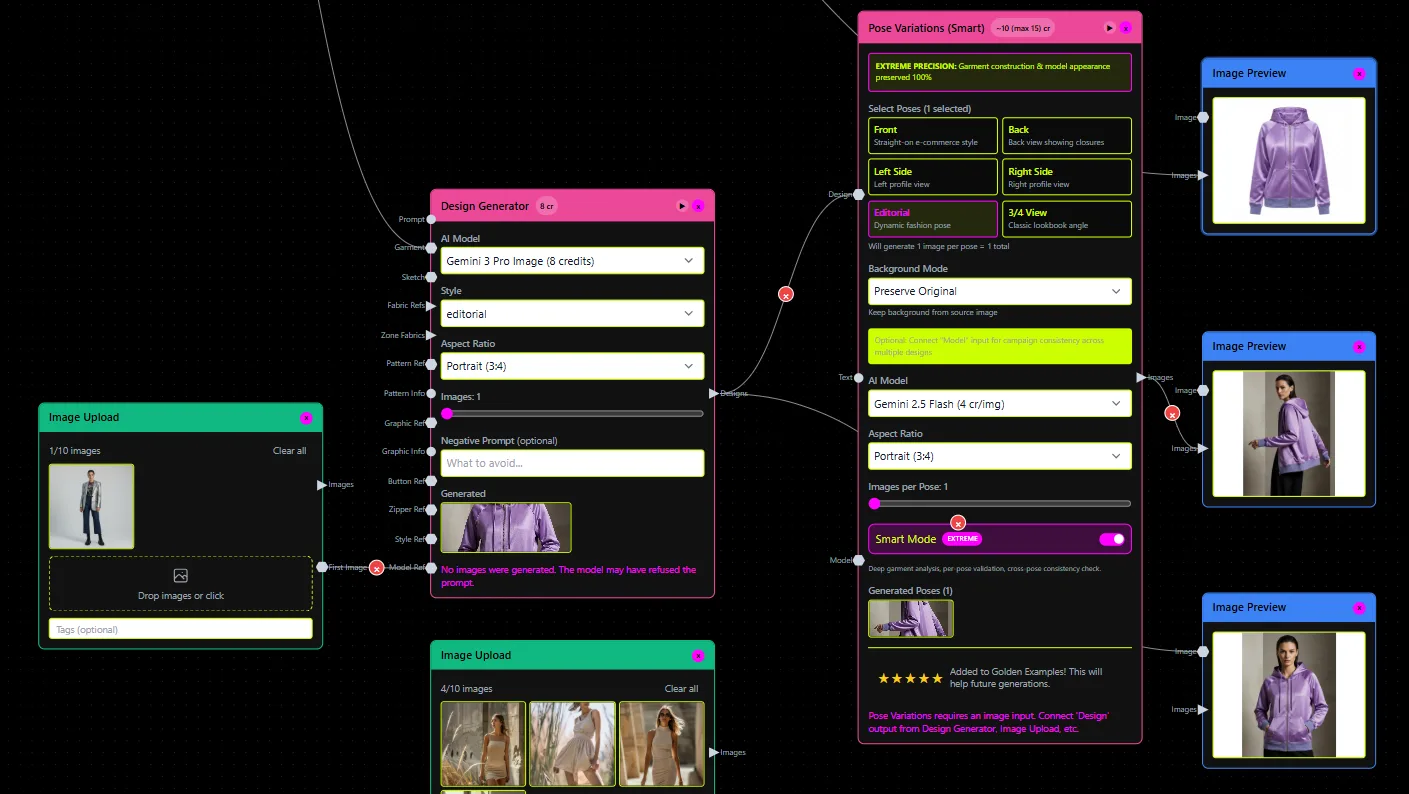
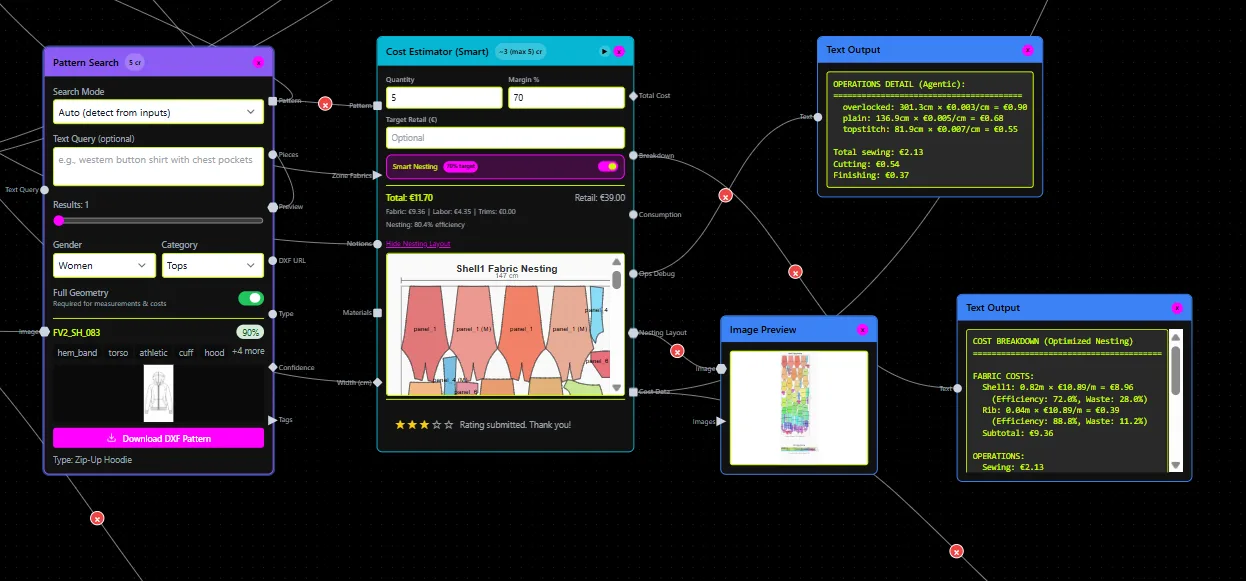
The workflow is node-based. The Pattern Generator handles retrieval and generation. A BOM Agent connects to real fabric suppliers and returns names, compositions, prices, and MOQs. A Cost Estimator calculates cost-of-goods from fabric consumption, construction complexity, trims, and labor. A Feasibility Analyzer checks whether a design is manufacturable at a target price point before sampling. A Tech Pack Compiler auto-generates construction notes and measurements. Each node can be wired together in a custom workflow, and the entire pipeline can be called from an AI chat environment through an MCP server.
Enterprise pricing is published: a 10-week PoC covering one category runs €5-15k as a one-time fee. The Fashion Complete OS is €23,900/year per seat and includes unlimited categories, API connectivity, and custom node creation at scale. Infrastructure sits on a dedicated AWS tenant with IP isolation, SSO, RBAC, and audit logs.
For a detailed breakdown of how the sketch-to-DXF workflow operates in practice, FashionINSTA's own documentation covers the nine-minute sequence from upload to downloadable pattern file.
Alternatives by use case: a comparison table
| Category | Representative tools | What they do well | Key limitation vs. production DXF output |
|---|---|---|---|
| DIY / made-to-measure | Tailornova | Fast measurement-based drafts, 3D preview | No evidence of brand archive training or full tech-pack/BOM/cost automation |
| 3D visualization + AI | CLO3D, Style3D | Realistic drape, simulation, AI-assisted drafting | Pattern output typically requires manual finishing for production |
| Enterprise CAD + AI assistance | Browzwear (VStitcher), Optitex PDS | Established production workflows with AI acceleration | AI enhances existing CAD discipline; doesn't replace archive-trained pattern intelligence |
| Surface textile generation | Raspberry AI, PatternedAI | Seamless print-ready patterns, surface design, on-body renders | Not sewing pattern engineering (no DXF cut/grade/tech pack) |
| AI pattern engineering apps | Aiclo | Browser-based, claims grading + export + tech pack | Limited published case studies, pricing transparency, or depth of enterprise controls |
Bucket 1: DIY and made-to-measure (Tailornova)
Tailornova is an online 3D fashion design tool aimed at independent designers and boutique users. Its homepage reports 210,000 users, claims to generate made-to-measure patterns in three seconds, and lists subscription pricing at $49/month. For a solo designer who needs quick measurement-based drafts with a 3D preview, that's a strong value proposition.
The gap for production teams is significant. Tailornova appears optimized for speed and accessibility rather than preserving a brand's proprietary fit-critical geometry through archive training. There's no published evidence of DXF archive ingestion, grading rules mapped to a brand's own size chart, or automated BOM/cost/feasibility output at the enterprise level. If your pattern room runs on Gerber or Lectra, you'd need to verify whether Tailornova's exports open cleanly in those environments before committing.
For more context on the tools pattern drafting teams typically require, the tooling landscape from parametric CAD to AI-native platforms is covered in detail elsewhere.
Bucket 2: 3D visualization + AI (CLO3D, Style3D)
CLO3D is one of the most widely used 3D garment simulation environments in the industry. Its AI Pattern Drafter (beta), documented by the CLO Help Center as of July 2026, generates measurements and drafted patterns from uploaded sketches automatically. The key word is "drafted": CLO's own documentation describes the output as a starting point that "generate[s] measurements to create a drafted pattern," with the implication that refinement follows, particularly for complex constructions.
CLO3D's position in a production pipeline is as a visualization and drape-simulation environment. Teams that already use CLO can benefit from the AI Pattern Drafter for faster baseline creation, but the tool isn't positioned as a brand-archive-trained system that returns graded, cut-ready DXFs with tech packs and cost data in one automated workflow. For a direct comparison of CLO3D vs. FashionINSTA on production-ready DXF output, the differences in output type are covered specifically.
Style3D operates as an AI plus 3D platform suite with multiple product areas covering design, development, and collaboration. It carries strong enterprise trust signals and is moving toward AI-assisted generative design. However, its public positioning doesn't clearly specify whether outputs are archive-trained, graded, and DXF cut-ready in the way FashionINSTA's enterprise path describes. For visualization-first teams or those looking to speed sampling iteration, Style3D is worth evaluating.
Bucket 3: Enterprise CAD platforms with AI assistance (Browzwear, Optitex)
Browzwear's VStitcher is an enterprise digital product development platform. Its AI features layer on top of an established 3D workflow, enhancing drafting validation rather than replacing the pattern room from first principles. Browzwear is a genuine enterprise tool with recognizable customer logos and speed-to-market messaging. It's the right choice for teams that already have CAD discipline and established pattern blocks, and who want AI to accelerate parts of the drafting and validation loop without rebuilding their data infrastructure.
Optitex Pattern Design Software (PDS) sits in a similar position: it offers integrated 2D and 3D CAD with production-focused drafting, grading, and marker workflows. For teams running established production operations where Optitex is already the system of record, adding AI assistance inside that environment is a lower-disruption path than migrating to a new platform. The AI vs. traditional pattern grading comparison covers where AI acceleration makes the most measurable difference in enterprise grading workflows.
Neither Browzwear nor Optitex is positioned as a pattern intelligence platform that trains on your brand's .DXF archive to return new patterns from your own building blocks. They're better framed as AI-enhanced CAD environments.
Bucket 4: Surface and seamless textile pattern generation (Raspberry AI, PatternedAI)
This bucket addresses a frequent source of confusion. "Pattern generation" in the context of Raspberry AI and PatternedAI means textile surface design: seamless repeating prints, graphic motifs, and colorway variations exported as PNG or SVG files for fabric printing or digital mockups.
Raspberry AI positions itself as an enterprise fashion creative assistant with custom model training, private cloud, and SOC 2 compliance claims. Its documented use cases include sketch-to-render, on-body try-on, print and pattern surface design, and marketing visual generation. It's a strong tool for creative and marketing workflows. It doesn't appear to operate as a sewing pattern engineering platform producing DXF files with grading rules and construction tech packs.
PatternedAI focuses specifically on seamless repeat generation with print-ready exports. For surface designers and print studios, it addresses a real workflow need. It's simply not a garment sewing pattern tool by any standard definition of the term.
If your bottleneck is visual storytelling, surface print generation, or marketing asset creation, both tools are worth exploring. The AI pattern extraction vs. CAD comparison draws the distinction between geometry-driven pattern outputs and image-driven ones more precisely.
Bucket 5: AI pattern engineering apps (Aiclo)
Aiclo positions itself around smart pattern engineering for fashion, with a described workflow covering 3D fitting, auto-grading, export, and a tech pack generator. It operates in-browser with a free-to-try entry point. The product narrative is closer to FashionINSTA's stated territory than any other tool in this comparison.
The published gaps worth investigating before committing: there's limited pricing transparency for enterprise tiers, few quantified case studies demonstrating production-grade pattern accuracy, and no published information about brand-archive training depth (i.e., whether the system learns your specific fit blocks or generates patterns from a generic model). For pattern rooms that need to prove output correctness before cutting samples, those are meaningful questions.
The production output test: what to ask any tool
Before selecting any AI fashion pattern generation tool, apply this checklist to the specific output the tool delivers:
- Working CAD DXF: Does the export open cleanly in your pattern room's CAD system (Gerber AccuMark, Lectra Modaris, V-Stitcher, CLO3D, or Optitex)?
- Grading support: Does grading reflect your brand's own size chart increments, or is it generic?
- Marker and nesting readiness: Can the pattern pieces be nested without manual correction?
- Construction documentation: Are pocket placements, facings, notch positions, and construction notes included, or does a pattern maker still need to author the tech pack?
- Feasibility and cost: Does the tool tell you whether the design is manufacturable at your target margin before a sample is cut?
FashionINSTA's published enterprise page explicitly claims outputs on all five points: "Real .DXF Patterns," BOM Agent data with actual fabric prices and MOQs, Cost Estimator and Feasibility Analyzer outputs, and a Tech Pack Compiler for complete design packages including colorway variations and 360-degree spin videos. Its export compatibility list includes Gerber, V-Stitcher, Lectra Modaris, CLO3D, Browzwear, Optitex, Tukatech, and Style3D.
The AI pattern grading tools comparison for 2026 covers how grading automation specifically intersects with brand size standards.
Migrating between systems: what breaks and how to check
Teams switching from one AI pattern making platform to another commonly encounter four failure points: fit DNA loss (patterns exported from one system don't carry your brand's ease allowances or block logic), DXF export quirks (layer naming, curve resolution, and seam allowance handling differ between systems), grading rules mismatch (generic grade tables don't match your brand's actual size specifications), and tech pack formatting gaps (notes and measurement tables that were auto-generated in one tool don't transfer cleanly to another).
Before migrating, ask any vendor these questions:
- Which specific DXF flavors does the tool export, and which CAD systems have been tested for compatibility?
- If the tool trains on my archive, what happens to my pattern data if I discontinue the subscription?
- Can grading increments be imported from my existing spec sheets, or is grading applied generically?
- Does the tech pack export include construction callouts, or only measurement tables?
FashionINSTA's infrastructure documentation states that customer pattern data sits on a dedicated AWS tenant with IP isolation, which addresses data ownership concerns that are common in enterprise evaluations. For an assessment of how AI CAD integration works across major apparel software environments, the specific compatibility details are documented separately.
Frequently asked questions
Can FashionINSTA replace CLO3D or Browzwear?
Not as a drop-in replacement for 3D simulation. CLO3D and Browzwear are genuine 3D drape and visualization environments. If your workflow depends on physics-based fabric simulation for presentations or digital showrooms, those tools handle something FashionINSTA doesn't target. Where FashionINSTA differs is that its DXF outputs are designed to open in CLO3D, Browzwear, and Gerber, meaning it can sit upstream in the pipeline (generating the pattern geometry) while CLO3D or Browzwear handles visualization downstream. The two don't need to be mutually exclusive.
When should I use both?
A practical split: use FashionINSTA's Pattern Generator and Tech Pack Compiler to produce the production-ready geometry and downstream documentation, then import that DXF into CLO3D or Browzwear for drape validation and stakeholder presentation. That workflow avoids the manual re-creation of patterns in 3D environments and keeps geometry synchronized from pattern room to render.
Is FashionINSTA only for large enterprises?
The platform tiers suggest otherwise. The enterprise PoC (€5-15k one-time, one category, 10 weeks) targets brands with a meaningful pattern archive. There's also a free entry tier with 150 credits for teams exploring the node-based workflow before committing to archive training. For an honest comparison of free vs. paid AI fashion tools and where the trade-offs appear in production workflows, that distinction is covered directly.
Choosing by bottleneck, not by brand recognition
The best AI fashion pattern making software in 2026 depends entirely on where your production pipeline stalls:
- If it stalls at visualization and sampling iteration: CLO3D, Style3D, or Browzwear are designed for that phase.
- If it stalls at surface design and print generation: Raspberry AI or PatternedAI handle that specifically.
- If it stalls at quick made-to-measure drafts for individual customers or small-run boutiques: Tailornova's $49/month plan removes friction effectively.
- If it stalls at production-ready DXF geometry, grading aligned to your brand's size standard, and factory-ready tech packs with cost and feasibility data: FashionINSTA's architecture is built around that exact bottleneck.
No tool is universally best. Each solves a distinct version of "pattern creation." The decision framework is the output checklist above: ask what leaves the tool, whether it opens in your CAD environment, and whether a factory can cut from it without further manual work. Those three questions narrow the field quickly.