Can you use AI to design clothes?
TL;DR: While many AI tools stop at visual concepts, FashionINSTA's Fashion Nodes workflow can generate factory-ready production files in under an hour. This case study explores how a single sketch was transformed into CAD-compatible patterns, a complete tech pack, and a verified bill of materials, saving hours of manual labor.
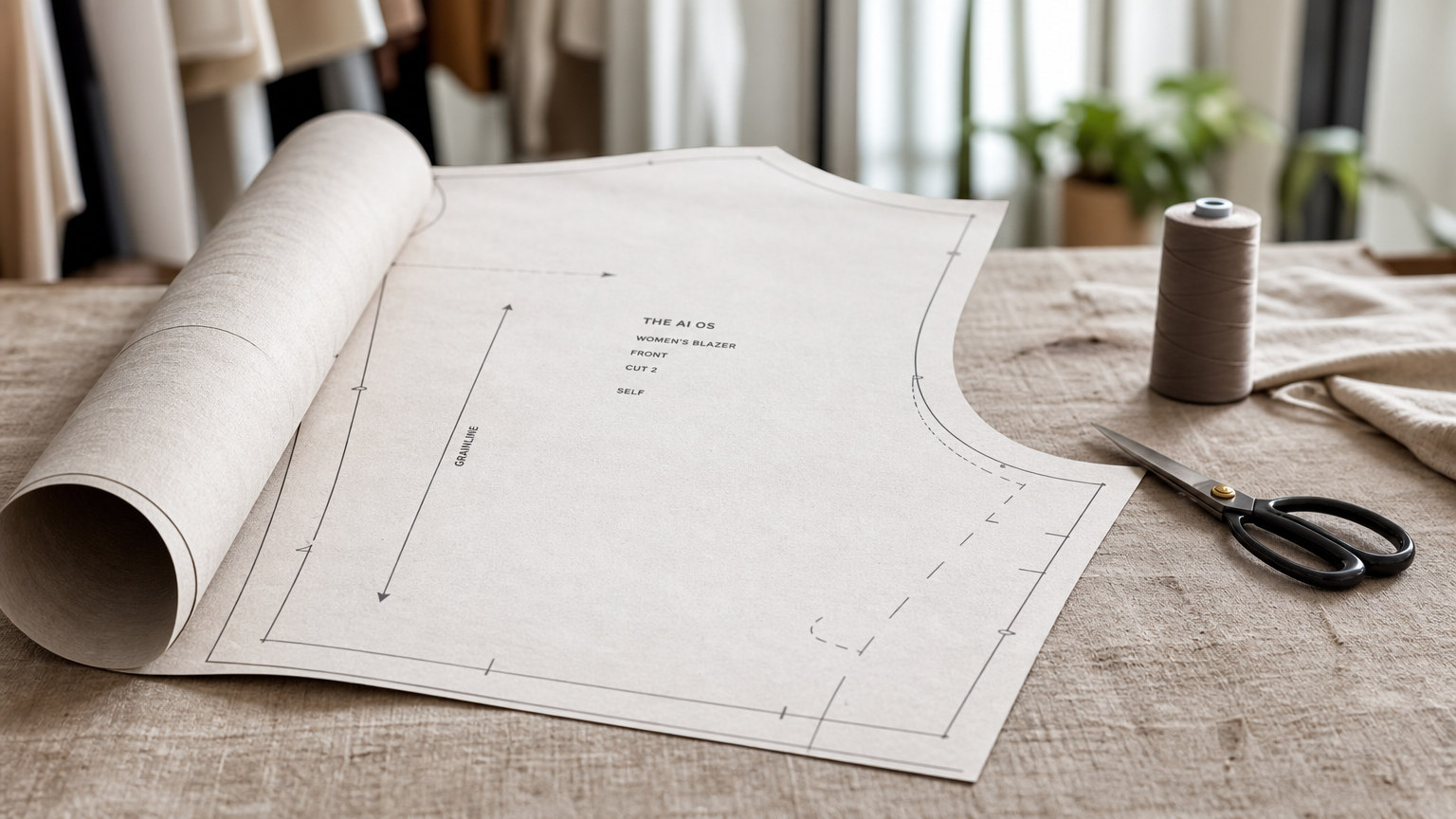
So you want to know: can you use AI to design clothes? The honest answer is yes, but the word "design" is doing a lot of heavy lifting there.
There are two very different things people mean. The first is visual design: generating mood boards, concept renders, e-commerce imagery, virtual try-on visuals. Plenty of AI fashion design tools do this reasonably well. The second is production design: creating the pattern geometry, tech pack, bill of materials, costing, and feasibility documentation that a factory actually needs to cut and sew a garment. Most AI tools stop at pictures and call it done.
This case study documents what happens when you push past the image stage and run a single garment all the way through to factory-compatible outputs using FashionINSTA's Fashion Nodes workflow.
The garment and what "success" actually meant
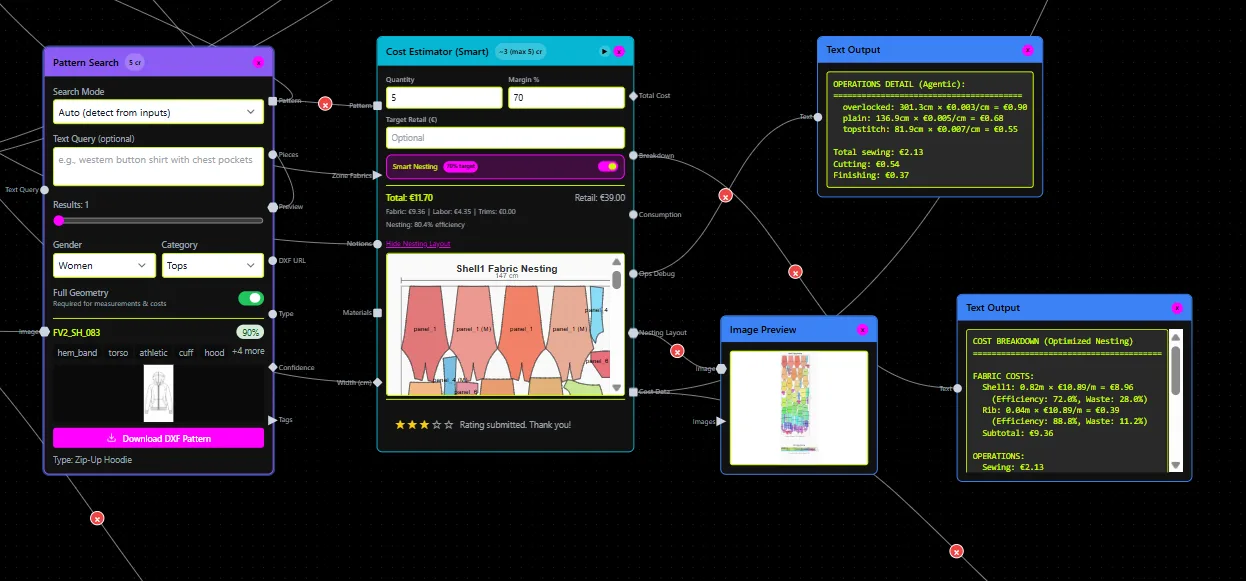
The test garment was a structured women's blazer, size range XS–XL, targeting a Spring/Summer contemporary collection. The brief came in as a hand-drawn sketch with annotations and a reference moodboard. Design intent was a notch-lapel, two-button front, single back vent, welt pockets.
Success was defined across four specific criteria before a single node ran:
- A downloadable, CAD-compatible .DXF pattern file suitable for Gerber, Lectra, or Optitex
- A complete tech pack (spec table, construction notes, colorways)
- A BOM with real fabrics, supplier prices, and MOQs, not placeholder data
- A feasibility confirmation that the construction detail geometry was manufacturable at the target cost point
If the workflow couldn't deliver all four, the AI output would classify as "visual only", useful for marketing, not for production.
Inputs loaded and nodes connected
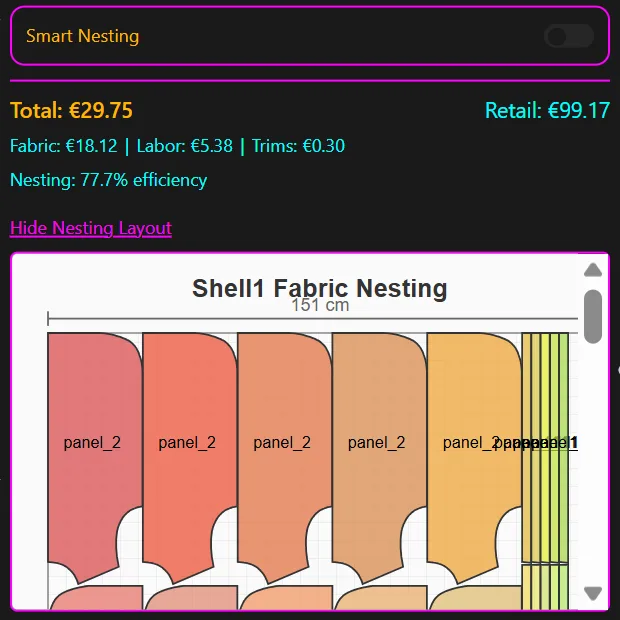
The FashionINSTA Fashion Nodes workflow started with three inputs: the annotated sketch (uploaded as a reference image), the woven tailoring block from the platform's pattern library category, and the brand's size chart (XS–XL with graded measurement increments).
The node sequence ran in this order:
Pattern Generator retrieved the closest-matching .DXF blazer block from the dataset, mapped the design annotations to geometry adjustments, and returned a draft pattern with 14 labeled pieces including front/back bodice, sleeve, facing, and interfacing.
BOM Agent connected to FashionINSTA's verified fabric shop and returned actual fabric names, compositions, prices per meter, and MOQs for three primary fabric options (a 70/30 wool-poly suiting, a 100% cotton canvas, and a stretch viscose blend), plus lining, interfacing, and trims.
Cost Estimator calculated cost-of-goods using fabric consumption from the pattern geometry, construction complexity score, and standard labor rates. Output: three costing scenarios tied to the three fabric options.
Feasibility Analyzer checked the welt pocket geometry against construction tolerances and flagged one issue: the pocket mouth width on the XS grade was 2mm under the minimum recommended for reliable industrial stitching. That flag went directly to the human technical lead for review.
Tech Pack Compiler auto-generated the full spec document: graded measurement table, seam allowance specifications, construction sequence notes, colorway blocks, and trim callouts.
The Media/Render node ran last, generating front and back technical flats plus an editorial visual, but that output was treated as supplementary, not the deliverable.
How long it actually took

| Stage | Time from brief submission |
|---|---|
| Draft .DXF pattern (14 pieces) | T+9 minutes |
| BOM with 3 fabric options + MOQs | T+14 minutes |
| Cost-of-goods across 3 scenarios | T+17 minutes |
| Feasibility check + flag | T+19 minutes |
| Full tech pack compiled | T+26 minutes |
| Human technical lead review + v2 geometry | T+58 minutes |
Total time from brief to factory-ready v2 package: under one hour. The equivalent traditional workflow for this garment category (manual pattern drafting, sourcing research, tech pack documentation, costing spreadsheet) typically runs 6–8 hours across a pattern maker, technical designer, and merchandiser. FashionINSTA's own published benchmarks describe sketch-to-pattern workflows running 70% faster than traditional methods, which aligns with what this single-garment run produced.
The longest phase wasn't the AI, it was the human review of the feasibility flag. That's the right place for a person to be spending time.
What the artifacts actually contained
The exported package after the v2 geometry revision included:
Blazer_SS26_v1_geometry.dxf (draft, 14 pattern pieces with seam lines, grain lines, notches, and drill holes)
Blazer_SS26_v2_geometry.dxf (post-feasibility revision: XS pocket geometry adjusted, curve smoothing applied to back vent)
Blazer_SS26_techpack.pdf (spec table with 22 measurements across 5 sizes, construction notes in numbered sequence, colorway swatches, fabric placement callout diagram, trims list with part numbers)
Blazer_SS26_BOM.xlsx (fabric name, supplier, composition, width, price/meter, MOQ, consumption per size, total cost per size, three scenario columns)
Blazer_SS26_grading_table.pdf (graded measurement increments XS through XL with tolerance ranges)
File versioning was automatic: v1 geometry from the Pattern Generator, v2 after the Feasibility Analyzer flag was resolved. This matters for traceability, the factory and the technical lead are always working from the same version reference.
Factory compatibility: what passed, what needed a human

The .DXF files were opened in Gerber AccuMark (v15) and Optitex for nesting validation. Both confirmed the pattern pieces were correctly formatted with closed paths, grain lines present, and seam allowances readable. The grading increments were within standard tolerance for both systems.
The welt pocket flag that the Feasibility Analyzer caught would have surfaced in the first physical sample, probably at significant cost. Catching it in the AI workflow, before sampling, is the actual ROI moment.
One limitation worth noting: the back collar roll line required a minor manual adjustment in Gerber after import. The FashionINSTA output flagged it as "review recommended" in the tech pack notes, so it wasn't a surprise, but unusual collar constructions remain an area where human CAD intervention adds time.
Can AI replace fashion designers? No. What it does is remove the low-value hours: retyping measurements, formatting tech pack tables, reformatting the same BOM for the fifth time. The designer and technical lead focused on the decision that only they could make: whether that collar roll was correct for the brand's fit standard. That's a good division of labor.
A quick note on copyright
A few things worth knowing before you take AI-generated fashion imagery to market (this is context, not legal advice):
- The U.S. Copyright Office has indicated that copyrightability depends on human authorship; works entirely generated by AI don't automatically benefit from copyright protection (Banner Witcoff, June 2025).
- If you're using AI outputs commercially, check the specific tool's licensing terms, they vary considerably.
- Production files like .DXF patterns that incorporate your proprietary block measurements and brand fit data have a clearer human-authorship component than a purely generated image.
- When in doubt, involve IP counsel before filing or asserting rights on AI-assisted designs.
Results that actually matter
A technical design director who reviewed the output package put it this way: "I've seen AI tools that give me a pretty picture and call it a pattern. This gave me files I could open in AccuMark without reformatting. That's a different category of tool."
The numbers from this single-garment run:
- 58 minutes total from brief to factory-ready v2 package
- 6–8 hours estimated traditional equivalent
- 1 feasibility flag caught before sampling (welt pocket geometry, XS grade)
- 0 reformatting passes needed for Gerber/Optitex import
- 3 costing scenarios generated automatically against real supplier data
- BOM match confidence: all three fabric options returned with verified supplier MOQs, no placeholder pricing
Teams using FashionINSTA report $60–80k in annual savings compared to traditional workflows, according to the platform's own benchmarks. One garment run under an hour is how that number compounds across a seasonal range.
If you're still asking "can I use AI to design clothes?" the answer is: yes, but the question worth asking is whether the AI output is a picture or a production file. Those are not the same thing.
Want to run the same workflow on your own category? FashionINSTA's Enterprise Pilot starts at €5,000 for one product category (30–50 patterns), includes 10,000 node credits and onboarding, and trains the platform on your brand's own .DXF library so the Pattern Generator is working from your fit blocks, not a generic dataset. That's where the sketch to pattern workflow stops being a demo and starts being a workflow change.
Start with Fashion Nodes free, or request a single-category pilot at fashioninsta.ai