Maintaining Brand Consistency in Garment Patterns
TL;DR: Maintaining brand consistency in garment patterns requires separating visual style from fit-critical manufacturing geometry. This guide outlines how to prepare your pattern archive, integrate AI tools with existing CAD systems, and validate outputs to ensure precise fit and construction. Deploying the right AI solution protects your brand's signature silhouette while streamlining production.
Maintaining brand consistency in garment patterns is a precise engineering problem, not a creative one. The neckline radius that defines your brand's signature silhouette, the armhole curvature locked into every approved block, the seam placement hierarchy that governs construction sequence, these are fit-critical geometry decisions that must survive every seasonal iteration. AI can protect them, but only if you deploy the right category of tool.
This guide covers two distinct problem domains that are frequently conflated: visual style consistency (where tools like Adobe Firefly and Midjourney operate) and manufacturing/fit consistency (where archive-based pattern intelligence with CAD-compatible .DXF outputs is required). You'll get a complete implementation path: dataset preparation, file format requirements, a realistic training and validation timeline, CAD integration steps, and the success metrics your pattern team should track.
Who this is for: Directors of 3D Design, R&D leads, and senior patternmakers managing a production-approved archive and evaluating AI tools for brand governance in 2025/2026.
Prerequisites: Access to your brand's production-approved .DXF pattern archive, familiarity with DXF-AAMA/ASTM conventions, and at least one active CAD system (Gerber, V-Stitcher/Browzwear, CLO3D, or equivalent).
Difficulty: Intermediate to advanced. Estimated time: 8–10 weeks for a full proof-of-concept deployment.
Two domains, two tool categories
Before selecting any AI tool for brand consistency, you need to separate what you're actually trying to protect.
Visual style consistency refers to color palette adherence, graphic treatment, typography, and surface-pattern aesthetics across marketing and design assets. Tools like Adobe Firefly use reference image inputs to steer image generation toward a desired visual style (per Adobe's official Help Center documentation). Midjourney's "Style Reference" feature similarly captures the visual character of an existing image and applies it to new generations. These tools are valid for campaign imagery, lookbook generation, and textile repeat pattern direction. They do not write geometry to a .DXF file. They cannot enforce a seam allowance, grade across sizes, or output a piece that a cutter can read.
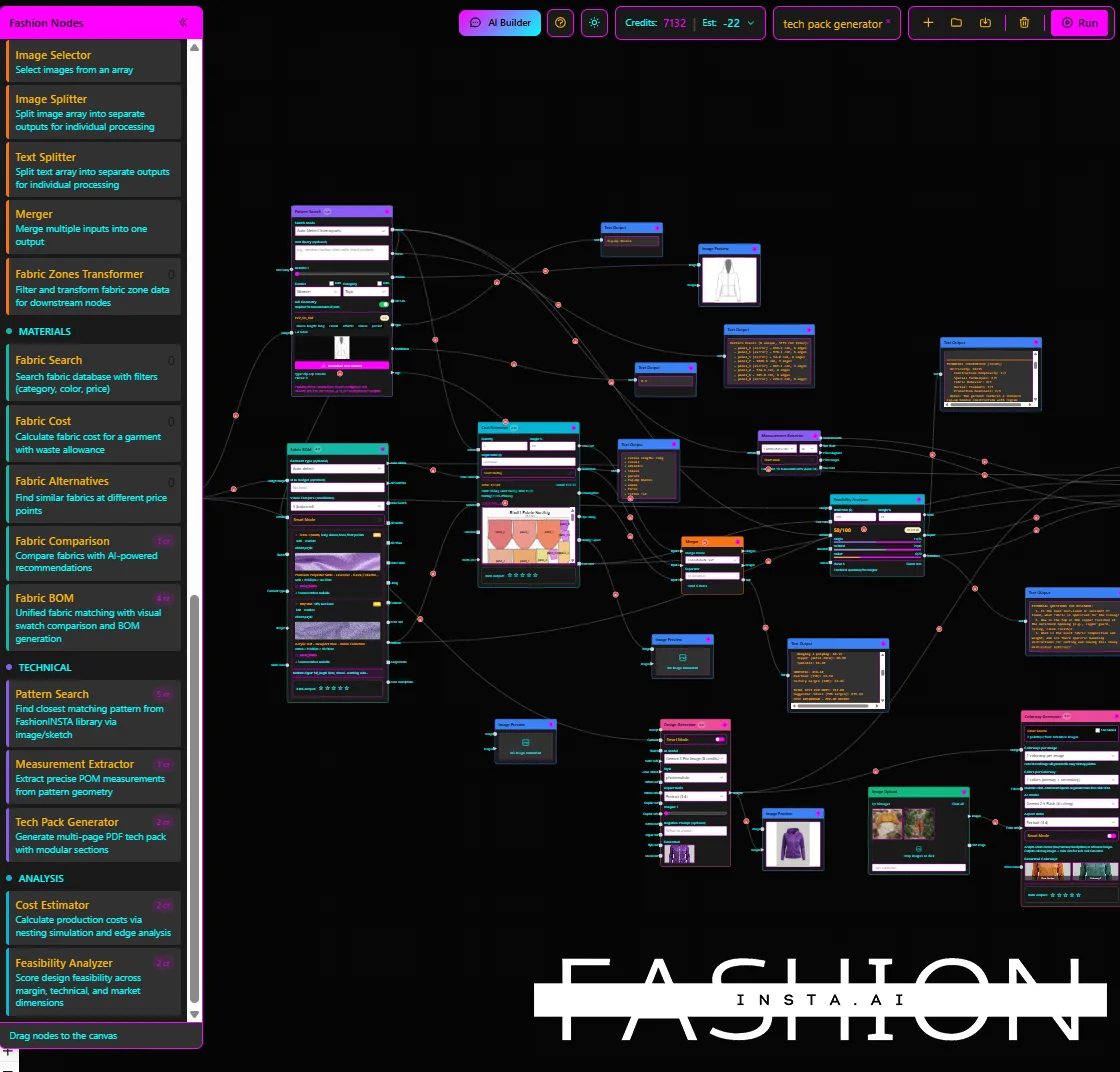
Manufacturing/fit consistency is the preservation of fit-critical geometry: neckline shapes, armhole curves, ease values, seam placement, and the construction hierarchy that makes your block recognizable across categories. This requires a system that retrieves patterns by geometric similarity, applies automated CAD operations against your approved archive, and exports files your downstream tools (Gerber, V-Stitcher, CLO3D) can consume without re-digitizing.
Conflating these two domains is the most common mistake teams make when evaluating the best AI tools for brand consistency in pattern design. The rest of this guide focuses on the manufacturing/fit layer.
Building your minimum dataset: the AI pattern readiness checklist
Before any training run, the quality of your pattern archive determines everything. Volume alone isn't sufficient.
What "brand consistency in patterns" actually means: Fit-critical geometry preservation at the piece level: neckline curves and armhole shapes that define your brand's fit signature, ease logic per category, seam placement relative to body landmarks, and the construction hierarchy (what's cut-and-sewn in what order). An AI system trained on your archive learns these relationships, not just aesthetic shape.
Dataset size thresholds
For baseline brand fit tuning scoped to one category (say, woven tops), a working minimum is roughly 70–150 production-approved patterns. FashionINSTA's proof-of-concept model is structured around this range, one category, roughly 70–150 patterns collected, for good reason: narrowing scope early prevents the model from averaging across incompatible construction logics.
For multi-category generalization, you need proportionally larger sets per category, but the quality requirements are the same: every piece must be production-approved, grading rules must be complete and attached, and piece naming must follow a standardized convention. A folder of 400 patterns where 30% are unapproved samples, rejected fits, or re-graded experiments is not a dataset, it's noise.
Brand pattern archive data cleaning steps
Run through these before declaring your archive AI-ready:
- Remove unapproved and dead patterns. First-sample rejects, abandoned colorway variations, and superseded blocks all corrupt the geometry signal.
- Normalize geometry. Confirm all pieces use consistent coordinate orientation and that curve interpolation matches across files (watch for mixed NURBS vs. polyline representations in older DXF exports).
- Audit layer mapping. Every file must carry distinct, named layers for cutlines, notches, grainline, and internal lines (darts, fold lines, seam indicators). Missing layers create piece-mapping failures downstream.
- Verify grading rule attachment. Patterns without complete grading rules cannot support grading coherence checks during validation.
- Standardize piece naming. Front body, back body, sleeve, collar, and facing pieces should follow a single naming taxonomy. Mixed naming conventions break the similarity-scoring mechanism.
Your archive is AI-ready when every piece passes all five checks. If more than 20% of your archive fails steps 3 or 4, restructure before training, the cleanup investment at this stage is far cheaper than debugging geometry drift in production patterns six weeks later.
File format and metadata requirements
DXF-AAMA vs DXF-ASTM for apparel CAD
Standard DXF (generic AutoCAD export) is insufficient for apparel CAD interoperability. The two formats you need to understand are:
- DXF-AAMA (American Apparel Manufacturers Association): the standard most commonly accepted by Gerber systems. FashionINSTA exports AMMA DXF specifically for Gerber workflows.
- DXF-ASTM (ASTM D6673/D5-98): the internationally recognized standard for pattern data exchange. Style3D Studio's help center explicitly states that DXF file support covers only files exported under ASTM and AAMA standards, anything else will fail on import.
Both CLO3D and V-Stitcher/Browzwear accept AAMA/ASTM variants. CLO3D's help center lists DXF-AAMA and DXF-ASTM as distinct export options alongside "Standard DXF" (the generic format). Browzwear's V-Stitcher documentation specifies that DXF import requires explicit unit selection (e.g., Centimeters), a step teams frequently skip, causing silent scaling errors.
Required layer conventions
Regardless of which AAMA/ASTM variant you're using, enforce these layer assignments in every file your archive:
| Layer function | Layer name convention | Why it matters |
|---|---|---|
| Cut line (outer boundary) | CUT or equivalent standard label |
Defines the piece geometry scored during retrieval |
| Notch marks | NOTCH |
Required for seam alignment; missing notches cause seam drift |
| Grainline | GRAIN |
Orientation reference; omission causes fabric placement errors |
| Internal lines (darts, seam indicators) | INTERNAL |
Construction sequence; needed for facing/lining generation |
| Piece annotations | TEXT |
Size, piece name, fabric type for measurement extraction |
Tech-pack and sizing metadata
Attach size charts and point-of-measure (POM) definitions to each pattern set, not just the marker file. AI-assisted tech pack compilation (FashionINSTA's Tech Pack Compiler node, for example) uses POM definitions to auto-generate measurements and construction notes. Without attached POM data, measurement extraction is manual, defeating the purpose.
Output requirements for downstream tools: AMMA DXF for Gerber, AAMA/ASTM DXF for V-Stitcher, and tech-pack compilation in PDF/CSV/Excel for PLM handoff.
Step-by-step training and validation timeline

This timeline reflects FashionINSTA's proof-of-concept model for a single-category deployment. PoC cost runs between €5,000 and €15,000 depending on dataset complexity.
Step 1: Scope to one category (Week 1)
Select the highest-volume, most consistent category in your archive. Woven tops, trousers, or a single outerwear category all work. Avoid mixing cut-and-sew jersey with woven construction in the same initial dataset, the geometry logic is incompatible and will degrade consistency scores.
Deliverable: a scoped dataset folder with standardized naming, passing all five archive readiness checks above.
Step 2: Data collection and cleaning (Weeks 1–2)
Allocate 70–150 production-approved patterns per the FashionINSTA PoC benchmark. Manual cleaning effort varies by archive maturity. Budget for 3–5 days of patternmaker time to resolve layer mapping issues, especially in archives migrated from legacy CAD systems. Export all pieces to AAMA or ASTM DXF before submission to the training pipeline.
Step 3: Training and fit-model build (Weeks 2–3)
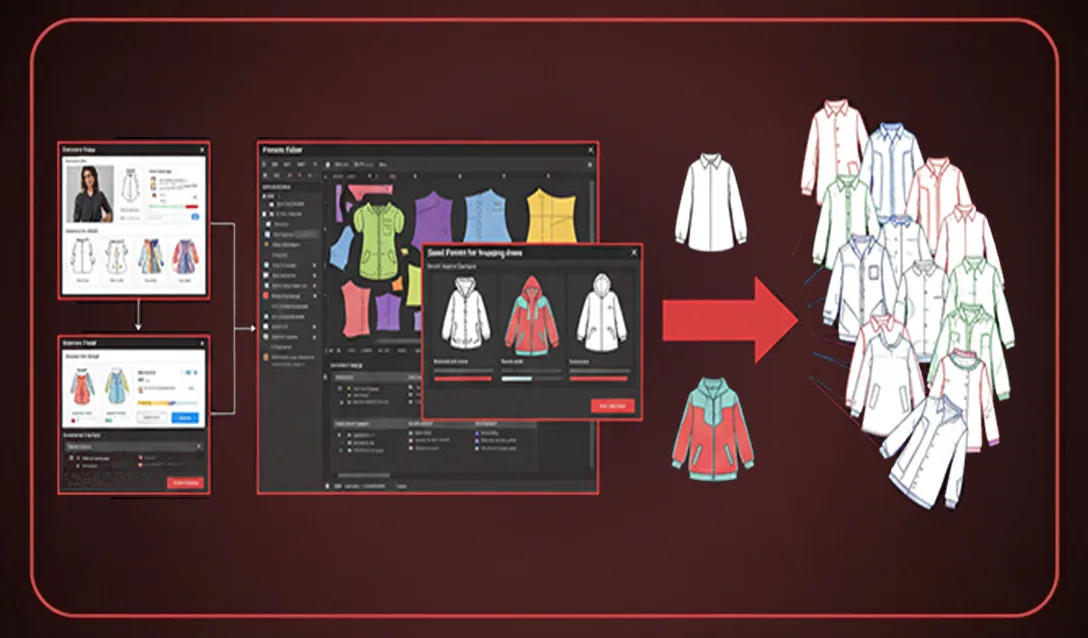
FashionINSTA's training window runs approximately 2 weeks including data collection and cleaning. What "training" does in this context is not generative image fine-tuning. The system extracts 750+ geometric features per pattern piece, builds a similarity index scored by geometry, and learns "construction recipes", the automated CAD operations (sleeve length adjustments, seam relocation, facing generation, gathering/fullness addition, pocket and lining creation) that define your brand's construction DNA.
The output is a retrieval-and-generation system: given a new design input (sketch, image, or text description), it finds the closest existing pattern by geometry, scores the match, and then applies automated CAD operations to generate the required variation while preserving fit-critical geometry such as necklines and armhole shapes.
Step 4: Tryout and validation (Weeks 3–8)
Six weeks is the FashionINSTA-recommended tryout window for a single category. Run designer and patternmaker review in parallel: designers validate that retrieved patterns reflect the intended construction intent; patternmakers evaluate geometric deltas against reference blocks, grading coherence across sizes, seam and finish correctness, and manufacturability.
Review daily logs during this phase. Failure modes caught in week 3 are far less costly to correct than those surfaced in week 7. FashionINSTA's governance model explicitly recommends daily log review to reduce bugs and regressions during adoption.
Validation rubric: - Geometry delta: corner curves, notch positions, and seam lengths vs. reference block (target: sub-2mm deviation on fit-critical seams) - Grading discrepancy: grade step consistency across all pieces in the set - Seam and finish correctness: facing alignment, pocket placement, lining coverage - Manufacturability/feasibility: nesting efficiency and cost estimation accuracy (FashionINSTA claims approximately 80% cost estimation accuracy when connected to correct costing data)
Go/no-go criteria: If geometry delta and fit approval rate meet your brand's tolerance after 6 weeks, roll out to a second category. If not, identify whether the failure is in archive quality, layer mapping, or the grading attachment, and re-clean before extending scope.
Integration with existing CAD workflows
Workflow mapping
The integrated workflow runs as follows:
- Designer provides input (sketch, photograph, or written description of construction intent).
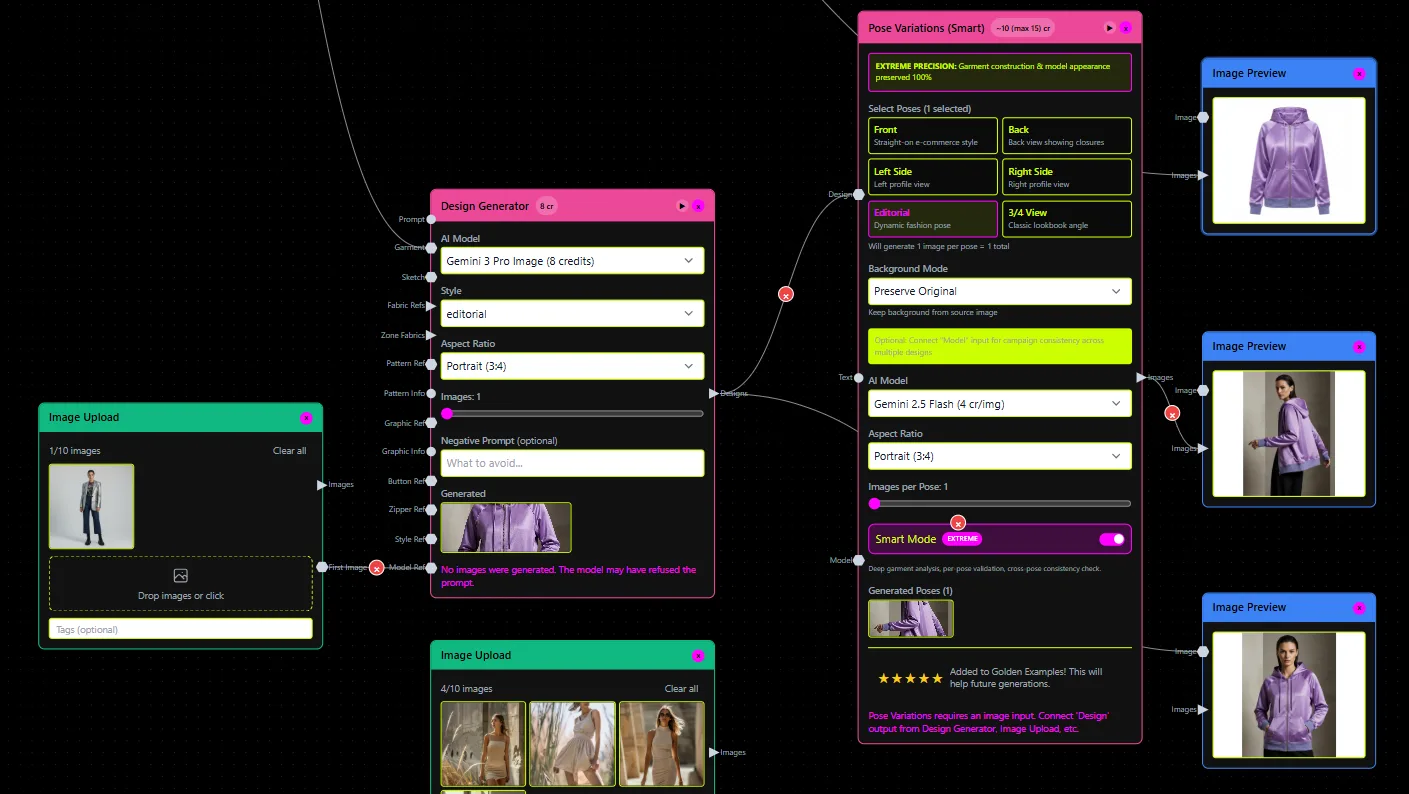
- FashionINSTA performs closest-pattern retrieval by comparing the input to the geometry of existing patterns in the trained archive, with an optional "deep research" mode that scores how close the result can be after automated CAD operations.
- The system generates a pattern variation via automated CAD operations: sleeve length changes, seam relocation, gathering/fullness, facings, pockets, linings, and marker-connected elements.
- Patternmaker receives the .DXF output, completes finish details and production-specific edits, and approves for export.
- Export to CAD/cutter: AMMA DXF for Gerber, V-Stitcher DXF for Browzwear/V-Stitcher.
DXF export verification after import
After importing into Gerber or V-Stitcher, verify:
- All piece layers imported correctly (check that notches, grainline, and internal lines are present as discrete entities, not merged into the cut line)
- Unit scale is correct, V-Stitcher requires explicit unit selection at import; confirm piece dimensions match the source file
- Piece count matches the expected BOM (missing lining or facing pieces indicate a layer-mapping failure at export)
- Grading rules are attached and grade points are at expected positions
Connecting to costing, feasibility, and tech pack compilation
Once pattern geometry is validated, pipe outputs into FashionINSTA's Feasibility Analyzer and Cost Estimator nodes. The feasibility check runs against nesting efficiency and construction complexity at a target price point, flagging issues before physical sampling. Cost estimation accuracy of approximately 80% requires correct costing data (fabric prices, labor rates, trim costs) to be connected.
For PLM handoff, the Tech Pack Compiler node auto-generates measurements from POM definitions, compiles construction notes, and outputs PDF/CSV/Excel tech packs. This closes the loop from AI-generated .DXF to factory-ready documentation without re-entry.
Roles and version control
Establish clear role boundaries: designers initiate via sketch or description, patternmakers own geometric finalization and production edits, and the pattern archive owner manages training data updates. Version every approved pattern against a changelog (see below) before adding it to the training dataset.
Troubleshooting failure modes and success metrics
Common failure modes
| Failure mode | Symptom | Corrective action |
|---|---|---|
| Wrong piece mapping | Retrieved pattern is correct category but wrong construction logic | Audit piece naming taxonomy; verify subcategory scoping |
| Seam drift | Seam positions shift relative to approved block | Check grainline layer attachment; verify notch positions in source DXF |
| Grading mismatch | Grade steps inconsistent across size range | Confirm grading rules are attached to all pieces, not just the base size |
| Scale/unit error | Imported piece dimensions are wrong by a factor | Enforce AAMA/ASTM export; verify unit selection at V-Stitcher import |
| Missing layers | Notches, grainline, or internal lines absent after import | Re-audit layer mapping in source archive; re-export with correct layer conventions |
Success metrics to track
Track these at the end of the tryout phase and at each subsequent category rollout:
- Geometry consistency score: geometric similarity between generated patterns and reference blocks (express as mean deviation in mm on fit-critical seams)
- Fit approval rate: percentage of generated patterns approved by patternmakers without geometric rework
- First-pass sampling reduction: compare physical sample rounds per style before and after AI pattern generation
- Time-to-pattern reduction: average time from design input to approved .DXF, compared to pre-AI baseline
- Cost variance vs. estimate: actual production cost vs. AI-generated estimate, tracked per style
IP governance and the brand consistency changelog
Archive-based training involves proprietary pattern data. Confirm your platform provides dedicated tenant data isolation, audit logs, and SSO/RBAC access controls before submitting your archive. FashionINSTA's enterprise configuration supports these controls.
Maintain a brand consistency changelog: every time you add new patterns to the training archive or remove deprecated blocks, log the change with a date, the affected category, and the reason. Silent alterations to training data can shift construction DNA across an entire category without any single pattern appearing wrong. The changelog is your regression protection.
Finally, close the loop: use patternmaker feedback from each tryout cycle to identify which construction recipes need refinement. Feed approved corrections back into the archive, re-run the affected category, and verify that previous generations are not adversely affected. This continuous improvement cycle is what keeps brand consistency compounding over time rather than degrading with each seasonal update.
The tools that genuinely maintain brand consistency in patterns aren't the ones generating the most visually compelling results. They're the ones that preserve fit-critical geometry from your production-approved archive, output files your CAD systems can consume without re-digitizing, and give your patternmakers a structured review path to validate every generated piece before it reaches a cutter. That's the standard worth measuring against.