FashionINSTA BOM Agent
TL;DR: FashionINSTA's BOM Agent transforms the traditional bill of materials from a static document into a live, automated cost model. By connecting directly to verified supplier data, it ensures accurate material sourcing, pricing, and feasibility analysis before production begins. This eliminates manual data entry errors and bridges the gap between design estimates and factory realities.
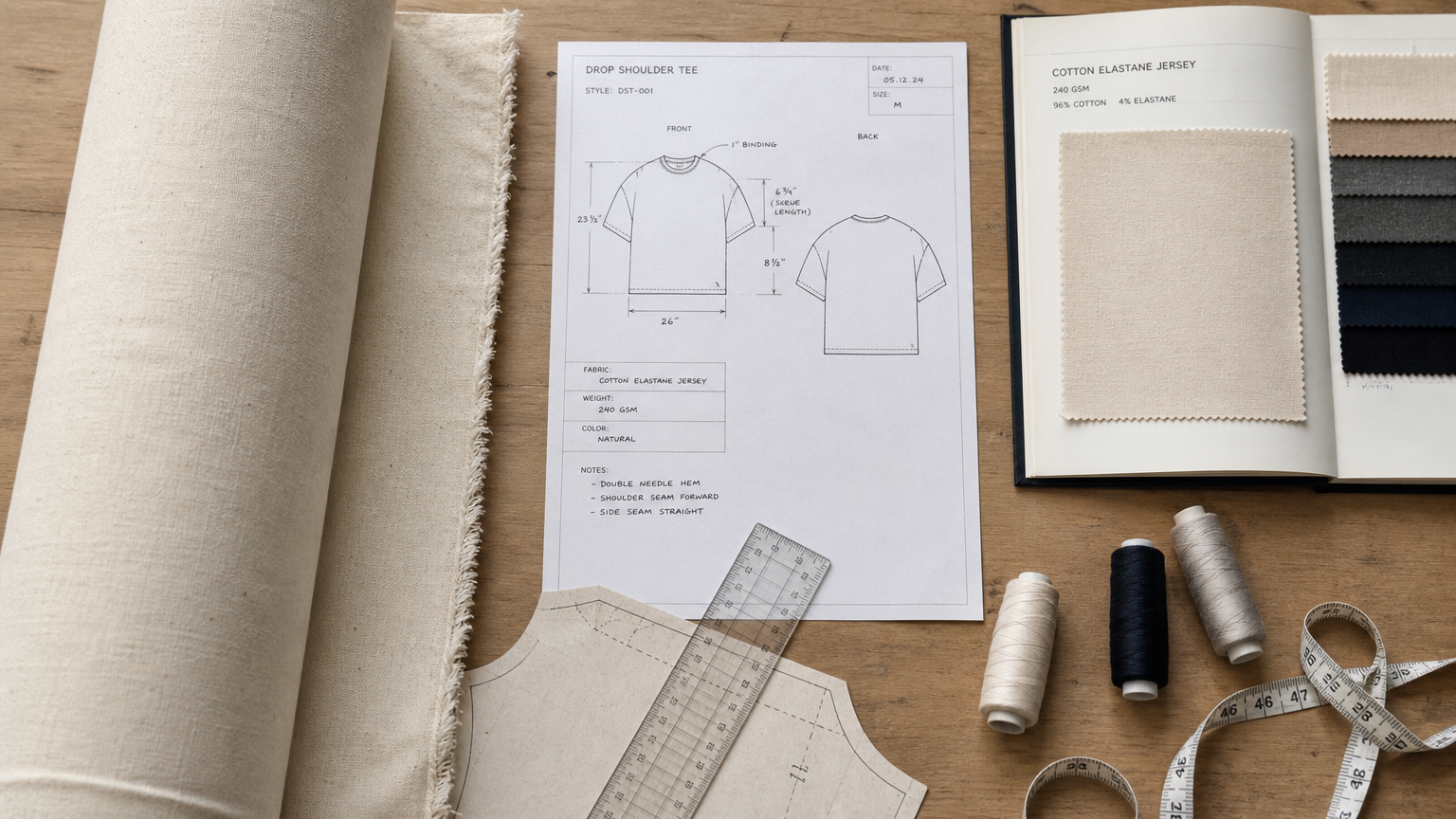
A bill of materials for a clothing line isn't a static list of raw materials. It's a live cost model that has to stay synchronized with design decisions, supplier realities, MOQ thresholds, and lead time constraints simultaneously. When any of those variables shifts, every downstream decision around costing, feasibility, and factory documentation shifts with it.
Most apparel PLM and BOM software treats the BOM as a data entry form. You populate it manually, attach a supplier record you found yourself, and hope the pricing is still accurate by the time the tech pack goes to the factory. That gap between "spreadsheet-real" and "factory-real" is where sampling costs accumulate and margin assumptions collapse.
FashionINSTA's BOM Agent closes that gap. It operates as a dedicated workflow node inside FashionINSTA's AI fashion operating system, connecting directly to a verified fabric shop and returning sourced, supplier-grounded material records that feed immediately into the Cost Estimator, Feasibility Analyzer, and Tech Pack Compiler nodes.
What the BOM Agent automates and why spreadsheets can't do it
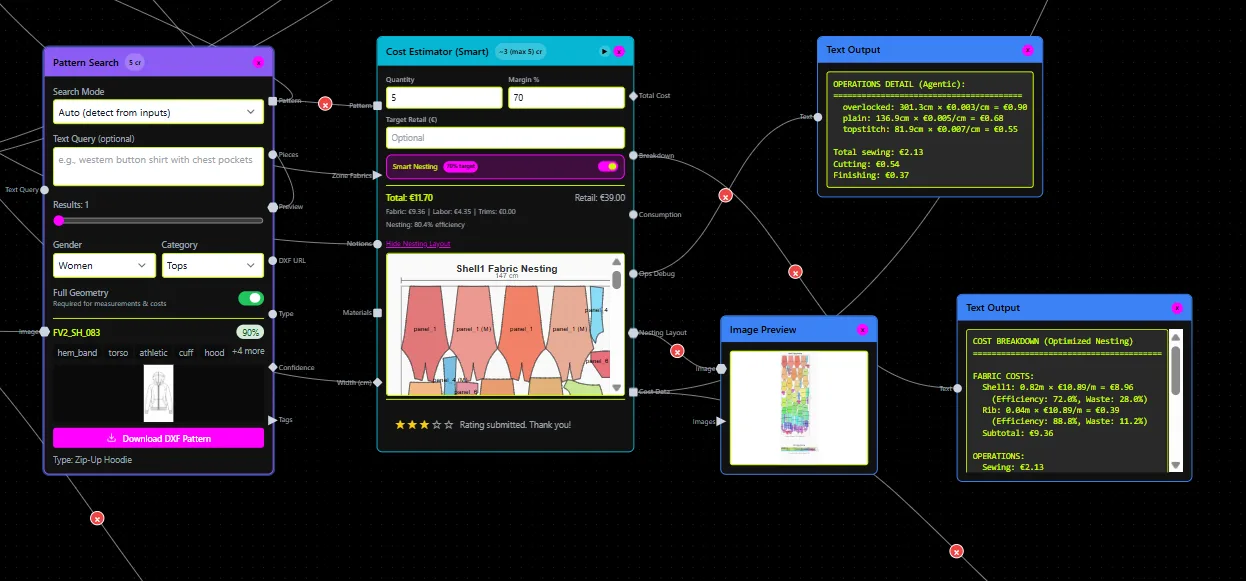
The BOM Agent sits at the intersection of two workflows that apparel teams typically manage in separate tools: material sourcing and cost documentation. In a conventional apparel product lifecycle management setup, a sourcing team queries suppliers manually, collects quotes via email, and pastes that data into a shared BOM template. The BOM then feeds a costing sheet maintained by a different team. Version drift is almost guaranteed.
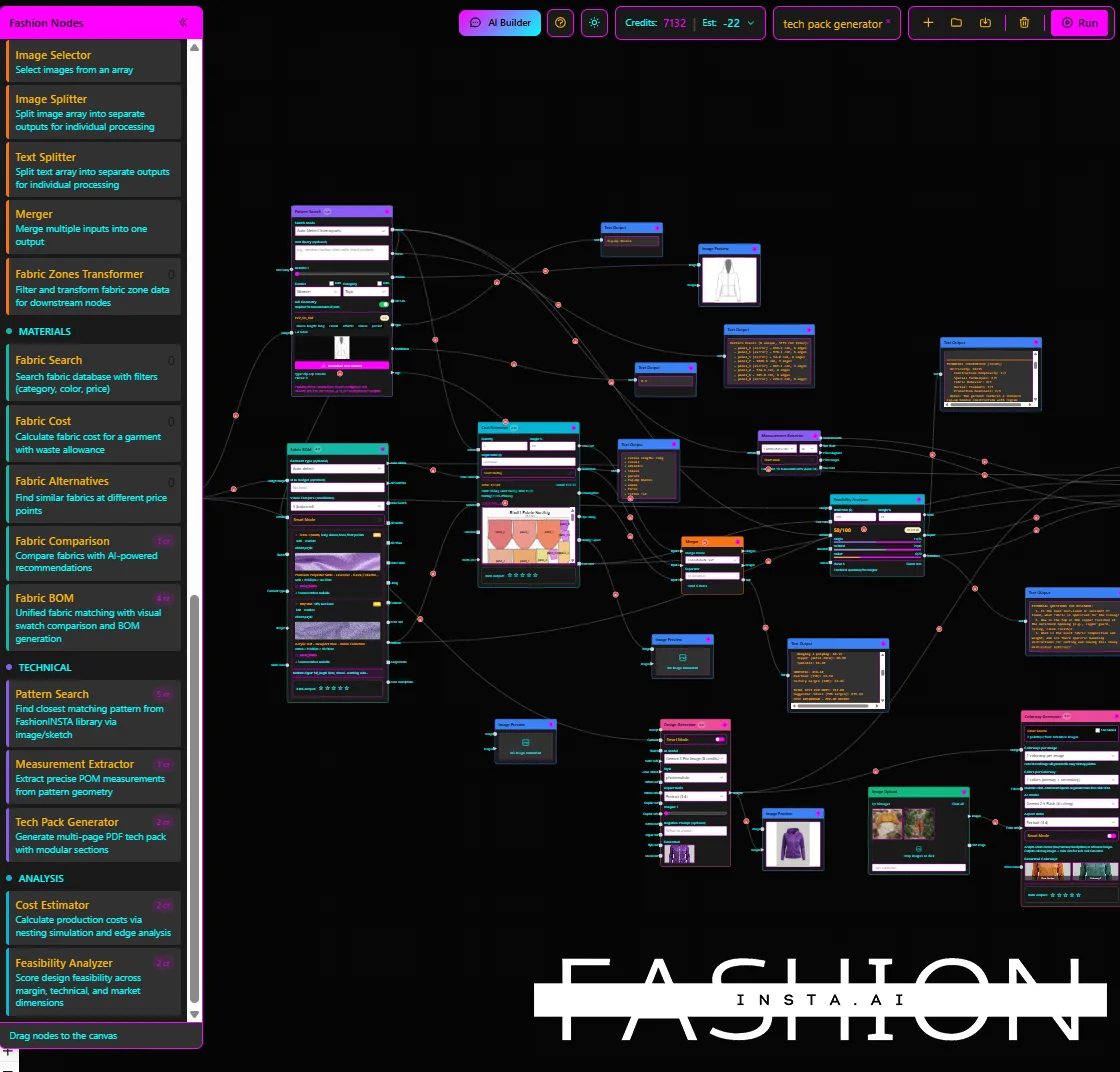
FashionINSTA structures this differently. The node-based workflow connects tech pack inputs to consumption and materials data, routes that data through the BOM Agent for supplier fabric selection, and outputs a costed BOM that flows directly into the Cost Estimator and Feasibility Analyzer. The Tech Pack Compiler then picks up the finalized material records and generates factory-ready documentation: measurements, construction notes, fabric specifications, and colorway variations.
The differentiation is in the data source. The BOM Agent connects to a real fabric shop with verified suppliers and returns real fabric names, real compositions, real prices, and real minimum order quantities. No stock photos, no placeholder SKUs. According to FashionINSTA's internal demo transcripts, when the workflow is connected to accurate supplier fabric data, cost model accuracy can reach 80% of actual production reality before a single physical sample is cut.
For clothing brands running 50 to 1,000+ SKUs per season, that delta between estimated and actual cost is the difference between a viable margin and a line that has to be repriced at the last stage.
Supported supplier networks and integration patterns
The BOM Agent connects to FashionINSTA's integrated fabric shop network, where supplier entries are verified before they enter the searchable dataset. This isn't a marketplace where any vendor can self-list. Supplier qualification happens at the data ingestion layer, so the records returned to your BOM query reflect verified, active suppliers.
For integration patterns, FashionINSTA supports outbound API connectivity at the Fashion Complete OS tier, which means the costed BOM output can be handed off to external ERP, PLM, or PIM systems your team already uses. The platform is designed to operate alongside tools like CLO3D, Browzwear, Optitex, Lectra, Gerber, Tukatech, and Marvelous Designer, so technical product developers working in those environments can incorporate BOM and sourcing outputs without abandoning existing 3D or pattern workflows.
What you need to provide before running a BOM query:
- Style and component identifiers (e.g., shell fabric, lining, interlining, trims per construction zone)
- Size range and colorway mapping relevant to the component
- Target region for supplier and lead time relevance
- Consumption rules or estimated yardage/meterage per component if available
The more precise the input, the more targeted the sourcing results. FashionINSTA's node architecture allows you to configure consumption rules upstream of the BOM Agent so that those parameters pass through automatically rather than being re-entered per query.
Data fields returned per BOM line item
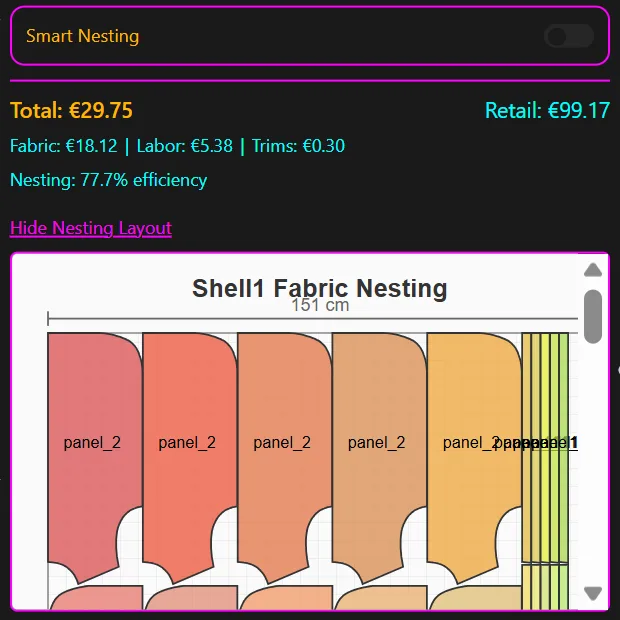
The BOM Agent returns a structured material record per queried component. The confirmed field set from the FashionINSTA platform includes:
- Fabric name (as listed by the verified supplier)
- Fiber composition (e.g., 98% cotton / 2% elastane)
- Unit price (per meter or per yard, depending on regional configuration)
- Minimum order quantity (MOQ)
- Supplier identifier
An example BOM line item object, simplified for illustration:
{
  "style_id": "SS26-SHIRT-001",
  "component": "Shell Fabric",
  "fabric_name": "Stretch Poplin",
  "composition": "98% Cotton / 2% Elastane",
  "unit_price": 4.20,
  "unit": "meter",
  "moq": 150,
  "currency": "EUR",
  "supplier_id": "SUP-0047",
  "supplier_verified": true
}
The linkage from style to component to sourcing record is maintained within the workflow state, so when a design change modifies the shell fabric spec, the BOM Agent can be re-queried for the updated component without rebuilding the entire BOM from scratch.
On unit-of-measure normalization: the platform handles per-meter and per-yard pricing across supplier records and converts based on regional configuration at the tenant level. Currency handling follows the same pattern, with regional pricing supported for suppliers operating in different markets. This is particularly relevant for clothing brands sourcing across European and Asian supplier bases simultaneously.
Note: lead time as a discrete returned field is under active development. Confirm field availability with the FashionINSTA team before building lead time dependencies into automated purchasing workflows.
How supplier verification and data quality work
Supplier entries in the BOM Agent's connected fabric shop are verified at the data ingestion stage. This means that before a fabric record is queryable, it has passed consistency checks against composition claims, pricing plausibility, and supplier activity status. The system does not rely on self-reported supplier data without validation.
When an exact fabric match isn't available for a given component spec, the BOM Agent surfaces approved alternates ranked by composition proximity and price delta. This prevents the workflow from stalling on unavailable materials while still keeping the sourcing selection within auditable, system-managed parameters rather than falling back to manual search.
Auditability is handled at the BOM selection event level. Every time a fabric record is selected, the system logs the user identity, timestamp, workflow version, and the specific supplier record chosen. When a BOM is revised across development seasons or SKU iterations, the prior selection states are preserved with their selection metadata, giving sourcing and compliance teams a full revision history rather than an overwritten spreadsheet tab.
This architecture addresses one of the consistent weaknesses in competing apparel PLM and BOM software: most platforms capture the current BOM state but don't version the selection decisions that produced it.
Pricing and credit usage for BOM queries
FashionINSTA runs on a node credit model. BOM Agent queries consume credits based on the number of component lookups executed within a workflow run. A "lookup" is defined at the component level: querying the shell fabric for one style consumes one lookup credit, querying the lining consumes a second, and so on. Colorway variations within the same component and style do not multiply the credit consumption unless the composition spec differs per colorway.
Plan context:
- Free tier: 150 credits included on signup, sufficient for exploratory BOM queries on a small collection
- Enterprise Pilot: 10,000 node credits, covering one product category trained on 30 to 50 patterns, with onboarding support (one-time fee: €5,000)
- Fashion Complete OS: larger credit allocations per seat per year, with API in/out connectivity and custom node configuration; priced at €23,900/year/seat with quantity discounts available
To estimate credit consumption before running a full seasonal BOM workflow: multiply the number of distinct components per style by the number of styles in scope. A 20-style collection with an average of 5 components per style requires approximately 100 BOM lookup credits for a full first-pass sourcing run.
Credit usage for the downstream nodes (Cost Estimator, Feasibility Analyzer, Tech Pack Compiler) is metered separately. The BOM Agent lookup is the sourcing-specific credit event; costing and compilation run against their own credit allocations.
Security and data privacy for supplier and design data
Every FashionINSTA customer runs on a dedicated AWS instance in a region of their choice. There is no shared inference layer, no cross-training between customer datasets, and no pooled data environment. Your BOM selections, sourcing queries, and fabric records are isolated within your tenant at both the compute and storage layers.
Access controls at the enterprise tier include:
- SSO integration for identity federation with your existing identity provider
- Role-based access control (RBAC) with configurable permissions per node type (e.g., restricting BOM Agent access to sourcing roles only)
- Full audit trail covering all node executions, BOM selections, and data exports
- Encrypted transfer and storage for all data in transit and at rest
For design IP specifically: no pattern data, tech pack content, or BOM selection records leave your tenant without explicit export authorization by an authorized role. NDA and DPA agreements govern any engagement where FashionINSTA team members access your tenant for onboarding or support purposes. This matters operationally for brands where sourcing decisions represent competitive intelligence.
Sample API interaction for technical buyers
For teams integrating FashionINSTA's BOM Agent output into downstream ERP or PLM systems via the API, the request/response pattern follows a REST structure. Below is an illustrative example reflecting the confirmed field set:
Request (POST /bom/query):
{
  "style_id": "SS26-SHIRT-001",
  "components": [
    {
      "component_id": "shell",
      "spec": {
        "composition_target": "cotton-elastane",
        "weight_gsm": 130,
        "construction": "plain weave"
      },
      "consumption_meters": 2.4,
      "colorway": "Navy / White"
    }
  ],
  "region": "EU",
  "currency": "EUR"
}
Response:
{
  "style_id": "SS26-SHIRT-001",
  "bom_lines": [
    {
      "component_id": "shell",
      "fabric_name": "Stretch Poplin",
      "composition": "98% Cotton / 2% Elastane",
      "weight_gsm": 128,
      "unit_price": 4.20,
      "unit": "meter",
      "moq": 150,
      "currency": "EUR",
      "supplier_id": "SUP-0047",
      "supplier_verified": true,
      "total_consumption_cost": 10.08,
      "alternates_available": 2
    }
  ],
  "credits_consumed": 1,
  "bom_version": "v1",
  "timestamp": "2026-08-21T10:14:03Z"
}
How to interpret the response: The total_consumption_cost field is the unit fabric cost for this component at the specified consumption rate (2.4m × €4.20). This value passes directly into the Cost Estimator node as the fabric cost input for that component. The alternates_available count tells you how many substitute fabric records matched the composition target if the primary selection needs to be swapped. The bom_version field increments on every selection change, giving you version-controlled BOM state without manual tracking.
This is the payload structure your ERP or costing tool receives when FashionINSTA's API out is configured. No intermediate spreadsheet export, no manual re-entry.
Frequently asked questions
Is this standalone BOM software or part of a larger PLM workflow?
The BOM Agent is a node within FashionINSTA's fashion operating system. It can be queried individually for standalone sourcing lookups, but its full value is as part of the connected workflow: tech pack → BOM Agent → Cost Estimator → Feasibility Analyzer → Tech Pack Compiler. Running it as a standalone tool is possible; running it as an integrated workflow is where the automation ROI materializes.
Can it support multiple suppliers or alternates per component?
Yes. When the primary fabric match is unavailable or doesn't meet spec tolerances, the BOM Agent returns alternate records from the verified supplier network ranked by composition proximity and price. Your sourcing team can select from the alternate set within the same BOM revision without leaving the workflow.
How does it handle MOQ and lead time changes across BOM revisions?
Each BOM revision is versioned. When you re-query a component after a design change or seasonal reset, the BOM Agent pulls current supplier records and flags any MOQ or pricing changes relative to the prior version. The delta is visible before the new selection is committed.
Does it support regional pricing and currency differences?
Yes. The tenant configuration includes region and currency settings. Supplier records are tagged by operating region, and unit pricing is returned in the tenant's configured currency. Multi-region teams can configure separate regional workspaces within the platform.
What format does the output feed into?
BOM output feeds natively into the Cost Estimator and Tech Pack Compiler nodes within the workflow. For external handoff, the Fashion Complete OS tier supports API out, which means the costed BOM can be delivered to external ERP, PLM, or procurement tools in JSON format. The Tech Pack Compiler outputs factory-ready documentation including measurements, construction notes, and finalized material specs.
How do you prevent the system from returning outdated fabric records?
Supplier records in the connected fabric shop are subject to ongoing validation cycles. Stale or inactive supplier entries are flagged and removed from the queryable dataset before they surface in BOM results. The supplier_verified field in the response payload reflects current verification status at the time of query, not at initial data ingestion.
Start with 150 free credits and run your first BOM query at fashioninsta.ai. For seasonal collections or apparel startup workflows requiring full PLM-to-production automation, the Enterprise Pilot at €5,000 is structured to get one product category fully operational within a single onboarding cycle.