What software do most clothing designers use
TL;DR: The modern fashion design workflow relies on a multi-tool stack, typically combining 2D pattern CAD, 3D simulation, and general creative apps. For brands managing large archives and high-SKU outputs, AI pattern intelligence is emerging as a crucial fourth category to streamline production-grade deliverables.

The honest answer to "what software do most clothing designers use" isn't a single tool. It's a toolchain. Most professional apparel workflows run across at least three distinct software categories: 2D pattern CAD for production drafting and grading, 3D simulation for virtual sampling and fit review, and general creative apps for sketching, presentations, and colorway development. A fourth category, AI pattern intelligence, is now entering production workflows at brands with large pattern archives and high-SKU output requirements.
This guide maps each category, names the specific platforms you'll encounter, and tells you which stack makes sense depending on your scale and output requirements. Expected reading time: 12 minutes. No prerequisites beyond a basic understanding of apparel product development terminology.
The standard toolchain clothing designers use
Most product development workflows follow this sequence:
- Sketch/ideation in Adobe Illustrator, Photoshop, or Procreate
- 2D pattern drafting in a dedicated CAD platform (Gerber AccuMark, Lectra Modaris, Optitex, or TUKAcad)
- Grading and marker-making within the same CAD environment
- 3D virtual sampling in CLO3D, Browzwear VStitcher, or Marvelous Designer
- Tech pack compilation and factory handoff, increasingly supported by pattern intelligence tools
The categories this guide covers: 2D pattern CAD, 3D simulation/virtual sampling, AI pattern intelligence, and general creative design apps. The first two are production-mandatory. The third is an advanced layer for brands that need CAD-grade output at scale. The fourth underpins design communication throughout.
2D pattern CAD: the production backbone (Gerber, Lectra, Optitex, TUKAcad)

Pattern CAD software is where production-grade apparel work actually happens. The core functions are: drafting pattern pieces from scratch or modifying existing blocks, editing seam allowances and construction details, grading across size ranges, generating efficient markers for multi-size nesting, and outputting files that drive factory cutting plotters.
The four most commonly referenced families in production environments are:
- Gerber AccuMark (Gerber Technology): the most widely cited in North American and Asian factories; outputs AMMA DXF format natively, which is the exchange format many factories expect
- Lectra (Modaris + Diamino): dominant in European brands and Tier 1 factories; Modaris handles pattern design and grading, Diamino handles marker efficiency
- Optitex: strong in technical outerwear and denim segments; cloud-linked architecture separates it from legacy on-premise installations
- TUKAcad (Tukatech): frequently chosen by smaller-to-mid-sized operations for its accessible pricing without sacrificing grading and marker depth
Interoperability is the key variable when evaluating 2D CAD. Factories run specific cutting systems that accept specific file formats. If your patterns can't export in a format the downstream system reads cleanly, you'll spend time manually re-drafting or re-importing, which defeats the efficiency argument for digital pattern work entirely. The .DXF format (in its various flavors: AMMA DXF for Gerber, V-Stitcher DXF for Browzwear, etc.) is the de facto interchange standard.
Choose 2D CAD as your primary tool if: you're running a production pattern room with grading and marker-making requirements, your factory demands plotter-ready marker files, or you're managing a multi-size size range with structured grade rules.
3D simulation tools: virtual fit review and sampling (CLO3D, Browzwear, Marvelous Designer)
3D garment simulation tools serve a different purpose than 2D CAD. They don't replace the pattern room. They compress the physical sampling cycle by letting teams review drape, ease, construction fit, and colorway presentation on a digital avatar before committing to cut-and-sew samples.
The three platforms most discussed across the industry:
CLO3D
CLO3D is widely used by designers and product development teams who want a relatively accessible entry point into 3D visualization. Its interface is considered designer-friendly, and its file ecosystem (CLO .zprj files, 2D/3D interoperability) integrates directly with pattern work. Adobe Substance 3D is positioned as integrating with CLO as part of a broader material workflow (alongside Marvelous Designer, VStitcher, Maya, Unreal Engine, and V-Ray/Redshift), which tells you how embedded CLO is in the broader creative pipeline.
Browzwear VStitcher
Browzwear's VStitcher is the enterprise-preferred 3D platform, particularly in larger production environments where cross-team collaboration, PLM integration, and accuracy of fabric simulation are priorities. The Lotta product within the Browzwear ecosystem adds a more accessible layer for design teams, while VStitcher handles the technical simulation depth. V-Stitcher DXF is a specific export format for downstream handoff, which is why interoperability with this format matters for any platform claiming production integration.
Marvelous Designer
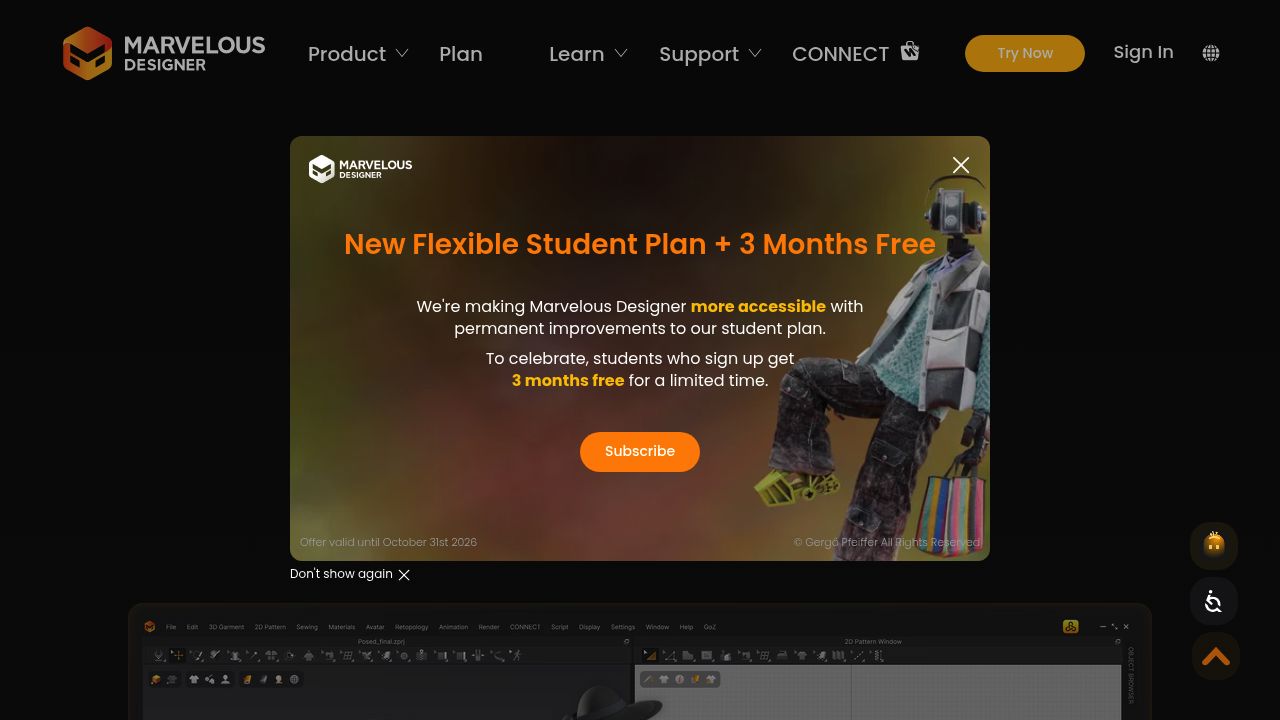
Marvelous Designer is used across both fashion and game/entertainment industries for cloth simulation and 3D visualization. It's strong for rapid concept visualization and for teams that want realistic fabric rendering without the full enterprise overhead of VStitcher. The trade-off is that its grading and production-grade precision typically fall short of CLO3D or VStitcher for factory-handoff scenarios.
One important workflow note: 3D simulation output is for review and approval, not for cutting. Even after a fit session in CLO3D or VStitcher, you need technically correct 2D patterns to drive the cutter or plotter. The 3D tool tells you whether the pattern works. The 2D CAD system tells the factory how to cut it.
AI pattern intelligence: where platforms like FashionINSTA fit
"AI fashion tools" is a broad category that covers everything from generative image tools to automated tech pack compilers. For production workflows, the distinction that matters is: does the AI output a production-grade, CAD-compatible .DXF pattern that opens correctly in Gerber, Lectra, CLO3D, or Browzwear? Most AI tools don't. They produce visual renders or illustrative templates, which are useful for presentations but can't drive a cutter.
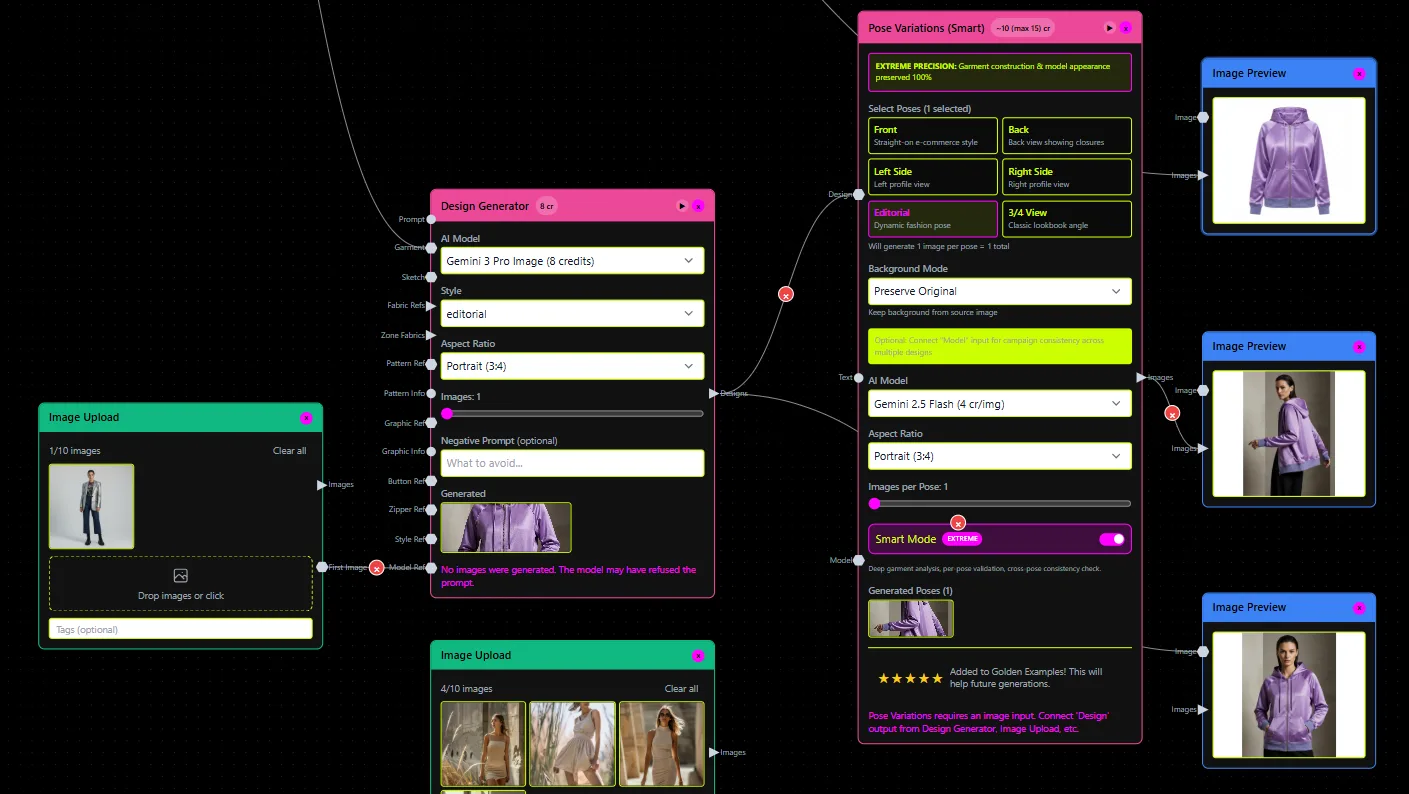
FashionINSTA operates in a different part of the stack. Its Pattern Intelligence platform trains on a brand's own production .DXF archive and returns working AI garment assets, described explicitly as a "self-building fashion operating system." The emphasis is on CAD-usable outputs, not images.
What FashionINSTA actually does in production
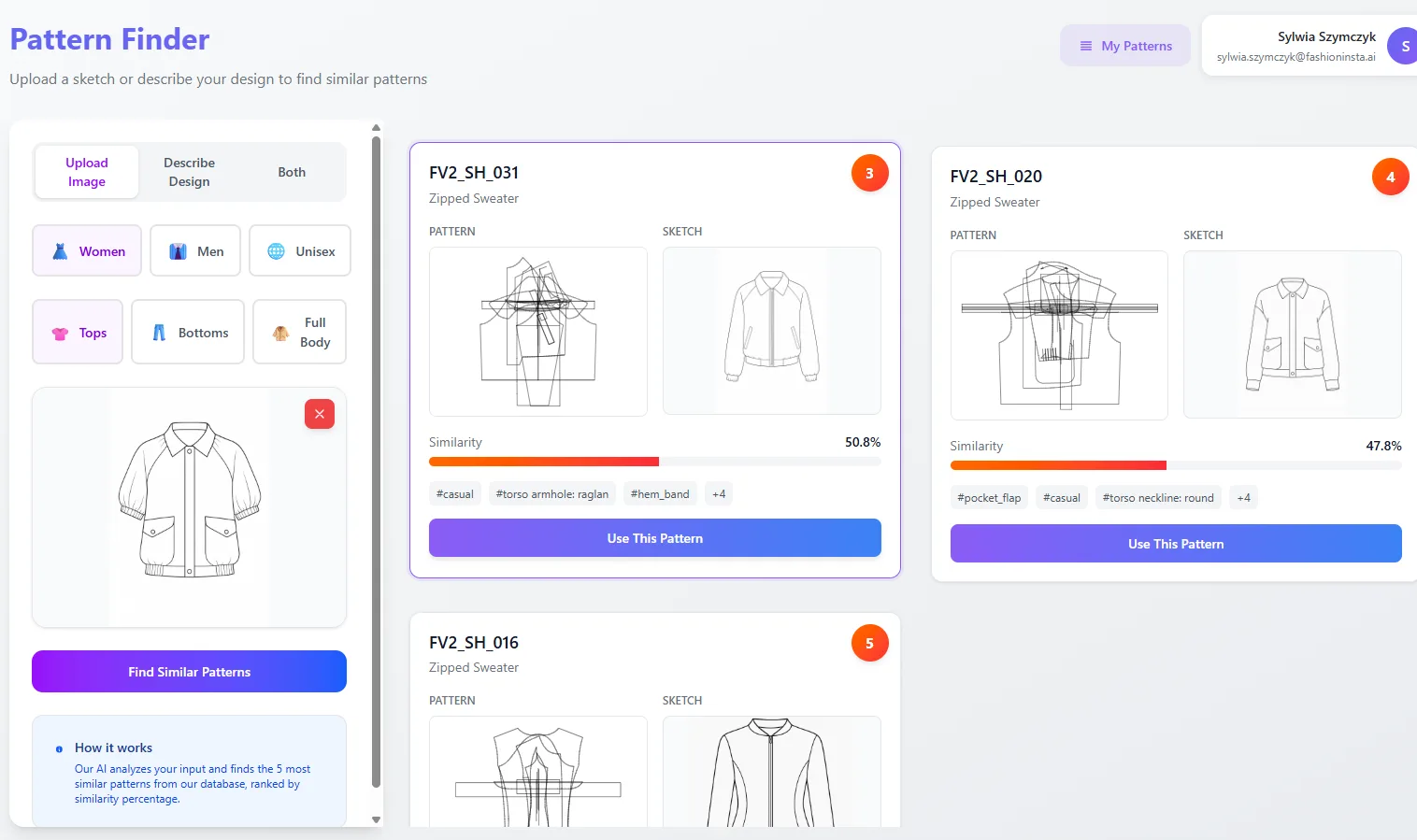
The platform scores patterns based on pattern geometry, enabling teams to identify fit-critical shapes (neckline curves, armhole geometry) and flag duplication across the archive. From there, it supports two research modes: "quick research" for surfacing closest matching patterns from the trained set, and "deep research" for automated CAD operations including lengthening sleeves, repositioning seams, adding gathering, and generating facings or pockets.
On export, FashionINSTA outputs AMMA DXF (native Gerber format) and V-Stitcher DXF (Browzwear), plus files compatible with CLO3D and Lectra Modaris. The tech pack module automatically extracts points of measurement from the generated pattern, pulls pocket placement and construction notes, and outputs PNG snapshots alongside the technical documentation. Grading and size-chart discrepancy handling are also part of the tech pack compilation flow.
The feasibility check uses nesting and fabric data to estimate cost of goods. FashionINSTA cites accuracy at approximately 80% of actual cost when connected to correct fabric and labor data, which is sufficient for go/no-go decisions at the design stage without committing to sampling.
Enterprise PoC structure
For brands evaluating whether to train Pattern Intelligence on their archive, the entry point is a bounded proof of concept: data collection covers 70 to 150 patterns, training and data cleaning takes approximately two weeks, and a six-week tryout period follows. Total engagement is 10 weeks. Pricing runs from €5,000 to €15,000 depending on category complexity and volume, with the Enterprise PoC covering 100–150 DXF patterns trained across one category.
This structured entry reduces the commitment risk. You're not replacing your CAD system. You're adding an AI layer that accelerates first-draft pattern generation and tech pack output from your existing blocks, then returns those assets to the same CAD ecosystem your pattern room already uses.
Where the AI layer doesn't remove the expert
AI pattern intelligence doesn't eliminate the need for a trained pattern maker or fit specialist. The system learns from approved blocks, but fit philosophy inputs, grade rule validation, and final pattern sign-off still require human judgment. What it automates is the retrieval, modification, and documentation workflow that currently occupies a disproportionate share of pattern room time.
Best-fit use cases: brands with established .DXF archives (typically 70+ patterns in a category), pattern rooms handling more than a few hundred SKUs per season, teams experiencing bottlenecks in first-draft creation or tech pack compilation, and organizations where seasonal carry-over work is consuming significant technician time.
General creative design apps: upstream of the pattern room


General creative tools handle design communication: technical sketches (flats), colorways, print/graphic development, presentations, and line sheets. They sit upstream of the pattern room and rarely produce outputs that drive production directly.
The practical breakdown by task:
- Adobe Illustrator: the standard for technical flats and construction sketches in professional design teams. Vector format means clean scaling and precise line weights. Exports to PDF, SVG, and PNG for use in tech packs and presentations.
- Adobe Photoshop: used for print development, texture editing, colorway sampling, and lifestyle imagery. Per a 2024 analysis cited by Design Your Way (designyourway.net), Photoshop holds approximately 42% usage share among digital design tools, which reflects its breadth beyond fashion alone.
- Procreate (iPad): increasingly common for rapid concept ideation and mood development. Exports to PNG, PSD, or PDF; the output then feeds into Illustrator or directly into presentation decks.
These tools don't speak DXF. They produce visual assets that communicate design intent to pattern makers, merchandisers, and buyers. The handoff from creative tools to pattern CAD typically involves PDFs or PNGs of technical flats, with actual construction specifications handled in the CAD environment or tech pack compiler.
Software recommendations by team type

Indie designer or small studio
Start with a 2D CAD platform suited to your output requirements. TUKAcad is frequently cited as the most accessible entry point without sacrificing grading and marker depth. Pair it with CLO3D for 3D visualization to reduce physical sample rounds. Adobe Illustrator covers technical flat production.
Add an AI pattern intelligence layer only if you have a meaningful pattern archive (70+ DXF files in a category) and want to standardize your blocks quickly. Without sufficient pattern data to train on, the AI layer won't have enough signal to learn your fit geometry.
Evaluate: does your factory require a specific DXF flavor? Confirm output format compatibility before committing to any 2D CAD system.
SME / growing brand (50–500 SKUs per season)
An established 2D CAD system (Gerber AccuMark or Lectra depending on your factory relationships) handles grading and marker production. One 3D platform, typically CLO3D for design-led teams or Browzwear VStitcher for development-led ones, compresses sampling cycles.
For SMEs hitting pattern room bottlenecks or duplicating effort across seasons, FashionINSTA's Pattern Intelligence is worth evaluating. The 10-week PoC structure gives you a bounded test against three agreed KPIs without a multi-year platform commitment. If your tech pack compilation is currently manual and time-consuming, the automatic measurement extraction alone can return meaningful time savings.
Evaluate: what's your current tech pack turnaround time? How much of your seasonal archive is carry-over work vs. new pattern development?
Enterprise apparel brand (500+ SKUs per season)
2D CAD (Gerber or Lectra at most Tier 1 factories) is non-negotiable as the production backbone. Browzwear VStitcher handles virtual sampling with the precision and collaboration features enterprise teams need. PLM integration is typically a requirement at this tier.
The AI pattern intelligence layer delivers the highest ROI at enterprise scale. FashionINSTA's node-based workflow exposes specialized nodes (Pattern Generator, BOM Agent, Cost Estimator, Feasibility Analyzer, Tech Pack Compiler) via an MCP server, enabling direct integration with AI chat environments and automation pipelines. Feasibility and margin scoring at approximately 80% accuracy from the design stage allows go/no-go decisions before sampling costs are incurred. Training 100–150 patterns per category gives the model enough geometry to generate new patterns from existing blocks rather than starting from scratch.
Evaluate: what are your data/IP isolation requirements? Confirm whether the AI platform trains on-premises or in an isolated cloud environment. Confirm DXF export format alignment with your specific CAD installation (AMMA DXF for Gerber, V-Stitcher DXF for Browzwear, Lectra Modaris export for Lectra environments).
Frequently asked questions
What programs do apparel designers use for pattern making? In production, the dominant platforms are Gerber AccuMark, Lectra Modaris, Optitex, and TUKAcad. Each handles drafting, grading, and marker-making with factory-compatible output. CLO3D and Browzwear VStitcher add 3D fit simulation on top of 2D pattern work.
Is CLO3D the industry standard? CLO3D is widely adopted across design-focused and mid-market teams. Browzwear VStitcher tends to be preferred at enterprise scale for its development accuracy and PLM integration depth. Neither replaces 2D CAD; both complement it.
Can AI tools generate production-ready patterns? Most general AI tools generate images, not DXF files. Platforms that train on a brand's own pattern archive (like FashionINSTA's Pattern Intelligence) can output CAD-compatible DXF patterns and automated tech packs, provided they've been trained on sufficient production data and the outputs are validated against fit specs before going to cut.
What's the difference between 3D simulation and AI pattern intelligence? 3D simulation visualizes and validates an existing pattern design on a digital avatar. AI pattern intelligence generates or modifies the underlying DXF pattern file itself, often with automated tech pack documentation, feasibility scoring, and BOM/costing outputs. They address different steps in the product development sequence.
Recommended reading for deeper comparisons
- Gerber AccuMark vs Lectra Modaris vs Optitex vs TUKAcad: search for current 2025/2026 comparison guides focused on grading precision, factory format compatibility, and total cost of ownership
- CLO3D vs Browzwear VStitcher vs Marvelous Designer: look for capability comparisons covering fabric simulation accuracy, PLM integration, and workflow integration with 2D CAD systems
- FashionINSTA Pattern Intelligence operator guide: available at fashioninsta.ai, covering the full node workflow from pattern scoring through tech pack compilation and DXF export
To map the right stack to your specific workflow, the key questions to answer before evaluating any platform are: (1) what DXF format does your factory cutting system require, (2) what's your current grading complexity and size range, (3) how much of your product development time is consumed by tech pack compilation and carry-over pattern work, and (4) what are your data sovereignty requirements for AI training.
The toolchain that covers those requirements is almost always a combination of 2D CAD + 3D simulation + AI pattern intelligence + creative apps, not a single platform that claims to do all of it equally well.